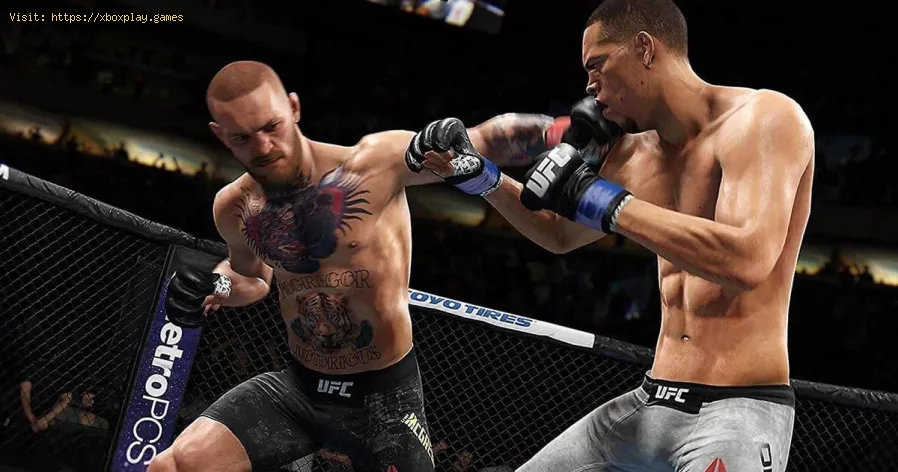
UFC 4: How to use the Grappling Assist - Ultimate Guide
We invite you to discover How to use the grappling assist, a new task in UFC 4.
In the previous edition of the UFC 4 we had that the grip gave us the possibility of multiple options, this at the time of finding ourselves in a certain position, among them we had to move to full guard, the assembly and even the possibility that our opponent was in a position. vulnerable situation at some point, thus showing what is available, while in the current version we are going to notice that some changes were made, this includes the grip aid, something that we will notice as we know many on the right and left part of our screen and It will alert us to the availability when we are immobilized or on the ground, now to understand How to use the grappling assist we will follow the next content closely.
Specifically, the change will be from assistance claw to legacy, thus changing to the options that we had in the 3rd edition and even the use of the right stick, again now we also have the possibility of establishing a crossing of both forms of assistance from grip, for this we place the options in Hybrido and thus both elements will be possible to use.
We hope that the information detailed here on How to use the grappling assist has been useful for your fun in UFC 4.
The gaming world's changing fast, and payment tech is driving most of it. We've gone from fumbling with credit cards to buying stuff in-game without even thinking about it.
CS2 Gaming Accessories: Boost Your Counter-Strike Experience
Counter-Strike 2 (CS2) is a fast-paced, competitive shooter where precision, reaction time, and comfort play a huge role in success. While skill is paramount
How To Get Tyranitar in Pokemon Legends: Z-A
Discover how to obtain Tyranitar in Pokemon Legends: Z-A. Unlock this powerful Pokémon with our step-by-step guide!
The Role of Emotion AI in Creating More Engaging Reading Experiences
Emotion AI—technology designed to recognize and respond to human emotions—is stepping quietly into the reading world.
How Sim Racing Is Becoming the Next Big Esport for Console and PC Gamers
In the fast-evolving world of gaming, few genres have experienced as much transformation and momentum as sim racing.
Marvel’s Avengers: How To Open The Depot
If you want to know how to open the Depot in Marvel’s Avengers, excellent you are in the right place, here everything you need will be covered.
Hellpoint: Where to Find the Health Module
Guide to know where to find the health module in Hellpoint
Horizon Zero Dawn: How to Fix Disk Write Error
The failures do not seem to give Horizon Zero Dawn a break and so today we are going to tell you how to repair a disk write error
Horizon Zero Dawn: How to Fix Crash at Startup
Knowing how to solve a crash at startup is a necessary task to be able to enjoy Horizon Zero Dawn and here we are going to show you.
UFC 4: camera angle Guide
Today we bring you a UFC 4 guide where we will explain how to change the angle of the camera.
What to know about the grappling assist in UFC 4?
In the previous edition of the UFC 4 we had that the grip gave us the possibility of multiple options, this at the time of finding ourselves in a certain position, among them we had to move to full guard, the assembly and even the possibility that our opponent was in a position. vulnerable situation at some point, thus showing what is available, while in the current version we are going to notice that some changes were made, this includes the grip aid, something that we will notice as we know many on the right and left part of our screen and It will alert us to the availability when we are immobilized or on the ground, now to understand How to use the grappling assist we will follow the next content closely.
How to use the grappling assist in UFC 4?
We have that the new grip aid has a simplification, counting on the existence now of 3 options, submit, get up or land and hit, taking into account the different aspect when choosing the specific option to use, but does not want To say that we cannot opt for the old thing that we saw in the previous edition of the game, now for the case of this 4th edition we have to press the left analog stick instead of the right as it was before, if we want to return to the latter we just have to go to the settings options and go to the sub tab of the game to make the change.Specifically, the change will be from assistance claw to legacy, thus changing to the options that we had in the 3rd edition and even the use of the right stick, again now we also have the possibility of establishing a crossing of both forms of assistance from grip, for this we place the options in Hybrido and thus both elements will be possible to use.
We hope that the information detailed here on How to use the grappling assist has been useful for your fun in UFC 4.
Mode:
Other Articles Related
4 Ways Payments Are Revolutionizing the Gaming IndustryThe gaming world's changing fast, and payment tech is driving most of it. We've gone from fumbling with credit cards to buying stuff in-game without even thinking about it.
CS2 Gaming Accessories: Boost Your Counter-Strike Experience
Counter-Strike 2 (CS2) is a fast-paced, competitive shooter where precision, reaction time, and comfort play a huge role in success. While skill is paramount
How To Get Tyranitar in Pokemon Legends: Z-A
Discover how to obtain Tyranitar in Pokemon Legends: Z-A. Unlock this powerful Pokémon with our step-by-step guide!
The Role of Emotion AI in Creating More Engaging Reading Experiences
Emotion AI—technology designed to recognize and respond to human emotions—is stepping quietly into the reading world.
How Sim Racing Is Becoming the Next Big Esport for Console and PC Gamers
In the fast-evolving world of gaming, few genres have experienced as much transformation and momentum as sim racing.
Marvel’s Avengers: How To Open The Depot
If you want to know how to open the Depot in Marvel’s Avengers, excellent you are in the right place, here everything you need will be covered.
Hellpoint: Where to Find the Health Module
Guide to know where to find the health module in Hellpoint
Horizon Zero Dawn: How to Fix Disk Write Error
The failures do not seem to give Horizon Zero Dawn a break and so today we are going to tell you how to repair a disk write error
Horizon Zero Dawn: How to Fix Crash at Startup
Knowing how to solve a crash at startup is a necessary task to be able to enjoy Horizon Zero Dawn and here we are going to show you.
UFC 4: camera angle Guide
Today we bring you a UFC 4 guide where we will explain how to change the angle of the camera.