Moving Out: How to play with other Characters - Ultimate Guide
Guide to learn how to play with other characters in Moving Out.
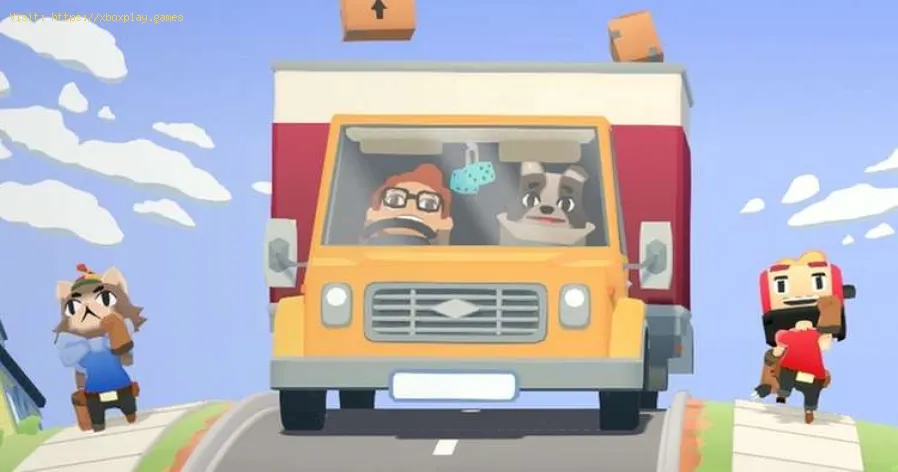
The interactive game has a wide variety of truly unique characters, such as the characters that have a toaster or a donut as a head or others where they are a variety of creatures. If you have several characters as favorites with this guide we will teach you how to change them to your liking.
You are probably motivated to change when you play more cooperatively with 4 other players. So if you want to learn how to change them, it is very simple.
There are 2 ways to do this and the first is simply by going back to the main menu and selecting Continue Game again. Then you will have the opportunity to select your preferred character and change it.
Although the other way is also just as easy, in this case you can do it if you are on the game map, at the bottom of the screen you will find some options and select the one that says "Edit" you will be able to access the choice of your character .
Pressing the button symbol that's there (square on PS4, X on Xbox One, Y on Switch) will take you to the same character selection screen that you would return to when jumping into the game initially.
Scroll through the options with the d-pad button and press X (A on Xbox and B on Switch) to confirm your choice.
When you learn how to play with other characters in Moving Out you will also realize that you will be able to unlock other companions while you play, so it is great to be able to switch between them as you progress through the games.
The gaming world's changing fast, and payment tech is driving most of it. We've gone from fumbling with credit cards to buying stuff in-game without even thinking about it.
CS2 Gaming Accessories: Boost Your Counter-Strike Experience
Counter-Strike 2 (CS2) is a fast-paced, competitive shooter where precision, reaction time, and comfort play a huge role in success. While skill is paramount
How To Get Tyranitar in Pokemon Legends: Z-A
Discover how to obtain Tyranitar in Pokemon Legends: Z-A. Unlock this powerful Pokémon with our step-by-step guide!
The Role of Emotion AI in Creating More Engaging Reading Experiences
Emotion AI—technology designed to recognize and respond to human emotions—is stepping quietly into the reading world.
How Sim Racing Is Becoming the Next Big Esport for Console and PC Gamers
In the fast-evolving world of gaming, few genres have experienced as much transformation and momentum as sim racing.
Counter Strike Live Score: Real-Time Action and the Pulse of Competitive CS
In the fast-paced world of Counter-Strike esports, every round matters, every clutch can shift momentum, and every match tells a story that unfolds in real-time.
Animal Crossing New Horizons: How to Get Pitfall Seeds
Guide to learn how to get Pitfall seeds in Animal Crossing New Horizons
Sakura Wars: How to work Instant Kill Attacks
We invite you to discover in this Sakura Wars guide the explanation with details on how to work instant Kill Attacks.
Gears Tactics: How To Change your Name - Tips adn tricks
In this opportunity we bring an explanatory guide of Gears Tactics where we will talk to you about How to change your name we are going to see.
Trials Of Mana: How to use Goblin Statue
In Trials Of Mana there are some very interesting elements that we cannot ignore, so we will talk about How to use the Goblin statue
Final Fantasy 7 Remake: Where to find Kyrie
Our search on Final Fantasy 7 Remake leads us to wonder where to find Kyrie and in this guide we will answer you.
The interactive game has a wide variety of truly unique characters, such as the characters that have a toaster or a donut as a head or others where they are a variety of creatures. If you have several characters as favorites with this guide we will teach you how to change them to your liking.
How to play with other characters in Moving Out?
You are probably motivated to change when you play more cooperatively with 4 other players. So if you want to learn how to change them, it is very simple.
There are 2 ways to do this and the first is simply by going back to the main menu and selecting Continue Game again. Then you will have the opportunity to select your preferred character and change it.
Although the other way is also just as easy, in this case you can do it if you are on the game map, at the bottom of the screen you will find some options and select the one that says "Edit" you will be able to access the choice of your character .
Pressing the button symbol that's there (square on PS4, X on Xbox One, Y on Switch) will take you to the same character selection screen that you would return to when jumping into the game initially.
Scroll through the options with the d-pad button and press X (A on Xbox and B on Switch) to confirm your choice.
When you learn how to play with other characters in Moving Out you will also realize that you will be able to unlock other companions while you play, so it is great to be able to switch between them as you progress through the games.
Mode:
Other Articles Related
4 Ways Payments Are Revolutionizing the Gaming IndustryThe gaming world's changing fast, and payment tech is driving most of it. We've gone from fumbling with credit cards to buying stuff in-game without even thinking about it.
CS2 Gaming Accessories: Boost Your Counter-Strike Experience
Counter-Strike 2 (CS2) is a fast-paced, competitive shooter where precision, reaction time, and comfort play a huge role in success. While skill is paramount
How To Get Tyranitar in Pokemon Legends: Z-A
Discover how to obtain Tyranitar in Pokemon Legends: Z-A. Unlock this powerful Pokémon with our step-by-step guide!
The Role of Emotion AI in Creating More Engaging Reading Experiences
Emotion AI—technology designed to recognize and respond to human emotions—is stepping quietly into the reading world.
How Sim Racing Is Becoming the Next Big Esport for Console and PC Gamers
In the fast-evolving world of gaming, few genres have experienced as much transformation and momentum as sim racing.
Counter Strike Live Score: Real-Time Action and the Pulse of Competitive CS
In the fast-paced world of Counter-Strike esports, every round matters, every clutch can shift momentum, and every match tells a story that unfolds in real-time.
Animal Crossing New Horizons: How to Get Pitfall Seeds
Guide to learn how to get Pitfall seeds in Animal Crossing New Horizons
Sakura Wars: How to work Instant Kill Attacks
We invite you to discover in this Sakura Wars guide the explanation with details on how to work instant Kill Attacks.
Gears Tactics: How To Change your Name - Tips adn tricks
In this opportunity we bring an explanatory guide of Gears Tactics where we will talk to you about How to change your name we are going to see.
Trials Of Mana: How to use Goblin Statue
In Trials Of Mana there are some very interesting elements that we cannot ignore, so we will talk about How to use the Goblin statue
Final Fantasy 7 Remake: Where to find Kyrie
Our search on Final Fantasy 7 Remake leads us to wonder where to find Kyrie and in this guide we will answer you.