Clair Obscur Expedition 33でシックな服装を手に入れる方法
Daniel Hidalgo | 2025-12-14 19:48:40 | 日本語
Clair Obscur: Expedition 33の美しくもメランコリックな世界では、生き残るということは、単に画家の筆を操り、画家の脅威である「Paintress」を出し抜くことだけではありません。それはアイデンティティに関わるのです。このゲームは、戦術的なターン制戦闘と、遺産と自己表現をめぐる深く個人的な物語を巧みに融合させています。この文脈において、コスメティックアイテムは単なる追加要素ではなく、ロールプレイング体験の中核を成す要素なのです。
開発元のSandfall Interactiveは、心のこもった「Thank You Update」のリリースとともに、熱烈なコミュニティへのラブレターを贈りました。そのプレゼントの中には、誰もが欲しがるシックな衣装、つまりパーティー全員のための洗練されたスタイリッシュな新しい装いが含まれていました。しかし、強力な新しいブラシを見つけるのとは異なり、これらのファッションアイテムはストーリーの進行によって手に入るものではありません。これらのアイテムの入手は意図的なものであり、人によってはエンドゲームで楽しく秘密めいたものとなるでしょう。このガイドでは、そのプロセスを分かりやすく解説し、冒険を成功へと導くための、最高にエレガントな装いを実現するためのヒントをご紹介します。
「問題」:ファッショナブルな狩り
では、なぜこれらの衣装を入手するのは簡単ではないのでしょうか?バグや不具合は一切ありません。意図的な設計です。このゲームは探索を奨励し、好奇心に報います。Verso、Maelle、Sciel、そして仲間たちと何十時間も過ごした後、「Thank You Update」は、ゲームの忘れられないほど美しい風景を再び訪れる新たな理由を与えてくれます。シックな衣装は、必須のステータスブーストではなく、熱心なプレイヤーへの名誉報酬として位置付けられています。この「チャレンジ」は戦闘に基づくものではなく、どこを探せばよいかを知ることと、買い物に必要なリソース(Chroma)を持っていることが求められます。
クイックソリューション(せっかちなスタイリスト向け)
時間がない?ファッションへの近道はこれ!
メインストーリーを完了する:エンドゲームの世界地図にアクセスできることを確認します。
エスキー(あなたが乗る巨大な生き物)の背中に乗って、沿岸の洞窟まで旅をします。
洞窟の入り口に入る前に、すぐに左を見てください。
そこに、隠れた新しいゲストラル商人が立っています。
各シックな衣装を、キャラクターごとに10,000 Chromaで購入します。
詳細なステップバイステップガイド
遠征隊のトップファッションキュレーターになるには、次の手順に従ってください。
Step 1: Prerequisites – Finish the Journey
You must have completed the main story of Clair Obscur:Expedition 33. The secret merchant and the new dungeon, "Verso'sDrafts," are post-game content. Ensure your save file is at a pointwhere you can freely explore the world map.
Step 2: Mount Up and Set a Course
Summon your faithful steed, Esquie. Open your world map. Your destination is the Coastal Cave. This is a location you likely visited during the main story, making it easy to find.
Step 3: The Crucial Detour
This is the most critical step. Upon arriving at the CoastalCave location, you will see the large, shimmering portal that serves asthe dungeon entrance. DO NOT ENTER IT. Instead, immediately pan your camera or move Esquie to the LEFT side of the entrance area. You should spot a small, secluded nook or cliffside path.
Step 4: Meet Your Personal Shopper
There, you will find the new Gestral Merchant, a mysterious figure added with the update. Approach and interact with them to open their unique shop interface.
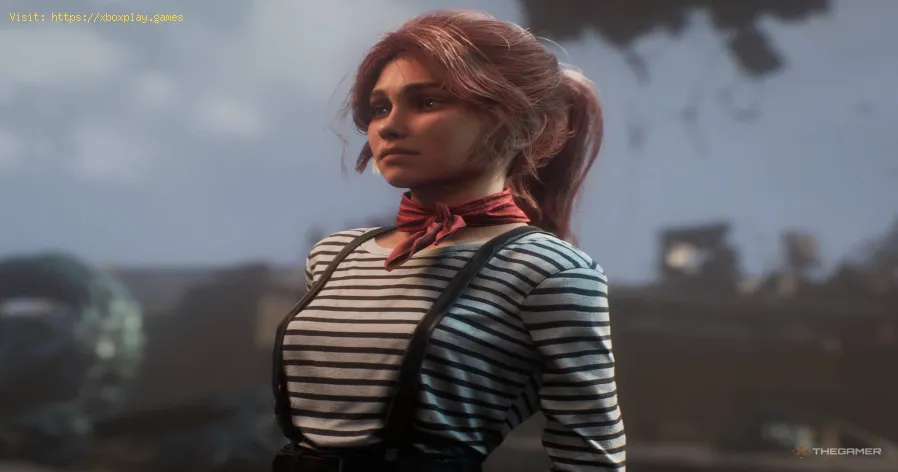
Step 5: Browse the Collection
The merchant's inventory is split into two key categories:
Chic Outfits: A complete new ensemble for Verso, Maelle, Monoco, Sciel, and Lune.
Double Bun Braid Hairstyles: A charming new hairstyle for Maelle, Lune, and Sciel.
Step 6: Check the Price Tag
Each individual item—whether an outfit or a hairstyle—costs 10,000 Chroma. This is a significant sum, emphasizing their status as premium cosmetics.
Step 7: Assess Your Funds
Open your menu and check your total Chroma. To buy everything (5 outfits + 3 hairstyles), you'll need 80,000 Chroma. For just the 5 Chic Outfits, you need 50,000 Chroma.
Step 8: Farm Chroma (If Necessary)
If you're short, don't worry. Chroma is farmable.
Best Method: Re-enter Verso's Drafts (the new dungeon from the same update) or any high-level endgamedungeon. Defeat every enemy group. Enemies respawn when you re-enterareas, creating an infinite loop.
Alternative Method: Roam the overworld on Esquie. Chroma appears as small, white glowing orbs scattered across the landscape. While slower, it's a more relaxed farming method.
Step 9: Make the Purchase
Once your wallet is sufficiently fat, return to the merchant.Select the items you want and confirm the purchase. The items are addedto your inventory instantly.
Step 10: Equip Your New Look
Open the menu, navigate to the character you wish to customize, and select the "Cosmetics" or "Appearance" tab. You will find the newly purchased "Chic" outfit and/or "Double Bun Braid" hairstyle availablefor selection. Equip it and watch your character's model update inreal-time.
Alternative Acquisition Methods & Tips
Focus on Favorites: You don't need to buy everything at once. Prioritize the outfits for your favorite characters or your main party lineup.
Chroma Management: Before the finalboss of the main game, consider saving a large stockpile of Chroma ifyou know you'll want these cosmetics later.
Exploration Payoff: This secretmerchant reinforces the game's design philosophy. Always check corners,alternate paths, and areas near major objectives for hidden secrets like this one.
How to Avoid "Losing" the Outfits
Once purchased, the Chic Outfits are permanently unlocked for that save file. There is no way to lose them or sell themaccidentally. They are purely cosmetic unlocks, tied to your profile.You can switch between the Chic outfit, default outfits, and any othercosmetic sets you own at any time from the menu without cost.
Frequently Asked Questions (FAQs)
Q: Do the Chic Outfits provide any stat boosts or gameplay advantages?
A: No, they are purely cosmetic. Their value is in personal expression and style, not in numerical power.
Q: I'm at the Coastal Cave but can't find the merchant. What's wrong?
A: Ensure you have downloaded and installed the "Thank You Update" (Version 1.XX or higher). The merchant will not appear on the basegame. Also, double-check that you are looking to the LEFT of the caveentrance, not right.
Q: Can I get these outfits on any platform?
A: Yes. The "Thank You Update" and the secret merchant are available on all platforms where Clair Obscur: Expedition 33 is sold: PlayStation 5, Xbox Series X/S, and PC (via Steam & Epic Games Store). The process is identical across all platforms.
Q: Is there a New Game+ mode, and do the outfits carry over?
A: As of the Thank You Update, Clair Obscur does not have a traditionalNew Game+ mode. Your cosmetics are tied to your completed save file,where you can continue exploring, farming, and enjoying the new dungeon.
Q: Are there other secret cosmetics in the update?
A: Yes! The "Esquie" outfit set mentioned in the intro is found inside the new "Verso's Drafts" dungeon. Be sure to explore every room thoroughly to find it.
Conclusion: Dress for the Expedition You Want
定められた運命に抗うゲームにおいて、パーティの外見をカスタマイズすることは、プレイヤー自身の力強い意志を示す行為です。『Clair Obscur: Expedition33』に登場するシックな衣装は、開発者のプレイヤーへの献身の証であり、この素晴らしい世界にもう少し長く留まりたいプレイヤーへのご褒美です。隠されたゲストラル商人を探すという、最後の楽しいパズルをクリアすることで、その変身は旅の締めくくりとして完璧なものとなります。
秘密が分かった今、クロマを獲得し、商人を探し出し、チームのスタイルを一新する時が来ました。沿岸の洞窟に戻り、隠された道を見つけ、探検隊にふさわしいシックでスタイリッシュな別れを告げましょう。パーティーは新しい装いを待っています。
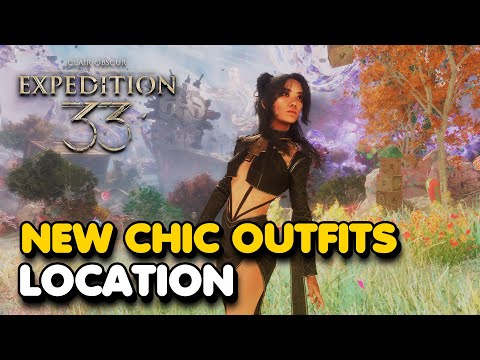 ▶
▶ クラッシュに悩まされていませんか?PCやコンソールでゲームが頻繁に終了する原因を突き止めましょう。破損したファイル、ドライバーの問題、過熱などの修復方法を学び、すぐにゲームを再開しましょう。
PCがコントローラーを認識しない:効果的な解決策 - 修正方法 PCがコントローラーを認識しませんか?Windows PCの接続問題を迅速に解決するための効果的な解決策をご紹介します。ステップバイステップのトラブルシューティング方法を学びましょう。
PCゲームで画面が真っ黒になる:解決方法 PCゲームのブラックスクリーンに関する問題のトラブルシューティングと解決方法をご紹介します。ドライバー、ハードウェア、ゲーム設定に関する問題をステップバイステップで解決し、ゲームを再開しましょう。
Destiny 2 Renegadesでサイト間トランスマットを介して貨物を輸送する方法 Destiny 2の「レネゲード」ミッションで、サイト間トランスマットを使って貨物を輸送する方法を学びましょう。この目標を達成し、クエストを進めるためのクイックガイドです。
Pokemon Legends Z-Aでローグメガニャースティックを倒す方法 ルミオンシティのサイキックの猛威に立ち向かえ!戦略、タイプ相性、そしてチーム編成を学んで、『ポケモンレジェンズZA』で恐るべきメガニャースを倒そう!
GTA OnlineのPfister X-Tremeについて知っておくべきこと GTA OnlineでPfister X-Tremeをマスターしましょう。パフォーマンス、アップグレード、価格、そしてレースとスタイルを両立させたこの最高級スポーツカーのアンロック方法など、完全ガイドを入手しましょう。
ゲームを保存できない:どのゲームでも修正する方法 ゲームのセーブに関する問題を専門家のヒントと解決策で解決しましょう。ゲームをトラブルシューティングして復元する方法を学びましょう。
Clair Obscur Expedition 33でシックな服装を手に入れる方法 Clair Obscur: Expedition 33 のすべてのシックな衣装のロックを解除する方法を学びましょう。コスメティック ギアを獲得し、あらゆる遠征に合わせてキャラクターのスタイルをカスタマイズするためのガイドを入手してくã
DirectXが動作しなくなった場合の修正方法:原因と解決策 「DirectXが動作を停止しました」というエラーに対する効果的な解決策。ゲームやアプリケーションをスムーズに動作させましょう。
Xbox Series/One のエラー 0x87e50007: 解決方法 Xboxでエラー0x87e50007が発生する場合の対処法をステップバイステップガイドでご紹介します。トラブルシューティングを行い、迅速に問題を解決しましょう。
69456
Fortniteがサーバーに接続できない問題を修正する方法 Fortnite接続エラーでお困りですか?問題を解決してゲームを再開するための効果的な解決策を見つけましょう
69454
Ashes of CreationでIntrepidアカウントをSteamにリンクする方法 IntrepidアカウントをSteamに接続して、Ashes of Creationを獲得しましょう!簡単なガイドに従ってアカウントをリンクすると、シームレスなアクセス、予約特典、将来のベータ版への参加が可能になります。
694556945369451
Clair Obscur Expedition 33のVerso's Drafts DLCのすべての武器 新たな戦争兵器をすべて使いこなせ。Clair Obscur: Expedition 33のVerso's DraftsDLCに登場する全武器の完全ガイドをご覧ください。ステータス、アップグレード、そして強力な武器のアンロック方法を網羅しています。
Note: Due to the fact that this post is a translation of the original content that was published in English, we would like to offer our most sincere apologies in the case that the translation is perceived as being wrong. We have made it our purpose to provide each and every one of our customers with the absolute finest experience that we are capable of providing. In the event that you find any errors, please do not be reluctant to get in touch with us; we will do all in our power to correct them as early as we possibly can. I would want to express my appreciation for your intervention.


