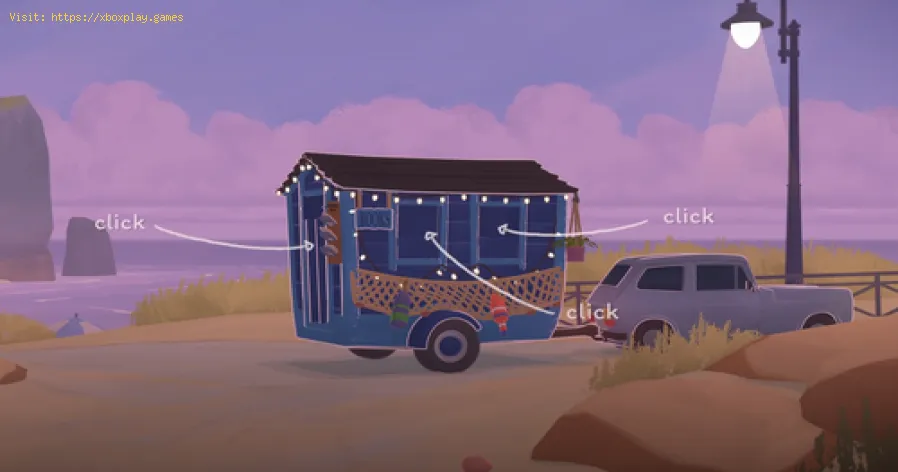
How to feed the dog in Tiny Bookshop
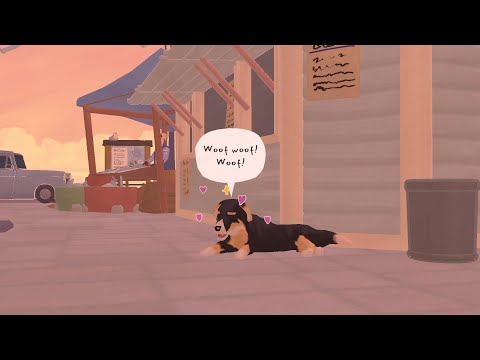
In Tiny Bookshop, there are many hidden secrets and charming surprises waiting to be discovered as you explore different locations. One of these secrets is a lovable stray dog that you can befriend by feeding it. Once adopted, this loyal companion provides useful bonuses to help your bookshop thrive.
If you're wondering how to complete the Feed the Stray quest and unlock the dog as a permanent companion, this guide will walk you through every step in detail.
The stray dog can be found in The Waterfront area. To locate it:
Visit The Waterfront – This is one of the locations you can travel to in the game. Scroll to the Far Right – The dog is usually sitting near the edge of the screen. Interact with the Dog – Approach it and click to see its reaction.
At first, the dog won’t accept just any food—you’ll need to find the correct item to gain its trust.
Before you can feed the dog, you must first unlock the quest by building a relationship with Walt, a local fisherman at The Waterfront. Here’s how:
Talk to Walt – He’s located on the left side of The Waterfront. Complete His Requests – Keep visiting The Waterfront and interacting with him until he invites you to the Fish Market. Attend the Fish Market – This special event allows you to purchase rare items, including the one needed to feed the dog.
Return to The Waterfront and find the dog again. Interact with the Dog – Select “Yes buddy, this is for you!” when the text says the dog is eyeing the fish. Choose to Adopt It – When prompted, select “Yes” to officially adopt the stray.
Elevate your gaming experience! Learn how to set up surround sound at home,from choosing the right speaker layout to calibrating audio settings for immersive gameplay.
How to Apply Thermal Paste Correctly
Step-by-step guide for correctly applying thermal paste on CPUs and GPUs. Learnoptimal methods, common mistakes, and best practices to maximize cooling and hardware performance.
How to Improve Cooling in Your PC
Learn how to boost airflow, optimize components, and reduce heat for acooler, faster, and more stable PC. Discover step-by-step coolingupgrade tips.
How to Clean Your PC for Better Performance
Learn easy steps to clean your PC for better performance—remove junk files,manage startup programs, update drivers, and optimize settings.
How to Overclock Your CPU Safely
Step-by-step guide for safely overclocking your CPU. Learn proper cooling, voltagetuning, and stability testing to boost performance without riskingdamage. Achieve a stable overclock with confidence.
How to Overclock Your GPU Safely
Maximize GPU performance safely! Learn step-by-step GPU overclocking, essentialtools, stability testing, and temperature monitoring to boost speedwithout damage.
How to Fix High GPU Usage
"Learn effective solutions to reduce high GPU usage, improveperformance, and prevent overheating. Step-by-step troubleshooting guide for gamers and creators."
How to Fix High CPU Usage While Gaming
Fix high CPU usage while gaming with these effective troubleshooting tips.Learn to optimize settings, update drivers, and boost gaming performance effortlessly.
How to Boost Wi‑Fi Signal for Gaming
Maximize your gaming performance with expert tips on how to boost Wi‑Fi signalstrength. Reduce lag, eliminate drops, and ensure a stable connection.
How to Reduce Lag in Cloud Gaming
Level up your cloud gaming experience! Learn expert tips to reduce lag,optimize streaming quality, and enjoy smoother gameplay with ouractionable guide.
How to unlock Westville in Schedule 1
Learn how to unlock Westville in Schedule 1 with this step-by-stepguide. Discover the requirements and tips to access Westville quicklyand easily.
Best Weapons and Loadouts in Battlefield 6
Discover the best weapons and loadouts in Battlefield 6 for dominating the battlefield. Get pro tips on top-tier guns,attachments, and class setups for any playstyle!
How to Choose the Best Class in Battlefield 6
Struggling to pick the best class in Battlefield 6? Learn the strengths of Assault, Engineer, Support, and Recon to dominate the battlefield. Read our guide now!
How To Fly Jets In Battlefield 6
Learn expert tips and strategies on how to fly jets in Battlefield 6like a pro. Master controls, dogfighting, and aerial combat to dominatethe skies!
How to unlock the Cool Cucumber Badge in PEAK
Learn how to unlock the Cool Cucumber Badge in PEAK with ourstep-by-step guide. Discover tips and tricks to stay calm under pressure and earn this achievement!
If you're wondering how to complete the Feed the Stray quest and unlock the dog as a permanent companion, this guide will walk you through every step in detail.
How to Find the Stray Dog in Tiny Bookshop
The stray dog can be found in The Waterfront area. To locate it:
At first, the dog won’t accept just any food—you’ll need to find the correct item to gain its trust.
How to Unlock the Feed the Stray Quest
Before you can feed the dog, you must first unlock the quest by building a relationship with Walt, a local fisherman at The Waterfront. Here’s how:
What Do You Feed the Dog in Tiny Bookshop?
While you might assume the dog would eat dog food or a bone, the correct item is actually a Raw Fish.
How to Get Raw Fish:
- Buy from Walt’s Shop – After unlocking the Fish Market, check his daily stock.
- Cost: 12 coins (price may vary).
- Availability: His shop refreshes with random items, so keep checking back if Raw Fish isn’t there immediately.
Tip: The Fish Market is the best time to buy it, but it can occasionally appear in his regular shop.
How to Feed and Adopt the Dog
Once you have the Raw Fish, follow these steps:
Congratulations! The dog is now yours, and you can place it anywhere in your bookshop.
Dog Companion Benefits in Tiny Bookshop
Having the dog in your shop provides several advantages:
- +2 Extra Coins when successfully recommending a book.
- Daily expenses increase by 3 coins (a small trade-off for its benefits).
- Adds shop tags: Animal, Warm, Standing, Calming, Large – which can influence customer moods and preferences.
Final Tips for the Feed the Stray Quest
- Check Walt’s Shop Daily – Since stock rotates, persistence is key.
- Save Coins for the Fish – 12 coins is a reasonable price, but make sure you have enough.
- Place the Dog Strategically – Its calming effect can help attract more customers.
Now that you know how to feed and adopt the dog in Tiny Bookshop, enjoy your new furry companion and watch your bookshop flourish!
Mode:
Other Articles Related
How to Set Up Surround Sound for GamingElevate your gaming experience! Learn how to set up surround sound at home,from choosing the right speaker layout to calibrating audio settings for immersive gameplay.
How to Apply Thermal Paste Correctly
Step-by-step guide for correctly applying thermal paste on CPUs and GPUs. Learnoptimal methods, common mistakes, and best practices to maximize cooling and hardware performance.
How to Improve Cooling in Your PC
Learn how to boost airflow, optimize components, and reduce heat for acooler, faster, and more stable PC. Discover step-by-step coolingupgrade tips.
How to Clean Your PC for Better Performance
Learn easy steps to clean your PC for better performance—remove junk files,manage startup programs, update drivers, and optimize settings.
How to Overclock Your CPU Safely
Step-by-step guide for safely overclocking your CPU. Learn proper cooling, voltagetuning, and stability testing to boost performance without riskingdamage. Achieve a stable overclock with confidence.
How to Overclock Your GPU Safely
Maximize GPU performance safely! Learn step-by-step GPU overclocking, essentialtools, stability testing, and temperature monitoring to boost speedwithout damage.
How to Fix High GPU Usage
"Learn effective solutions to reduce high GPU usage, improveperformance, and prevent overheating. Step-by-step troubleshooting guide for gamers and creators."
How to Fix High CPU Usage While Gaming
Fix high CPU usage while gaming with these effective troubleshooting tips.Learn to optimize settings, update drivers, and boost gaming performance effortlessly.
How to Boost Wi‑Fi Signal for Gaming
Maximize your gaming performance with expert tips on how to boost Wi‑Fi signalstrength. Reduce lag, eliminate drops, and ensure a stable connection.
How to Reduce Lag in Cloud Gaming
Level up your cloud gaming experience! Learn expert tips to reduce lag,optimize streaming quality, and enjoy smoother gameplay with ouractionable guide.
How to unlock Westville in Schedule 1
Learn how to unlock Westville in Schedule 1 with this step-by-stepguide. Discover the requirements and tips to access Westville quicklyand easily.
Best Weapons and Loadouts in Battlefield 6
Discover the best weapons and loadouts in Battlefield 6 for dominating the battlefield. Get pro tips on top-tier guns,attachments, and class setups for any playstyle!
How to Choose the Best Class in Battlefield 6
Struggling to pick the best class in Battlefield 6? Learn the strengths of Assault, Engineer, Support, and Recon to dominate the battlefield. Read our guide now!
How To Fly Jets In Battlefield 6
Learn expert tips and strategies on how to fly jets in Battlefield 6like a pro. Master controls, dogfighting, and aerial combat to dominatethe skies!
How to unlock the Cool Cucumber Badge in PEAK
Learn how to unlock the Cool Cucumber Badge in PEAK with ourstep-by-step guide. Discover tips and tricks to stay calm under pressure and earn this achievement!