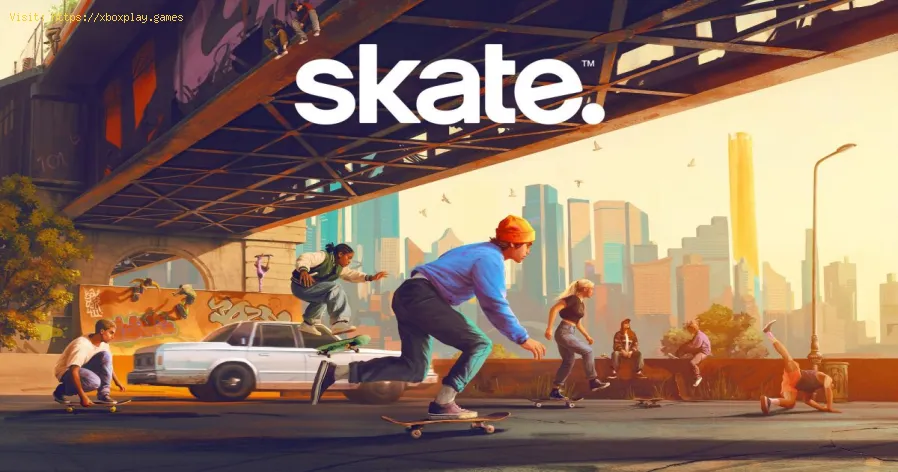
How To Use Quick Drop in Skate
Every skater dreams of the perfect line, but sometimes the city just doesn’t cooperate. You find an amazing staircase, but there’s no rail. A perfect rooftop has no ramp for a launch. That’s where Quick Drop comes in—a game-changing feature in the Skate series that turns the entire city into your personal skate park.
This powerful in-game tool lets you customize any spot on the fly. Whether you're looking to extend a grind, add a transition, or build something entirely new with friends, Quick Drop is your key to limitless creativity. This comprehensive guide will walk you through everything you need to know, from basic controls to pro-level tips for mastering the art of environmental customization.
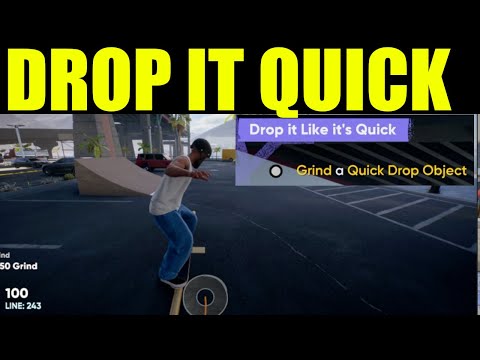
Quick Drop is Skate's on-the-fly object placement system, acting as a portable skate park editor. It allows you to open a menu and deploy various objects like rails, ramps, benches, and other skateable props directly into the world around you. Instead of being limited by the game’s pre-built architecture, you can modify any area within a designated radius around your skater, transforming bland ledges and empty plazas into legendary skate spots.
It’s more than just a problem-solver; it's a creativity engine. Use it to fix an imperfect spot, create a massive compound with friends, or simply experiment with bizarre and challenging new lines.
Accessing your toolkit is simple. Here’s the step-by-step process to start building:
Open the Menu: Press Down on the D-Pad. A menu will appear; hover over the top option labeled 'Quick Drop' and release the button. Select an Object: This opens the full Quick Drop screen, where you can browse through all available props. Scroll through the list and select the item you want to place, such as a kicker ramp or a flat bar. Place and Adjust: Once selected, you’ll see a preview of the object in the world. Before placing it, you can: Confirm Placement: When you’re happy with the position, confirm to drop the object into the world.
Learn how to unlock the powerful Dual Hammers for the Bardin Goreksson inVermintide 2. This guide covers the simple steps to get this top-tiermelee weapon for the Ironbreaker, Ranger Veteran, and Slayer careers.
All Heroes and Careers in Vermintide 2
Explore the diverse heroes and careers in Vermintide 2. Discover unique abilities, playstyles, and strategies to enhance your gameplay
Return to the Reik Grimoire and Tome Locations in Vermintide 2
Searching for every grimoire and tome? Our Vermintide 2 collectible guide for"Return to the Reik" reveals all book locations to maximize your lootand complete the mission.
All Formable Nations in Europa Universalis 5
all formable nations in Europa Universalis 5! Explore strategies, tips, and guides to expand your empire and dominate the game.
How To Beat Challenges in Kirby Air Riders
Struggling to master the skies? Learn expert tips and strategies to overcome every challenge in Kirby Air Ride. Dominate the City Trial, conquer all racetracks, and unlock the game's secrets with our complete guide.
How To Get All Crafting Materials in Moonlighter 2
essential tips for gathering all crafting materials in Moonlighter 2. Enhance your gameplay and unlock new possibilities!
Weapon Tier List in Moonlighter 2
the ultimate weapon tier list for Moonlighter 2! Optimize your gameplay with our guide to the best weapons and strategies.
How to find Mandrakes in Don't Starve Together
Struggling to find Mandrakes in Don't Starve Together? Learn thebest seasons, locations, and strategies to hunt these elusive livingroots and craft their powerful items.
How To Improve Institution Growth In Europa Universalis 5
effective strategies to enhance institution growth in Europa Universalis 5. Unlock new potential and dominate your gameplay
How to Fix Europa Universalis 5 Not Launching Error
Resolve the Europa Universalis 5 not launching error with our step-by-step. Get back to gaming quickly and enjoy seamless gameplay!
How To Unlock All Endings in Cronos The New Dawn
Unlock all endings in Cronos: The New Dawn. Guide for the TrueEnding, Secret Ending, and all other conclusions. Find walkthroughs forkey choices, faction quests, and final mission decisions.
How to Unlock Shotgun in Dying Light The Beast
Learn the secrets to unlocking the shotgun in Dying Light The Beast.Follow our expert guide for essential tips and tricks
How To Get To The Tic-Tac-Toe Board In Chapter 19 in Lego Voyagers
Meta description: Stuck in LEGO Star Wars: The Skywalker Saga? Here's how to find & unlock the hidden Tic-Tac-Toe board easter egg in Chapter 19 (The Final Order) on Exegol.
How To Get More Ammo in Dying Light The Beast
Unlock the secrets to getting more ammo in Dying Light The Beast.Explore our guide to ensure you're always prepared for the challenges
How To Unlock The Grappling Hook in Dying Light The Beast
Unlock the Grappling Hook in Dying Light: The Beast and elevate yourgaming experience. Learn tips and tricks to conquer challenges
This powerful in-game tool lets you customize any spot on the fly. Whether you're looking to extend a grind, add a transition, or build something entirely new with friends, Quick Drop is your key to limitless creativity. This comprehensive guide will walk you through everything you need to know, from basic controls to pro-level tips for mastering the art of environmental customization.
What is the Quick Drop Tool?
Quick Drop is Skate's on-the-fly object placement system, acting as a portable skate park editor. It allows you to open a menu and deploy various objects like rails, ramps, benches, and other skateable props directly into the world around you. Instead of being limited by the game’s pre-built architecture, you can modify any area within a designated radius around your skater, transforming bland ledges and empty plazas into legendary skate spots.
It’s more than just a problem-solver; it's a creativity engine. Use it to fix an imperfect spot, create a massive compound with friends, or simply experiment with bizarre and challenging new lines.
How to Access and Use Quick Drop
Accessing your toolkit is simple. Here’s the step-by-step process to start building:
- Rotate the object to get the perfect alignment.
- Adjust the angle for steep transitions or precise landings.
- Use the Angle Snap feature for easier, grid-based alignment that ensures objects connect smoothly.
Pro Tip: For even faster access, press Right on the D-Pad to instantly open a Quick Drop menu. Hold Right on the D-Pad to bring up the "Quicker Drop" radial menu for your most-used items.
Important: You can only place objects within the green circle that surrounds yourskater. If an object’s preview turns red, it means the location isinvalid and you cannot place it there.
When Should You Use Quick Drop?
Quick Drop is your solution for a multitude of scenarios:
- Extending a Line: Found a perfect ledge that’s just too short? Drop a rail to continue your grind for miles.
- Building Transitions: Add a quarter pipe to wallride or a kicker ramp to gap onto a roof you couldn’t reach before.
- Multiplayer Collaboration: Join forces with friends online to build massive, elaborate skate parks together in real-time.
- Creative Experimentation: Test new trick combinations by creating unique obstacles and setups that don’t exist in the vanilla game.
Advanced Tips and Tricks for Mastery
To truly master Quick Drop, dig into these advanced settings and strategies:
- Customize Your Camera Controls: Navigate to the settings to invert the horizontal or vertical cameraaxes within Quick Drop. Fine-tuning this to your preference makesmanipulating objects much faster and more intuitive, especially whenyou’re in a flow state.
- Manage the Object Limit: You can only have five Quick Drop items placed in the world at once. Manage this limit by enabling the ‘Replace Oldest Object’ setting. You can choose to have this happen automatically or require manual approval each time you exceed the limit.
- Control Multiplayer Visibility: Skating online? Use the Quick Drop Visibility settings to decide who sees your creations. Options include:
- Everyone: For public showcases.
- Friends & Party Members: For collaborative sessions.
- Self Only: For practicing without distractions.
You can also lock editing rights to prevent others from moving or deleting your carefully placed objects.
- Clean Up Your Creations: To remove a single object, simply walk up to it and press the Left Stick to either edit or delete it. To wipe the slate completely clean, open the Quick Drop menu and select ‘Delete All’ to remove every object you’ve placed at once.
Unlock the full potential of Skate by mastering Quick Drop. It’s the tool that empowers you to not just skate the city, but to reshape it, one perfect obstacle at a time. Now get out there and build something legendary.
Mode:
Other Articles Related
How To Get Dual Hammers in Vermintide 2Learn how to unlock the powerful Dual Hammers for the Bardin Goreksson inVermintide 2. This guide covers the simple steps to get this top-tiermelee weapon for the Ironbreaker, Ranger Veteran, and Slayer careers.
All Heroes and Careers in Vermintide 2
Explore the diverse heroes and careers in Vermintide 2. Discover unique abilities, playstyles, and strategies to enhance your gameplay
Return to the Reik Grimoire and Tome Locations in Vermintide 2
Searching for every grimoire and tome? Our Vermintide 2 collectible guide for"Return to the Reik" reveals all book locations to maximize your lootand complete the mission.
All Formable Nations in Europa Universalis 5
all formable nations in Europa Universalis 5! Explore strategies, tips, and guides to expand your empire and dominate the game.
How To Beat Challenges in Kirby Air Riders
Struggling to master the skies? Learn expert tips and strategies to overcome every challenge in Kirby Air Ride. Dominate the City Trial, conquer all racetracks, and unlock the game's secrets with our complete guide.
How To Get All Crafting Materials in Moonlighter 2
essential tips for gathering all crafting materials in Moonlighter 2. Enhance your gameplay and unlock new possibilities!
Weapon Tier List in Moonlighter 2
the ultimate weapon tier list for Moonlighter 2! Optimize your gameplay with our guide to the best weapons and strategies.
How to find Mandrakes in Don't Starve Together
Struggling to find Mandrakes in Don't Starve Together? Learn thebest seasons, locations, and strategies to hunt these elusive livingroots and craft their powerful items.
How To Improve Institution Growth In Europa Universalis 5
effective strategies to enhance institution growth in Europa Universalis 5. Unlock new potential and dominate your gameplay
How to Fix Europa Universalis 5 Not Launching Error
Resolve the Europa Universalis 5 not launching error with our step-by-step. Get back to gaming quickly and enjoy seamless gameplay!
How To Unlock All Endings in Cronos The New Dawn
Unlock all endings in Cronos: The New Dawn. Guide for the TrueEnding, Secret Ending, and all other conclusions. Find walkthroughs forkey choices, faction quests, and final mission decisions.
How to Unlock Shotgun in Dying Light The Beast
Learn the secrets to unlocking the shotgun in Dying Light The Beast.Follow our expert guide for essential tips and tricks
How To Get To The Tic-Tac-Toe Board In Chapter 19 in Lego Voyagers
Meta description: Stuck in LEGO Star Wars: The Skywalker Saga? Here's how to find & unlock the hidden Tic-Tac-Toe board easter egg in Chapter 19 (The Final Order) on Exegol.
How To Get More Ammo in Dying Light The Beast
Unlock the secrets to getting more ammo in Dying Light The Beast.Explore our guide to ensure you're always prepared for the challenges
How To Unlock The Grappling Hook in Dying Light The Beast
Unlock the Grappling Hook in Dying Light: The Beast and elevate yourgaming experience. Learn tips and tricks to conquer challenges