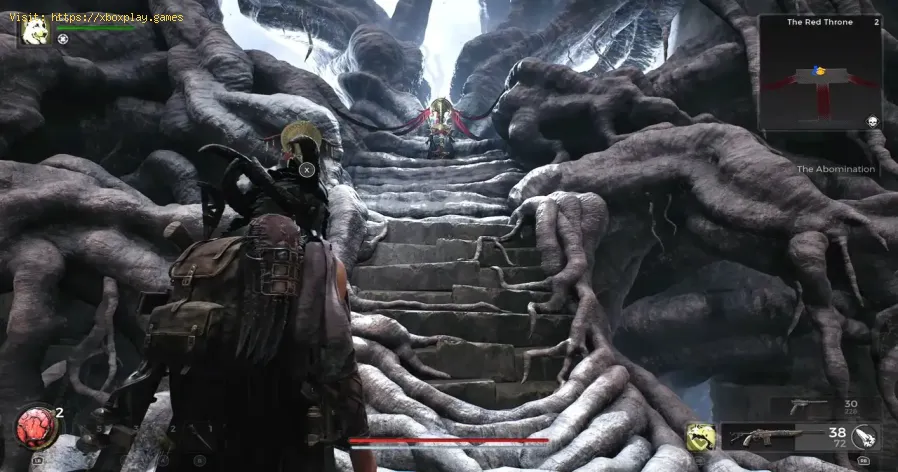
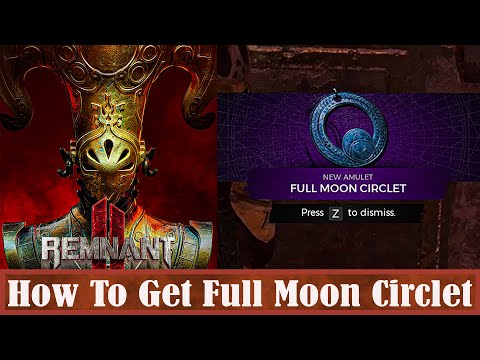
How to Get Full Moon Circlet in Remnant 2
Learn how to get Full Moon Circlet in Remnant 2. Our step-by-step guide will help you find the legendary item quickly and easily.
The Full Moon Circlet is an elusive and highly sought-after item in Remnant 2. This rare artifact grants incredible powers to those who possess it, making it a valuable asset in your arsenal. In this guide, we will walk you through the steps to obtain the Full Moon Circlet, from finding the dungeon to successfully retrieving the circlet during the Blood Moon event.
To begin your quest for the Full Moon Circlet, you must first find the Imperial Gardens dungeon in the Yaesha realm. This dungeon is hidden deep within the mysterious Far Woods, so navigating through this area can be quite challenging. Here are a few tips to help you on your journey:
1. Tips on navigating through the Far Woods:
2. Identifying the overgrown stone walls:
As you explore the Far Woods, keep an eye out for overgrown stone walls. These walls serve as a telltale sign that you are nearing the entrance of the Imperial Gardens dungeon. The walls are covered in thick vines and moss, creating a distinct visual marker that cannot be easily missed.
Calibrate your TV for gaming with our step-by-step guide. Optimize response time, HDR, color, and input lag for the ultimate competitive edge and visualexperience.
How to Fix PC Blue Screen While Gaming
Stop gaming crashes! Learn step-by-step fixes for the PC blue screen (BSOD)during gameplay. Troubleshoot drivers, overheating, hardware &settings for a stable system.
How to Fix PC Restarts While Gaming
Expert tips to diagnose and fix sudden PC restarts during gaming. Learntroubleshooting steps for overheating, PSU issues, driver problems, andhardware stability.
How to Fix CPU Overheating While Gaming
Learn how to fix CPU overheating while gaming with effective coolingsolutions, proper maintenance, and system optimization tips to preventdamage and boost performance.
How to Fix Game Won’t Save Progress
"Troubleshoot and fix game progress not saving with our step-by-step guide. Learn how to check settings, clear cache, fix corrupt files, and solve storageissues to prevent lost saves."
How to fix PC Fans Too Loud While Gaming
Meta description: "PC fans too loud while gaming? Learn 8 simple fixes toreduce noise & cool your PC effectively. Easy, step-by-step guidefor a quieter gaming rig."
How to Fix PC Won’t Boot After Update
Struggling with a black screen or errors after an update? Learn step-by-step fixes to get your PC booting again. From safe mode to recovery tools, we'llguide you through the solutions.
How to Fix PC Stuttering in Games
Troubled by PC stuttering in games? Our guide shows you how to fix gamestuttering & lag with step-by-step solutions for settings, hardware, & drivers.
How to Fix PC Freezing While Gaming
Expert troubleshooting guide to stop PC freezing during games. Learn quickfixes for overheating, driver issues, and hardware bottlenecks torestore smooth gameplay.
How to Fix Game Crashes on Startup
Learn effective solutions to fix game crashes on startup and enjoy seamless gaming. Troubleshoot issues
How to Fix Baldur’s Gate 3 Not Launching on Steam Deck
Learn how to fix this issue quickly and How to Fix Baldur’s Gate 3 Not Launching on Steam Deck with our step-by-step guide
How to play Baldur's Gate 3 on Mac
Learn how to play Baldur's Gate 3 on Mac with this easy-to-follow guide! Get step-by-step instructions and tips
How to Fix Baldur’s Gate 3 Crashing
Get step-by-step instructions on How to Fix Baldur’s Gate 3 Crashing. Learn the fixes now.
How to Fix Baldur’s Gate 3 Low FPS
Looking for a guide on How to Fix Baldur's Gate 3 Low FPS? Follow our step-by-step instructions to increase your FPS
How to Fix Project F Crashing
Learn the quick and easy steps on How to Fix Project F Crashing. Follow our simple instructions and get back to work in no time
The Full Moon Circlet is an elusive and highly sought-after item in Remnant 2. This rare artifact grants incredible powers to those who possess it, making it a valuable asset in your arsenal. In this guide, we will walk you through the steps to obtain the Full Moon Circlet, from finding the dungeon to successfully retrieving the circlet during the Blood Moon event.
Finding the Imperial Gardens dungeon in Yaesha realm
To begin your quest for the Full Moon Circlet, you must first find the Imperial Gardens dungeon in the Yaesha realm. This dungeon is hidden deep within the mysterious Far Woods, so navigating through this area can be quite challenging. Here are a few tips to help you on your journey:
1. Tips on navigating through the Far Woods:
- Stay alert for hidden paths and shortcuts. The Far Woods are filled with winding trails and hidden routes that can lead you to the dungeon faster.
- Use the map to your advantage. Keep a close eye on your map to ensure you're heading in the right direction and to avoid getting lost.
- Be prepared for enemies. The Far Woods are home to various creatures and hostile entities, so make sure you have your weapons ready and your armor equipped.
2. Identifying the overgrown stone walls:
As you explore the Far Woods, keep an eye out for overgrown stone walls. These walls serve as a telltale sign that you are nearing the entrance of the Imperial Gardens dungeon. The walls are covered in thick vines and moss, creating a distinct visual marker that cannot be easily missed.
Identifying the Blood Moon event
Once you have successfully reached the Imperial Gardens dungeon, your next step is to identify the Blood Moon event. This event is crucial for obtaining the Full Moon Circlet, as it triggers the necessary conditions for the circlet's retrieval. Here are the key characteristics of the Blood Moon event to look out for:
1. Characteristics of the Blood Moon event:
"
- The sky turns a deep shade of crimson, and the moon appears larger and more vibrant than usual.
- The air becomes heavy with an eerie energy, and the atmosphere feels charged with an otherworldly presence.
- Enemies in the area become stronger and more aggressive, posing a greater challenge to your survival.
2. Importance of waiting for the Blood Moon event:
"
It is crucial to wait for the Blood Moon event before attempting to retrieve the Full Moon Circlet. Trying to retrieve the circlet outside of the Blood Moon event will result in failure, as the necessary conditions for its acquisition will not be met. Patience is key in this step of the process.
Locating the Full Moon Circlet
Now that you have identified the Blood Moon event, it is time to locate the Full Moon Circlet within the Imperial Gardens dungeon. Follow these steps to find the circlet and successfully retrieve it:
- 1. Finding the statue with the trap door:As you navigate through the dungeon, keep an eye out for a statue with a conspicuous trap door beneath it. This statue is typically located in a central area of the dungeon and can be recognized by its intricate engravings and glowing aura. Approach the statue cautiously, as it is a significant landmark in your journey.
- 2. Approaching the trap door during the Blood Moon event:Once you have located the statue, wait for the Blood Moon event to be in full swing. This is the ideal time to approach the trap door, as the energies of the event will unlock the path to the Full Moon Circlet. Be prepared for any challenges or enemies that may arise during this process.
- 3. Retrieving the Full Moon Circlet from the pedestal:As you descend into the trap door, you will discover a hidden chamber with a pedestal in the center. The Full Moon Circlet rests upon this pedestal, radiating a mesmerizing glow. Carefully approach the pedestal and claim the circlet as your own. Congratulations! You have successfully obtained the Full Moon Circlet.
The Full Moon Circlet is a powerful and valuable item in Remnant 2, and obtaining it requires careful navigation, patience, and strategic timing. By following the steps outlined in this guide, you can enhance your gameplay and unlock the incredible powers bestowed by the Full Moon Circlet. Good luck on your quest, and may the moon's blessings guide your path!
Mode:
Other Articles Related
How to Calibrate Your TV for GamingCalibrate your TV for gaming with our step-by-step guide. Optimize response time, HDR, color, and input lag for the ultimate competitive edge and visualexperience.
How to Fix PC Blue Screen While Gaming
Stop gaming crashes! Learn step-by-step fixes for the PC blue screen (BSOD)during gameplay. Troubleshoot drivers, overheating, hardware &settings for a stable system.
How to Fix PC Restarts While Gaming
Expert tips to diagnose and fix sudden PC restarts during gaming. Learntroubleshooting steps for overheating, PSU issues, driver problems, andhardware stability.
How to Fix CPU Overheating While Gaming
Learn how to fix CPU overheating while gaming with effective coolingsolutions, proper maintenance, and system optimization tips to preventdamage and boost performance.
How to Fix Game Won’t Save Progress
"Troubleshoot and fix game progress not saving with our step-by-step guide. Learn how to check settings, clear cache, fix corrupt files, and solve storageissues to prevent lost saves."
How to fix PC Fans Too Loud While Gaming
Meta description: "PC fans too loud while gaming? Learn 8 simple fixes toreduce noise & cool your PC effectively. Easy, step-by-step guidefor a quieter gaming rig."
How to Fix PC Won’t Boot After Update
Struggling with a black screen or errors after an update? Learn step-by-step fixes to get your PC booting again. From safe mode to recovery tools, we'llguide you through the solutions.
How to Fix PC Stuttering in Games
Troubled by PC stuttering in games? Our guide shows you how to fix gamestuttering & lag with step-by-step solutions for settings, hardware, & drivers.
How to Fix PC Freezing While Gaming
Expert troubleshooting guide to stop PC freezing during games. Learn quickfixes for overheating, driver issues, and hardware bottlenecks torestore smooth gameplay.
How to Fix Game Crashes on Startup
Learn effective solutions to fix game crashes on startup and enjoy seamless gaming. Troubleshoot issues
How to Fix Baldur’s Gate 3 Not Launching on Steam Deck
Learn how to fix this issue quickly and How to Fix Baldur’s Gate 3 Not Launching on Steam Deck with our step-by-step guide
How to play Baldur's Gate 3 on Mac
Learn how to play Baldur's Gate 3 on Mac with this easy-to-follow guide! Get step-by-step instructions and tips
How to Fix Baldur’s Gate 3 Crashing
Get step-by-step instructions on How to Fix Baldur’s Gate 3 Crashing. Learn the fixes now.
How to Fix Baldur’s Gate 3 Low FPS
Looking for a guide on How to Fix Baldur's Gate 3 Low FPS? Follow our step-by-step instructions to increase your FPS
How to Fix Project F Crashing
Learn the quick and easy steps on How to Fix Project F Crashing. Follow our simple instructions and get back to work in no time