How To Fix Path of Exile 2 Won't Launch
We have made a very detailed guide where we explain How To Fix Path of Exile 2 Won't Launch.
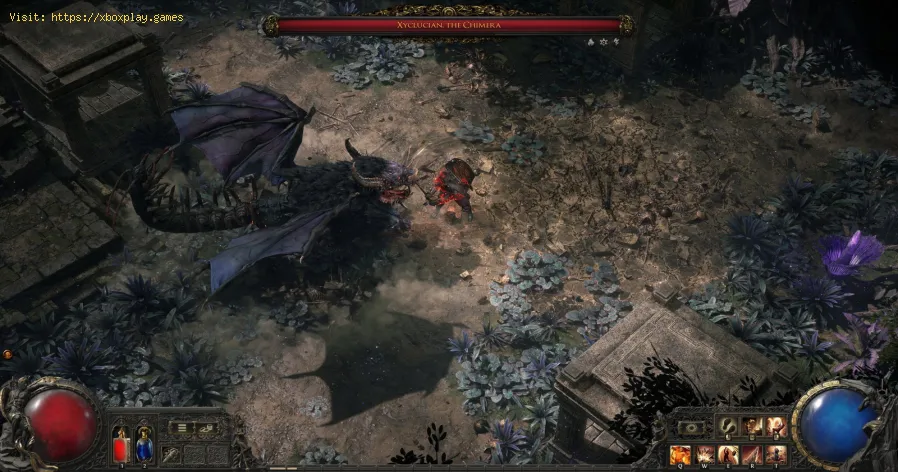
The standalone sequel to Grinding Gear Games' first action role-playing game, Path of Exile (PoE1), which was published as a free PC game in 2013 following a beta phase, received praise for its engrossing gameplay. A major milestone in the development of Path of Exile 2 will be Early Access, which is set to begin on December 6th, 2024. Having issues launching Path of Exile 2 on a Windows device, though? The game icon may not respond when clicked, or the loading screen may hang for no reason. These problems might be an annoyance when you are itching to get into the game. But what could be the source of these problems?
The following are some of the key reasons for your Path of Exile 2 failure to launch. First, one has to know the source of the problem at hand.
Discover how to configure your gaming monitor to get the best image quality and maximize your gaming experience.
How to use a Nintendo Switch controller on a PC, step by step
Learn how to connect and use your Nintendo Switch controller on a PC with our step-by-step. Enhance your gaming experience
How to connect a PS5 controller to your PC via USB or Bluetooth
Learn how to easily connect your PS5 controller to your PC using USB or Bluetooth with our step-by-step.
How to Connect an Xbox controller to your PC
Easily connect your Xbox controller to your PC running Windows 10/11 with our step-by-step guide. Enjoy seamless gaming
How to reduce input lag on consoles
Discover effective solutions to reduce input lag on Xbox, PS5, and Switch for a smoother gaming experience. Optimize your gameplay
How to improve FPS on PC
Boost your PC's performance with our comprehensive guide on improving FPS. Unlock smoother gameplay and enhance your gaming
How To Get Dual Hammers in Vermintide 2
Learn how to unlock the powerful Dual Hammers for the Bardin Goreksson inVermintide 2. This guide covers the simple steps to get this top-tiermelee weapon for the Ironbreaker, Ranger Veteran, and Slayer careers.
All Heroes and Careers in Vermintide 2
Explore the diverse heroes and careers in Vermintide 2. Discover unique abilities, playstyles, and strategies to enhance your gameplay
Return to the Reik Grimoire and Tome Locations in Vermintide 2
Searching for every grimoire and tome? Our Vermintide 2 collectible guide for"Return to the Reik" reveals all book locations to maximize your lootand complete the mission.
All Formable Nations in Europa Universalis 5
all formable nations in Europa Universalis 5! Explore strategies, tips, and guides to expand your empire and dominate the game.
How to make a rain collector in Project Zomboid
Our guide today aims to explain to you How to make a rain collector in Project Zomboid, let's see.
How to get Night Vision Goggles in Gray Zone Warfare
We have made a detailed guide where we explain How to get Night Vision Goggles in Gray Zone Warfare.
Where to Find All Detectors in STALKER 2
Our guide today aims to explain Where to Find All Detectors in STALKER 2.
How to get flashlight in Gray Zone Warfare
Our guide today aims to explain to you How to get flashlight in Gray Zone Warfare.
How to find the Sacred Spring in Disney Dreamlight Valley
In this guide post we explain How to find the Sacred Spring in Disney Dreamlight Valley, let's see.
The standalone sequel to Grinding Gear Games' first action role-playing game, Path of Exile (PoE1), which was published as a free PC game in 2013 following a beta phase, received praise for its engrossing gameplay. A major milestone in the development of Path of Exile 2 will be Early Access, which is set to begin on December 6th, 2024. Having issues launching Path of Exile 2 on a Windows device, though? The game icon may not respond when clicked, or the loading screen may hang for no reason. These problems might be an annoyance when you are itching to get into the game. But what could be the source of these problems?
Path of Exile 2 Release Delay: What Gives? Possible Reasons
The following are some of the key reasons for your Path of Exile 2 failure to launch. First, one has to know the source of the problem at hand.
- Error with game data
- Issues with your graphics drivers, Windows, antivirus software, or firewall configuration being too old
- Your device has insufficient system requirements.
- Issues with your account
- Software incompatibility
How To Fix Path of Exile 2 Won't Launch?
First, check that your game files are intact.
If Path of Exile 2 won't launch, then file corruption or loss is probably to blame. Fortunately, a fix for this problem is already baked into the game launcher.
As the first step to fix the problem, launch the launcher. Then, click on the drop-down menu that appears below your account name and select Integrity Check. The launcher will instantly fix any damaged files after it has scanned for them. Once it is done, you can try running Path of Exile 2 again by relaunching the launcher.
Second, Temporarily Disable Your Antivirus Software.
It may be that your antivirus software is overly aggressive, blocking the startup of Path of Exile 2 at times. If that doesn't fix it, temporarily disable your firewall and antivirus.
When you've disabled it, check to see if the game opens fine.
Turn on your antivirus or find another alternative if that works when you're through fixing it.
Run the game as an administrator
If Path of Exile 2 doesn't have the required administrative permissions, it may fail to launch. Please try launching the game as an administrator to fix this:
- First, right-click the executable file or shortcut to open the game.
- The second step is to open the context menu and choose **Run as Administrator**.
Launch problems caused by insufficient permissions are commonly resolved by this simple solution.
Move the Game's Goalposts
- You can change the resolution to 1366 x 768 in the NVIDIA Control Panel.
- Start the game and check if it works.
- Leave the game once it begins.
- Restart the game after reverting to the original resolution in the NVIDIA Control Panel.
- Fifth, Make Your Computer Run Smoother: Path of Exile 2 uses a lot of power. Make sure enough system resources are allocated for the game in case your hardware barely makes the minimum system requirements.
In Task Manager, you can observe how much the RAM, CPU, and GPU are utilized. These resources are in routine being used to 100%, which means your hardware is under stress, and the performance of the game will suffer. If you experience this, try closing any other programs using a lot of graphics when the game is open. Due to this, Path of Exile 2 will have more resources to run smoothly.
Now that you know How To Fix Path of Exile 2 Won't Launch, apply these fixes and enjoy everything this game has to offer.
Mode:
Other Articles Related
How to configure a gaming monitor for the best image qualityDiscover how to configure your gaming monitor to get the best image quality and maximize your gaming experience.
How to use a Nintendo Switch controller on a PC, step by step
Learn how to connect and use your Nintendo Switch controller on a PC with our step-by-step. Enhance your gaming experience
How to connect a PS5 controller to your PC via USB or Bluetooth
Learn how to easily connect your PS5 controller to your PC using USB or Bluetooth with our step-by-step.
How to Connect an Xbox controller to your PC
Easily connect your Xbox controller to your PC running Windows 10/11 with our step-by-step guide. Enjoy seamless gaming
How to reduce input lag on consoles
Discover effective solutions to reduce input lag on Xbox, PS5, and Switch for a smoother gaming experience. Optimize your gameplay
How to improve FPS on PC
Boost your PC's performance with our comprehensive guide on improving FPS. Unlock smoother gameplay and enhance your gaming
How To Get Dual Hammers in Vermintide 2
Learn how to unlock the powerful Dual Hammers for the Bardin Goreksson inVermintide 2. This guide covers the simple steps to get this top-tiermelee weapon for the Ironbreaker, Ranger Veteran, and Slayer careers.
All Heroes and Careers in Vermintide 2
Explore the diverse heroes and careers in Vermintide 2. Discover unique abilities, playstyles, and strategies to enhance your gameplay
Return to the Reik Grimoire and Tome Locations in Vermintide 2
Searching for every grimoire and tome? Our Vermintide 2 collectible guide for"Return to the Reik" reveals all book locations to maximize your lootand complete the mission.
All Formable Nations in Europa Universalis 5
all formable nations in Europa Universalis 5! Explore strategies, tips, and guides to expand your empire and dominate the game.
How to make a rain collector in Project Zomboid
Our guide today aims to explain to you How to make a rain collector in Project Zomboid, let's see.
How to get Night Vision Goggles in Gray Zone Warfare
We have made a detailed guide where we explain How to get Night Vision Goggles in Gray Zone Warfare.
Where to Find All Detectors in STALKER 2
Our guide today aims to explain Where to Find All Detectors in STALKER 2.
How to get flashlight in Gray Zone Warfare
Our guide today aims to explain to you How to get flashlight in Gray Zone Warfare.
How to find the Sacred Spring in Disney Dreamlight Valley
In this guide post we explain How to find the Sacred Spring in Disney Dreamlight Valley, let's see.