
How to solve Explore Dungeon Puzzle in Moonstone Island
How to solve Explore Dungeon Puzzle in Moonstone Island with our step-by-step guide. Unleash your inner adventurer.
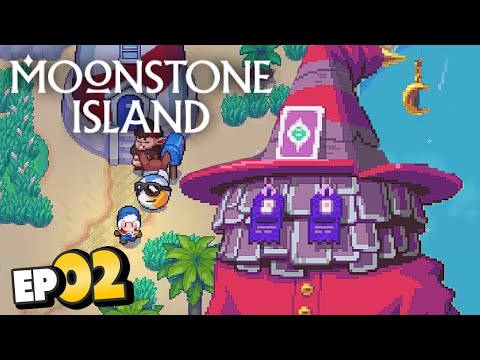
Welcome, adventurer! In this guide, we will walk you through solving the Explore Dungeon puzzle in Moonstone Island's "Explore the Dungeon" mission. Get ready to navigate through treacherous paths, overcome challenges, and unlock valuable rewards. Let's dive right in!
To begin your journey in the Explore Dungeon mission, head northeast of the town to locate the entrance to the cave. It may be hidden amidst the dense foliage, so keep an eye out for any indications. Before entering the cave, make sure to equip a balloon. The balloon will be essential for navigating through the dungeon, as it allows you to float over certain obstacles and reach inaccessible areas.
Upon entering the dungeon, you'll find yourself in a hall filled with seed spitting plants. These plants are not your friendly garden variety and will shoot projectiles at you if you get too close. Carefully maneuver your way through this area, observing the patterns of the seed spitting plants and timing your movements accordingly. Some plants may have specific patterns or clues that can help you progress further. Pay attention to any visual cues or sounds that may indicate a safe passage.
Proceed to the next room, where you'll encounter a chessboard-like pattern with more seed spitting plants. This section may appear daunting at first, but with patience and observation skills, you can successfully navigate through it. Study the chessboard pattern and identify safe paths to move across. Remember that not all squares may be safe, so tread carefully and make calculated moves. It may take a few attempts, but persistence will pay off in the end.
Calibrate your TV for gaming with our step-by-step guide. Optimize response time, HDR, color, and input lag for the ultimate competitive edge and visualexperience.
How to Fix PC Blue Screen While Gaming
Stop gaming crashes! Learn step-by-step fixes for the PC blue screen (BSOD)during gameplay. Troubleshoot drivers, overheating, hardware &settings for a stable system.
How to Fix PC Restarts While Gaming
Expert tips to diagnose and fix sudden PC restarts during gaming. Learntroubleshooting steps for overheating, PSU issues, driver problems, andhardware stability.
How to Fix CPU Overheating While Gaming
Learn how to fix CPU overheating while gaming with effective coolingsolutions, proper maintenance, and system optimization tips to preventdamage and boost performance.
How to Fix Game Won’t Save Progress
"Troubleshoot and fix game progress not saving with our step-by-step guide. Learn how to check settings, clear cache, fix corrupt files, and solve storageissues to prevent lost saves."
How to fix PC Fans Too Loud While Gaming
Meta description: "PC fans too loud while gaming? Learn 8 simple fixes toreduce noise & cool your PC effectively. Easy, step-by-step guidefor a quieter gaming rig."
How to Fix PC Won’t Boot After Update
Struggling with a black screen or errors after an update? Learn step-by-step fixes to get your PC booting again. From safe mode to recovery tools, we'llguide you through the solutions.
How to Fix PC Stuttering in Games
Troubled by PC stuttering in games? Our guide shows you how to fix gamestuttering & lag with step-by-step solutions for settings, hardware, & drivers.
How to Fix PC Freezing While Gaming
Expert troubleshooting guide to stop PC freezing during games. Learn quickfixes for overheating, driver issues, and hardware bottlenecks torestore smooth gameplay.
How to Fix Game Crashes on Startup
Learn effective solutions to fix game crashes on startup and enjoy seamless gaming. Troubleshoot issues
How to Fix EA Sports FC 24 No Online Access Fixed!
How to Fix EA Sports FC 24 No Online Access Fixed!! Dive into our step-by-step guide and enjoy uninterrupted gaming.
How to Get VIP Invitation and Blue Keycard in PayDay 3
Learn How to Get VIP Invitation and Blue Keycard in PayDay 3. We provide expert tips and detailed steps to enhance your game experience.
How to Set Up Private Lobby in Payday 3
How to Set Up Private Lobby in Payday 3 with our easy guide. Boost your gaming experience.
How to Throw Grenades in Payday 3
Master your gameplay in Payday 3 with our expert guide on How to Throw Grenades in Payday 3.
How to Turn Off Power to Gate in No Rest for the Wicked in Payday 3
Uncover detailed steps to How to Turn Off Power to Gate in No Rest for the Wicked in Payday 3.
Welcome, adventurer! In this guide, we will walk you through solving the Explore Dungeon puzzle in Moonstone Island's "Explore the Dungeon" mission. Get ready to navigate through treacherous paths, overcome challenges, and unlock valuable rewards. Let's dive right in!
Equipping the Balloon and Entering the Cave
To begin your journey in the Explore Dungeon mission, head northeast of the town to locate the entrance to the cave. It may be hidden amidst the dense foliage, so keep an eye out for any indications. Before entering the cave, make sure to equip a balloon. The balloon will be essential for navigating through the dungeon, as it allows you to float over certain obstacles and reach inaccessible areas.
Path 1: The Seed Spitting Plants Hall
Upon entering the dungeon, you'll find yourself in a hall filled with seed spitting plants. These plants are not your friendly garden variety and will shoot projectiles at you if you get too close. Carefully maneuver your way through this area, observing the patterns of the seed spitting plants and timing your movements accordingly. Some plants may have specific patterns or clues that can help you progress further. Pay attention to any visual cues or sounds that may indicate a safe passage.
Path 2: The Chessboard-like Pattern
Proceed to the next room, where you'll encounter a chessboard-like pattern with more seed spitting plants. This section may appear daunting at first, but with patience and observation skills, you can successfully navigate through it. Study the chessboard pattern and identify safe paths to move across. Remember that not all squares may be safe, so tread carefully and make calculated moves. It may take a few attempts, but persistence will pay off in the end.
Room with Teleporters and a Chest
As you progress deeper into the dungeon, you'll enter a room with teleporters and a chest. The teleporters can be a bit tricky to navigate, so take your time and strategize your movements. The chest in this room holds valuable rewards, but unlocking it requires you to use the teleporters wisely. Pay attention to your surroundings, as there may be hints or clues that guide your choices. Experiment with different teleporter combinations until you find the correct sequence that leads to the chest.
Final Puzzle Room: Teleporters, Chests, and Battles
Prepare yourself for the ultimate challenge in the final puzzle room. This room is filled with teleporters, chests, and battles. As you navigate through the teleporters, you'll have to face off against powerful opponents. Each battle will require strategy and careful consideration. Observe your opponents for any special abilities or weaknesses that you can exploit. Use your skills and resources wisely to defeat them and progress further.
Thorns-covered Platform and Hot Spring
In the next room, you'll encounter a thorns-covered platform blocking access to a hot spring. The hot spring can provide much-needed healing and rejuvenation, so finding a way to remove the thorns is crucial. This may require solving additional puzzles or finding specific items within the dungeon. Search the room thoroughly for any clues or objects that may help you overcome this obstacle. Once you remove the thorns, you can access the hot spring and restore your vitality.
Boss Fight: Be Strategic
Prepare for the boss fight in the following room, where you'll encounter the main boss and another spirit assisting them. This battle will require careful strategy and quick thinking. Focus your attacks on eliminating the assisting spirit first, as it may possess abilities that aid the main boss. Minimize attacks from both opponents by utilizing defensive maneuvers and healing items. Stay vigilant and adapt your strategy as the battle progresses. With perseverance and strategic planning, you can emerge victorious.
Collecting Chest Items and Obtaining Rewards
After defeating the bosses, take some time to collect the items from the chests in the room. Amongst these items, you will find the Calendar blueprint, a valuable reward. The Calendar blueprint will aid you in remembering date time, locations, romantic interests, and other important events throughout your journey. This blueprint is a precious tool that will enhance your gameplay experience and provide useful information for future quests.
Congratulations! You have successfully solved the Explore Dungeon puzzle in Moonstone Island's "Explore the Dungeon" mission. We hope this friendly guide has helped you navigate through each challenge and obtain valuable rewards along the way. Remember to stay observant, be strategic in battles, and utilize your resources wisely. Best of luck with your future adventures on Moonstone Island!
Mode:
Other Articles Related
How to Calibrate Your TV for GamingCalibrate your TV for gaming with our step-by-step guide. Optimize response time, HDR, color, and input lag for the ultimate competitive edge and visualexperience.
How to Fix PC Blue Screen While Gaming
Stop gaming crashes! Learn step-by-step fixes for the PC blue screen (BSOD)during gameplay. Troubleshoot drivers, overheating, hardware &settings for a stable system.
How to Fix PC Restarts While Gaming
Expert tips to diagnose and fix sudden PC restarts during gaming. Learntroubleshooting steps for overheating, PSU issues, driver problems, andhardware stability.
How to Fix CPU Overheating While Gaming
Learn how to fix CPU overheating while gaming with effective coolingsolutions, proper maintenance, and system optimization tips to preventdamage and boost performance.
How to Fix Game Won’t Save Progress
"Troubleshoot and fix game progress not saving with our step-by-step guide. Learn how to check settings, clear cache, fix corrupt files, and solve storageissues to prevent lost saves."
How to fix PC Fans Too Loud While Gaming
Meta description: "PC fans too loud while gaming? Learn 8 simple fixes toreduce noise & cool your PC effectively. Easy, step-by-step guidefor a quieter gaming rig."
How to Fix PC Won’t Boot After Update
Struggling with a black screen or errors after an update? Learn step-by-step fixes to get your PC booting again. From safe mode to recovery tools, we'llguide you through the solutions.
How to Fix PC Stuttering in Games
Troubled by PC stuttering in games? Our guide shows you how to fix gamestuttering & lag with step-by-step solutions for settings, hardware, & drivers.
How to Fix PC Freezing While Gaming
Expert troubleshooting guide to stop PC freezing during games. Learn quickfixes for overheating, driver issues, and hardware bottlenecks torestore smooth gameplay.
How to Fix Game Crashes on Startup
Learn effective solutions to fix game crashes on startup and enjoy seamless gaming. Troubleshoot issues
How to Fix EA Sports FC 24 No Online Access Fixed!
How to Fix EA Sports FC 24 No Online Access Fixed!! Dive into our step-by-step guide and enjoy uninterrupted gaming.
How to Get VIP Invitation and Blue Keycard in PayDay 3
Learn How to Get VIP Invitation and Blue Keycard in PayDay 3. We provide expert tips and detailed steps to enhance your game experience.
How to Set Up Private Lobby in Payday 3
How to Set Up Private Lobby in Payday 3 with our easy guide. Boost your gaming experience.
How to Throw Grenades in Payday 3
Master your gameplay in Payday 3 with our expert guide on How to Throw Grenades in Payday 3.
How to Turn Off Power to Gate in No Rest for the Wicked in Payday 3
Uncover detailed steps to How to Turn Off Power to Gate in No Rest for the Wicked in Payday 3.