
How to Get Spider Points Fast in InVision’s: Web-Verse
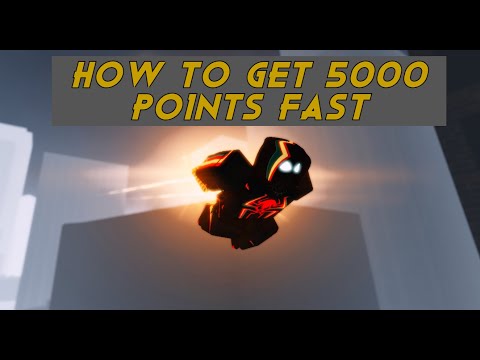
Discover How to Get Spider Points Fast in InVision’s: Web-Verse and become the ultimate web-slinger.
Welcome to the exciting world of InVision's Web-Verse! In this immersive virtual reality game, you have the thrilling opportunity to become the ultimate Spider-Man and swing through the city, fighting crime, delivering pizzas, and even exploring alternate dimensions. One of the key elements in the game is earning Spider Points, which allow you to unlock new abilities and upgrades. In this blog post, we'll explore some tips and strategies to help you earn Spider Points fast and level up your Spider-Man skills.
One of the main ways to earn Spider Points is by defeating criminals that are causing chaos in the city. Keep an eye out for the "Crime in Progress" notification that appears on your screen. This will help you locate the criminals on the map, indicated by red markers. Swing to their location and get ready to take them down!
To maximize your Spider Point earnings, make sure to use the finisher move when the criminals are at fatal health. This powerful move not only dispatches the criminals swiftly but also rewards you with bonus Spider Points. To perform the finisher, simply press the F key when the prompt appears on your screen.
Executing the finisher move is easy. When the criminal is at fatal health, a prompt will appear on your screen indicating that you can perform the finisher. Quickly press the F key to unleash a devastating attack that will take down the criminal and earn you valuable Spider Points.
Family fun for all ages! Discover the best board, card, and video games thatcreate laughter, teamwork, and lasting memories for your next gamenight. Find your new favorite!
What is thermal throttling and how to avoid it
Learn what thermal throttling is, how it slows down your CPU/GPU, and getpractical tips to avoid it for better device performance and longevity.Keep your system cool!
What is DLSS and how to enable it
Unlock smoother gameplay with NVIDIA DLSS. Learn what AI-powered DLSS does,how it boosts FPS, and a quick guide to enabling it in supported PCgames.
What is ping and how to lower it
Discover what ping is in online gaming and networking. Learn practical tips tolower high ping, reduce lag, and improve your connection speed for asmoother experience.
The best games to play with keyboard and mouse
Best keyboard and mouse games: Master FPS, RTS, & RPG titles designedfor precision control. Discover top PC games that play best with KBM.
The best games to play with a controller on PC
Top controller-supported PC games: action, racing, RPGs & more. Findthe best titles for Xbox, PlayStation, or generic gamepads. Ultimateguide for couch gaming.
The best role-playing games to start with
Looking to start playing RPGs? Discover the best beginner-friendly role-playing games with easy-to-learn rules, engaging stories, and memorableadventures for new players.
The best racing games for 2026
Discover the top racing games of 2026, from hyper-realistic simulators toexplosive arcade action. Get our expert picks for every platform andplay style.
What is GPU overclocking and should you do it?
Learn what GPU overclocking is, its performance benefits, and the risksinvolved. Discover if overclocking your graphics card is right for yourPC and gaming needs.
What is FSR and how does it work?
Learn what FSR (FidelityFX Super Resolution) is, how it upscales games forhigher performance & better visuals, and how it compares to otherupscaling tech. Get a clear, simple explanation here.
How to defeat Pica Boss in Roblox Grand Piece Online
Learn How to defeat Pica Boss in Roblox Grand Piece Online. Get ready to showcase your strategy, skill, and master.
How to view the play time for Final Fantasy XVI
Discover the best methods How to view the play time for Final Fantasy XVI in our informative blog post.
How to Fix Six Days in Fallujah No Sound
Learn How to Fix Six Days in Fallujah No Sound and get back to fully immersing yourself in this intense and gripping game.
How to Fix Overwatch 2 Purchase Failed
Our guide will help you troubleshoot and How to Fix Overwatch 2 Purchase Failed so you can get back.
How To Fix Assetto Corsa Won’t Launch
Our blog post provides you How To Fix Assetto Corsa Won’t Launch and get you back into the exciting world of racing.
Welcome to the exciting world of InVision's Web-Verse! In this immersive virtual reality game, you have the thrilling opportunity to become the ultimate Spider-Man and swing through the city, fighting crime, delivering pizzas, and even exploring alternate dimensions. One of the key elements in the game is earning Spider Points, which allow you to unlock new abilities and upgrades. In this blog post, we'll explore some tips and strategies to help you earn Spider Points fast and level up your Spider-Man skills.
Defeating Criminals
The "Crime in Progress" Notification and Locating Criminals on the Map
One of the main ways to earn Spider Points is by defeating criminals that are causing chaos in the city. Keep an eye out for the "Crime in Progress" notification that appears on your screen. This will help you locate the criminals on the map, indicated by red markers. Swing to their location and get ready to take them down!
Using the Finisher on Criminals for Extra Points
To maximize your Spider Point earnings, make sure to use the finisher move when the criminals are at fatal health. This powerful move not only dispatches the criminals swiftly but also rewards you with bonus Spider Points. To perform the finisher, simply press the F key when the prompt appears on your screen.
How to Perform the Finisher
Executing the finisher move is easy. When the criminal is at fatal health, a prompt will appear on your screen indicating that you can perform the finisher. Quickly press the F key to unleash a devastating attack that will take down the criminal and earn you valuable Spider Points.
Pizza Delivery
Locating Pizza Delivery Quests on the Map
While fighting crime is a crucial aspect of being a superhero, sometimes you need to take a break and deliver some pizzas. Look out for the pizza box-like alert on the map. This indicates the location of a pizza delivery quest. Swing to the designated area to start the quest.
Starting the Quest by Pressing F near the Store
Once you arrive at the pizza delivery location, press the F key near the store to initiate the quest. The store owner will provide you with the details of the delivery, including the destination and the time limit.
Task: Delivering Pizzas within a Time Limit
Time is of the essence when it comes to pizza delivery quests. Swing through the city, navigating obstacles and avoiding collisions to deliver the pizzas within the given time limit. Successfully completing the quest will not only reward you with Spider Points but also contribute to the overall safety and well-being of the city.
Surviving Spider Society Dimension
Requirements to Enter Spider Society Dimension
If you're looking for an extra challenge and more Spider Points, consider entering the Spider Society Dimension. To gain access, you'll need either a Rift Watch or join a friend who has already entered the dimension.
The Chase Mode in Spider Society Dimension
Once you enter the Spider Society Dimension, be prepared for an adrenaline-pumping chase. As you swing through this alternate dimension, you'll encounter various obstacles and enemies trying to impede your progress. Your goal is to survive the chase as long as possible and accumulate as many Spider Points as you can.
Strategies to Survive the Chase and Earn Points
To survive the chase and earn Spider Points, it's crucial to maintain a high level of agility and awareness. Use your web-slinging abilities to navigate through the obstacles swiftly, while also evading enemy attacks. Keep an eye out for power-ups and collect them to gain temporary advantages. Additionally, try to perform stylish moves and combos during the chase to earn bonus Spider Points.
Earning Spider Points fast in InVision's Web-Verse can be an exhilarating experience. By defeating criminals, delivering pizzas, and surviving the Spider Society Dimension, you'll quickly accumulate points and level up your Spider-Man abilities. Remember to use the finisher move on criminals, deliver pizzas within the time limit, and stay agile and alert during the chase in the Spider Society Dimension. With these strategies in mind, you'll become a formidable Spider-Man and dominate the Web-Verse in no time!
Mode:
Other Articles Related
The best games to play with the familyFamily fun for all ages! Discover the best board, card, and video games thatcreate laughter, teamwork, and lasting memories for your next gamenight. Find your new favorite!
What is thermal throttling and how to avoid it
Learn what thermal throttling is, how it slows down your CPU/GPU, and getpractical tips to avoid it for better device performance and longevity.Keep your system cool!
What is DLSS and how to enable it
Unlock smoother gameplay with NVIDIA DLSS. Learn what AI-powered DLSS does,how it boosts FPS, and a quick guide to enabling it in supported PCgames.
What is ping and how to lower it
Discover what ping is in online gaming and networking. Learn practical tips tolower high ping, reduce lag, and improve your connection speed for asmoother experience.
The best games to play with keyboard and mouse
Best keyboard and mouse games: Master FPS, RTS, & RPG titles designedfor precision control. Discover top PC games that play best with KBM.
The best games to play with a controller on PC
Top controller-supported PC games: action, racing, RPGs & more. Findthe best titles for Xbox, PlayStation, or generic gamepads. Ultimateguide for couch gaming.
The best role-playing games to start with
Looking to start playing RPGs? Discover the best beginner-friendly role-playing games with easy-to-learn rules, engaging stories, and memorableadventures for new players.
The best racing games for 2026
Discover the top racing games of 2026, from hyper-realistic simulators toexplosive arcade action. Get our expert picks for every platform andplay style.
What is GPU overclocking and should you do it?
Learn what GPU overclocking is, its performance benefits, and the risksinvolved. Discover if overclocking your graphics card is right for yourPC and gaming needs.
What is FSR and how does it work?
Learn what FSR (FidelityFX Super Resolution) is, how it upscales games forhigher performance & better visuals, and how it compares to otherupscaling tech. Get a clear, simple explanation here.
How to defeat Pica Boss in Roblox Grand Piece Online
Learn How to defeat Pica Boss in Roblox Grand Piece Online. Get ready to showcase your strategy, skill, and master.
How to view the play time for Final Fantasy XVI
Discover the best methods How to view the play time for Final Fantasy XVI in our informative blog post.
How to Fix Six Days in Fallujah No Sound
Learn How to Fix Six Days in Fallujah No Sound and get back to fully immersing yourself in this intense and gripping game.
How to Fix Overwatch 2 Purchase Failed
Our guide will help you troubleshoot and How to Fix Overwatch 2 Purchase Failed so you can get back.
How To Fix Assetto Corsa Won’t Launch
Our blog post provides you How To Fix Assetto Corsa Won’t Launch and get you back into the exciting world of racing.