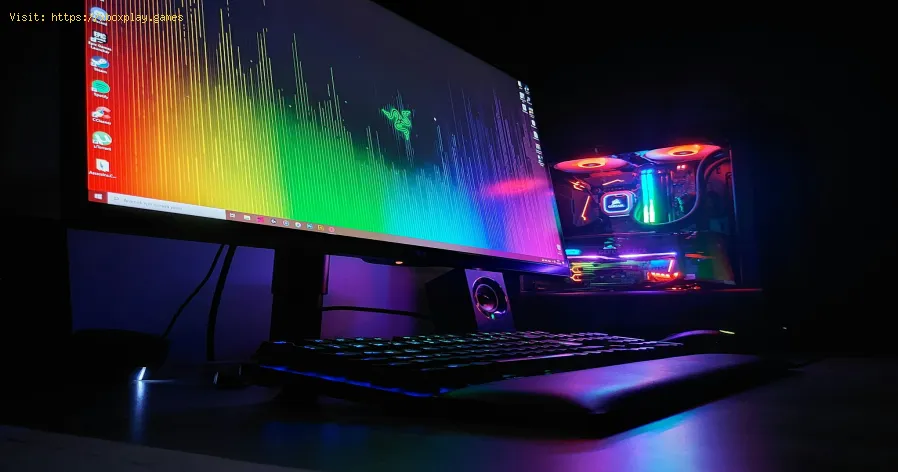
The best games to play with keyboard and mouse
The Elite Genres: Where Keyboard & Mouse Reign Supreme
Before diving into specific titles, let's understand why these games excel with KBM. The causes are rooted in the inherent strengths of the control scheme:The Quick Fix: Top Picks for the Impatient Gamer
If you're short on time and just want to know what to play tonight, here’s your shortlist:- For Competitive Shooter Fans: *Counter-Strike 2* or Valorant.
- For Immersive World Builders: Minecraft or Terraria.
- For Strategic Masterminds: StarCraft II (Free-to-Play).
- For ARPG Loot Hunters: Path of Exile (Free-to-Play) or Diablo IV.
- For Tactical Espionage: Tom Clancy's Rainbow Six Siege.
The Detailed List: The Best Games to Play with Keyboard & Mouse
Let's break down the champions of each genre, explaining why the KBM is king for these experiences.1. First-Person Shooters (FPS) & Tactical Shooters
The mouse's aiming superiority makes this genre a no-brainer.- Counter-Strike 2: The grandfather of tactical shooters. Every pixel of mouse movement matters for recoil control, flick shots, and pre-aiming angles. The keyboard handles movement, utility binds (smokes, flashes), and buy menus with flawless efficiency.
- Valorant: Takes CS's precise gunplay and adds character-specific abilities. The KBM setup lets you seamlessly weave shooting with ability activation (often bound to keys like Q, E, C, X) without ever losing focus on your crosshair.
- Escape from Tarkov: An unforgiving hardcore shooter where inventory management is as important as shooting. The drag-and-drop loot system and complex medical/item binding are tailor-made for a mouse and keyboard.
2. Real-Time Strategy (RTS) & Multiplayer Online Battle Arenas (MOBA)
This is perhaps the most KBM-dependent genre.- StarCraft II: The apex of RTS. Managing economies, armies, and tech trees across a vast map requires hundreds of actions per minute. Custom control groups (bound to number keys), rapid unit selection, and precise clicking are impossible to replicate elsewhere.
- Dota 2 & League of Legends: MOBAs require precise cursor control for last-hitting, skill-shot aiming, and item activation. The keyboard's quick-cast keys for abilities and active items are fundamental to high-level play.
3. Massively Multiplayer Online RPGs (MMORPGs) & Action RPGs (ARPG)
Managing vast skill bars and inventories is a keyboard's forte.
- World of Warcraft: Modern WoW players can have over 40 keybound abilities, macros, andinventory slots. Add-ons that create clickable elements on-screen makethe mouse an essential tool for raiding and PvP.
- Path of Exile & Diablo IV: The "click-to-move" and "click-to-attack" gameplay is inherentlymouse-driven. The keyboard handles flasks, movement skills, and openingmenus. Loot filtering and inventory tetris are infinitely easier with amouse.
4. Simulation & Management Games
These games are built on menus, precise placement, and intricate systems.
- Cities: Skylines (I or II): Placing roads, zoning districts, and managing budgets involves aconstant flow of clicking, dragging, and menu navigation that feelsintuitive only with KBM.
- Civilization VI: "Just one more turn" is powered by effortlessly navigating tech trees,managing diplomacy screens, and moving units across a sprawling map with simple clicks.
5. Survival & Crafting Games
Precision in building and resource gathering is key.
- Minecraft (Java Edition): The definitive KBM experience for this genre. Hotkeying items to number keys, quickly accessing the inventory (E), and placing blocks withpixel-perfect accuracy define the core gameplay loop.
- Rust: A brutal survival game where fast weapon switching (scroll wheel ornumber keys), precise building placement, and quick looting can mean the difference between life and death.
Alternative Solutions & Hidden Gems
If you've mastered the classics, try these KBM-optimized experiences:
- Apex Legends: While popular on console, its movement tech (tap-strafing, bunny hopping) and precise long-range shooting truly shine on PC.
- Doom Eternal: The "push-forward" combat demands swift weapon switching (bound to number keys) and flawless mouse aim to maintain momentum.
- Factorio: The factory must grow! This automation puzzle is a symphony ofdrag-building, shortcut keys, and precise planning that is purely a PCexperience.
How to Avoid a Subpar Experience: Optimize Your Setup
To ensure these games feel their best:
- Invest in a Good Mouse: A comfortable mouse with a reliable sensor (no acceleration) is non-negotiable. Tune your DPI and in-game sensitivity.
- Learn Keybindings: Don't stick with defaults. Bind actions to keys that feel natural and allow you to keep your fingers on movement keys (WASD).
- Disable Mouse Acceleration: In Windows, turn off "Enhance pointer precision" for consistent, muscle-memory-based mouse movement.
- Get a Mechanical Keyboard: The tactile feedback and faster actuation can improve response times in fast-paced games.
Frequently Asked Questions (FAQ)
Q: Can I use a controller for any of these games?
A: Technically, yes. But for competitive titles (CS, Valorant, StarCraft,MOBAs) and complex management games, you will be at a severe functionaldisadvantage.
Q: What about games like Grand Theft Auto V or Elden Ring?
A: These are fantastic games better suited to or designed primarily for acontroller. They prioritize analog movement and visceral combat overprecision menus or aiming. Playing them with KBM is possible but oftenless immersive.
Q: Are wireless keyboard and mouse setups good for gaming?
A: Modern wireless technology (like Logitech's Lightspeed or Razer'sHyperSpeed) has negligible latency and is now viable for evenprofessional esports. Just mind the battery life!
Q: What’s the most important: a better mouse or a better keyboard?
A: For FPS and RTS games, the mouse is paramount. For MMOs and RPGs withmany keybinds, a quality keyboard becomes more important. Ideally,invest in both over time.
Conclusion & Your Next Click
The keyboard and mouse are more than just peripherals; they are instruments that unlock the full depth, speed, and precision of PC gaming's mostdefining titles. From the tactical dance of a Counter-Strike round to the galactic empire-building in Starcraft, these experiences are crafted for your hands on these inputs.
Ready to put your setup to the ultimate test? Dive into the pure, competitive crucible of Valorant (it's free!) or lose yourself in the creative and strategic depths of Minecraft Java Edition. Pick one title from the list above, optimize your keybinds, andexperience the game as it was meant to be played. Your keyboard andmouse are waiting—go make them sing.
Other Articles Related
The best games to play with the familyFamily fun for all ages! Discover the best board, card, and video games thatcreate laughter, teamwork, and lasting memories for your next gamenight. Find your new favorite!
What is thermal throttling and how to avoid it
Learn what thermal throttling is, how it slows down your CPU/GPU, and getpractical tips to avoid it for better device performance and longevity.Keep your system cool!
What is DLSS and how to enable it
Unlock smoother gameplay with NVIDIA DLSS. Learn what AI-powered DLSS does,how it boosts FPS, and a quick guide to enabling it in supported PCgames.
What is ping and how to lower it
Discover what ping is in online gaming and networking. Learn practical tips tolower high ping, reduce lag, and improve your connection speed for asmoother experience.
The best games to play with keyboard and mouse
Best keyboard and mouse games: Master FPS, RTS, & RPG titles designedfor precision control. Discover top PC games that play best with KBM.
What is GPU overclocking and should you do it?
Learn what GPU overclocking is, its performance benefits, and the risksinvolved. Discover if overclocking your graphics card is right for yourPC and gaming needs.
What is FSR and how does it work?
Learn what FSR (FidelityFX Super Resolution) is, how it upscales games forhigher performance & better visuals, and how it compares to otherupscaling tech. Get a clear, simple explanation here.
The best games to play with a controller on PC
Top controller-supported PC games: action, racing, RPGs & more. Findthe best titles for Xbox, PlayStation, or generic gamepads. Ultimateguide for couch gaming.
The best role-playing games to start with
Looking to start playing RPGs? Discover the best beginner-friendly role-playing games with easy-to-learn rules, engaging stories, and memorableadventures for new players.
The best racing games for 2026
Discover the top racing games of 2026, from hyper-realistic simulators toexplosive arcade action. Get our expert picks for every platform andplay style.
What is GPU overclocking and should you do it?
Learn what GPU overclocking is, its performance benefits, and the risksinvolved. Discover if overclocking your graphics card is right for yourPC and gaming needs.
What is FSR and how does it work?
Learn what FSR (FidelityFX Super Resolution) is, how it upscales games forhigher performance & better visuals, and how it compares to otherupscaling tech. Get a clear, simple explanation here.