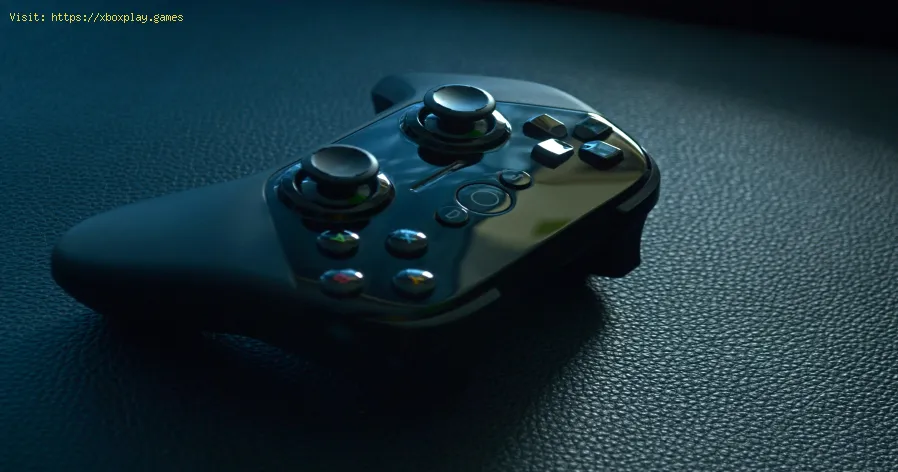
The best games to play with a controller on PC
The Best Controller-Centric Genres and Must-Play Titles
Before diving into troubleshooting, let's celebrate the games that make grabbing a controller essential. These titles showcase why this input method is irreplaceable for certain experiences.Action/Adventure & Soulslikes:- Elden Ring: The vast, punishing Lands Between demand precise dodge rolls, spell casting, and combat timing that feels intuitive on a controller.
- God of War (2018): Ported masterfully to PC, Leviathan Axe's recall and combo-based combat are built for the nuanced triggers and sticks.
- Marvel's Spider-Man Remastered: Swinging through New York City with analog stick fluidity and tactile web-zipping is a transformative experience.
- Forza Horizon 5: The nuanced pressure of an analog trigger for acceleration and braking is crucial for nailing perfect drifts and controlling hypercars.
- F1 23: Managing tire wear, ERS, and precise steering input is overwhelmingly complex on a keyboard but feels natural on a wheel or controller.
- Hollow Knight: Navigating the intricate maps of Hallownest requires pixel-perfect jumps and combat maneuvers ideally executed with a D-pad and face buttons.
- Celeste: The game's infamous difficulty and need for directional feathering in mid-air scream for analog precision.
- Hades: The isometric, fast-paced rogue-like combat flows seamlessly with a controller, making dash-strike combos feel instinctive.
- Monster Hunter: Rise: Executing elaborate weapon combos against gigantic beasts is a symphony of button presses best performed on a controller.
- Red Dead Redemption 2: Immersion is key. Galloping across the plains, aiming in dead-eye, and simply existing in its world feels more connected with a controller.
- The Witcher 3: Wild Hunt: While playable with mouse and keyboard, horseback riding, swordplay, and navigating menus have a console-born fluidity.
Quick Fix: For the Impatient Player
If your controller isn't working in a specific game, try this universal 3-step rapid fix:Detailed, Step-by-Step Solutions
If the quick fix didn't work, follow this comprehensive guide.Solution 1: Configure Steam Input (The Most Powerful Tool)
Steam has revolutionized PC controller support. Here’s how to master it.
Solution 2: Ensure Proper Driver Installation (For Wired/Wireless)
Windows Update often handles this, but sometimes it needs a nudge.
- Press Windows Key + X and select Device Manager.
- Look for "Xbox Peripherals" (for Xbox) or "Human Interface Devices" and "Sound, video and game controllers".
- If you see a yellow exclamation mark, right-click the device and select "Update driver."
- Choose "Search automatically for updated driver software."
- For PlayStation controllers using DS4Windows, ensure you've installed thecorrect drivers from the DS4Windows site, running the program asAdministrator.
Solution 3: Disable Conflicting Overlays & Services
Other software can interfere with controller detection.
- Temporarily disable overlays from Discord, Xbox Game Bar (Win+G to check settings), or NVIDIA GeForce Experience/AMD Adrenalin.
- For older games or specific launchers (like the Epic Games Store), close Steam completely if you're not playing a Steam game, as its background controller service can conflict.
Solution 4: Check Game-Specific Launcher Settings
Some platforms have their own controller settings.
- Epic Games Store: Go to Settings and look for controller options.
- Xbox App for PC: Ensure you are signed in and check the app's settings.
- GOG Galaxy: Similar controller options may be present in its settings.
Alternative Solutions if Problems Persist
If the controller still fails:
- Use a Different USB Port/Cable: Try a USB 2.0 port if 3.0 is problematic. For wireless, use a different USB dongle or a high-quality Bluetooth adapter.
- Try a Different Controller: This isolates if the problem is with the game/PC or the specific controller hardware.
- Use a Generic XInput Wrapper (For Non-Xbox Controllers): Tools like X360ce can make almost any controller emulate an Xbox 360 controller, which is universally recognized by Windows games. Place the .dll files in the game's executable folder.
How to Prevent Future Controller Issues
- Keep Drivers Updated: Regularly check Windows Update and manufacturer websites.
- Use Steam as a Central Hub: Whenever possible, add non-Steam games to your Steam library to leverage Steam Input.
- Standardize Your Hardware: Using an Xbox Wireless Controller or a controller with native XInputsupport (like many from 8BitDo) guarantees the highest compatibilitywith minimal fuss.
- Manage Your Background Software: Be mindful of having multiple controller configuration tools running simultaneously.
Frequently Asked Questions (FAQ)
Q: Is an Xbox or PlayStation controller better for PC?
A: Xbox controllers have native plug-and-play support in Windows and are seamlessly recognized by most games. PlayStationcontrollers (DualSense/DualShock 4) work excellently via Steam Input orDS4Windows but may require extra setup. Choose based on ergonomicpreference.
Q: Can I use a Nintendo Switch Pro Controller on PC?
A: Yes. Steam has excellent native support for it. Outside of Steam, you may need third-party software like BetterJoy for full functionality, including gyro.
Q: Why does my controller vibrate/rumble non-stop?
A: This is usually a driver or configuration error. Update your controller drivers, or in Steam's controller settings, recalibrate the controllerand test the rumble function.
Q: My controller works in menus but not in-game. Why?
A: This is almost always an in-game setting. The game is detecting both inputs and may be prioritizing the keyboard. Go to the game's control settings and explicitly select "Gamepad" asthe active input device. Sometimes you need to move the controller stick at the main menu for it to switch.
Q: Are there any PC games that require a controller?
A: Very few outright require it, but some are practically designed for it. Fighting games like Street Fighter 6 or Tekken 8, and precision 3D platformers like Super Mario Odyssey (via emulation) are experiences fundamentally built around a gamepad.
Conclusion and Call to Action
The PC gaming ecosystem has matured into a inclusive haven where choice isparamount. You are no longer forced to pick between the pinpointaccuracy of a mouse or the comfortable, immersive flow of a controller.You can have both, often in the same game, switching seamlessly based on your mood or the genre. Embracing a controller unlocks a new dimensionof PC gaming, one filled with cinematic adventures, thrilling races, and challenging platformers best experienced from the comfort of your couch or a relaxed desk posture.
So, dust off that controller, sync it to your powerful PC, and dive into the lush worlds of Elden Ring, the breakneck races of Forza, or the punishing halls of Hollow Knight. Use the solutions in this guide as your toolkit to smooth over anytechnical bumps. The ultimate PC gaming setup isn't about one input torule them all—it's about having the perfect tool for every incrediblegame at your fingertips.
Ready to transform your PC into the ultimate hybrid gaming machine?Share your favorite controller-friendly PC game in the comments below and let us know if you have any other pro-tips for flawless gamepad gameplay!
Other Articles Related
The best games to play with the familyFamily fun for all ages! Discover the best board, card, and video games thatcreate laughter, teamwork, and lasting memories for your next gamenight. Find your new favorite!
What is thermal throttling and how to avoid it
Learn what thermal throttling is, how it slows down your CPU/GPU, and getpractical tips to avoid it for better device performance and longevity.Keep your system cool!
What is DLSS and how to enable it
Unlock smoother gameplay with NVIDIA DLSS. Learn what AI-powered DLSS does,how it boosts FPS, and a quick guide to enabling it in supported PCgames.
What is ping and how to lower it
Discover what ping is in online gaming and networking. Learn practical tips tolower high ping, reduce lag, and improve your connection speed for asmoother experience.
The best games to play with keyboard and mouse
Best keyboard and mouse games: Master FPS, RTS, & RPG titles designedfor precision control. Discover top PC games that play best with KBM.
The best games to play with a controller on PC
Top controller-supported PC games: action, racing, RPGs & more. Findthe best titles for Xbox, PlayStation, or generic gamepads. Ultimateguide for couch gaming.
What is FSR and how does it work?
Learn what FSR (FidelityFX Super Resolution) is, how it upscales games forhigher performance & better visuals, and how it compares to otherupscaling tech. Get a clear, simple explanation here.
The best role-playing games to start with
Looking to start playing RPGs? Discover the best beginner-friendly role-playing games with easy-to-learn rules, engaging stories, and memorableadventures for new players.
The best racing games for 2026
Discover the top racing games of 2026, from hyper-realistic simulators toexplosive arcade action. Get our expert picks for every platform andplay style.
What is GPU overclocking and should you do it?
Learn what GPU overclocking is, its performance benefits, and the risksinvolved. Discover if overclocking your graphics card is right for yourPC and gaming needs.
What is FSR and how does it work?
Learn what FSR (FidelityFX Super Resolution) is, how it upscales games forhigher performance & better visuals, and how it compares to otherupscaling tech. Get a clear, simple explanation here.
What is tearing and how to eliminate it
Discover what screen tearing is, why it happens, and effective solutions toeliminate it for smooth, stutter-free visuals in games and videos.