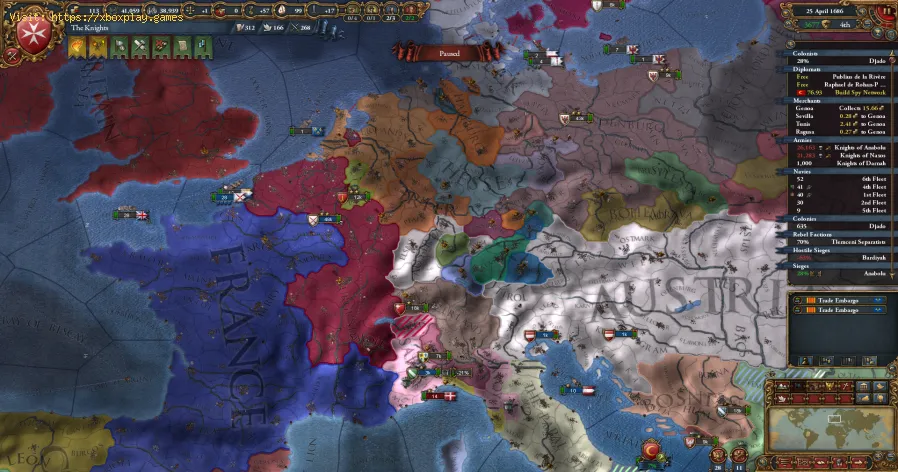
How To Fix Europa Universalis 5 Army Not Moving Error
Since its release, the grand strategy title Europa Universalis 5 (EU5) has captured significant attention within the gaming community. As with any newly launched complex strategy game, minor technical issues are inevitable. A frequently reported point of confusion and frustration among players is the "Army Not Moving Error," where troops inexplicably refuse to follow movement commands and remain stuck in place.Interestingly, the cause of this immobility isn't always a software glitch. In EU5, the refusal of an army to move can often be traced back to the game’s own core mechanics, designed to simulate historical challenges and limitations. Understanding the difference between a bug and a feature is essential for military success.This detailed article provides a clear breakdown of the possible causes and resolutions for the "Army Not Moving Error," ensuring your legions march where and when you command.
Learn how to boost airflow, optimize components, and reduce heat for acooler, faster, and more stable PC. Discover step-by-step coolingupgrade tips.
How to Clean Your PC for Better Performance
Learn easy steps to clean your PC for better performance—remove junk files,manage startup programs, update drivers, and optimize settings.
How to Overclock Your CPU Safely
Step-by-step guide for safely overclocking your CPU. Learn proper cooling, voltagetuning, and stability testing to boost performance without riskingdamage. Achieve a stable overclock with confidence.
How to Overclock Your GPU Safely
Maximize GPU performance safely! Learn step-by-step GPU overclocking, essentialtools, stability testing, and temperature monitoring to boost speedwithout damage.
How to Fix High GPU Usage
"Learn effective solutions to reduce high GPU usage, improveperformance, and prevent overheating. Step-by-step troubleshooting guide for gamers and creators."
How to Fix High CPU Usage While Gaming
Fix high CPU usage while gaming with these effective troubleshooting tips.Learn to optimize settings, update drivers, and boost gaming performance effortlessly.
How to Boost Wi‑Fi Signal for Gaming
Maximize your gaming performance with expert tips on how to boost Wi‑Fi signalstrength. Reduce lag, eliminate drops, and ensure a stable connection.
How to Reduce Lag in Cloud Gaming
Level up your cloud gaming experience! Learn expert tips to reduce lag,optimize streaming quality, and enjoy smoother gameplay with ouractionable guide.
How to Enable HDR on Consoles
Learn how to activate HDR on your consoles effortlessly. Our detailedinstructions will help you elevate your gaming
How to Enable VRR on Your TV
Unlock the full potential of your TV with our guide on enabling VRR. Enhance your gaming and viewing experience today!
Where to find Patrol Car key in Arc Raiders
the location of the Patrol Car key in Arc Raiders. Unlock secrets and enhance your gameplay with our guide!
How to survive Black Death in Europa Universalis 5
Survive the Black Death in Europa Universalis 5! Navigate challenges, build your empire, and thrive in a tumultuous era.
How to get Explosive Compound in ARC Raiders
how to obtain Explosive Compound in ARC Raiders with our comprehensive guide. Unlock powerful strategies
How to Fix ARC Raiders "Outdated Game Client" error
Resolve the Outdated Game Client error in ARC Raiders with our easy step-by-step guide. Get back to gaming smoothly!
How to find all shroomberry types in PEAK
all shroomberry types in PEAK! Uncover tips and tricks to identify and collect these unique berries for your adventures.
Fix Europa Universalis 5 Army Not Moving Error
The Three Main Causes of Immobile Armies
The "Army Not Moving Error" can be broadly categorized into three areas: technical issues, defensive features, and environmental hazards. You should check them in this order to diagnose the problem quickly.1. The Technical Glitch Check
Sometimes, the simplest explanation is the right one—the movement failure is due to a standard bug or glitch.
- Restart the Session: The most straightforward fix is to restart the game to begin a fresh session. This clears any temporary processing errors that may be freezing unit command queues.
- Merge or Rebuild: If restarting doesn't work, try to merge the stuck army unit with an army that is moving correctly. If merging is successful, separating the units again may restore proper movement. If merging is not possible, the final option is to disband the army entirely and then create a new one to restore its proper functionality.
2. The Fort Zone of Control (ZOC) Mechanic
This is one of the most common reasons why new players encounter movement issues, as it is a core defensive mechanic in EU5.
- Understanding the ZOC: Each fort in the game projects a specific Zone of Control over surrounding provinces. If your army enters a ZOC, it can become "trapped" in nearby locations until the fort's control is neutralized orcaptured. The game often forces your army to enter the fort's homeprovince or adjacent, controlled provinces, overriding your initialcommand.
- How to Resolve ZOC Traps:
- Check the Map: First, confirm that your army is indeed near the Zone of Control of a hostile fort.
- Attempt Re-Entry: Try directing your army into the fort's home province and then immediately giving a command to move out. This sometimes resets the ZOC influence.
- The Siege Solution: If simple movement fails, your only definitive way to regain command and movement freedom is to siege the hostile fort and force its surrender.
3. The Harsh Winter Conditions
The game simulates the logistical impact of geography and climate, particularly the severity of winter.
- Extreme Regions: If your army is stuck in extreme regions such as Siberia, Scandinavia, the Alps, or other high-altitude/northern zones, harsh winter weather may be the cause of immobility. Severe cold can render armies completely immobile for a period.
- Waiting for Spring: Check the location’s province view for current severe winter effects. If present, you must wait until spring arrives for the weather to clear and allow movement again.
- Supply Management: During this forced immobility, prioritize gathering enough supplies to endure the season and maintain your forces, as winter attrition can quickly deplete your army's manpower.
Strategic Implications of Immobile Armies
Understanding these mechanisms is crucial not just for fixing an error, but for superior strategy:
- Defensive Fort Placement: The ZOC mechanic highlights the strategic importance of fort placement, allowing a small garrison to severely impede a much larger invadingforce.
- Seasonality in War: The harsh winter effect meansthat timing is everything. Launching campaigns in extreme regions mustbe carefully calculated to avoid the devastating, movement-freezingwinter months.
By quickly identifying whether your stuckarmy is a victim of a technical bug, a deliberate ZOC trap, or a severeenvironmental hazard, you can execute the correct resolution and ensureyour military commands are swiftly obeyed across the continent.
Mode:

Other Articles Related
How to Improve Cooling in Your PCLearn how to boost airflow, optimize components, and reduce heat for acooler, faster, and more stable PC. Discover step-by-step coolingupgrade tips.
How to Clean Your PC for Better Performance
Learn easy steps to clean your PC for better performance—remove junk files,manage startup programs, update drivers, and optimize settings.
How to Overclock Your CPU Safely
Step-by-step guide for safely overclocking your CPU. Learn proper cooling, voltagetuning, and stability testing to boost performance without riskingdamage. Achieve a stable overclock with confidence.
How to Overclock Your GPU Safely
Maximize GPU performance safely! Learn step-by-step GPU overclocking, essentialtools, stability testing, and temperature monitoring to boost speedwithout damage.
How to Fix High GPU Usage
"Learn effective solutions to reduce high GPU usage, improveperformance, and prevent overheating. Step-by-step troubleshooting guide for gamers and creators."
How to Fix High CPU Usage While Gaming
Fix high CPU usage while gaming with these effective troubleshooting tips.Learn to optimize settings, update drivers, and boost gaming performance effortlessly.
How to Boost Wi‑Fi Signal for Gaming
Maximize your gaming performance with expert tips on how to boost Wi‑Fi signalstrength. Reduce lag, eliminate drops, and ensure a stable connection.
How to Reduce Lag in Cloud Gaming
Level up your cloud gaming experience! Learn expert tips to reduce lag,optimize streaming quality, and enjoy smoother gameplay with ouractionable guide.
How to Enable HDR on Consoles
Learn how to activate HDR on your consoles effortlessly. Our detailedinstructions will help you elevate your gaming
How to Enable VRR on Your TV
Unlock the full potential of your TV with our guide on enabling VRR. Enhance your gaming and viewing experience today!
Where to find Patrol Car key in Arc Raiders
the location of the Patrol Car key in Arc Raiders. Unlock secrets and enhance your gameplay with our guide!
How to survive Black Death in Europa Universalis 5
Survive the Black Death in Europa Universalis 5! Navigate challenges, build your empire, and thrive in a tumultuous era.
How to get Explosive Compound in ARC Raiders
how to obtain Explosive Compound in ARC Raiders with our comprehensive guide. Unlock powerful strategies
How to Fix ARC Raiders "Outdated Game Client" error
Resolve the Outdated Game Client error in ARC Raiders with our easy step-by-step guide. Get back to gaming smoothly!
How to find all shroomberry types in PEAK
all shroomberry types in PEAK! Uncover tips and tricks to identify and collect these unique berries for your adventures.