Xbox Series X / S: How to redeem a code - Ultimate Guide
Guide to learn how to redeem a code at Xbox Series X / S
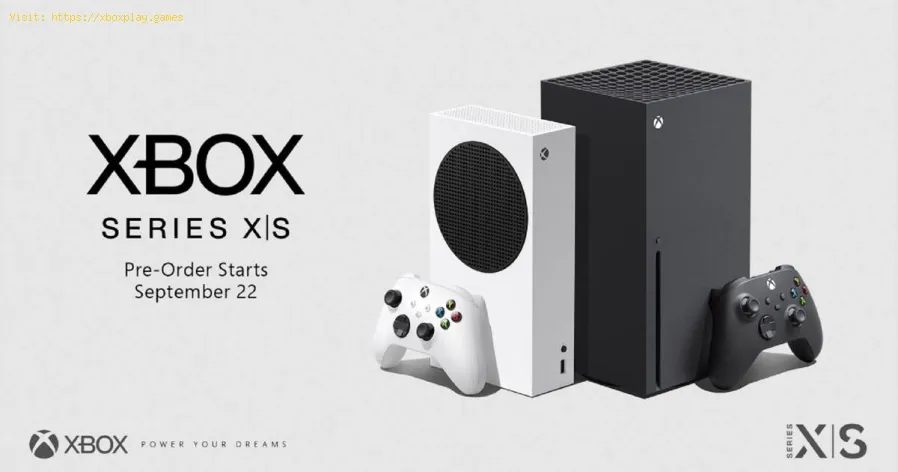
Many users are still excited about the launch of the Xbox Series X / S so they want to find out how to redeem a code on their shiny new console. All this of the codes is due to the fact that little by little the new consoles are ceasing to use discs supplanting it by digital downloads instead and what to say about the same Xbox that does not have a slot to read discs It is inevitable!
That said, in this guide we are obliged to teach you how to redeem the codes of your next games for the console.
Once you have purchased a game or a membership for your new Xbox console and the platform provides you with a code, you must follow the following steps depending on the Xbox series you have:
The difference between one series and another is actually minimal, so the steps to set the code are the same! Here we repeat them in case there were doubts:
Now that you know how to redeem a code in Xbox Series X / S you can start redeeming all the games you purchased, and if you have a good internet connection, in less than a few hours you will be comfortably playing your new acquisitions. Luck!
ultimate list of the best Xbox Game Pass games! Stay updated with our curated selection and find your next favorite title
Xbox Live: Can't sign in — how to fix it
Struggling to sign in to Xbox Live? Discover effective solutions to troubleshoot and fix your sign-in issues
Xbox: Cannot install game — definitive solution - How to Fix
Get step-by-step fixes for Xbox 'cannot install game' errors.Clear your cache, free up storage, and resolve installation issues inminutes.
Error 0x87e50007 on Xbox Series/One: How to Fix It
Fix Error 0x87e50007 on Xbox with our step-by-step guide. Troubleshoot and resolve this issue quickly
How to Fix Lag on Xbox Series X
On this occasion we return with a guide with the objective of explaining to you How to Fix Lag on Xbox Series X.
How to Fix Xbox GamePass Download Speed Too Slow
Today we explain how to fix Xbox GamePass download speed that is too slow.
How to Fix Xbox Error 0x80073d0f
Learn How to Fix Xbox Error 0x80073d0f. Fix installation issues and get back to gaming quickly!
How To Fix Xbox Error Code 80004005
Learn how to resolve Xbox error code 80004005 with our step-by-step guide. Fixing this issue is easier than you think. Get back to gaming in no time!
How to Fix Xbox Error Code 80151015
Learn how to troubleshoot and fix Xbox Error Code 80151015 with our step-by-step guide. Get back to gaming in no time!
How To Fix Sticky Buttons on Xbox Controller
Learn effective techniques on How To Fix Sticky Buttons on Xbox Controller and enjoy uninterrupted gaming sessions.
World Of Warcraft Shadowlands: How To Get More Anima
This time we come with a World Of Warcraft Shadowlands guide to guide you in relation to How to get more anima.
World Of Warcraft Shadowlands: How To Get Humon’gozz
We invite you to discover How to get Humon'gozz, a new task in World Of Warcraft Shadowlands.
Fortnite : Where to Find harvest buses and RVs in native
The challenges in Fortnite do not stop and this allows us to indicate where to find harvest buses and recreational vehicles in native, let's see.
Fortnite: How to Boogie before Oblivion
Knowing How to Boogie Dance Before Oblivion is one of the important tasks we come across in Fortnite, let's see.
World of Warcraft Shadowlands: How to level up
The action in World of Warcraft Shadowlands does not stop, so we come to explain how to level up with precise details.
Many users are still excited about the launch of the Xbox Series X / S so they want to find out how to redeem a code on their shiny new console. All this of the codes is due to the fact that little by little the new consoles are ceasing to use discs supplanting it by digital downloads instead and what to say about the same Xbox that does not have a slot to read discs It is inevitable!
That said, in this guide we are obliged to teach you how to redeem the codes of your next games for the console.
How to redeem a code at Xbox Series X / S
Once you have purchased a game or a membership for your new Xbox console and the platform provides you with a code, you must follow the following steps depending on the Xbox series you have:
In the case of the Xbox Series X
- -If you purchased the X Series you will obviously have to turn on your console and go to the Microsoft Store (which is represented on the home screen of your console with an icon that looks like a shopping bag with the Microsoft logo).
- -Look for the option "Redeem" which you can quickly recognize by the small symbol of a QR code
- -When you see the box asking for your code, enter the code using the keyboard provided.
- -Once typed, click where it says "Verify code". If it tells you that the code is wrong, try entering it again until you accept it.
In the case of the Xbox Series S
The difference between one series and another is actually minimal, so the steps to set the code are the same! Here we repeat them in case there were doubts:
- -If you purchased the X Series you will obviously have to turn on your console and go to the Microsoft Store (which is represented on the home screen of your console with an icon that looks like a shopping bag with the Microsoft logo).
- -Look for the option "Redeem" which you can quickly recognize by the small symbol of a QR code
- -When you see the box asking for your code, enter the code using the keyboard provided.
- -Once typed, click where it says "Verify code". If it tells you that the code is wrong, try entering it again until you accept it.
Now that you know how to redeem a code in Xbox Series X / S you can start redeeming all the games you purchased, and if you have a good internet connection, in less than a few hours you will be comfortably playing your new acquisitions. Luck!
Mode:

Other Articles Related
The best Xbox Game Pass games (updated list)ultimate list of the best Xbox Game Pass games! Stay updated with our curated selection and find your next favorite title
Xbox Live: Can't sign in — how to fix it
Struggling to sign in to Xbox Live? Discover effective solutions to troubleshoot and fix your sign-in issues
Xbox: Cannot install game — definitive solution - How to Fix
Get step-by-step fixes for Xbox 'cannot install game' errors.Clear your cache, free up storage, and resolve installation issues inminutes.
Error 0x87e50007 on Xbox Series/One: How to Fix It
Fix Error 0x87e50007 on Xbox with our step-by-step guide. Troubleshoot and resolve this issue quickly
How to Fix Lag on Xbox Series X
On this occasion we return with a guide with the objective of explaining to you How to Fix Lag on Xbox Series X.
How to Fix Xbox GamePass Download Speed Too Slow
Today we explain how to fix Xbox GamePass download speed that is too slow.
How to Fix Xbox Error 0x80073d0f
Learn How to Fix Xbox Error 0x80073d0f. Fix installation issues and get back to gaming quickly!
How To Fix Xbox Error Code 80004005
Learn how to resolve Xbox error code 80004005 with our step-by-step guide. Fixing this issue is easier than you think. Get back to gaming in no time!
How to Fix Xbox Error Code 80151015
Learn how to troubleshoot and fix Xbox Error Code 80151015 with our step-by-step guide. Get back to gaming in no time!
How To Fix Sticky Buttons on Xbox Controller
Learn effective techniques on How To Fix Sticky Buttons on Xbox Controller and enjoy uninterrupted gaming sessions.
World Of Warcraft Shadowlands: How To Get More Anima
This time we come with a World Of Warcraft Shadowlands guide to guide you in relation to How to get more anima.
World Of Warcraft Shadowlands: How To Get Humon’gozz
We invite you to discover How to get Humon'gozz, a new task in World Of Warcraft Shadowlands.
Fortnite : Where to Find harvest buses and RVs in native
The challenges in Fortnite do not stop and this allows us to indicate where to find harvest buses and recreational vehicles in native, let's see.
Fortnite: How to Boogie before Oblivion
Knowing How to Boogie Dance Before Oblivion is one of the important tasks we come across in Fortnite, let's see.
World of Warcraft Shadowlands: How to level up
The action in World of Warcraft Shadowlands does not stop, so we come to explain how to level up with precise details.