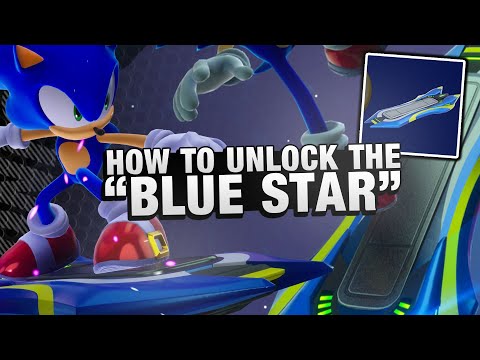
How To Unlock The Blue Star in Sonic Racing Crossworlds
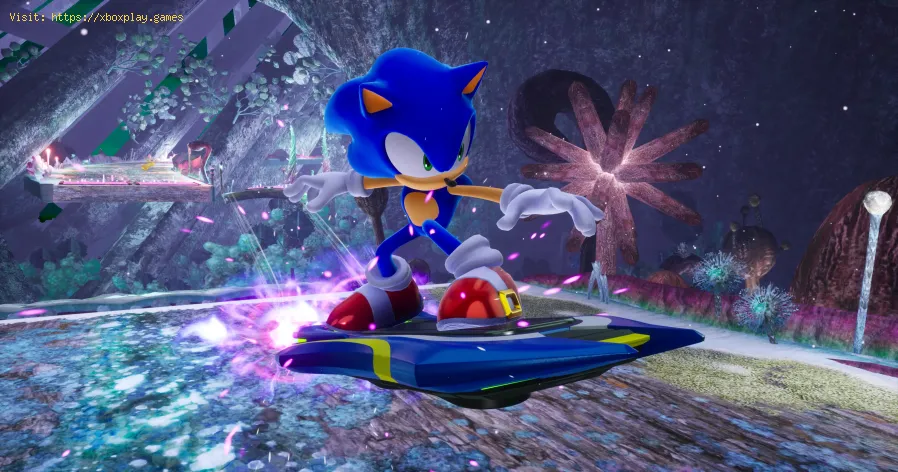
Sonic Racing: CrossWorlds already offers a wide variety of Machines from its 23 default characters and Rival Teams in Race Park. But if you're looking to add a legendary speedster’s signature ride to your collection, the Blue Star hoverboard is a must-have. This iconic piece of Extreme Gear, originally featured in Sonic Riders, is now available as a limited-time reward—here’s how to claim it and use it in-game.Visit the Sega Account Website Create Your Account Link Your Console Claim Your Code Redeem the Code
Calibrate your TV for gaming with our step-by-step guide. Optimize response time, HDR, color, and input lag for the ultimate competitive edge and visualexperience.
How to Fix PC Blue Screen While Gaming
Stop gaming crashes! Learn step-by-step fixes for the PC blue screen (BSOD)during gameplay. Troubleshoot drivers, overheating, hardware &settings for a stable system.
How to Fix PC Restarts While Gaming
Expert tips to diagnose and fix sudden PC restarts during gaming. Learntroubleshooting steps for overheating, PSU issues, driver problems, andhardware stability.
How to Fix CPU Overheating While Gaming
Learn how to fix CPU overheating while gaming with effective coolingsolutions, proper maintenance, and system optimization tips to preventdamage and boost performance.
How to Fix Game Won’t Save Progress
"Troubleshoot and fix game progress not saving with our step-by-step guide. Learn how to check settings, clear cache, fix corrupt files, and solve storageissues to prevent lost saves."
How to fix PC Fans Too Loud While Gaming
Meta description: "PC fans too loud while gaming? Learn 8 simple fixes toreduce noise & cool your PC effectively. Easy, step-by-step guidefor a quieter gaming rig."
How to Fix PC Won’t Boot After Update
Struggling with a black screen or errors after an update? Learn step-by-step fixes to get your PC booting again. From safe mode to recovery tools, we'llguide you through the solutions.
How to Fix PC Stuttering in Games
Troubled by PC stuttering in games? Our guide shows you how to fix gamestuttering & lag with step-by-step solutions for settings, hardware, & drivers.
How to Fix PC Freezing While Gaming
Expert troubleshooting guide to stop PC freezing during games. Learn quickfixes for overheating, driver issues, and hardware bottlenecks torestore smooth gameplay.
How to Fix Game Crashes on Startup
Learn effective solutions to fix game crashes on startup and enjoy seamless gaming. Troubleshoot issues
How to Find Hidden Truths With Spark in Dying Light The Beast
Uncover the hidden truths of Dying Light: The Beast with Spark. Dive into thrilling gameplay, secrets, and strategies to survive the night!
How to Find Inari Seal in Silent Hill f
Discover the Inari Seal location in Silent Hill f. Uncover secrets and enhance your gameplay with our detailed guide!
How to Solve Mural Puzzle in Silent Hill f
Discover the ultimate guide to solving the Mural Puzzle in Silent Hill f. Unlock secrets and enhance your gameplay with our step-by-step
What Xbox Games Have Been Inspired by Live Slots?
Console gaming and online casino gaming have always had a close relationship, often borrowing mechanics
How to Enter the Prisma Core in Slime Rancher 2
Navigate the Glass Desert and activate the Ancient Doors to access the PrismaCore in Slime Rancher 2. This guide explains how to find all the SlimeStatues and unlock the mysterious chamber.
🌀 What Is the Blue Star?
The Blue Star is a high-performance hoverboard that Sonic fans will instantly recognize. Known for its sleek design and impressive boost capabilities, it’s a nostalgic nod to Sonic’s past racing adventures. In CrossWorlds, it’s categorized as a Speed Machine and offers a unique way to customize your racing experience.📝 How to Get the Blue Star in Sonic Racing: CrossWorlds
To unlock the Blue Star, you’ll need to create and link a Sega Account between September 21 and October 31, 2025. This is part of Sega’s promotional campaign celebrating the launch of Sonic Racing: CrossWorlds.🔧 Step-by-Step Guide to Claiming the Blue Star
- Head to Sega’s official account portal.
- Scroll past the homepage banner and click Register.
- Enter your country and age verification details.
- Provide an email address and verify it using the code sent to your inbox.
- Fill in your personal info: name, birthdate, preferred language, and username.
- After registration, go to Link My Accounts.
- Choose your gaming platform (e.g., PlayStation, Xbox, Nintendo).
- Sign in with your console credentials and confirm the link.
- Once linked, select your platform to generate a unique redemption code.
- Only one Blue Star board can be claimed per account.
- Go to your console’s store (e.g., PlayStation Store).
- Enter the code in the Redeem Codesection.
- Launch Sonic Racing: CrossWorldsand the Blue Star will be added as downloadable content.
🛠️ How to Equip the Blue Star in the Game
After downloading, the Blue Star won’t appear in your Machine list automatically. You’ll need to manually create it in the Customize Machinemenu.
🧩 Where to Find It
- Navigate to the Boostcategory in the customization menu.
- Scroll to the end of the list—just before the Diva Macchina (Hatsune Miku’s board).
- Select the Blue Star components and apply the exclusive Blue Star colorwaythat comes with the download.
📊 Blue Star Stats in Sonic Racing: CrossWorlds
| Attribute | Value |
|---|---|
| Speed | 28 |
| Acceleration | 34 |
| Handling | 44 |
| Power | 20 |
| Boost | 54 |
These stats make the Blue Star an excellent choice for players who prioritize agility and burst speed. You can further enhance its performance by equipping Gadgetson your Gadget Platesbefore each race.
🎮 Who Can Use the Blue Star?
Once created and saved, any characterin your roster can ride the Blue Star. Just select your racer from the main menu, choose the custom Machine, and hit the track in style.
🧠 Pro Tips
- Sign up early:Don’t wait until the last minute—create your Sega Account before October 31, 2025.
- Use Gadgets wisely:Boost-heavy builds benefit from acceleration-enhancing Gadgets.
- Customize for flair:The Blue Star colorway adds a visual edge to your Machine setup.
Whether you're a longtime Sonic fan or a newcomer to CrossWorlds, the Blue Star is a stylish and powerful addition to your racing lineup. Ready to ride like the blue blur himself? Claim your board and hit the track.
Mode:
Other Articles Related
How to Calibrate Your TV for GamingCalibrate your TV for gaming with our step-by-step guide. Optimize response time, HDR, color, and input lag for the ultimate competitive edge and visualexperience.
How to Fix PC Blue Screen While Gaming
Stop gaming crashes! Learn step-by-step fixes for the PC blue screen (BSOD)during gameplay. Troubleshoot drivers, overheating, hardware &settings for a stable system.
How to Fix PC Restarts While Gaming
Expert tips to diagnose and fix sudden PC restarts during gaming. Learntroubleshooting steps for overheating, PSU issues, driver problems, andhardware stability.
How to Fix CPU Overheating While Gaming
Learn how to fix CPU overheating while gaming with effective coolingsolutions, proper maintenance, and system optimization tips to preventdamage and boost performance.
How to Fix Game Won’t Save Progress
"Troubleshoot and fix game progress not saving with our step-by-step guide. Learn how to check settings, clear cache, fix corrupt files, and solve storageissues to prevent lost saves."
How to fix PC Fans Too Loud While Gaming
Meta description: "PC fans too loud while gaming? Learn 8 simple fixes toreduce noise & cool your PC effectively. Easy, step-by-step guidefor a quieter gaming rig."
How to Fix PC Won’t Boot After Update
Struggling with a black screen or errors after an update? Learn step-by-step fixes to get your PC booting again. From safe mode to recovery tools, we'llguide you through the solutions.
How to Fix PC Stuttering in Games
Troubled by PC stuttering in games? Our guide shows you how to fix gamestuttering & lag with step-by-step solutions for settings, hardware, & drivers.
How to Fix PC Freezing While Gaming
Expert troubleshooting guide to stop PC freezing during games. Learn quickfixes for overheating, driver issues, and hardware bottlenecks torestore smooth gameplay.
How to Fix Game Crashes on Startup
Learn effective solutions to fix game crashes on startup and enjoy seamless gaming. Troubleshoot issues
How to Find Hidden Truths With Spark in Dying Light The Beast
Uncover the hidden truths of Dying Light: The Beast with Spark. Dive into thrilling gameplay, secrets, and strategies to survive the night!
How to Find Inari Seal in Silent Hill f
Discover the Inari Seal location in Silent Hill f. Uncover secrets and enhance your gameplay with our detailed guide!
How to Solve Mural Puzzle in Silent Hill f
Discover the ultimate guide to solving the Mural Puzzle in Silent Hill f. Unlock secrets and enhance your gameplay with our step-by-step
What Xbox Games Have Been Inspired by Live Slots?
Console gaming and online casino gaming have always had a close relationship, often borrowing mechanics
How to Enter the Prisma Core in Slime Rancher 2
Navigate the Glass Desert and activate the Ancient Doors to access the PrismaCore in Slime Rancher 2. This guide explains how to find all the SlimeStatues and unlock the mysterious chamber.