El mundo de Ashes of Creation finalmente abre sus puertas a una legión más amplia de aventureros. Mientras este ambicioso MMORPG de Intrepid Studios avanza en su fase de acceso anticipado, un hito significativo llegó el 11 de diciembre de 2025 : su lanzamiento oficial en Steam . Esta transición a la plataforma de juegos para PC más grande del mundo promete acercar el dinámico mundo basado en nodos y la economía impulsada por los jugadores a una inmensa audiencia nueva. Sin embargo, esta emocionante expansión incluye un paso crucial y único tanto para los patrocinadores veteranos como para los nuevos jugadores: vincular su cuenta de Intrepid Studios a su cuenta de Steam.
¿Por qué es necesario? Ashes of Creation cuenta con una larga trayectoria gracias a su dedicada comunidad, muchos de los cuales apoyaron el juego años antes de su debut en Steam, comprando paquetes directamente a través de su sitio web oficial . Para preservar la progresión de los jugadores, el historial de compras y su estatus de fundador, Intrepid Studios utiliza su propio sistema de cuentas. El proceso de vinculación garantiza que, tanto si eres un tester alfa que regresa como si eres un recién llegado de Steam, todos tus derechos e identidad estén perfectamente sincronizados. Si bien el proceso está diseñado para ser sencillo, navegar entre dos plataformas diferentes a veces puede causar confusión. Esta guía completa te guiará paso a paso, solucionará problemas comunes y te asegurará que estés listo para entrar en Verra sin demora.
Para los nuevos jugadores de Steam, el requisito de crear otra cuenta puede resultar confuso. Para los veteranos con cuentas Intrepid, quizá se pregunten si su inversión actual sigue siendo válida. Aclaremos las cosas.
El desarrollo de Ashes of Creation se ha centrado en la comunidad desde el principio, con financiación y pruebas gestionadas a través del portal de Intrepid. Tu cuenta de Intrepid es el registro principal de todo lo que te pertenece en Ashes of Creation: tu licencia de juego, paquetes cosméticos, títulos de fundador y, posiblemente, acceso a la beta futura. Steam , en este caso, actúa principalmente como plataforma de distribución y parches. El enlace indica a Steam: "Este usuario tiene permiso para jugar" y a los servidores de Intrepid: "Este usuario de Steam es nuestro fiel colaborador, [Tu nombre de usuario]".
No se pierden datos. Su cuenta Intrepid sigue siendo la fuente de información confiable. Este sistema protege a los jugadores que invirtieron temprano y permite a Intrepid mantener una relación directa con su base de jugadores a través de múltiples canales de distribución.
Short on time? Here's the ultra-quick version:
If you bought on Steam: Launch the game, click "Link Account" on the splash screen, and follow the prompts to either log in to an existing Intrepid account or create a new one.
If you bought on the Intrepid Site: Log into your account on the Ashes of Creation website, go to Account Settings > Account Connections, click "Connect" next to Steam, and authorize the link.
Done! The game should now appear in your Steam library or become accessible. For everyone else, let's dive into the detailed, foolproof steps.
Follow the section below that matches your situation.
This is for the backers, Alpha testers, and anyone who bought an Early Access Bundle directly from Intrepid Studios.
Step 1: Prepare Your Accounts Ensure you know the login credentials for your Intrepid Account. Also, make sure you are logged into your desired Steam account on your browser or client.
Step 2: Log into the Intrepid Portal Visit the official Ashes of Creation Account Portal. Click "Sign In" and enter your Intrepid account details.
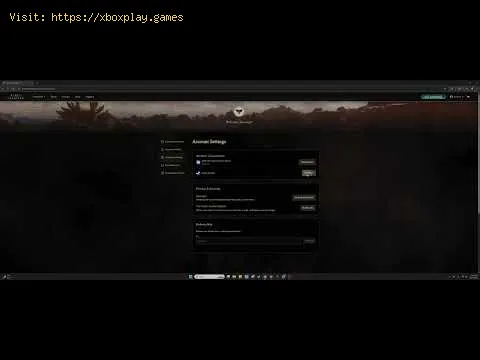
Step 3: Navigate to Account Connections Once logged in, click on your profile icon or name in the top-right corner and select "Account Settings" from the dropdown menu. On the settings page, look for a tab or section labeled "Account Connections," "Linked Accounts," or "Third-Party Connections."
Step 4: Initiate the Steam Link In the connections menu, you should see the Steam logo with a "Connect" or "Link" button next to it. Click this button.
Step 5: Authorize Through Steam You will be securely redirected to the official Steam website. You’ll see a page asking, "Sign in to ashesofcreation.com?" It will list the information Intrepid is requesting (typically just your public Steam Profile ID and username). This is a standard OAuth process and is secure.
If you are not logged into Steam in your browser, log in now.
Click "Sign In" or "Authorize" to grant the linking permission.
Step 6: Confirmation You should be redirected back to the Intrepid portal with a success message (e.g., "Steam account successfully linked"). The "Connect" button should now change to "Disconnect" or a similar status indicator.
Step 7: Access on Steam Open your Steam client. Navigate to your Library. Ashes of Creation should now appear in your game list. You can download and install it. When you launch, you will be logged in automatically with your linked Intrepid account.
This is the path for players who discovered the game on Steam and purchased it there.
Step 1: Purchase & Install First, ensure you have purchased and installed Ashes of Creation through the Steam store.
Step 2: Launch the Game In your Steam Library, click "Play" on Ashes of Creation.
Step 3: Click the Link Prompt The game will launch to a splash screen or launcher. Since itdetects no linked account, it will display a prominent button: "Link Account" or "Connect Your Intrepid Account." Click it.
Step 4: Browser Redirection This will automatically open your default web browser to a specific linking page on the Ashes of Creation website.
Step 5: Log In or Register
Step 6: Authorize the Link After logging in or registering, you will encounter the same Steam authorization page: "Sign in to ashesofcreation.com?" Ensure you are logged into the correct Steam account in your browser. Click "Sign In" to approve the link.
Step 7: Return to Game Once authorized, your browser may display a success messagelike "You may now close this window." Return to the Ashes of Creation game windowon Steam.
Step 8: Complete the Process The game client/launcher should automatically detect the successful link and proceed. You may need to click a "Continue" or "Play" button on the initial splash screen. The game will now launch, and your journey in Verra begins.
Sometimes, the path isn't smooth. Here’s what to try if you hit a snag:
Q: Is my founder status/pack from the Intrepid site preserved if I link to Steam?A: Yes, absolutely. All items, titles, and status attached to your Intrepid account remain intact. Steam is just a launch platform.
Q: Can I unlink my Steam account later?A: Yes, but the process is not instant. You can initiate an unlink from the Account Connections panel on theIntrepid site. However, there is often a cooldown period (e.g., 30-90days) before you can link a new Steam account to prevent abuse.
Q: I have two Intrepid accounts. Can I merge them?A: No, account merging is not supported. You must choose which Intrepid account (and its associated licenses) you wish to link to your Steam account.
P: ¿Tengo que pagar dos veces si lo tengo en el sitio web de Intrepid y lo quiero en Steam? R: No. Vincular tu licencia actual te da acceso a Steam sin coste adicional.Solo necesitas comprar el juego una vez en cualquiera de las dostiendas.
P: El juego me pide una clave. ¿Dónde la encuentro? R: Si compraste un paquete en la página web de Intrepid antes dellanzamiento de Steam, es posible que te hayan proporcionado una clave.Consulta la sección "Mis pedidos" de tu cuenta de Intrepid o el correoelectrónico de compra original. Si compraste directamente en Steam oestás vinculando el juego ahora, no necesitas una clave ; el proceso de vinculación lo reemplaza.
Vincular tus cuentas de Intrepid y Steam es el último y sencillo paso antes de sumergirte en el mundo en constante evolución de Ashes of Creation . Si bien implica un paso adicional, es un pequeño precio a pagar parapreservar tu legado como simpatizante y asegurar una identidad unificada en Verra.
¿Listo para forjar tu legado? Elige tu camino a continuación:
Una vez vinculadas tus cuentas, la división entre plataforma y jugadordesaparece, dejando solo el vasto mundo de Ashes of Creation, con suforma de jugador, esperando tu influencia. Nos vemos en Verra.