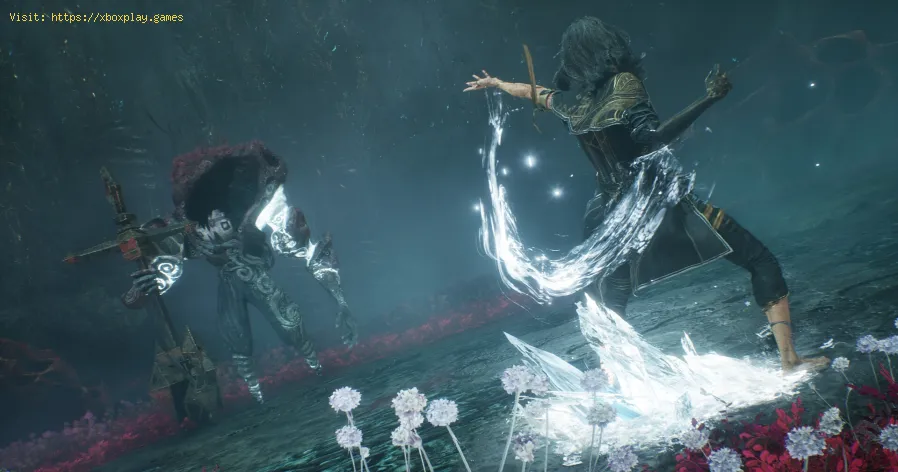
How to Fix Clair Obscur Expedition 33 Red Screen During Cutscenes
The immersive storytelling of Clair Obscur: Expedition 33, since its release on April 24th, 2025, has rightfully garnered praise, particularly for its engaging combat and non-repetitive narrative. However, encountering a jarring red screen during crucial cutscenes can instantly shatter that immersion. This visual glitch, reported by numerous players, demands a solution. While an official fix might be in the works, here are some community-suggested workarounds you can try to banish that red screen for good.
Fix Clair Obscur Expedition 33 Red Screen During Cutscenes
The red screen issue during cutscenes in Clair Obscur: Expedition 33 is a frustrating problem affecting a significant number of players, indicating it's not an isolated incident. During these pivotal story moments, the screen can flash a solid red, obscuring the visuals and making it impossible to follow the narrative. This clearly requires a prompt resolution. While an official patch is still pending, here are several workarounds that have proven effective in addressing similar issues in other games, making them well worth trying.The Immediate Avoidance: Skip Cutscenes
While not a true fix, if the red screen is consistently ruining your cutscene experience, you can opt to skip them altogether. This allows you to progress through the story without the visual interruption. To skip a cutscene, press the F key on your keyboard followed by the ESC key. While you'll miss the visual presentation, you can continue with the gameplay and potentially find story summaries or lore elsewhere if desired.Experiment with DirectX Versions
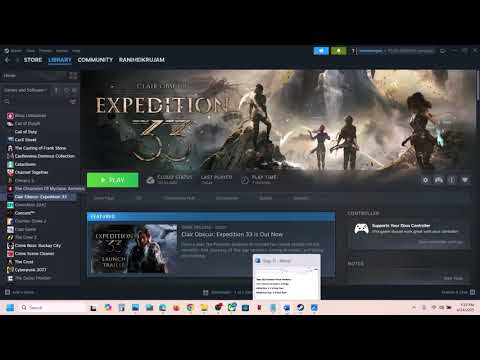
A common troubleshooting step for graphical issues is to change the DirectX version the game is utilizing. Here's how to do this on Steam:
Switching between DirectX 11 and DirectX 12 can sometimes bypass compatibility problems with your system's graphics drivers.
Tweak Your In-Game Graphics Settings
Adjusting your in-game Graphics settings is another worthwhile workaround. While you can experiment with various options, try applying the following specific settings, as they havehelped some players with similar visual glitches:
- DLSS: Set to Quality
- Post Processing: Set to Low
- Chromatic Aberration: Set to Off
- Movie-noise: Set to Off
- Shading: Set to High
After applying these settings, save the changes and then play through acutscene to check if the red screen issue is still present.
Ensure Your Windows is Up-to-Date
An outdated operating system can sometimes lead to compatibility issues with newer games. Updating your Windows version to the latest available build has resolved this red screen problem for several players. To check for updates:
Update Your Graphics Card Drivers
Outdated or corrupted GPU drivers are a frequent cause of graphical anomalies in PC games. Ensuring youhave the latest drivers for your NVIDIA or AMD graphics card is acrucial troubleshooting step. Visit the official NVIDIA or AMD websites, download the latest drivers for your specific GPU model, and installthem. After the installation is complete, restart your computer and then launch the game to check if the red screen issue has been resolved.
The Last Resort: Reinstallation
If none of the above workarounds have provided a solution, your final option is to reinstall the game. While this can be time-consuming, it ensures that all game files arefresh and uncorrupted, potentially eliminating any underlying issuescausing the red screen during cutscenes.
By trying these various workarounds, you hopefully can find a solutionthat allows you to fully enjoy the story and stunning visuals of ClairObscur Expedition 33 without the disruptive red screen. Keep an eye outfor any official announcements or patches from the developers that mayaddress this issue directly in the future.
Other Articles Related
Where To Find the Old Key in Clair Obscur Expedition 33Unlock new secrets in Clair Obscur Expedition 33. Our guide reveals the exactlocation of the elusive Old Key to help you progress.
How To Get Visages Outfit in Clair Obscur Expedition 33
Learn how to obtain the exclusive Visage's Outfit in Clair Obscur: Expedition 33. Follow our step-by-step guide to complete the required challengesand unlock this coveted cosmetic armor set.
How To Defeat Chromatic Franctale in Clair Obscur Expedition 33
Overwhelmed by Chromatic Franctale in Expedition 33? Learn the exact strategy, team composition, and mechanics to defeat this challenging boss in ClairObscur. Get the victory!
How To Find All Hopscotch Tile in Clair Obscur Expedition 33
Uncover all Hopscotch Tile secrets in Clair Obscur Expedition 33. Find exactlocations, solve the puzzle, and earn your achievement with ourstep-by-step guide.
How To Defeat Simon in the Endless Tower in Clair Obscur Expedition 33
Join Simon in the Endless Tower during the thrilling Clair Obscur Expedition 33. Discover secrets, challenges
All Merchant Locations In Clair Obscur Expedition 33
Discover all merchant locations in Clair Obscur Expedition 33. Explore unique items and enhance your adventure
Where to Find Sunless Cliffs in Clair Obscur Expedition 33
Discover the location of Sunless Cliffs in the Clair Obscur Expedition 33. Uncover hidden treasures
How To Get the Chic Outfits in Clair Obscur Expedition 33
Learn how to unlock every chic outfit in Clair Obscur: Expedition 33. Get our guide to earning cosmetic gear and customizing your characters' stylefor any expedition.
All Weapons in Verso’s Drafts DLC in Clair Obscur Expedition 33
Master every new tool of war. Dive into our complete guide to all weapons inVerso's Drafts DLC for Clair Obscur: Expedition 33, covering stats,upgrades, and how to unlock each powerful armament.
How to Use Photo Mode in Clair Obscur Expedition 33
Master the art of cinematic photography in Clair Obscur Expedition 33. Ourguide reveals all Photo Mode controls, filters, and tips to capture your most stunning in-game moments.
How to Fix Schedule I Plants Not Growing Issue
Learn how to troubleshoot and fix Schedule 1 plants that aren't growing. Explore proven strategies
How to Fix Clair Obscur Expedition 33 Textures Not Loading Issue
Resolve the Clair Obscur Expedition 33 textures not loading issue effortlessly. Get step-by-step
How to Wait and Pass Time in Oblivion Remastered
Discover effective strategies to wait and pass time in Oblivion Remastered.
How To Beat Grosse Tete in Clair Obscur Expedition 33
Master the Grosse Tete in Clair Obscur Expedition 33 with our expert tips and strategies.
How to Fix Clair Obscur Expedition 33 Cutscenes Not Loading
Learn how to fix the cutscenes not loading in Clair Obscur Expedition33. Follow our step-by-step