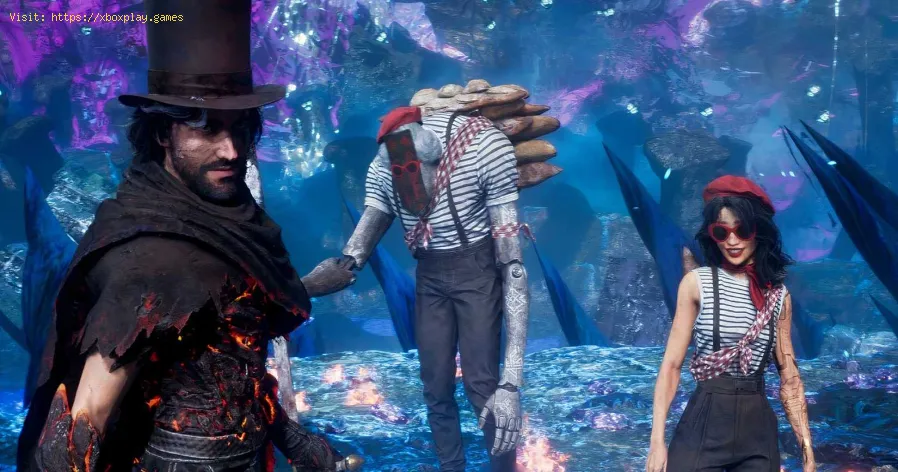
All Weapons in Verso’s Drafts DLC in Clair Obscur Expedition 33
Causes of the Problem (Why Can't I Access the DLC?)
You’ve purchased or downloaded the DLC, but the entrance is nowhere to be found. This usually stems from one of a few key reasons:The Quick Fix (For Impatient Commanders)
If you’re raring to go, ensure these three things are done:Detailed Step-by-Step Solutions
Follow this comprehensive guide to guarantee access to the DLC and its coveted weapons.Step 1: Fulfill the PrerequisiteYou must have progressed the main story to Act 3: The Final Brushstrokes. This is when the world truly opens up. Attempting to access it earlier is impossible.Step 2: Verify & Install the DLC
- On Steam: Right-click the game in your Library > Properties > DLC. Ensure “Verso’s Drafts” is checked. It often installs automatically with the latest game patch.
- On PlayStation/Xbox: Go to your console’s game library/manage game content section. Find Clair Obscur: Expedition 33 and verify the DLC is listed and installed. Sometimes you may need to manually select it from the store page even if you own it.
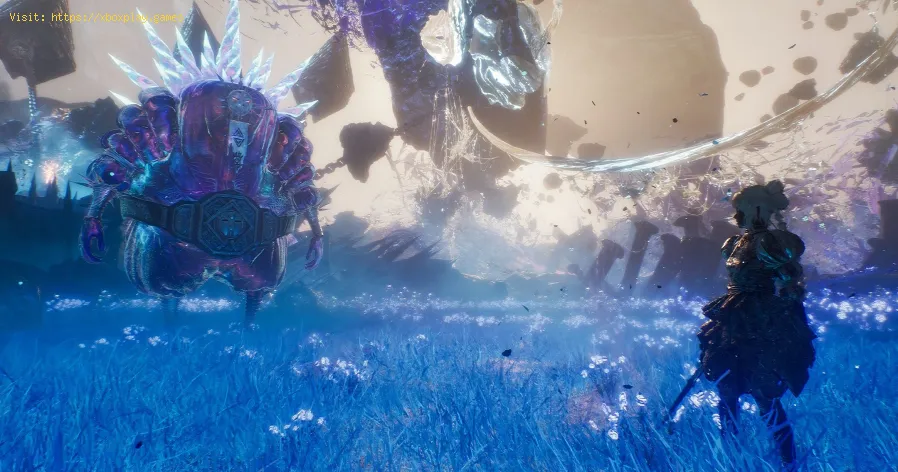
Step 3: The Critical Restart
This is the most common solution. Completely close Clair Obscur: Expedition 33 and relaunch it. This allows the game to recognize the newly installed DLC assets.
Step 4: Locate the Entrance
Fast travel to Renoir’s Manor. Do not go to the strategy table in the war room. Instead, explore theliving quarters. Look for Verso’s study (often marked on your map within the manor). Inside, you will find a distinct, interactive drafting table pulsing with a soft light. This is your gateway.
Step 5: Interact and Descend
Approach the table and press the prompt to interact. A cutscene or transitionwill initiate, plunging you into the surreal, challenging halls ofVerso’s Drafts.
Alternative Solutions If It’s Still Not Working
- Check for Game Updates: Ensure your base game is updated to the latest patch (v1.4 or later). The DLC requires the core update to function.
- Console-Specific Reinstall: On PlayStation 5 or Xbox Series X|S, try this sequence:
- Uninstall only the DLC add-on.
- Restart your console.
- Reinstall the DLC from your library.
- Launch the game.
- Save File Check: Try loading a save file from Act 3 that is definitely before the pointof no return for the final boss. Some players report issues accessingnew content on post-credit “clear” saves.
How to Avoid This Issue in Future DLC
Sandfall Interactive designs content that integrates seamlessly into the game world. For future expansions, assume:
- Reach endgame progression.
- Always restart your game after a new download.
- Look for new physical interactables in key hub locations like Renoir’s Manor.
FAQs: Your Verso’s Drafts Questions, Answered
Q: What level should my party be for Verso’s Drafts?
A: This is true endgame content. A party level of 28-30+ is strongly recommended. The bosses are tougher than most in the base campaign.
Q: Are the new weapons worth it?
A: Absolutely. Weapons like Maelle’s Esqium (Fire) and Lune’s Bonbim (Lightning) aren’t just stat sticks. They introduce powerful new mechanics andplaystyles, such as generating Shells on parry or rewarding aggressiveAP use, which can revitalize your combat approach for New Game+.
Q: Can I access the DLC mid-playthrough, or do I need New Game+?
A: You can access it as soon as you hit Act 3 in your first playthrough. No New Game+ required.
Q: Is there new story content?
A: Yes, but it’s primarily environmental storytelling and lore-focused,centered around the character of Verso. The main draw is the combatchallenge and powerful gear.
Q: I found the drafting table, but it’s not glowing/interactive. What now?
A: This confirms a DLC installation or game state issue. Double-checkSteps 2 and 3 (reinstall DLC, restart game). If on PC, you can also tryverifying the integrity of game files through Steam.
Closing & Call to Action
Don’t let a minor access hurdle block your path to the most rewarding challenges and powerful gear in Clair Obscur: Expedition 33. Verso’s Drafts is a brilliant test of everything you’ve learned,offering weapons that are trophies in both power and prestige.
Ready to claim your new arsenal and etch your name in Expedition legend? Boot up the game, follow our guide, and step up to that drafting table. The drafts await your command. And once you conquer its depths, shareyour victory and which new weapon became your favorite with thecommunity
Other Articles Related
How To Get the Chic Outfits in Clair Obscur Expedition 33Learn how to unlock every chic outfit in Clair Obscur: Expedition 33. Get our guide to earning cosmetic gear and customizing your characters' stylefor any expedition.
All Weapons in Verso’s Drafts DLC in Clair Obscur Expedition 33
Master every new tool of war. Dive into our complete guide to all weapons inVerso's Drafts DLC for Clair Obscur: Expedition 33, covering stats,upgrades, and how to unlock each powerful armament.
How to Use Photo Mode in Clair Obscur Expedition 33
Master the art of cinematic photography in Clair Obscur Expedition 33. Ourguide reveals all Photo Mode controls, filters, and tips to capture your most stunning in-game moments.
How To Solve Esquie Statue Puzzle In Clair Obscur Expedition 33
Solve the Esquie statue puzzle in Clair Obscur Expedition 33 with this clear, step-by-step guide. Find all secret locations and unlock the hiddenrewards quickly.
How To Use Toy Boat In Clair Obscur Expedition 33
Learn how to unlock and use the Toy Boat artifact in Clair Obscur: Expedition 33, plus its best team applications and upgrade tips.
How To Get Birthday Cake In Clair Obscur Expedition 33
Earn the special birthday cake in Clair Obscur Expedition 33! Our guidecovers the exact objectives and steps to unlock this celebratory rewardfor your character.
How To Get Esquie Outfits in Clair Obscur Expedition 33
Discover how to obtain Esquie Outfits in Clair Obscur Expedition 33. Unlock unique styles and enhance your adventure !
Clair Obscur Expedition 33: How to Solve Seesaw Puzzle
Solve the seesaw puzzle in Clair Obscur Expedition 33 with our step-by-stepguide. Learn the exact weight distribution strategy to unlock the secret and advance through the game.
How To Beat The Balloon Gestral In Clair Obscur Expedition 33
Master the fight with our step-by-step guide on How To Beat The BalloonGestral in Genshin Impact's Clair Obscur Expedition: Expedition 33.Learn team comps, attack patterns, and essential strategies to claimvictory.
How To Counter Barbapapa Status in Clair Obscur Expedition 33
effective strategies to counter Barbapapa Status in the Clair Obscur Expedition 33. Master the challenges
Error 0x87e50007 on Xbox Series/One: How to Fix It
Fix Error 0x87e50007 on Xbox with our step-by-step guide. Troubleshoot and resolve this issue quickly
How to Choose a Gaming Monitor: A Complete Guide for 2026
ultimate guide to choosing a gaming monitor. Enhance your gaming experience with expert tips on resolution, refresh rates
How to Improve Audio in Games: Equalization and Recommended Settings
Enhance your gaming experience with tips to improve audio quality in games. Discover techniques for immersive sound
How To Solve the Raider Refuge Button Puzzle in Arc Raiders
Learn how to solve the Raider Refuge button puzzle in Arc Raiders with thisstep-by-step guide. Find the correct sequence and timing to unlock thehidden loot.
How to use Xbox Cloud Gaming on PC, mobile, or TV
Experience gaming like never before with Xbox Cloud Gaming. Play your favorite titles anytime, anywhere