
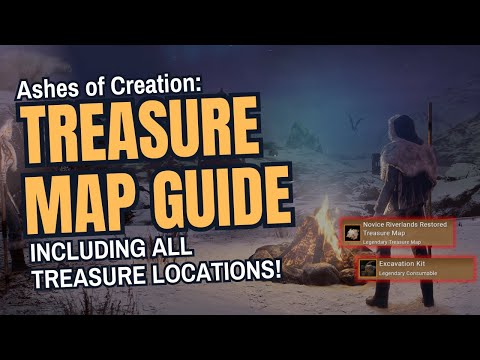
How to Find Treasure in Ashes of Creation
Treasure in Ashes of Creation - Locations
⚡ Quick Solution (For Impatient Treasure Hunters)
If you already possess a usable map and the matching-quality Excavation Kit, immediately proceed to location tracking using the critical tool:⚙️ Detailed Step-by-Step Solutions: From Faded Map to Loot
The treasure hunt is a highly structured activity requiring coordination across three core game systems: crafting, inventory, and location tracking.
Phase 1: Crafting Usable Treasure Maps (Alchemy)
- Gather Base Ingredients: You must acquire the Faded Treasure Map, Paper, and the necessary components for Red Ink.
- Acquire Paper and Water: These common materials can be easily purchased from any general vendor in a settlement or Node in the game.
- Craft Red Ink (Alchemy Station): Head to a working Alchemy Station.
- First, craft Ruby Powder (requires materials like Rubies or raw pigment).
- Next, combine Ruby Powder with Water to craft the Red Ink.
- Final Map Crafting: Combine the Faded Map, Red Ink, and Paper to create the usable Treasure Map. Using this item adds the hunt to your quest log.
Phase 2: Crafting the Right Excavation Kit (Arcane Engineering)
- Identify Map Quality: Note the quality tier of your usable map (e.g., Green, Blue, Purple, Legendary).
- Acquire Tier Materials: Gather or purchase materials (e.g., Ash Timber and other components) that match the map's quality.
- Use Arcane Engineering Station: Head to an Arcane Engineering Station (often located in advanced Nodes).
- Craft the Matching Kit: Craft the Excavation Kit of the exact matching quality (e.g., "Purple Excavation Kit"). Crucially, a lower-quality kit will fail to open a higher-quality chest.
Phase 3: Tracking, Locating, and Claiming the Treasure
- Activate Quest: If you haven't already, use the crafted Treasure Map from your inventory.
- Analyze Overlap: Open your world map and locate the region with the overlapping circles. The chest is located only within the intersection point of all circles.
- Engage Ash’s Codex (Precision Tool): Open your Ash’s Codex. This tool will analyze the map data and provide precise coordinates for potential dig spots within the intersection zone.
- Travel and Match Coordinates: Ride or teleport to the general area. Use the coordinates displayed onyour mini-map or overlay to match the exact coordinates provided by theCodex.
- Spot the Dig Site: Once at the location, look closely for a subtle patch on the ground—a texture that appears slightly out of place or disturbed.
- Excavate and Claim: Interact with the spot to make the Treasure Chest appear. Interact with the chest and use your matching-quality Excavation Kit to unlock it and claim your valuable loot.
🔁 Alternative Solutions
- Marketplace Purchase: If you do not have the necessary profession levels (Alchemy or ArcaneEngineering), you can bypass the crafting stages entirely by purchasingthe Red Ink and the Excavation Kit directly from other players via the in-game Marketplace or Auction House.
- Coordinate Sharing: While Ash’s Codex is the intended tool, many community groups andguilds share confirmed treasure coordinates on external websites or chat channels. If you have an active map, checking these external resourcescan often provide the location without needing the in-game Codex.
🛡️ How to Avoid Future Hunting Hurdles
Optimize your treasure hunting to maximize efficiency and profit:
- Prioritize Kit Quality: Always check the quality of your most common Treasure Map drops. If you frequently find Blue maps, ensure you always have a stack of Blue Excavation Kits ready to go.
- Permanent Static IP/MAC Address: If using an external tracking tool or Codex that links to your in-gamelocation, ensure your character's coordinates are stable. While notstrictly network-related, maintaining a stable client connection helpswith location synchronization.
- Inventory Management: Since Faded Maps are rare, store them safely. Keep crafting materials(like Ruby Powder components) and a supply of Paper and Water in yourbank so you can quickly craft a usable map whenever you decide to hunt.
- Verify Coordinates: Even after using Ash's Codex, double-check your coordinates against the visual map. The subtle patch of ground is easy to miss, so patience inthe final search zone is vital.
❓ Frequently Asked Questions
Q: Where can I find the Ash’s Codex tool?A: Ash's Codex is a specific in-game item or interface feature,often unlocked through a specific quest line or purchased from a highlyadvanced Node vendor. Its availability and mechanism are tied to thegame's progression systems.
Q: Are the rewards worth the effort of crafting?A: Yes. The rewards scale significantly with map quality.High-tier (Purple/Legendary) treasure chests often contain rare crafting reagents, valuable cosmetic items, or unique enhancement materials that are difficult to acquire otherwise, making the time spent crafting thekit profitable.
Q: Can I share my Treasure Map with a friend?A: Generally, no. Once a map is activated, the quest is tied to your character's journal. You can share the location with a friend, but only the player who activated the map and possesses the correct Excavation Kit can open the chest.
Q: What is Ash Timber used for?A: Ash Timber is often a base crafting material, specifically required for various items crafted at the Arcane Engineering Station, including the Excavation Kits, due to its durability and stability.
✅ Claim Your Fortune in Verra!
Treasure hunting in Ashes of Creation is the perfect blend of exploration and economy. By mastering thecrafting loops of Alchemy and Engineering and utilizing the precisionoffered by Ash’s Codex, you can confidently chase down every map youfind. Stop letting Faded Maps sit uselessly in your inventory!
Start crafting your Red Ink and Excavation Kits today, and claim the valuable treasure waiting beneath the surface of Verra!
Other Articles Related
How To Link Intrepid Account to Steam in Ashes of CreationConnect your Intrepid account to Steam for Ashes of Creation! Follow our simple guide to link accounts, enabling seamless access, pre-order bonuses,and future beta participation.
How to Fix Ashes of Creation Error Code 51
effective solutions for Error Code 51 in Ashes of Creation. Troubleshoot and fix your gaming experience
Best Races in Ashes of Creation
Discover the definitive guide to the best races in Ashes of Creation. Exploreunique racial traits, abilities, and lore for the Aela, Dünir, Empyrean, Py’rai, Ren’kai, and Vaelune to optimize your MMORPG character build.
How to Find Treasure in Ashes of Creation
hidden treasures in Ashes of Creation! Explore key locations to uncover valuable loot and secrets in this immersive MMORPG.
How to Change Server in Ashes of Creation
This time we return with a guide with the objective of explaining How to Change Server in Ashes of Creation.
How to Fix Ashes of Creation Packet Loss
On this occasion we return with a guide aiming to explain to you How to Fix Ashes of Creation Packet Loss.
How to Fix Ashes of Creation Connection Issues
Discover How to Fix Ashes of Creation Connection Issues with this excellent and detailed explanatory guide.
How to Fix Ashes of Creation Lag
Discover How to Fix Ashes of Creation Lag with this excellent and detailed explanatory guide.
How to Boost FPS in Ashes of Creation
This time we return with a guide with the objective of explaining to you How to Boost FPS in Ashes of Creation.
How to Fix Ashes of Creation Server Down
Discover How to Fix Ashes of Creation Server Down with this excellent and detailed explanatory guide.
How to fix Warzone voice and text chat disabled due to platform restrictions
effective solutions to fix Warzone voice and text chat issues caused byplatform restrictions. Enhance your gaming
How to activate game mode on any TV and reduce lag
how to activate game mode on your TV for an enhanced gaming experience.Optimize settings for smoother graphics
How to improve your internet connection for lag-free online gaming
Enhance your online gaming experience with tips to improve yourconnection. strategies for a smoother, lag-free gameplay
How to open ports for Xbox Live and improve NAT
open ports for Xbox to enhance your gaming experience.Optimize your connection and enjoy seamless online play
How to Use an External SSD on Xbox Series X/S Correctly
Discover how to enhance your Xbox gaming experience by using an external SSD. Boost storage, speed, and performance