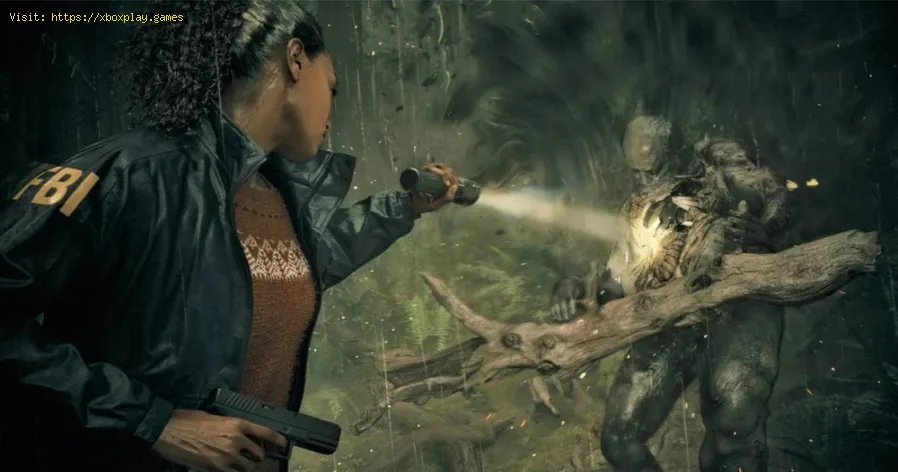
The best games to play via streaming (Cloud Gaming)
Causes of the Problem (Why Some Games Don’t Work Well on Cloud Gaming)
Not every game is ideal for streaming. Here are some common causes of poor cloud gaming experiences:- High Input Sensitivity: Games that require split-second reactions (like competitive shooters) can suffer from latency.
- Poor Optimization: Some titles aren’t optimized for streaming, leading to lag or graphical glitches.
- Network Instability: Cloud gaming relies heavily on internet speed and stability. Weak connections cause stuttering.
- Platform Limitations: Certain cloud services may not support all features of a game, such as mods or ultra-high graphics.
Quick Solution (For Impatient Users)
If you want the fastest fix to enjoy cloud gaming:- Choose games that are less dependent on ultra-fast reflexes. RPGs, strategy games, and adventure titles are perfect.
- Use a wired internet connection or strong Wi-Fi (5GHz).
- Stick to platforms optimized for cloud gaming like Xbox Cloud Gaming or GeForce NOW.
Detailed Step-by-Step Solutions
Here’s how to get the best experience when playing games via cloud streaming:- Aim for at least 15–20 Mbps for stable gameplay.
- Use a speed test before starting.
- Xbox Cloud Gaming: Best for Game Pass subscribers.
- GeForce NOW: Great for PC gamers with Steam or Epic libraries.
- PlayStation Plus Premium: Ideal for PlayStation exclusives.
- Mobile Cloud Gaming Apps: Perfect for gaming on the go.
- RPGs like The Witcher 3 or Final Fantasy XV.
- Adventure games like Assassin’s Creed Odyssey.
- Strategy titles like Civilization VI.
- Casual multiplayer games like Fortnite or Rocket League.

- Optimize Your Device Settings
- Close background apps.
- Use performance mode if available.
- Adjust resolution to balance visuals and speed.
- Use the Right Controller
- On PC: Xbox or PlayStation controllers work best.
- On Mobile: Bluetooth controllers improve responsiveness.
- Enable Cloud-Specific Features
- Some platforms allow resolution scaling or adaptive sync.
- Turn these on for smoother gameplay.
- Test Different Servers
- Platforms like GeForce NOW let you choose servers.
- Pick the closest one geographically.
- Update Your Apps and Firmware
- Keep your cloud gaming app updated.
- Update your controller firmware for better compatibility.
- Experiment with Game Genres
- Avoid twitch shooters if latency bothers you.
- Embrace slower-paced games for maximum enjoyment.
- Monitor Performance Regularly
- If lag persists, switch to a different platform or adjust resolution.
Alternative Solutions
If cloud gaming doesn’t feel smooth, here are alternatives:
- Download the Game Locally: If your device supports it, install the game instead of streaming.
- Upgrade Internet Hardware: A better router or Ethernet cable can drastically improve performance.
- Switch Platforms: Some games run better on GeForce NOW than Xbox Cloud Gaming, or vice versa.
- Play Offline-Friendly Games: Titles like Stardew Valley or Minecraft don’t require constant online precision.
How to Prevent the Issue from Happening Again
To avoid frustration in the future:
- Maintain a Strong Internet Connection: Use 5GHz Wi-Fi or wired Ethernet.
- Choose Games Wisely: Stick to genres that thrive in cloud gaming.
- Regularly Update Software: Keep your apps, devices, and controllers updated.
- Test Before Committing: Many platforms offer free trials—use them to see if a game streams well.
Frequently Asked Questions
1. What internet speed do I need for cloud gaming?At least 15 Mbps is recommended, but 25 Mbps or higher ensures smoother gameplay.
2. Can I play cloud games on mobile?Yes! Services like Xbox Cloud Gaming and GeForce NOW support Android and iOS devices.
3. Are competitive shooters good for cloud gaming?Not always. Latency can affect performance, so slower-paced games are better.
4. Do I need a powerful PC or console for cloud gaming?No. The game runs on remote servers, so even low-spec devices can stream high-end titles.
5. Which platform is best for cloud gaming?It depends on your library. Xbox Cloud Gaming is great for Game Pass users, while GeForce NOW is ideal for PC gamers.
Closing with a Call to Action (CTA)
Cloud gaming is opening doors for millions of players worldwide, makinghigh-quality titles accessible without expensive hardware. Whetheryou’re exploring vast RPG worlds, enjoying casual multiplayer fun, ordiving into epic adventures, the right game and platform can makestreaming a joy.
If you found this guide helpful, share it with your fellow gamers, drop a comment with your favorite cloudgaming title, and explore more of our guides to level up your gamingexperience.

Other Articles Related
The best games to play via streaming (Cloud Gaming)Play anywhere, anytime. Discover the top games for cloud streaming serviceslike Xbox Cloud Gaming, GeForce Now, and more. No downloads, justinstant play.
What is thermal throttling and how to avoid it
Learn what thermal throttling is, how it slows down your CPU/GPU, and getpractical tips to avoid it for better device performance and longevity.Keep your system cool!
What is DLSS and how to enable it
Unlock smoother gameplay with NVIDIA DLSS. Learn what AI-powered DLSS does,how it boosts FPS, and a quick guide to enabling it in supported PCgames.
What is ping and how to lower it
Discover what ping is in online gaming and networking. Learn practical tips tolower high ping, reduce lag, and improve your connection speed for asmoother experience.
The best games to play with keyboard and mouse
Best keyboard and mouse games: Master FPS, RTS, & RPG titles designedfor precision control. Discover top PC games that play best with KBM.
The best games to play with a controller on PC
Top controller-supported PC games: action, racing, RPGs & more. Findthe best titles for Xbox, PlayStation, or generic gamepads. Ultimateguide for couch gaming.
The best role-playing games to start with
Looking to start playing RPGs? Discover the best beginner-friendly role-playing games with easy-to-learn rules, engaging stories, and memorableadventures for new players.
The best racing games for 2026
Discover the top racing games of 2026, from hyper-realistic simulators toexplosive arcade action. Get our expert picks for every platform andplay style.
Best Ranger Build in Ashes of Creation
Explore the immersive world of Ashes of Creation, a groundbreaking MMORPG that redefines player-driven experiences and dynamic storytelling.
The best games to play alone in 2026
Looking for single-player games in 2026? Discover the top solo titles acrossPC, console, and handheld, from gripping RPGs and story-rich adventuresto immersive indie gems. Find your perfect solo escape.
The best games to play with the family
Family fun for all ages! Discover the best board, card, and video games thatcreate laughter, teamwork, and lasting memories for your next gamenight. Find your new favorite!
What is thermal throttling and how to avoid it
Learn what thermal throttling is, how it slows down your CPU/GPU, and getpractical tips to avoid it for better device performance and longevity.Keep your system cool!
What is DLSS and how to enable it
Unlock smoother gameplay with NVIDIA DLSS. Learn what AI-powered DLSS does,how it boosts FPS, and a quick guide to enabling it in supported PCgames.