How To Craft Weapons When It Says You Don’t Have The Materials In Undawn
Our experts have come up with some tips and How To Craft Weapons When It Says You Don’t Have The Materials In Undawn.
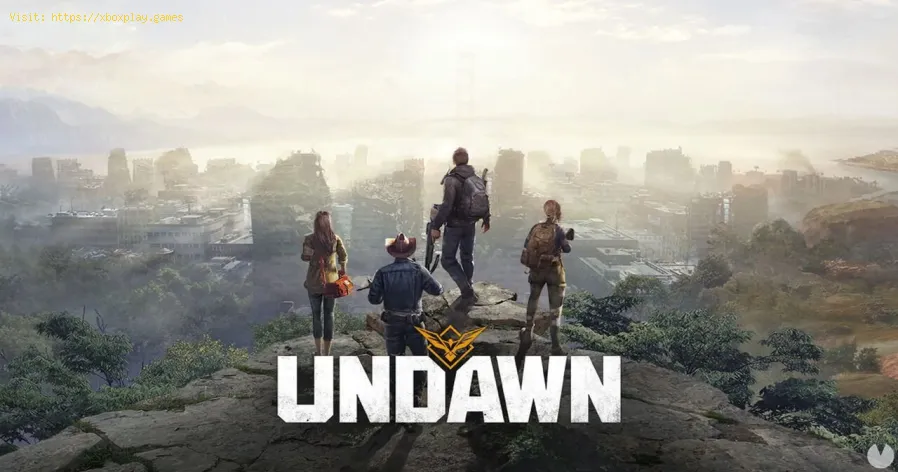
Undawn is a popular mobile game that requires players to craft weapons to survive in a post-apocalyptic world. Crafting weapons can be a challenging task, especially when the game says you don't have the required materials. However, with a little bit of knowledge and strategy, you can easily craft weapons even when you seem to be short on materials. In this article, we'll explore how to craft weapons when it says you don't have the materials in Undawn.
Before we dive into crafting weapons, it is important to understand the difference between raw materials and refined materials. Raw materials are the basic materials that you can find in the game, such as wood, stone, and metal. Refined materials, on the other hand, are processed versions of raw materials that are used in crafting weapons and other items.
While raw materials are easily available in the game, they cannot be used in crafting weapons directly. You need to convert these raw materials into refined materials first, which can be a bit tricky.
To convert raw materials into refined materials, you need to unlock the Raw Materials Workbench. This is an important step that you must follow to progress in the game. You can unlock the Raw Materials Workbench by following the main story of the game. Once you complete a few missions, you'll unlock the Raw Materials Workbench.
Discover the pros and cons of V-Sync technology. Learn how it reduces screentearing and its impact on gaming performance. Find out if you shouldenable V-Sync for a smoother experience.
What is anti-aliasing and which is the best?
Learn what anti-aliasing is, how different types (MSAA, FXAA, TAA, etc.)work, and which setting is best for performance vs. visual quality in PC gaming.
What is motion blur and when to disable it
Learn what motion blur is in video games, when it enhances realism, and keyscenarios to disable it for better clarity and performance.
The best shooters for beginners in 2026
the top shooters for beginners in 2026. Our expert reviews and tips will help you choose the perfect game to start your shooting
The best PS Plus games to download
the best PS Plus games to download this month. Explore top titles,hidden gems, and must-play classics to enhance your gaming
What is input mapping and what is it used for?
Discover what input mapping is and how it allows flexible control customizationin software, hardware, and games. Learn its key uses and benefits for an efficient user experience.
What is cloud gaming and how does it work?
Discover how cloud gaming works: stream and play high-end video games instantlyon any device, no downloads or expensive hardware required. Learn thetechnology behind it.
The best games for low-end PCs
Explore top-rated games optimized for low-end PCs. Enjoy engaginggameplay and captivating stories
The best strategy games for beginners
the best strategy games for beginners! Dive into engaging gameplay, easy-to-learn mechanics, and fun challenges
What is SBMM and why is it controversial?
SBMM in gaming: What is skill-based matchmaking, why do players debate it, and how does it impact your multiplayer experience?
How to fix ‘failed to join party group not found’ error in XDefiant
Our tutorial will guide you step-by-step on How to fix ‘failed to join party group not found’ error in XDefiant.
How to change camera sensitivity in Final Fantasy XVI
Learn how to change camera sensitivity in Final Fantasy XVI with our expert guides. Enhance your gaming experience.
best MP7 loadout in XDefiant
Check out our guide on the best MP7 loadout in XDefiant and dominate the competition.
How To Get Removed Cars in GTA Online
Learn How To Get Removed Cars in GTA Online and free up space in your garage with our helpful guide!
How to change difficulty mode in Final Fantasy XVI
In this blog post, we will show you How to change difficulty mode in Final Fantasy XVI.
Undawn is a popular mobile game that requires players to craft weapons to survive in a post-apocalyptic world. Crafting weapons can be a challenging task, especially when the game says you don't have the required materials. However, with a little bit of knowledge and strategy, you can easily craft weapons even when you seem to be short on materials. In this article, we'll explore how to craft weapons when it says you don't have the materials in Undawn.
Understanding Raw Materials
Before we dive into crafting weapons, it is important to understand the difference between raw materials and refined materials. Raw materials are the basic materials that you can find in the game, such as wood, stone, and metal. Refined materials, on the other hand, are processed versions of raw materials that are used in crafting weapons and other items.
While raw materials are easily available in the game, they cannot be used in crafting weapons directly. You need to convert these raw materials into refined materials first, which can be a bit tricky.
Unlocking the Raw Materials Workbench
To convert raw materials into refined materials, you need to unlock the Raw Materials Workbench. This is an important step that you must follow to progress in the game. You can unlock the Raw Materials Workbench by following the main story of the game. Once you complete a few missions, you'll unlock the Raw Materials Workbench.
Convert Raw Materials into Refined Materials
Once you have unlocked the Raw Materials Workbench, you can start converting raw materials into refined materials. The process is simple - just select the raw material that you want to refine, and the Raw Materials Workbench will convert it into refined materials. You can then use these refined materials to craft weapons and other items.
One of the benefits of using refined materials in crafting is that they are more effective than raw materials. For example, a weapon crafted using refined metal will be stronger and more durable than a weapon crafted using raw metal.
Tips for Maximizing Resources
While refining resources is a crucial step in crafting weapons, there are some limitations to how much you can refine each day. To maximize your resources, you should consider the following tips:
- Plan ahead: Before you start refining resources, plan what you want to craft. This way, you can refire the exact amount of resources you need.
- Time your refining: Refining resources takes time, so it's essential to time your refining to ensure you have enough resources when you need them.
- Manage your resources: Make sure you manage your resources carefully to avoid running out of them. You can do this by prioritizing which items you want to craft and by keeping an eye on your resource levels.
Crafting weapons in Undawn can be a challenging task, especially when you don't have the required materials. However, by understanding the difference between raw materials and refined materials, unlocking the Raw Materials Workbench, and following the tips for maximizing your resources, you can easily craft weapons even when it says you don't have the materials. So, go ahead and explore the world of Undawn, craft amazing weapons and items, and survive in this post-apocalyptic world!
Mode:
Other Articles Related
What is V-Sync and should you enable it?Discover the pros and cons of V-Sync technology. Learn how it reduces screentearing and its impact on gaming performance. Find out if you shouldenable V-Sync for a smoother experience.
What is anti-aliasing and which is the best?
Learn what anti-aliasing is, how different types (MSAA, FXAA, TAA, etc.)work, and which setting is best for performance vs. visual quality in PC gaming.
What is motion blur and when to disable it
Learn what motion blur is in video games, when it enhances realism, and keyscenarios to disable it for better clarity and performance.
The best shooters for beginners in 2026
the top shooters for beginners in 2026. Our expert reviews and tips will help you choose the perfect game to start your shooting
The best PS Plus games to download
the best PS Plus games to download this month. Explore top titles,hidden gems, and must-play classics to enhance your gaming
What is input mapping and what is it used for?
Discover what input mapping is and how it allows flexible control customizationin software, hardware, and games. Learn its key uses and benefits for an efficient user experience.
What is cloud gaming and how does it work?
Discover how cloud gaming works: stream and play high-end video games instantlyon any device, no downloads or expensive hardware required. Learn thetechnology behind it.
The best games for low-end PCs
Explore top-rated games optimized for low-end PCs. Enjoy engaginggameplay and captivating stories
The best strategy games for beginners
the best strategy games for beginners! Dive into engaging gameplay, easy-to-learn mechanics, and fun challenges
What is SBMM and why is it controversial?
SBMM in gaming: What is skill-based matchmaking, why do players debate it, and how does it impact your multiplayer experience?
How to fix ‘failed to join party group not found’ error in XDefiant
Our tutorial will guide you step-by-step on How to fix ‘failed to join party group not found’ error in XDefiant.
How to change camera sensitivity in Final Fantasy XVI
Learn how to change camera sensitivity in Final Fantasy XVI with our expert guides. Enhance your gaming experience.
best MP7 loadout in XDefiant
Check out our guide on the best MP7 loadout in XDefiant and dominate the competition.
How To Get Removed Cars in GTA Online
Learn How To Get Removed Cars in GTA Online and free up space in your garage with our helpful guide!
How to change difficulty mode in Final Fantasy XVI
In this blog post, we will show you How to change difficulty mode in Final Fantasy XVI.