
How to rotate Furniture in To Pixelia
Discover expert tips on how to rotate furniture in your space for a fresh look. Transform your home with simple, effective techniques!
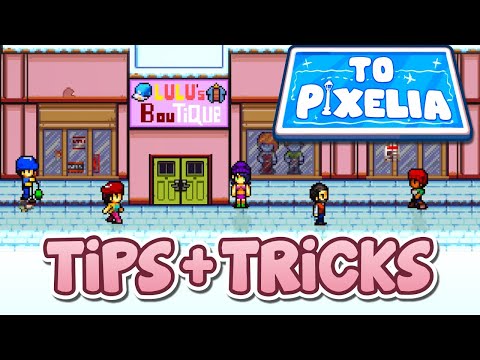
So, you've just installed and are playing through the pixelated world of To Pixelia, snagged your first apartment, and bought some furniture to make it feel like home, only to realize your cozy couch is facing the wall. Don’t worry, interior decorating in To Pixelia is half the fun (and sometimes half the struggle). That said, whatever your vibe may be, knowing how to rotate your furniture is key to bringing your dream home into the game. So, let’s break down how to spin those chairs, tables, and beds the right way without flipping your keyboard in frustration!Many players in To Pixelia are finding furniture rotation a bit confusing, especially since the game doesn’t clearly explain the controls for it. While some items, like couches, seem to rotate with ease, possibly during placement. Others, like sinks or showers, appear locked in one direction, leaving players scratching their heads. Well, read till the end and all your doubts on this matter should be cleared!Place or Select a Furniture Item: When you’re placing a new piece of furniture from your inventory orselecting one already placed, make sure it’s something that can actually be rotated (like chairs, tables, small decorations, or minorappliances). Hold Left-Click and Slightly Drag: Instead of just clicking to place the item, hold the left click and drag your mouse slightly while the item is still in placement mode (or after you've selected it to move). Look for the Directional Arrows: If the item supports rotation, a set of directional arrows will appear around it. These let you rotate the furniture 90 degrees at a time. Just click the arrows until it’s facing the way you want. Finish Placing: Once you’ve got the right angle, release the mouse button to place the furniture in its spot. That’s it!
Learn how to unlock the powerful Dual Hammers for the Bardin Goreksson inVermintide 2. This guide covers the simple steps to get this top-tiermelee weapon for the Ironbreaker, Ranger Veteran, and Slayer careers.
All Heroes and Careers in Vermintide 2
Explore the diverse heroes and careers in Vermintide 2. Discover unique abilities, playstyles, and strategies to enhance your gameplay
Return to the Reik Grimoire and Tome Locations in Vermintide 2
Searching for every grimoire and tome? Our Vermintide 2 collectible guide for"Return to the Reik" reveals all book locations to maximize your lootand complete the mission.
All Formable Nations in Europa Universalis 5
all formable nations in Europa Universalis 5! Explore strategies, tips, and guides to expand your empire and dominate the game.
How To Beat Challenges in Kirby Air Riders
Struggling to master the skies? Learn expert tips and strategies to overcome every challenge in Kirby Air Ride. Dominate the City Trial, conquer all racetracks, and unlock the game's secrets with our complete guide.
How To Get All Crafting Materials in Moonlighter 2
essential tips for gathering all crafting materials in Moonlighter 2. Enhance your gameplay and unlock new possibilities!
Weapon Tier List in Moonlighter 2
the ultimate weapon tier list for Moonlighter 2! Optimize your gameplay with our guide to the best weapons and strategies.
How to find Mandrakes in Don't Starve Together
Struggling to find Mandrakes in Don't Starve Together? Learn thebest seasons, locations, and strategies to hunt these elusive livingroots and craft their powerful items.
How To Improve Institution Growth In Europa Universalis 5
effective strategies to enhance institution growth in Europa Universalis 5. Unlock new potential and dominate your gameplay
How to Fix Europa Universalis 5 Not Launching Error
Resolve the Europa Universalis 5 not launching error with our step-by-step. Get back to gaming quickly and enjoy seamless gameplay!
How to get the Sufferthorn Dagger in Oblivion Remastered
Discover how to obtain the Sufferthorn Dagger in Oblivion Remastered. Unlock secrets and enhance your gameplay
How To Get the Blue Mushrooms for Karatom Gestral in Clair Obscur Expedition 33
Discover how to find the elusive blue mushrooms in Clair Obscur Expedition 33. Unlock secrets
all weapons list in DOOM The Dark Ages
Explore the complete weapons list in DOOM The Dark Ages. Unleash your power with every weapon
How to Fix Last Epoch Not Opening
Last Epoch not launching? Explore our comprehensive guide to fix theissue and enjoy seamless gameplay.
How to Play Ascension Tower in Clair Obscur Expedition 33
Join the Clair Obscur Expedition 33 and conquer the Ascension Tower! Experience thrilling challenges
So, you've just installed and are playing through the pixelated world of To Pixelia, snagged your first apartment, and bought some furniture to make it feel like home, only to realize your cozy couch is facing the wall. Don’t worry, interior decorating in To Pixelia is half the fun (and sometimes half the struggle). That said, whatever your vibe may be, knowing how to rotate your furniture is key to bringing your dream home into the game. So, let’s break down how to spin those chairs, tables, and beds the right way without flipping your keyboard in frustration!Many players in To Pixelia are finding furniture rotation a bit confusing, especially since the game doesn’t clearly explain the controls for it. While some items, like couches, seem to rotate with ease, possibly during placement. Others, like sinks or showers, appear locked in one direction, leaving players scratching their heads. Well, read till the end and all your doubts on this matter should be cleared!
To Pixelia: How to Rotate Furniture
First of all, before we get into how to rotate furniture in To Pixelia, it’s worth noting that not everything in your home is meant to spin freely. Some fixtures are currently locked to a default orientation and can’t be rotated, no matter how much you drag, click, or wish otherwise. These include:- Sinks
- Showers
- Toilets
- Kitchen counters
- Large wall-mounted items
How to Move Furniture?
Once you get the hang of it, rearranging your space becomes much easier, at least for items that the game allows you to move. Here’s how it works.
Using this technique, you’ll be able to orient your chairs for pixelatedconversations, align your tables for virtual banquets, and make sureyour bed faces the window (if you have one). Happy decorating in ToPixelia!
Mode:
Other Articles Related
How To Get Dual Hammers in Vermintide 2Learn how to unlock the powerful Dual Hammers for the Bardin Goreksson inVermintide 2. This guide covers the simple steps to get this top-tiermelee weapon for the Ironbreaker, Ranger Veteran, and Slayer careers.
All Heroes and Careers in Vermintide 2
Explore the diverse heroes and careers in Vermintide 2. Discover unique abilities, playstyles, and strategies to enhance your gameplay
Return to the Reik Grimoire and Tome Locations in Vermintide 2
Searching for every grimoire and tome? Our Vermintide 2 collectible guide for"Return to the Reik" reveals all book locations to maximize your lootand complete the mission.
All Formable Nations in Europa Universalis 5
all formable nations in Europa Universalis 5! Explore strategies, tips, and guides to expand your empire and dominate the game.
How To Beat Challenges in Kirby Air Riders
Struggling to master the skies? Learn expert tips and strategies to overcome every challenge in Kirby Air Ride. Dominate the City Trial, conquer all racetracks, and unlock the game's secrets with our complete guide.
How To Get All Crafting Materials in Moonlighter 2
essential tips for gathering all crafting materials in Moonlighter 2. Enhance your gameplay and unlock new possibilities!
Weapon Tier List in Moonlighter 2
the ultimate weapon tier list for Moonlighter 2! Optimize your gameplay with our guide to the best weapons and strategies.
How to find Mandrakes in Don't Starve Together
Struggling to find Mandrakes in Don't Starve Together? Learn thebest seasons, locations, and strategies to hunt these elusive livingroots and craft their powerful items.
How To Improve Institution Growth In Europa Universalis 5
effective strategies to enhance institution growth in Europa Universalis 5. Unlock new potential and dominate your gameplay
How to Fix Europa Universalis 5 Not Launching Error
Resolve the Europa Universalis 5 not launching error with our step-by-step. Get back to gaming quickly and enjoy seamless gameplay!
How to get the Sufferthorn Dagger in Oblivion Remastered
Discover how to obtain the Sufferthorn Dagger in Oblivion Remastered. Unlock secrets and enhance your gameplay
How To Get the Blue Mushrooms for Karatom Gestral in Clair Obscur Expedition 33
Discover how to find the elusive blue mushrooms in Clair Obscur Expedition 33. Unlock secrets
all weapons list in DOOM The Dark Ages
Explore the complete weapons list in DOOM The Dark Ages. Unleash your power with every weapon
How to Fix Last Epoch Not Opening
Last Epoch not launching? Explore our comprehensive guide to fix theissue and enjoy seamless gameplay.
How to Play Ascension Tower in Clair Obscur Expedition 33
Join the Clair Obscur Expedition 33 and conquer the Ascension Tower! Experience thrilling challenges