What Is Tick Rate in Online Games
What Is Tick Rate? The Core Definition
Tick Rate is the number of times per second a game server computes a new snapshot of the game world. During each "tick," the server:Why Tick Rate Matters: The Impact on Gameplay
The tick rate is the server's resolution of time. A higher tick rate creates a finer-grained, more precise simulation.Higher Tick Rate (e.g., 128 Hz) Pros:
- More Accurate Hit Registration: Shots are sampled more frequently, meaning the server checks for bullet impacts closer to the exact moment you fired. This reduces instances of "I shot first!" frustration.
- Smoother, More Precise Movement: Player position updates are sent to your client more often, making other players' movement appear less jerky or teleporty.
- Reduced "Peeker's Advantage": The time gap between when a player peeks a corner (on their screen) and when you see them peek (on your screen) is slightly smaller.
- Finer Control for "One-Frame" Techniques: In games like Counter-Strike, actions with very tight timing windows (like "bunny hopping" or certain grenade throws) become more consistent and reliable.
Lower Tick Rate (e.g., 30 Hz, 64 Hz) Pros:
- Lower Server Cost & Bandwidth: This is the primary reason it exists. Fewer updates per second means less computational load on the server and less data transmitted to players, allowing developers to host more matches simultaneously (crucial for free-to-play games with millions of players).
- More Forgiving for Lower-End Hardware & Connections: Players with slower PCs or higher latency may experience fewer performance hiccups.
The Tick Rate Pipeline: From Your Click to the Server
To see why it matters, let's trace an action:Tick Rate vs. Related Concepts: Don't Get Confused
- Tick Rate vs. FPS (Frames Per Second): Your FPS is how many frames your client's GPU renders locally. Tick Rate is how many updates the server calculates. They are independent. You can have 300 FPS on a 64-tick server.
- Tick Rate vs. Ping/Latency: Ping is the round-trip travel time for data between you and the server. Tick Rate is the processing frequency of the server once the data arrives. High ping means late data; low tick rate means infrequent processing.
- Tick Rate vs. Refresh Rate (Hz): Your monitor's refresh rate is how many times per second it can display a new image. A high refresh rate (144Hz, 240Hz) lets you see the results of server updates more smoothly, but doesn't change how often those updates are generated.
Industry Standards: What Games Use What Tick Rate?
- 64-Tick (The Common Standard):
- Official *Counter-Strike 2* Matchmaking
- Call of Duty series
- Apex Legends
- Overwatch 2
- Battlefield series
- Reason: The balance of cost, scale, and acceptable performance for the vast majority of players.
- 128-Tick (The Competitive Standard):
- Valorant (128-tick for all matches)
- FACEIT / ESEA CS2 PUGs (Third-party competitive services)
- Riot Games' League of Legends (Though an MOBA, it uses a high simulation rate)
- Reason: Prioritizes competitive integrity and precise mechanics for dedicated players. Requires more expensive infrastructure.
- 20-30 Tick (The Large-Scale Compromise):
- Battle Royales like Fortnite and Warzone (especially in early game with 100+ players).
- MMOs with massive player counts.
- Reason: Server CPU must simulate an enormous number of players and a vast world. A lower tick rate is a necessary trade-off for scale.
The "Sub-Tick" Innovation: *Counter-Strike 2*'s Answer
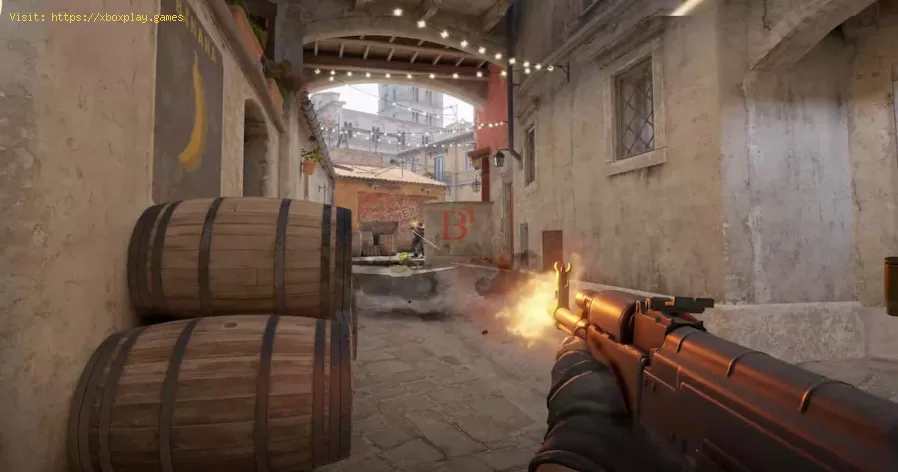
Valve's CS2 introduced a paradigm shift with its "sub-tick" architecture. The goal: deliver 128-tick precision without the full server cost.
- How it (conceptually) works: Instead of only sampling inputs at fixed 64-tick intervals, the server records the exact sub-millisecond timestamp of every player action (movement start, shot fired). When processing atick, it uses these precise timestamps to rewind and simulate the worldmore accurately for that specific action.
- The Result: Movements and shots can feel more responsive and accurate thantraditional 64-tick, aiming to bridge the gap toward 128-tick feel. It's a clever engineering solution, though its implementation has beendebated by the competitive community.
How Tick Rate Affects You: A Player's Guide
For the Competitive / Esports Aspirant:
- You will feel the difference between 64 and 128 tick. Your shots will feel more reliable, movement crisper. If you're serious, seek out 128-tick platforms (like FACEIT for CS2) or play games built on it (Valorant).
- Your hardware should match: A high-refresh-rate monitor (240Hz+) and a stable high-FPS system letyou fully perceive the benefits of a high-tick-rate server.
For the Casual / General Player:
- You may not consciously notice it, but a low tick rate contributes togeneral feelings of "unfairness" or "clunkiness" in online play.
- Your priority should be minimizing ping and packet loss first. A stable 20ms connection on a 64-tick server will feel better than a 80ms connection with jitter on a 128-tick server.
How to Find a Game's Tick Rate:
- It's rarely displayed in-game. Check the developer's technical blogs, patch notes, or community resources. For CS2, the command cl_updaterate in the console can give clues, but is often locked by official servers.
The Future of Tick Rate
The trend is toward dynamic or adaptive tick rates, where the server intelligently adjusts its update frequency based onthe in-game situation (e.g., lower in the pre-game lobby, higher during a critical 1v1 fight). The ultimate goal is server cost efficiency without sacrificing peak competitive performance.
Frequently Asked Questions (FAQs)
Q: Can I increase a game's tick rate on my end?
A: No. Tick rate is a server-side setting. You cannot change it as a client. Any console command that claims to do so (like cl_updaterate or rate) only controls how your client requests data, but it cannot make the server send updates more frequently than its configured tick rate.
Q: Does a higher tick rate require a better internet connection?
A: Yes, slightly. 128-tick servers send roughly twice the data per second as 64-tickservers. You need a stable connection with enough upload/downloadbandwidth (typically >10 Mbps) and, more importantly, very low packet loss. High packet loss on a 128-tick server is more damaging than on 64-tick.
Q: Why don't all games just use 128-tick?
A: Cost and scale. Doubling the tick rate essentially doubles the CPU load on the server.For a free-to-play game with hundreds of thousands of concurrent matches globally, that means a massive increase in infrastructure costs. Developers make a calculated trade-off.
Q: Is a higher tick rate always better?
A: For gameplay precision, yes. But there are diminishing returns. The jump from 64 to 128 Hz is verynoticeable. The jump from 128 to 256 Hz would be far less perceptible to most humans, while being exponentially more costly.
Q: How does tick rate interact with "peeker's advantage"?
A: A higher tick rate reduces the inherent peeker's advantage. With more frequent updates, thedefender receives information about the peeker's position more quickly,narrowing the time window where the peeker acts with information thedefender doesn't have. It doesn't eliminate it (ping is a biggerfactor), but it helps.
Tick rate is the unseen metronome of competitive integrity. It quantifiesthe difference between a game that feels responsive and fair, and onethat feels just a step out of sync. By understanding it, you can makeinformed choices about which platforms to play on and better diagnosethe root causes of your online frustrations.
Can you feel the difference between 64 and 128 tick? Do you seek out high-tick-rate environments, or do you think itsimportance is overblown for the average player? Share your experiencesand opinions in the comments below. If you're curious about the tickrate of a specific game, ask and our community will help find theanswer. For more deep dives into the technology behind online play,explore our guides on Hit Registration, Netcode, and Reducing Ping. Now, get in the game—and may your ticks be high and your ping low.

Other Articles Related
How to Access the Laser Ore Processor Alpha to Search for Sarentu in Avatar Frontiers of PandoraDiscover how to access the Laser Ore Processor Alpha and search for Sarentu in Avatar: Frontiers of Pandora.
How to Fix Low CPU Usage
Discover effective strategies to fix low CPU usage issues and optimize your computer's performance.
What Is a Mechanical Keyboard
the benefits of mechanical keyboards, including enhanced typing experience, durability, and customizable features.
What Is Netcode and Why It Matters
what netcode is and why it’s crucial for online gaming performance. Learn how it impacts gameplay, latency, and player experience.
What Is Tick Rate in Online Games
Discover what tick rate means in online games and how it affects gameplay, performance, and player experience.
What Is Anisotropic Filtering - How is works
Discover what anisotropic filtering is and how it enhances image quality in 3D graphics. Learn its benefits for gaming
What Is Ambient Occlusion
Discover what ambient occlusion is and how it enhances realism in 3D graphics. Learn its importance in rendering
What Is Hit Registration
Discover what hit registration is and how it impacts gaming performance. Learn the key factors that affect accuracy and player experience.
What Is Input Buffering in Games
Discover what input buffering in games is and how it enhances gameplay by smoothing player actions and improving responsiveness.
What Is Texture Streaming - How it works
what texture streaming is and how it enhances gaming graphics by optimizing memory usage for smoother gameplay.
What Is Anisotropic Filtering - How is works
Discover what anisotropic filtering is and how it enhances image quality in 3D graphics. Learn its benefits for gaming
What Is Ambient Occlusion
Discover what ambient occlusion is and how it enhances realism in 3D graphics. Learn its importance in rendering