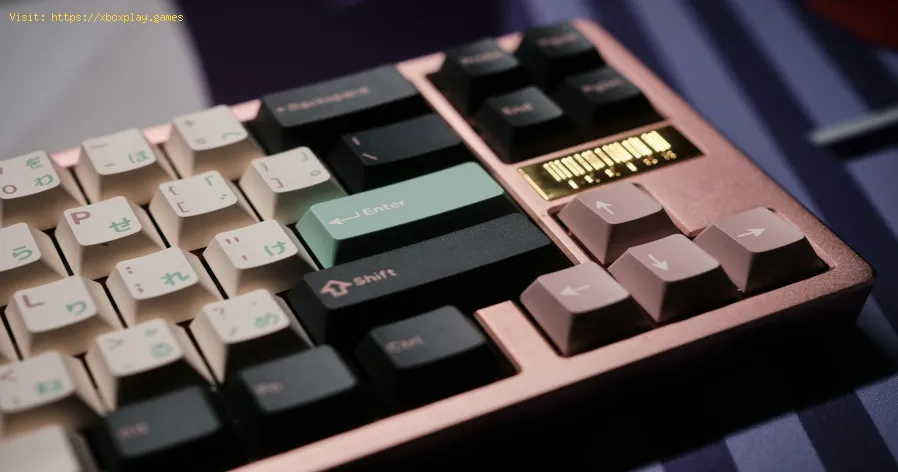
What Is a Mechanical Keyboard
What is a Mechanical Keyboard? The Core Definition
A Mechanical Keyboard is a keyboard built with individual mechanical switches for each key. Each switch is a complex, self-contained mechanism consisting of a housing, spring, and stem. When you press a key, the stem moves down, the spring compresses, and an electrical signal is sent to register the keystroke. This is in stark contrast to the vast majority of inexpensive keyboards, which use a membrane or rubber dome design—a single, sheet-like piece of rubber that provides mushy resistance and lacks individual key feel.The defining characteristic is the discrete switch. This allows for:- Customization: Switches can be swapped out.
- Durability: Rated for tens of millions of keystrokes per switch.
- Consistency: Each key feels exactly the same.
- Variety: A wide array of tactile feels and sounds.
Anatomy of a Mechanical Keyboard: The Key Components
- Linear Switches: Smooth press from top to bottom with no tactile bump. Quiet. Best for gaming where rapid, repeated presses are key. (e.g., Cherry MX Red, Gateron Yellow).
- Tactile Switches: A noticeable bump in the middle of the press that provides physical feedback when the key is actuated (registered). Satisfying for typing. (e.g., Cherry MX Brown, Holy Panda).
- Clicky Switches: A tactile bump and an audible "click" sound via a separate mechanism inside. Loud and satisfying, but not office-friendly. (e.g., Cherry MX Blue).
- Material: ABS (common, can develop a shiny "shine" over time) and PBT (higher quality, more textured, resistant to shine).
- Profile: The shape and height (e.g., OEM, Cherry, SA). Affects typing angle and feel.
- Legends: How letters are printed (laser-etched, doubleshot, dye-sublimated).
Why Gamers Love Mechanical Keyboards: The Performance Edge
For competitive gaming on PC, the advantages are tangible:- N-Key Rollover (NKRO) & Anti-Ghosting: Mechanical keyboards can correctly register many simultaneous key presses. This is critical for complex key combinations in games (e.g., pressing W+A+Shift+Space+E simultaneously). A cheap membrane keyboard might "ghost" and miss inputs.
- Faster Actuation & Reset: The physical design allows for quicker key registration and a shorter distance to reset for the next press. This can shave milliseconds off your reaction time in fast-paced shooters or MOBAs.
- Durability & Consistency: A high-quality mechanical switch is rated for 50-100 million keystrokes. It will feel the same on press #1 as on press #10,000,000, providing reliable performance over years of intense gaming.
- Customization for Feel: Gamers can choose light, linear switches (like Reds) for rapid tapping in FPS games, or slightly tactile switches for deliberate actions in strategy games.
The Benefits Beyond Gaming: For Typists and Professionals
The appeal extends far beyond the arena:- Improved Typing Accuracy & Speed: The tactile feedback (or clear linear press) helps your fingers know a key has been actuated, reducing typos and allowing for a faster, more confident typing rhythm. Many report less finger fatigue during long sessions.
- Ergonomics & Health: The solid construction and variety of form factors (including ergonomic split keyboards) can promote a more natural hand posture compared to flimsy, low-profile membranes.
- Satisfaction & Enjoyment: The tactile bump and audible click (if using clicky switches) provide sensory feedback that makes typing a more engaging, even pleasurable, experience. It turns a chore into a hobby.
- Long-Term Value: While the upfront cost is higher (typically $80-$300+), a good mechanical keyboard can last a decade or more, outliving several cheap keyboards.
Common Layouts & Form Factors
- Full-Size (100%): The standard layout with a numpad, function row, and navigation cluster.
- Tenkeyless (TKL / 80%): Removes the numpad for more mouse space and portability. The favorite of many gamers.
- 75%: Compacts the navigation cluster into a tighter block, saving more space.
- 65%: Removes the function row but keeps the arrow keys. Extremely compact.
- 60%: The ultimate compact form. Removes the function row, numpad, and arrow keys (they are accessed via a function layer). Beloved by minimalists and those wanting maximum mouse real estate.
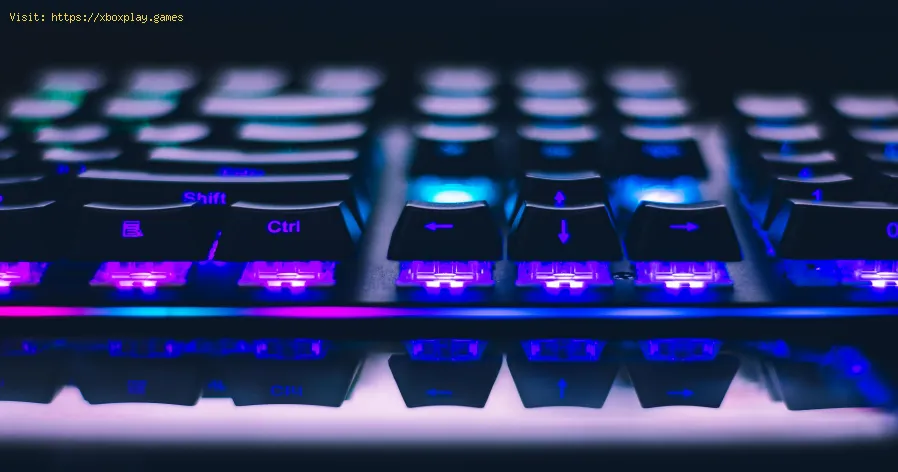
The Custom Keyboard Scene: A Deep Hobby
Mechanical keyboards have spawned an entire hobbyist culture around custom builds. Enthusiasts buy individual components (case, PCB, plate, switches,keycaps) to assemble a keyboard that is perfectly tailored to theirsound, feel, and aesthetic preferences. This involves:
- Lubing Switches: Applying special grease to springs and stems to make presses smoother and quieter.
- "Modding" Stabilizers: Tuning them to eliminate rattle.
- Adding Sound-Dampening Foam: To create a deeper, more consistent "thocky" sound.
- Hand-Wiring: Building a keyboard completely from scratch.
Mechanical Keyboards for Consoles (PlayStation & Xbox)
While primarily a PC peripheral, mechanical keyboards are fully compatible with PlayStation 5 and Xbox Series X|S for text input and are increasingly popular for games that support mouse and keyboard input (like Call of Duty: Warzone, Final Fantasy XIV). A compact TKL or 60% keyboard fits perfectly on a living room desk or tray.
How to Choose Your First Mechanical Keyboard
- Decide on a Switch Type: This is the most personal choice.
- For Gaming (especially FPS/MOBA): Try Linear switches (Cherry Red, Gateron Red, Silver).
- For Typing/General Use: Try Tactile switches (Cherry Brown, Gateron Brown).
- For the Classic "Clickly" Feel: Try Clicky switches (Cherry Blue)—if you work alone!
- Use a Switch Tester: A small board with many switch types is the best way to decide.
- Choose a Size (Layout): Consider your desk space and need for a numpad or arrow keys. Tenkeyless (TKL) is a safe, popular starting point.
- Set a Budget:
- Entry-Level ($80-$120): Brands like Keychron, Royal Kludge, HyperX. Great pre-built quality.
- Mid-Range ($150-$250):Ducky, Varmilo, Leopold. Excellent build quality and stock experience.
- High-End / Custom ($300+): Group Buys for custom kits, Glorious modular boards, high-end pre-builts.
- Consider "Hot-Swap": A hot-swappable PCB allows you to change switches later without soldering. Highly recommended for beginners as it lets you experiment.
Frequently Asked Questions (FAQs)
Q: Are mechanical keyboards really that much better than a $20 keyboard?
A: Yes, fundamentally. The difference in build quality, typing feel, durability, andperformance is not subtle; it's transformative. Once you use a goodmechanical keyboard, going back to a membrane feels like typing on wetcardboard.
Q: Are they too loud for an office?
A: It depends entirely on the switch.Linear switches (Red) and some silent tactile switches are very quiet—often quieter than the chaotic clatter of an old membrane keyboard bottoming out. Clicky switches (Blue) are objectively loud and disruptive.
Q: What does "actuation force" mean?
A: It's the amount of pressure (measured in grams) required to press thekey down far enough to register the keystroke. A lighter switch (e.g.,45g) is easier to press rapidly; a heavier switch (e.g., 65g) requiresmore deliberate force.
Q: Can I use any keycap set on any keyboard?
A: Mostly, but check the layout. Keycaps must fit the stem (almost all use a "+" shaped Cherry MX-compatible stem). You also needto ensure the set includes the right sizes for modifier keys (Shift,Enter, Spacebar), especially on non-standard layouts.
Q: Is "optical" or "magnetic" switch technology better than traditional mechanical?
A: These are niche variants. Optical switches use a light beam to register presses, which can be slightly faster, but the difference is negligible for most users. The core appeal ofmechanical keyboards—tactility, customization, durability—remains inthese designs. Traditional mechanical switches offer a wider variety ofproven options.
A mechanical keyboard is more than a tool; it's an upgrade to yourfundamental interaction with your computer. It brings intention,satisfaction, and performance to every keystroke, whether you'resecuring a victory royale or crafting the perfect sentence.
Ready to make the switch? What's holding you back—uncertainty about switch type, budget, ornoise? Or are you a seasoned enthusiast with a beloved board and switchcombo? Share your questions, your first keyboard story, or your endgamebuild in the comments below. For deep dives into switch reviews,building guides, and the latest keyboard group buys, explore ourdedicated mechanical keyboard hub. Your perfect typing experience iswaiting.
Other Articles Related
How to Access the Laser Ore Processor Alpha to Search for Sarentu in Avatar Frontiers of PandoraDiscover how to access the Laser Ore Processor Alpha and search for Sarentu in Avatar: Frontiers of Pandora.
How to Fix Low CPU Usage
Discover effective strategies to fix low CPU usage issues and optimize your computer's performance.
What Is a Mechanical Keyboard
the benefits of mechanical keyboards, including enhanced typing experience, durability, and customizable features.
What Is Input Buffering in Games
Discover what input buffering in games is and how it enhances gameplay by smoothing player actions and improving responsiveness.
What Is Texture Streaming - How it works
what texture streaming is and how it enhances gaming graphics by optimizing memory usage for smoother gameplay.
What Is Anisotropic Filtering - How is works
Discover what anisotropic filtering is and how it enhances image quality in 3D graphics. Learn its benefits for gaming
What Is Ambient Occlusion
Discover what ambient occlusion is and how it enhances realism in 3D graphics. Learn its importance in rendering
What Is Netcode and Why It Matters
what netcode is and why it’s crucial for online gaming performance. Learn how it impacts gameplay, latency, and player experience.
What Is Tick Rate in Online Games
Discover what tick rate means in online games and how it affects gameplay, performance, and player experience.
What Is Hit Registration
Discover what hit registration is and how it impacts gaming performance. Learn the key factors that affect accuracy and player experience.
What Is Input Buffering in Games
Discover what input buffering in games is and how it enhances gameplay by smoothing player actions and improving responsiveness.
What Is Texture Streaming - How it works
what texture streaming is and how it enhances gaming graphics by optimizing memory usage for smoother gameplay.