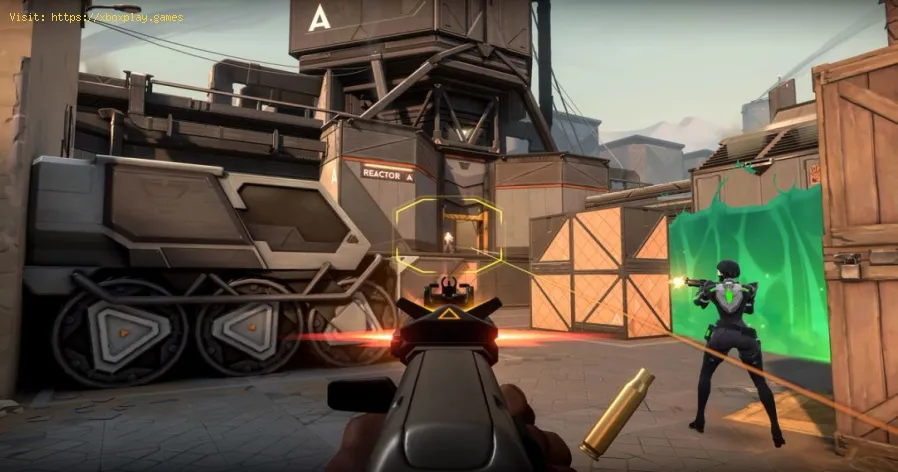
What Is Hit Registration
What is Hit Registration? The Simple Definition
Hit Registration is the server-side authority's final verdict on whether a client-reported shot or attack successfully intersects with a target's hitbox at the moment the shot was fired, factoring in network delay and game state reconciliation.In essence: Your game suggests you got a hit. The server judges whether that hit was valid based on its official version of the game world. A "hit reg" failure means the server rejected your client's suggestion.The Core Challenge: Network Latency & Authority
The fundamental problem is latency (ping)—the time it takes for data to travel between your machine and the server. During that delay (e.g., 50ms), everyone is moving. Your client's view of the world is always slightly in the past relative to the server. This creates two different perspectives:- Your Client's View: You see an enemy now and shoot at them.
- The Server's View: The server knows where that enemy was a few milliseconds ago.
The Two Main Netcode Architectures
1. Server-Side Hit Registration (The Common Standard)
How it works: Your client sends a message to the server: "I fired a shot from position X, at time T, towards direction Y." The server then rewinds time back to time T in its own game state simulation. It checks if, at that exact past moment, a raycast from your position would have hit the target's hitbox on the server. This is called Lag Compensation or server rewind.- Pro: Prevents players with high ping from having to lead shots unrealistically. The server does the compensation work.
- Con: Can cause the infamous "peeker's advantage" and make players feel like they were shot behind cover. If the server rewinds too far, it can feel unfair to the player being shot.
2. Client-Side Hit Registration (Rare & Problematic)
How it works: Your client decides immediately if a shot hit, tells the server "I hit player Z for 50 damage," and the server usually trusts it.- Pro: Feels incredibly responsive for the shooter.
- Con: Highly vulnerable to cheating (aimbots) and gives a massive advantage to players with high ping, as their client's outdated "hit" verdict will be accepted. Seldom used in competitive games for these reasons.
The Hit Registration Pipeline: A Step-by-Step Breakdown
From click to kill feed, here's the journey:- You click to shoot. Your client immediately plays the shooting animation and sound (client-side prediction) to make the game feel responsive.
- It performs a client-side trace to show you blood/hit markers (this is not authoritative).
- It bundles the shot data (time, origin, direction) into a packet and sends it to the server.
- The server receives the packet. It calculates the time the shot was fired based on the timestamp and your average ping (this is an estimate).
- It rewinds its world state back to that estimated time.
- The server performs its own, authoritative raycast or hit-scan check from your rewound position along your shot direction.
- It checks for collisions with the hitboxes of other players in their rewound positions.
- It validates the shot: Was your weapon actually ready? Did you have ammo? Is this a plausible rate of fire?
- If valid, the server calculates damage based on hit location (head, body, limb), distance, and weapon stats.
- It applies the damage to the target player and updates their health.
- It sends a "hit confirm" message back to your client.
- Your client receives the server's verdict.
- If the server confirms the hit: Your client may adjust any minor mis-prediction and solidify the hit effects.
- If the server denies the hit: Your client must reconcile—it might retract the blood splatter you saw, not award a hit marker, or even subtly rewind the enemy's position. This is when you see a "no reg."
Key Technical Factors That Affect Hit Registration
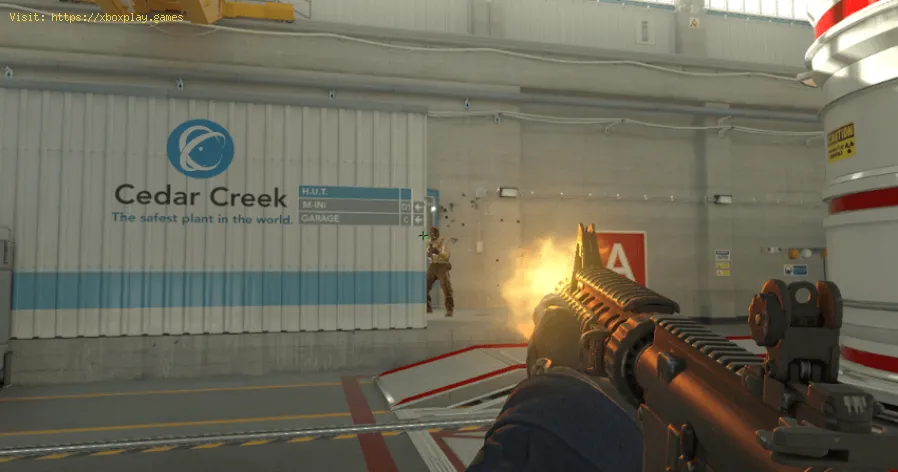
1. Tick Rate (Server Refresh Rate)
- What it is: How many times per second the server updates the game state (e.g., 64 Hz = 64 updates/sec, 128 Hz = 128 updates/sec).
- Impact: A higher tick rate means the server's "snapshots" of player positionsare more frequent and accurate. This leads to more precise lagcompensation and generally better hit registration. Competitive gamesoften use 128-tick servers (e.g., Valorant, *FaceIT/ESEA CS2*).
2. Interpolation & Extrapolation
- Interpolation: Smooths the movement of other players on your screen by blendingbetween the position updates you receive from the server. Too muchinterpolation adds visual lag.
- Extrapolation: Predicts where a player will be before the next update arrives. Incorrect extrapolation can cause "rubber-banding."
3. Hitbox vs. Character Model
- The character model is the visual skin you see.
- The hitbox is an invisible, simplified geometric shape (often capsules or boxes)used for collision detection. They don't always match perfectly (e.g.,flapping coats, loose hair). Good hit reg depends on tight hitbox-modelalignment.
4. Your Network Health: Ping, Jitter, Packet Loss
- Ping (Latency): Lower is always better. High ping (>100ms) increases the rewind window, making judgments less accurate.
- Jitter: Inconsistent ping. A stable 50ms is better than a ping that jumpsbetween 20ms and 80ms. Jitter wrecks the server's ability to accuratelyrewind time.
- Packet Loss: When shot packets or position updates get lost in transit. This cancause shots to vanish or enemies to teleport. Even 1-2% packet loss isdevastating for hit reg.
Common "No Reg" Scenarios & Their Causes
- "I shot him behind cover!"
- Cause: On their screen, they made it to cover before you fired. The serverrewound to a time when they were exposed and awarded you the hit. Youexperience this as "favor the shooter"—a common design choice to make shooting feel reliable.
- Blood splatter but no damage.
- Cause: Your client showed a hit effect from its local prediction, but theserver denied the hit upon authoritative verification. The server's "no" overrides your client's "yes."
- Shots passing through an enemy.
- Cause: Severe packet loss (your shot packet never arrived), extreme server lag, or a rare hitbox-model misalignment bug.
- Inconsistent registration in a single spray.
- Cause: Network jitter affecting some packets more than others, or the server's hit validation system (e.g., *Counter-Strike 2's* sub-tick system) interpreting timings differently for each bullet.
How to Improve Your Hit Registration Experience
As a Player, You Can:
- Use a Wired Connection (Ethernet): Eliminate Wi-Fi jitter and packet loss. This is the #1 fix.
- Choose Servers with Low Ping: Always connect to the geographically closest server.
- Monitor Your Network: Use tools to check for packet loss or high jitter. Contact your ISP if it's persistent.
- Understand "Favor the Shooter": In aggressive duels, keep shooting even as you duck into cover. The netcode may award you late hits.
- In-Game Settings: Enable any "Network Statistics" overlay to see your ping and packet loss in real time.
What Developers Control (Netcode Quality):
- Implementing efficient lag compensation with reasonable limits.
- Using high tick rates.
- Creating accurate, responsive hitboxes.
- Building robust systems against cheat-exploits (anti-cheat).
The Future: Rollback Netcode & Industry Standards
The fighting game community has pioneered Rollback Netcode (GGPO), which is now the gold standard. While designed for 1v1, itsprinciples—aggressively predicting inputs and rolling back/rewritinggame frames when corrections are needed—are influencing other genres. It provides remarkably consistent, low-lag feel even at moderate ping.
Frequently Asked Questions (FAQs)
Q: Is "no reg" just lag?
A: It's almost always caused by lag (high ping, jitter, packet loss), but it's the manifestation of the server rejecting your client's claim due to that lag.
Q: Why do killcams often show a different perspective than what I saw?
A: Killcams are a reconstruction from server data, not a recording of your screen or your opponent'sscreen. They show the server's authoritative version of events, whichwill always differ slightly from any one client's lag-compensated view.
Q: Can I "fix" hit reg with a better PC or monitor?
A: A better PC/monitor improves input lag and framerate stability, which helps your aim and reaction time. However, it does not directly fix network-based hit registration issues. A 360Hz monitor won't help if you have 10% packet loss.
Q: What's the difference between hitscan and projectile hit registration?
A:Hitscan (e.g., rifles in Call of Duty) is calculated instantly: "Is there a target along this line?" Projectile (e.g., rockets, arrows) has travel time. The server must simulate theprojectile's path over time, which is more complex and can feeldifferent with lag.
Q: Why do some games feel "crisper" than others?
A: This is the combined feel of tick rate, interpolation settings, animation quality, input lag, and netcode efficiency. Games like Valorant and Overwatch 2 invest heavily in this "feel," using high tick rates and polished netcode.
Hit registration is the fragile truce between your perception and theserver's reality. Mastering it means understanding that in an onlinegame, you are not shooting at players; you are shooting at the server's delayed representation of players, and the rules of that engagement are defined by netcode.
What's your most memorable hit registration moment—good or bad? Have you found a specific game whose netcode feels exceptionally crispor frustratingly broken? Share your experiences and any networktroubleshooting tips in the comments below. If you're suffering fromchronic "no reg," describe your setup and we can try to diagnose it. For more deep dives into tick rates, peeker's advantage, and optimizing your network for gaming, explore our full networking guide series. Now, get online, mind your ping, and may your registrations be true.
Other Articles Related
How to Access the Laser Ore Processor Alpha to Search for Sarentu in Avatar Frontiers of PandoraDiscover how to access the Laser Ore Processor Alpha and search for Sarentu in Avatar: Frontiers of Pandora.
How to Fix Low CPU Usage
Discover effective strategies to fix low CPU usage issues and optimize your computer's performance.
What Is a Mechanical Keyboard
the benefits of mechanical keyboards, including enhanced typing experience, durability, and customizable features.
What Is Netcode and Why It Matters
what netcode is and why it’s crucial for online gaming performance. Learn how it impacts gameplay, latency, and player experience.
What Is Tick Rate in Online Games
Discover what tick rate means in online games and how it affects gameplay, performance, and player experience.
What Is Hit Registration
Discover what hit registration is and how it impacts gaming performance. Learn the key factors that affect accuracy and player experience.
What Is Ambient Occlusion
Discover what ambient occlusion is and how it enhances realism in 3D graphics. Learn its importance in rendering
What Is Input Buffering in Games
Discover what input buffering in games is and how it enhances gameplay by smoothing player actions and improving responsiveness.
What Is Texture Streaming - How it works
what texture streaming is and how it enhances gaming graphics by optimizing memory usage for smoother gameplay.
What Is Anisotropic Filtering - How is works
Discover what anisotropic filtering is and how it enhances image quality in 3D graphics. Learn its benefits for gaming
What Is Ambient Occlusion
Discover what ambient occlusion is and how it enhances realism in 3D graphics. Learn its importance in rendering
What Is Bloom Effect in Graphics - How it works
Discover the Bloom Effect in graphics, a stunning visual technique that enhances brightness and creates a dreamy atmosphere