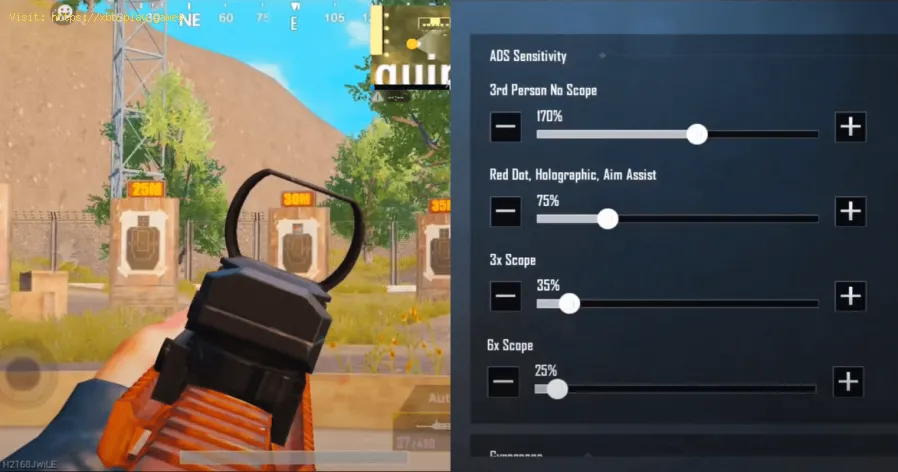
How to Choose the Best Sensitivity Settings
Why "One-Size-Fits-All" Sensitivity Doesn't Exist
Your ideal sensitivity is influenced by a unique combination of factors:- Hardware: Mouse DPI, mousepad size, controller model, and thumbstick tension.
- Physiology: Hand/wrist/arm size, grip style, and dexterity.
- Game Genre: A sensitivity perfect for precise sniping in *Counter-Strike 2* would be disastrous for the constant 360-degree turns needed in Fortnite building.
- Playstyle: An aggressive "entry fragger" needs faster target acquisition than an "anchor" holding an angle.
The Foundational Principle: Finding Your Effective DPI (eDPI)
On PC, sensitivity is a combination of two numbers:This is your true sensitivity. An 800 DPI & 0.5 sens player has the same eDPI (400) as a 400 DPI & 1.0 sens player. Always think in eDPI when comparing or adjusting.
Step-by-Step Guide to Finding Your Sensitivity
Step 1: Establish Your Baseline (The PSA Method)
This method helps you find a starting point without bias.Step 2: The "360-Degree Test" for Consistency
Your sensitivity should allow for consistent, repeatable movements.Step 3: Refine with Micro-Adjustments & Task Training
Don't just flick. Test different aiming tasks.- Flicking: Can you reliably snap to small, static targets?
- Tracking: Can you smoothly follow a moving target without jittery corrections?
- Micro-Corrections: After a flick, can you make the tiny adjustment to center the headshot?
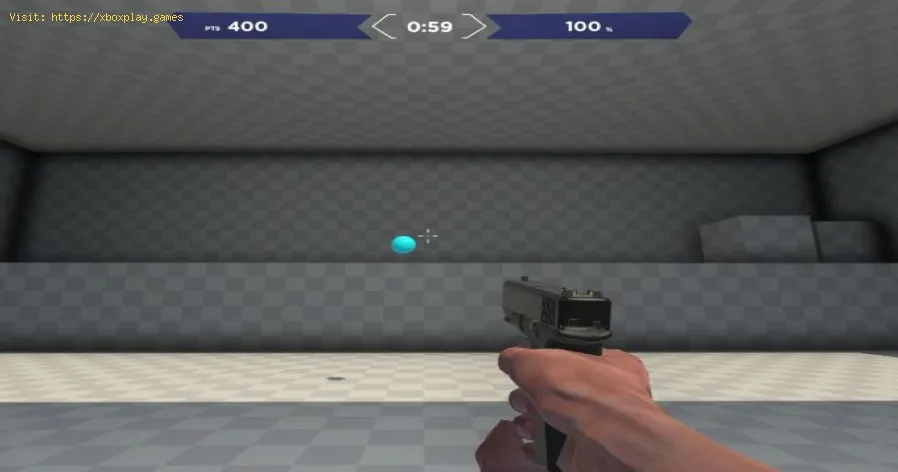
Spend 10-15 minutes in an aim trainer on different scenarios. If you consistently overshoot, lower your sens by 5-10%. If you consistently undershoot and have to drag, raise it by 5-10%.
Step 4: Commit and Build Muscle Memory
Once you land on a sensitivity that feels reasonably good across tasks, STOP CHANGING IT. Write down your DPI and in-game sens. Use it exclusively for at leasttwo weeks. Consistency is the key to building unconscious muscle memory. Your brain needs time to learn the "throw."
Platform-Specific Sensitivity Guides
For Controller (PlayStation, Xbox, Switch):
Controller sensitivity involves more layers than just a single slider.
- Look Sensitivity (Horizontal/Vertical): Start low (5-6/10). Your goal is to be able to track a target smoothly, not spin wildly. Keep vertical sensitivity slightly lower than horizontal (e.g., H:7, V:6) for better recoil control.
- Aim Down Sight (ADS) Sensitivity: This is crucial. Set this lower than your hipfire sens (a multiplier of 0.7-0.9 is common). This gives you precision when you need it most.
- Response Curve/ Aim Acceleration:Avoid acceleration if possible. Choose "Linear" or "Exponential" based on preference.Linear is a 1:1 input, while Exponential helps with micro-adjustments. Start with Linear.
- Deadzone: The smallest stick movement that registers. Set this as low as possible without causing stick drift. Lower deadzone = more responsive, finer control.
Advanced PC Settings:
- Mouse Acceleration:TURN THIS OFF in Windows ("Enhance pointer precision") and in every game. It destroys muscle memory by making the distance your cursor moves depend on how fast you move the mouse, not just the distance.
- Polling Rate: Set your mouse to 1000Hz (1ms report rate) for the most responsive feel.
Game Genre Recommendations (Starting Points)
- Tactical FPS (Valorant, CS2):Low Sensitivity. eDPI range: 200-400. Precision is paramount. Large mousepads (45cm+) are standard.
- Battle Royale (Apex Legends, Fortnite):Medium to Medium-High. eDPI range: 800-1600. You need both precision for aiming and speed for building/wide turns.
- Fast Arena FPS (Quake, Doom):Medium-High. eDPI range: 1200-2400. Constant movement and 180-degree turns are frequent.
- Controller (General): Start between 5-7 for look sens, with an ADS multiplier of 0.8.
How to Prevent Common Pitfalls
- Don't "Sense Hop": Constantly changing your sensitivity is the #1 barrier to improvement. Pick one and grind.
- Match Your Setup: Your sensitivity should be dictated by your mousepad space. A tiny desk pad necessitates a higher sens; a massive pad allows for a low sens.
- Warm Up Consistently: Use the same aim training routine every day to reinforce muscle memory before hopping into matches.
Frequently Asked Questions (FAQs)
Q: Should I use a high DPI and low in-game sens, or low DPI and high sens?
A: Mathematically, eDPI is what matters. However, most pros use a native DPI step of their mouse (often 400, 800, or 1600) and adjust in-game sens. Very high DPI (e.g., 10,000) can sometimesintroduce minor smoothing or pixel skipping. Stick to 800 or 1600 DPIfor a good balance of precision and responsiveness.
Q: How do I convert my sensitivity from one game to another?
A: Use online sensitivity converter calculators (like Mouse-sensitivity.com). These use different methods (360-distance, monitor distance) to give you a feeling as close as possible across games.
Q: My aim feels jittery and shaky. What's wrong?
A: This usually means your sensitivity is too high. Your micro-muscles cannot make fine adjustments. Lower your sens by 15-20% and see if it feels more controlled.
Q: What about scoped/zoom sensitivities?
A: For muscle memory consistency, many players set their sniper/scopedsensitivity to a 1:1 feel relative to their hipfire. This means movingyour mouse a certain distance rotates your view the same number of degrees, regardless of zoom. Games often have a "Relative" or "Coefficient" setting for this.
Q: How important is mouse grip style?
A: Very. Palm grip users tend towards lower sens for arm aiming. Claw/Fingertip grip users can use higher sens for wrist aiming. Choose a sensitivity that complements your natural grip.
Closing with a Call to Action
Finding your perfect sensitivity is a journey of self-discovery for your setup. It's not about a magic number, but about creating a seamless extensionof your intent. By following a methodical process—starting with abaseline, testing for consistency, and then committing—you build afoundation for precise, repeatable skill.
What's your current eDPI or controller sensitivity, and what game do you use it for? Share your setup and any "aha!" moments you had while dialing it in, in the comments below. If you're still struggling to find your groove,describe your issue (overshooting, fatigue, etc.) and we can helptroubleshoot. For more deep dives into aim training routines, controller settings for specific games, or hardware reviews, explore our fulllibrary of performance guides. Now, lock in your settings, trainconsistently, and watch your accuracy soar.
Other Articles Related
What Is a Sandbox Gamethe world of sandbox games! Learn what defines this genre, its keyfeatures, and why players love the freedom to create and explore.
What Is a Skill Tree
Explore the intricacies of skill trees, their role in gaming, and howthey empower players to customize abilities.
What Is a HUD in Video Games
Explore what a HUD is in video games and its importance in deliveringessential information to players. Enhance your gaming
What Is Motion Sickness in Gaming
Learn about motion sickness in gaming, including its triggers, effectson players, and tips to reduce symptoms
Best Games for Competitive Players
the best couch co-op games that bring friends and family together forunforgettable gaming experiences. Dive into fun and teamwork
The Best Couch Co‑Op Games
Explore our curated list of the best couch co-op games perfect forbonding with friends and family. Get ready for laughter
The Best Games for High‑End PCs
the best games for high-end PCs that deliver stunning graphics and immersive gameplay. Elevate your gaming experience
The Best RPGs for New Players
Discover the best RPGs for new players! Dive into immersive worlds, engaging stories, and easy-to-learn mechanics.
How to Play Better in Team‑Based Games
strategies to enhance your skills in team-based games. Learn tips and tricks for better teamwork and gameplay.
How to Improve Movement in Shooters
effective strategies to enhance movement in shooter games. Boost your gameplay and dominate the competition
How to Get the Starbrite Smasher Pickaxe for Free in Fortnite
Get the Starbrite Smasher Pickaxe in Fortnite without spending V-Bucks!This guide explains the limited-time methods to unlock this cosmicharvesting tool for free.
How to Get Music Albums in ARC Raiders
Unlock the full soundscape of ARC Raiders! Learn how to get official musicalbums, in-game tracks, and immersive OSTs to enhance your extractionshooter experience.
How to Get Fossilized Lightning in ARC Raiders
Unearth the secrets of fossilized lightning in ARC Raiders. Learn where tofind, how to harvest, and best uses for this rare conductive resource to upgrade your gear.
How to Get Candle Holders in ARC Raiders
Learn how to find & farm Candle Holders in ARC Raiders for progression and crafting. Essential loot guide for all players.
How to Get the Acoustic Guitar in ARC Raiders
Learn how to get the acoustic guitar in ARC Raiders, a special instrumentwith unique emotes. Find its location and collect it fast!