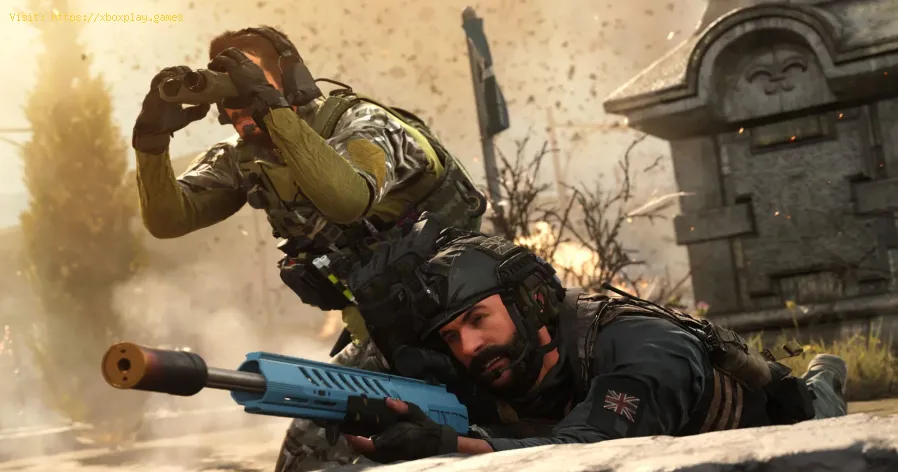
How To Complete The Courier Mission in Warzone 2 DMZ
Learn How To Complete The Courier Mission in Warzone 2 DMZ and unlock exclusive rewards.
Welcome to Warzone 2 DMZ, where the action never stops and the missions keep coming. One of the most thrilling missions you can undertake is the Courier Mission, where you become a valuable asset, transporting critical intel across dangerous territories. In this blog post, we will guide you through the steps to successfully complete the Courier Mission and reap the rewards.
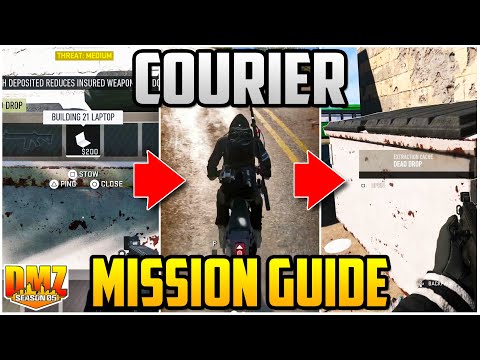
The first step in the Courier Mission is to locate the Dirt Bike and the Laptop. The Dirt Bike can be found in Al Mazrah, a small town in the outskirts of the warzone. Look for it near the abandoned gas station, usually parked next to a building. Once you have the Dirt Bike, proceed to the next step.
The Laptop is located at the Zarqwa Hydroelectric dead drop. This dead drop is situated in a secluded area near the hydroelectric plant. Look for a small shack with a red door, and inside, you will find the Laptop. Be cautious, as enemies may be lurking nearby. Retrieve the Laptop and get ready for the next phase.
Tips for finding the laptop:
Learn how to fix Warzone Dev Error codes quickly with effectivetroubleshooting steps for PC & console. Get back to the game fast.
How to fix Warzone voice and text chat disabled due to platform restrictions
effective solutions to fix Warzone voice and text chat issues caused byplatform restrictions. Enhance your gaming
How to Unlock the 'Now You See Me' Camo in Warzone
Unlock the elusive 'Now You See Me' camo in Warzone! Enhance your gameplay and stand out on the battlefield with this skin.
How To Complete Security Room Easter Egg in Warzone
Unlock the secrets of Warzone with our guide on completing the Security Room Easter Egg. Discover tips and strategies
How To Complete the Haven’s Hollow Jackpot Easter Egg in Warzone
Uncover the secrets of Warzone's Haven’s Hollow Jackpot Easter Egg! Dive into thrilling gameplay and unlock hidden treasures
How to Find Haven’s Hollow Pied Piper Easter Egg in Warzone
Hunt Haven's Hollow for the secret Pied Piper Easter egg in Warzone! Ourguide reveals the exact location & steps to unlock this creepyhidden quest.
How to Complete the Haven's Hollow Jackalope Easter Egg in Warzone
Uncover the secrets of Warzone's Haven's Hollow Jackalope Easter Egg! Dive into thrilling gameplay and hidden surprises.
Haven's Hollow Waterfall Cave Treasure Map Easter Egg in Warzone
Discover the secret Haven's Hollow Waterfall Cave Easter Egg in Warzone. Uncover the hidden treasure map location, solve the puzzle, and claim yourexclusive rewards with this complete guide.
Best Model L Loadout for Warzone
Unlock the true potential of the Best Model L loadout for Warzone. Dominatemid-range engagements with our optimized attachments for max damage,accuracy, and mobility. Get the class setup now.
Best PU-21 Loadout for Warzone
Level up your Warzone game with the best PU-21 Loadout. This guide detailsthe optimal attachments, perks, and equipment to maximize the PU-21'saccuracy, range, and damage for dominating in Urzikstan.
How to Fix Baldur’s Gate 3 No Sound
Learn How to Fix Baldur’s Gate 3 No Sound. Our easy-to-follow guide will help you quickly fix sound issues so you can get back to the game
How to Fix Warzone 2 Dev Error 7186
Learn How to Fix Warzone 2 Dev Error 7186 quickly and easily! Our step-by-step guide.
How to Fix Destiny 2 Error Code Currant
Follow our step-by-step guide to get back into the game quickly and How to Fix Destiny 2 Error Code Currant.
How to Fix Valorant Won’t Download
We'll show you the simple steps on How to Fix Valorant Won’t Download. Get your game up and running in no time
How to Shove in Baldur’s Gate 3
Learn How to Shove in Baldur’s Gate 3. Our guide will help you master this technique and become a better gamer
Welcome to Warzone 2 DMZ, where the action never stops and the missions keep coming. One of the most thrilling missions you can undertake is the Courier Mission, where you become a valuable asset, transporting critical intel across dangerous territories. In this blog post, we will guide you through the steps to successfully complete the Courier Mission and reap the rewards.
Finding the Dirt Bike and Laptop
The first step in the Courier Mission is to locate the Dirt Bike and the Laptop. The Dirt Bike can be found in Al Mazrah, a small town in the outskirts of the warzone. Look for it near the abandoned gas station, usually parked next to a building. Once you have the Dirt Bike, proceed to the next step.
The Laptop is located at the Zarqwa Hydroelectric dead drop. This dead drop is situated in a secluded area near the hydroelectric plant. Look for a small shack with a red door, and inside, you will find the Laptop. Be cautious, as enemies may be lurking nearby. Retrieve the Laptop and get ready for the next phase.
Tips for finding the laptop:
- - Use a recon drone to scout the area before approaching.
- - Keep an eye out for enemy patrols and choose the best time to make your move.
- - Move swiftly but silently to avoid unnecessary confrontation.
Delivering the Laptop to the Dead Drops
Once you have the Laptop in your possession, a three-minute countdown will begin. Within this time frame, you need to deliver the Laptop to three different dead drops before it self-destructs. The first dead drop is located at Zaya Observatory, a high vantage point overlooking the warzone. Ascend the stairs to the observatory and place the Laptop inside the designated drop-off point.
The second dead drop is at Akhdar Village, a quaint village nestled among the mountains. Look for a small cave entrance near the village, and inside, you will find the drop-off point for the Laptop. Insert the Laptop and move swiftly to the final destination.
Putting the laptop in and out of the backpack:
- - Use the interaction key to pick up and place the Laptop in your backpack.
- - Be cautious when taking it out, as it may attract unwanted attention.
- - Plan your movements and use cover to ensure a safe delivery.
Final Destination: Al Sharim Pass Dead Drop
The final destination for the Laptop is the Al Sharim Pass dead drop. Located in the heart of the warzone, this dead drop is heavily guarded and requires precision and skill to reach. Utilize the zipline located near the observatory to quickly descend into the area.
Once you reach the Al Sharim Pass, find the designated drop-off point, usually marked by a red flare. Insert the Laptop quickly and step away to avoid the blast radius. Congratulations, you have successfully completed the Courier Mission!
Completing the mission in under three minutes:
- - Plan your route beforehand to minimize travel time.
- - Utilize shortcuts and alternative paths to avoid enemy encounters.
- - Maintain a fast and efficient pace to ensure timely delivery.
Rewards for Completing the Mission
Completing the Courier Mission in Warzone 2 DMZ comes with its own set of rewards. Upon successful completion, you will receive a Double XP token and 7,500 worth of XP. These rewards are crucial for leveling up and unlocking new equipment and abilities in the game.
The Courier Mission in Warzone 2 DMZ is an adrenaline-fueled challenge that tests your skills and decision-making under pressure. By following the steps outlined in this blog post, you will be well-equipped to tackle this mission and reap the rewards. Good luck, and may victory be yours in the warzone!
Tags: Call of Duty, Battle royale, Warzone tips, Warzone updates, Warzone weapons, Warzone maps, Warzone strategies, Warzone l
Platform(s): Microsoft Windows PC, Xbox One, Playstation 4
Genre(s): Battle royale, first-person shooter
Developer(s): Infinity Ward
Publisher(s): Activision
Release date: March 10, 2020
Mode: Multiplayer
Age rating (PEGI): 18+
Other Articles Related
How to Fix Warzone Dev ErrorLearn how to fix Warzone Dev Error codes quickly with effectivetroubleshooting steps for PC & console. Get back to the game fast.
How to fix Warzone voice and text chat disabled due to platform restrictions
effective solutions to fix Warzone voice and text chat issues caused byplatform restrictions. Enhance your gaming
How to Unlock the 'Now You See Me' Camo in Warzone
Unlock the elusive 'Now You See Me' camo in Warzone! Enhance your gameplay and stand out on the battlefield with this skin.
How To Complete Security Room Easter Egg in Warzone
Unlock the secrets of Warzone with our guide on completing the Security Room Easter Egg. Discover tips and strategies
How To Complete the Haven’s Hollow Jackpot Easter Egg in Warzone
Uncover the secrets of Warzone's Haven’s Hollow Jackpot Easter Egg! Dive into thrilling gameplay and unlock hidden treasures
How to Find Haven’s Hollow Pied Piper Easter Egg in Warzone
Hunt Haven's Hollow for the secret Pied Piper Easter egg in Warzone! Ourguide reveals the exact location & steps to unlock this creepyhidden quest.
How to Complete the Haven's Hollow Jackalope Easter Egg in Warzone
Uncover the secrets of Warzone's Haven's Hollow Jackalope Easter Egg! Dive into thrilling gameplay and hidden surprises.
Haven's Hollow Waterfall Cave Treasure Map Easter Egg in Warzone
Discover the secret Haven's Hollow Waterfall Cave Easter Egg in Warzone. Uncover the hidden treasure map location, solve the puzzle, and claim yourexclusive rewards with this complete guide.
Best Model L Loadout for Warzone
Unlock the true potential of the Best Model L loadout for Warzone. Dominatemid-range engagements with our optimized attachments for max damage,accuracy, and mobility. Get the class setup now.
Best PU-21 Loadout for Warzone
Level up your Warzone game with the best PU-21 Loadout. This guide detailsthe optimal attachments, perks, and equipment to maximize the PU-21'saccuracy, range, and damage for dominating in Urzikstan.
How to Fix Baldur’s Gate 3 No Sound
Learn How to Fix Baldur’s Gate 3 No Sound. Our easy-to-follow guide will help you quickly fix sound issues so you can get back to the game
How to Fix Warzone 2 Dev Error 7186
Learn How to Fix Warzone 2 Dev Error 7186 quickly and easily! Our step-by-step guide.
How to Fix Destiny 2 Error Code Currant
Follow our step-by-step guide to get back into the game quickly and How to Fix Destiny 2 Error Code Currant.
How to Fix Valorant Won’t Download
We'll show you the simple steps on How to Fix Valorant Won’t Download. Get your game up and running in no time
How to Shove in Baldur’s Gate 3
Learn How to Shove in Baldur’s Gate 3. Our guide will help you master this technique and become a better gamer