
How to Play with Friends in Town of Salem 2
Want to learn How to Play with Friends in Town of Salem 2? Look no further! Our blog post has got you covered.
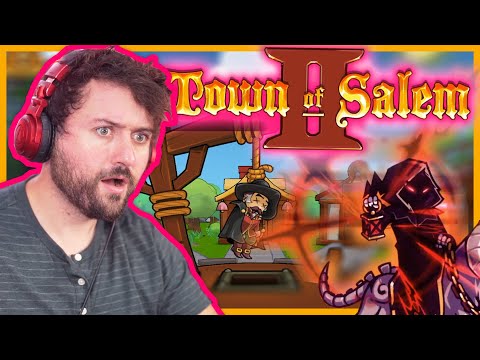
Town of Salem 2 is a popular online game that is loved by many gamers around the world. It is a multiplayer game that is played with friends and strangers alike. In this blog post, we are going to explore the different ways you can play with your friends in Town of Salem 2.
Creating a custom lobby is a great way to play with friends in Town of Salem 2. With a custom lobby, you can create a game that is specifically tailored to your needs. To create a custom lobby, you need to click on the "Create Game" button and then select "Custom Game". From there, you can choose the settings that you want for your game.
Once you have created your custom lobby, you can invite your friends to join you. To invite your friends, you need to share the lobby code with them. They can then enter the code into the game and join your lobby.
One of the benefits of custom lobbies is that you can play with your friends without having to worry about strangers joining your game. However, there are also some limitations to custom lobbies. For example, you may not be able to find enough players to fill your game, which can be frustrating.
"Learn what gaming latency is and how it impacts your play. Discover types,causes, and proven tips to reduce lag for a smoother, more responsivegaming experience."
Guide to enabling Cross-Save in your games
Enabling Cross-Save? This guide shows you how to link your accounts and syncgame progress seamlessly between consoles, PC, and mobile platforms.Unlock true gaming freedom.
How to Improve Reaction Time in Games
Boost your gaming performance with tips on how to improve reaction time. Enhance your skills and dominate the competition!
Performance mode vs. quality mode: which to choose?
Performance mode prioritizes smoother frame rates for fast-paced gameplay, whilequality mode offers higher visual fidelity at lower frame rates.Discover which graphics setting is right for your playstyle.
What is V-Sync and should you enable it?
Discover the pros and cons of V-Sync technology. Learn how it reduces screentearing and its impact on gaming performance. Find out if you shouldenable V-Sync for a smoother experience.
What is anti-aliasing and which is the best?
Learn what anti-aliasing is, how different types (MSAA, FXAA, TAA, etc.)work, and which setting is best for performance vs. visual quality in PC gaming.
What is motion blur and when to disable it
Learn what motion blur is in video games, when it enhances realism, and keyscenarios to disable it for better clarity and performance.
The best shooters for beginners in 2026
the top shooters for beginners in 2026. Our expert reviews and tips will help you choose the perfect game to start your shooting
The best PS Plus games to download
the best PS Plus games to download this month. Explore top titles,hidden gems, and must-play classics to enhance your gaming
What is input mapping and what is it used for?
Discover what input mapping is and how it allows flexible control customizationin software, hardware, and games. Learn its key uses and benefits for an efficient user experience.
How to Build A Deck in Magic the Gathering Arena
Learn how to create a winning deck with our guide on How to Build A Deck in Magic the Gathering Arena.
best TAQ-V loadout in Warzone 2 season 3
Find out here best TAQ-V loadout in Warzone 2 season 3 and get ready to dominate your opponents.
How to fix PS5 Overheating
Check out our guide on How to fix PS5 Overheating and get back to gaming in no time.
How To Get Deepsight Harmonizer in Destiny 2
Find out How To Get Deepsight Harmonizer in Destiny 2 and become a legendary warrior!
How to complete Case the Place mission in Warzone 2 DMZ
Our expert guide will give you all the tips and tricks on How to complete Case the Place mission in Warzone 2 DMZ.
Town of Salem 2 is a popular online game that is loved by many gamers around the world. It is a multiplayer game that is played with friends and strangers alike. In this blog post, we are going to explore the different ways you can play with your friends in Town of Salem 2.
Using Custom Lobbies
Creating a custom lobby is a great way to play with friends in Town of Salem 2. With a custom lobby, you can create a game that is specifically tailored to your needs. To create a custom lobby, you need to click on the "Create Game" button and then select "Custom Game". From there, you can choose the settings that you want for your game.
Once you have created your custom lobby, you can invite your friends to join you. To invite your friends, you need to share the lobby code with them. They can then enter the code into the game and join your lobby.
One of the benefits of custom lobbies is that you can play with your friends without having to worry about strangers joining your game. However, there are also some limitations to custom lobbies. For example, you may not be able to find enough players to fill your game, which can be frustrating.
Waiting for the Party System
The developers of Town of Salem 2 are currently working on a party system feature that will make it easier to play with friends. This feature is a high priority for the developers, and they are working hard to make it a reality.
The party system feature will allow you to create a party with your friends and then join games together. This means that you won't have to worry about strangers joining your game, and you will be able to play with your friends more easily.
At the moment, there is no official release date for the party system feature. However, the developers have promised to keep players updated on any news or updates related to the feature.
Tips for Playing with Friends
Playing with friends can be a lot of fun, but it can also be challenging. Here are some tips for making the most of playing with friends in custom lobbies:
- Communicate openly: Communication is key when playing with friends. Make sure that you are all on the same page and that you are communicating openly and honestly.
- Keep the game fair: It's important to keep the game fair when playing with friends. Don't cheat or use unfair tactics, and make sure that everyone is playing by the same rules.
- Have fun: Remember that the most important thing is to have fun! Don't take the game too seriously and enjoy playing with your friends.
Playing with friends in Town of Salem 2 is a lot of fun, and there are many different ways to do it. Whether you create a custom lobby or wait for the party system feature, playing with friends is a great way to enjoy the game. So gather your friends and start playing today!
Mode:
Other Articles Related
Guide to Understanding Latency in Video Games"Learn what gaming latency is and how it impacts your play. Discover types,causes, and proven tips to reduce lag for a smoother, more responsivegaming experience."
Guide to enabling Cross-Save in your games
Enabling Cross-Save? This guide shows you how to link your accounts and syncgame progress seamlessly between consoles, PC, and mobile platforms.Unlock true gaming freedom.
How to Improve Reaction Time in Games
Boost your gaming performance with tips on how to improve reaction time. Enhance your skills and dominate the competition!
Performance mode vs. quality mode: which to choose?
Performance mode prioritizes smoother frame rates for fast-paced gameplay, whilequality mode offers higher visual fidelity at lower frame rates.Discover which graphics setting is right for your playstyle.
What is V-Sync and should you enable it?
Discover the pros and cons of V-Sync technology. Learn how it reduces screentearing and its impact on gaming performance. Find out if you shouldenable V-Sync for a smoother experience.
What is anti-aliasing and which is the best?
Learn what anti-aliasing is, how different types (MSAA, FXAA, TAA, etc.)work, and which setting is best for performance vs. visual quality in PC gaming.
What is motion blur and when to disable it
Learn what motion blur is in video games, when it enhances realism, and keyscenarios to disable it for better clarity and performance.
The best shooters for beginners in 2026
the top shooters for beginners in 2026. Our expert reviews and tips will help you choose the perfect game to start your shooting
The best PS Plus games to download
the best PS Plus games to download this month. Explore top titles,hidden gems, and must-play classics to enhance your gaming
What is input mapping and what is it used for?
Discover what input mapping is and how it allows flexible control customizationin software, hardware, and games. Learn its key uses and benefits for an efficient user experience.
How to Build A Deck in Magic the Gathering Arena
Learn how to create a winning deck with our guide on How to Build A Deck in Magic the Gathering Arena.
best TAQ-V loadout in Warzone 2 season 3
Find out here best TAQ-V loadout in Warzone 2 season 3 and get ready to dominate your opponents.
How to fix PS5 Overheating
Check out our guide on How to fix PS5 Overheating and get back to gaming in no time.
How To Get Deepsight Harmonizer in Destiny 2
Find out How To Get Deepsight Harmonizer in Destiny 2 and become a legendary warrior!
How to complete Case the Place mission in Warzone 2 DMZ
Our expert guide will give you all the tips and tricks on How to complete Case the Place mission in Warzone 2 DMZ.