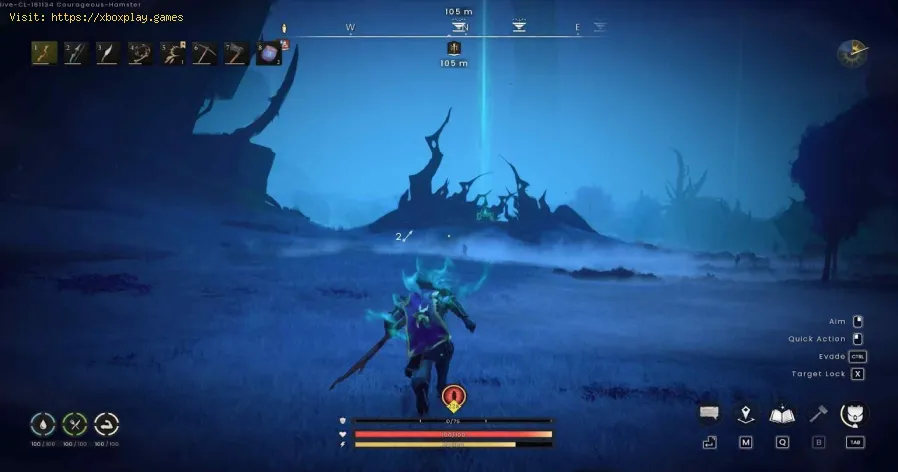
How to Enter Fellhollow Region in RuneScape Dragonwilds
Causes of "The Problem": Why Can't I Just Walk In?
Understanding why Fellhollow is locked behind specific requirements helps appreciate its place in the world. Here are the core reasons:Quick Solution (For the Impatient Scaper)
Already completed Dragon Slayer? Here’s the fast track:Detailed Step-by-Step Solution
Follow these steps carefully, and the dark glory of Fellhollow will be yours.Step 1: Prove Your Worth – Complete Dragon SlayerThis is non-negotiable. You must have slain Dragon Velgar atop Velgar's Rise. This quest finale is the game's way of certifying you as a true dragon-slayer, a title that resonates in the Fellhollow. If you haven't done this, everything else is moot. Focus on your combat skills, gather your best gear, and bring that beast down.Step 2: Seek Wisdom – Locate the Wise Old Man
Once Dragon Slayer is in your log:
- If you just defeated Velgar, the Wise Old Man will be waiting for you at the bottom of Velgar's Rise.
- If you completed it earlier, you’ll find him at his new perch atop the ancient ruins in Bramblemead Valley (southwest of Fractured Plains). Look for the tell-tale blue quest icon on your map.
Speak to the Wise Old Man. He'll speak of a growing darkness and a land that "calls to those burdened with souls." Accept his plea to begin the "Withering Heights" quest. This officially flags you for the expansion's content.Step 4: Journey to the Threshold – Travel to the Fractured Plains Edge
Open your world map. You need to go to the extreme northeastern section of the Fractured Plains region. It's a remote, rocky area near the world boundary.
- Pro-Tip: Before you trek, craft and place a Lodestone in the central Fractured Plains. This will save immense time for future travel between this hub and Fellhollow.

Step 5: Find the Archway – Follow the Path
At the location, you'll see a crumbling stone archway—the official "gate"to nowhere. The Wise Old Man will be there again. Exhaust his dialoguewhere he mentions a "password known only to the worthy." Now, headstraight through the arch and follow the narrow, winding path up thecliffs. It will lead you to a secluded ledge dominated by a massive, ornate wooden door sealed with magical bindings.
Step 6: Speak the Words of Power – Use the Password
Interact with the door. A dialogue wheel will appear with several cryptic Latin-esque phrases. You must select: "Mors, Introitum Quaero!" which roughly translates to "Death, I seek entrance!" This is the key.Choose correctly, and the door will glow, swing open, and pull youthrough with a teleportation effect.
Step 7: Navigate the Vestibule – Meet Death
You'll arrive in a twilight anteroom—the vestibule to Fellhollow. Follow theonly path upward toward a foreboding castle. Inside, on a throne of bone and shadow, sits a cloaked figure: Death itself. This is both a story moment and a functional vendor. Speak to Death to progress the quest and note that you can later trade Soul Fragments (currency from Fellhollow activities) to him for powerful gear.
Step 8: The Final Gate – Locate Postie Pete and the Spectral Door
After conversing with Death, take the path to the right. You'll find a familiar, if spectral, face: Postie Pete, now a disembodied skull on a table, handling the "dead letters." Just past him, you'll see your final barrier: a Spectral Door floating amidst an area covered in pulsating red ichor. This is it.
Step 9: Cross Over – Enter Fellhollow
Walk through the Spectral Door. The screen will shimmer, and you will officially be in the Fellhollow region. Congratulations! The "Withering Heights" quest will update, and thefull, dark expanse of the new zone will be open for you to explore,fight, and plunder.
Alternative Solutions & Approaches
- Group Travel: Once one player in your party or clan opens the door, others who meetthe prerequisites can often simply walk through the activated portalwithout repeating the password step, as long as they are in the sameinstance.
- Quest Item Focus: Some players report that having a "Velgar's Tooth" (a rare drop from the Dragon Slayer finale) in your inventory whenspeaking to the Wise Old Man can trigger additional lore dialogue,though it is not required.
- Checking Quest Requirements: If the door isn't interactive, always double-check your Quest Journal (Hotkey 'J') to ensure "Withering Heights" is actively tracked. Sometimes relogging can refresh this flag.
How to Prepare for Fellhollow (Beyond Just Entering)
Entering is one thing; surviving is another. Prevent a quick trip to Death's Office by coming prepared:
- Gear Up: Fellhollow enemies are Level 75+. Bring your best weapons and armor, ideally upgraded to at least Epic (Purple) quality.
- Stock Supplies: Pack plenty of high-tier healing potions, prayer-restoration potions,and anti-poison cures. The environmental hazards can be brutal.
- Adjust Your Combat Style: Many early Fellhollow foes are weak to Crush damage and Ancient Magicks. Plan your loadout accordingly.
- Mental Preparation: This is a tough, atmospheric zone. It's designed to be challenging andeerie. Go in with a group if you can for the first few expeditions.
Frequently Asked Questions
Q1: I said the password but nothing happened. What do I do?
A: Ensure you have the "Withering Heights" quest actively tracked in your journal. If it is, try stepping away from the door, relogging,and attempting again. If the issue persists, ensure your game is fullyupdated.
Q2: Can I access Fellhollow on mobile?
A: Absolutely! RuneScape: Dragonwilds is fully cross-platform. The steps are identical on mobile, PC, andconsole. The touch controls or controller support work seamlessly forthe required interactions.
Q3: What is the recommended level for Fellhollow?
A: The developers suggest Combat Level 70+ as a minimum. For solo play, 75+ with strong gear is advisable. Don't be afraid to group up for the initial delves.
Q4: Is there a fast travel point (Lodestone) inside Fellhollow?
A: Yes! One of the first things you should do after entering is locate and activate the Fellhollow Lodestone, found near the central hub of the region. This will make return trips instantaneous.
Q5: I'm stuck on the Dragon Slayer quest. Any tips?
A: Focus on upgrading your gear through Fractured Plains dungeons first. Use the Dragonfire Shield or anti-dragon potions, and don't be shy about using the in-game Group Finder to tackle Velgar with allies.
The mists of Fellhollow part before you, Scaper. A land of grim rewards,terrifying foes, and stories etched in shadow awaits. You've earned your place here. Now, go claim your glory. What wasyour first epic find or harrowing battle in Fellhollow? Share yourstories in the comments below, and if this guide lit your path, pass iton to a fellow adventurer struggling at the door! For more deep dives into Dragonwilds' secrets, explore our other guides. Happy 'Scaping
Other Articles Related
How to Get Soul Fragments in Fellhollow in RuneScape DragonwildsUncover the secrets to obtaining Soul Fragments in Fellhollow for RuneScapeDragonwilds. Learn the best methods, locations, and strategies tocollect these essential items for your quest.
How to Enter Fellhollow Region in RuneScape Dragonwilds
Embark on an epic quest to reach the Fellhollow Region in RuneScape'sDragonwilds. Our guide provides the essential steps, requirements, andstrategies you need to unlock this high-level area and face itsformidable challenges.
How to Fix Steam Game Won’t Launch
Troubleshoot and resolve "Steam game won't launch" issues with our step-by-stepguide. Fix crashes, black screens, and launch errors quickly.
How to Find All Crypt Keys in the Graveyard in Megabonk
Master the graveyard in Megabonk! Discover step-by-step strategies to locateevery crypt key, unlock hidden areas, and maximize your secrets and loot in this detailed guide.
How to Fix Steam Deck device not supported
Learn how to fix the 'Steam Deck device not supported' error with simple troubleshooting steps. Discover solutions to compatibility issues, updates, and settings adjustments to get your Steam Deck running smoothly.
How to Fix Steam Error Code 107
Learn how to fix Steam Error Code 107 with our step-by-step guide.
How To Reset Steam Achievements
We have made a very detailed guide to explain How to Reset Steam Achievements, let's see.
How to Fix Steam Store Not Loading Issue
Today we bring you an explanatory guide on How to Fix Steam Store Not Loading Issue with precise details.
How to Fix Steam Store Black Screen Issue
Today we bring you an explanatory guide on How to Fix Steam Store Black Screen Issue so that you can enjoy this title without any problems.
How to Fix Can't Connect To Steam Issue
We have made a guide where we explain How to Fix Can't Connect To Steam Issue.
Where to Find Frying Pan in Arc Raiders
Find the Frying Pan location in Arc Raiders with our quick guide. Learnwhere this key melee weapon spawns to dominate in close-quarters combat.
What Is Procedural Generation in Games
Explore how procedural generation creates unique, replayable game worlds withalgorithms. Learn its uses, benefits, and examples in modern gamedesign.
What Is a Game Engine and How It Works
Discover what game engines are and how they power modern video game development. Learn how these software frameworks streamline game creation, fromgraphics to physics.
What Is Game Optimization - how to works
Boost gaming performance with game optimization. Learn how it works toenhance FPS, reduce lag, and improve overall gameplay on PC andconsoles.
What Is Dynamic Resolution and How It Works
Dive into the world of dynamic resolution: Learn what it is, how it works,and how this smart technology balances game performance and visualquality in real-time.