What Is a Game Engine and How It Works
What Exactly Is a Game Engine? (The "Quick Solution" for the Impatient)
For those who want the elevator pitch: A game engine is a comprehensive software framework designed to create and develop video games. It provides the core tools and systems that handle the essential, repetitive tasks of game development—like rendering graphics, playing sounds, processing physics, and detecting collisions—so developers don't have to build everything from scratch for each new project. It's the ultimate game development toolkit.Popular engines you might have heard of include Unity (behind hits like "Hollow Knight" and "Pokémon GO"), Unreal Engine (powering "Fortnite," "Gears of War," and many blockbuster movies), and Godot (a beloved free and open-source option).Detailed Step-by-Step: How a Game Engine Actually Works
Imagine the engine as a busy, highly organized factory. Here’s a step-by-step breakdown of its main production lines when a game is running.1. The Foundation: The Core System
This is the engine's nervous system. It manages memory, handles file input/output, and dictates how all the other components talk to each other. It ensures that the physics calculator can send data to the graphics drawer without everything crashing.2. Bringing the World to Life: The Rendering Engine
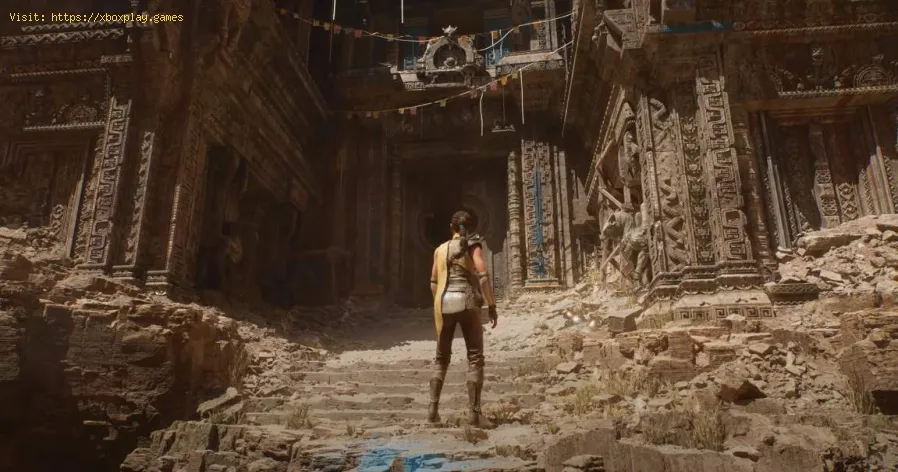
This is the most famous part—the graphics powerhouse. It takes the 3D models, textures, and lighting data and turns them into the 2D images you see on screen.- Process: It follows a pipeline: assembling scenes, applying lighting and shadows, calculating colors (shading), and finally, outputting each pixel to your monitor. Engines like Unreal Engine are renowned for their high-fidelity rendering, enabling photorealistic visuals in games like "Hellblade II" on Xbox Series X.
3. Making It Feel Real: The Physics Engine
This simulates the laws of the physical world (or bends them for fun!). It calculates how objects should fall, bounce, collide, and explode.- Example: In "Portal 2" on PC, the physics engine is the star, perfectly calculating the momentum and trajectory of cubes and players flying through portals.

4. The Brain: The Logic & Scripting System
The engine provides a way for developers to program the game's rules andbehaviors. Using scripting languages (like C# in Unity or Blueprintsvisual scripting in Unreal), developers write the code that says, "whenthe player presses 'A', make the character jump," or "if the player'shealth reaches zero, trigger the game over sequence."
5. Sound Stage: The Audio Engine
This system loads, mixes, and plays sound effects and music. It also handles 3D spatial audio, so you can hear a monster creeping up behind you in a horror game on your PlayStation headset.
6. The Director: The Animation System
It brings characters and objects to life by interpolating betweenpredefined animation frames or, in advanced engines, driving muscle andskin simulations for ultra-realistic movement.
7. The Playground: The Toolset & Editor
This is the developer's main workspace—a visual, often drag-and-dropinterface where levels are built, objects are placed, properties aretweaked, and all the systems are tied together. It’s where the magic isorchestrated.
Alternative Solutions: Not All Engines Are Created Equal
While major engines like Unreal and Unity are versatile, developers sometimes choose different paths:
- Proprietary/In-House Engines: Some large studios build their own. Rockstar's RAGE engine is meticulously crafted for the vast, systemic open worlds of "Grand Theft Auto" and "Red Dead Redemption."Bethesda's Creation Engine is tailored for their specific style of open-world RPGs with massive numbers of interactive objects.
- Specialized Engines: Some engines focus on a specific genre. Visual Novel Maker, for instance, is optimized for creating story-driven 2D games without needing deep programming knowledge.
How to Prevent... Well, Choosing the Wrong Engine?
For aspiring developers, a key "prevention" tip is to pick the right engine for your project to avoid headaches later.
- For Beginners & 2D/Mobile Games:Unity or Godot are fantastic starting points due to their gentler learning curves and strong 2D tools.
- For High-End Graphics & AAA Aspirations:Unreal Engine offers breathtaking visual fidelity out of the box.
- For Total Control & Specific Needs: Consider building a simple engine from scratch (as a learning exercise) or using a highly specialized one.
Frequently Asked Questions
Q: Is a game engine only for making games?
A: Not anymore! They're now used in architecture (for real-timewalkthroughs), film production (for virtual sets and pre-visualization), automotive design, and simulations. The "Metahuman" creations fromUnreal Engine are a prime example.
Q: Do I need to know how to code to use a game engine?
A: While coding knowledge (C++, C#) unlocks full potential, many engines offer visual scripting tools. Unreal's Blueprints allows you to create complex game logic by connecting nodes, making development more accessible.
Q: Which engine is the "best"?
A: There's no universal winner. The "best" engine depends on your team'sskills, project scope, target platform (PC, Mobile, Console), andartistic goals. Unity is ubiquitous in mobile gaming, while Unrealdominates high-end console and PC titles.
Q: Are game engines free?
A: Most have free versions for learning and small projects. Unity and Unreal are free until your project reaches significant revenue thresholds, at which point a royalty or licensing fee applies. Godot is completely free and open-source.
Q: How long does it take to learn a game engine?
A: You can grasp the basics and build a simple game in a few weeks.Mastering an engine, however, is a continuous journey that can takeyears, as the tools and capabilities are constantly evolving.
The game engine is the unsung hero of the digital age, a platform forimagination that turns code and creativity into worlds we can explore.Whether you're a player with newfound appreciation or an aspiringcreator about to download Unity for the first time, this invisibleframework is what makes the magic possible.
Found this guide illuminating? Share it with a fellow gamer who wonders howit's all done! Have a favorite game whose engine tech blew you away? Let us know in the comments below. And if you're hungry for more deep dives into the tech behind your favorite hobbies, explore our other guides!

Other Articles Related
What Is Procedural Generation in GamesExplore how procedural generation creates unique, replayable game worlds withalgorithms. Learn its uses, benefits, and examples in modern gamedesign.
What Is a Game Engine and How It Works
Discover what game engines are and how they power modern video game development. Learn how these software frameworks streamline game creation, fromgraphics to physics.
What Is Frame Rate and Why It Matters
Discover the significance of frame rate in video and gaming. Learn how FPSimpacts smoothness, realism, and your viewing experience. Essentialguide for creators & enthusiasts.
How to Learn Game Mechanics Faster
Master game mechanics faster with effective learning strategies, key practicetechniques, and tools to analyze and internalize core gameplay loopsefficiently.
How to Improve Stealth Gameplay
Master stealth gameplay with essential tips on movement, sound management,visibility, and AI manipulation. Learn to use the environment andupgrade your character effectively.
How to Build Strong Characters in RPGs
Craft unforgettable RPG characters! Learn step-by-step techniques forbuilding rich backstories, motivations, and personalities for your TTRPG or video game heroes.
How to Win More Gunfights in FPS Games
Master FPS gunfight strategies! Learn positioning, crosshair placement, recoil control & game sense to win more duels and dominate your matches.
What Is Game Optimization - how to works
Boost gaming performance with game optimization. Learn how it works toenhance FPS, reduce lag, and improve overall gameplay on PC andconsoles.
What Is Dynamic Resolution and How It Works
Dive into the world of dynamic resolution: Learn what it is, how it works,and how this smart technology balances game performance and visualquality in real-time.
What Is Resolution Scaling in Games
"Discover what resolution scaling is in gaming: Learn how this graphicstechnology dynamically adjusts game resolution to boost performance orenhance visual fidelity. Improve your gameplay experience with optimized frame rates and stunning visuals."
What Is Frame Rate and Why It Matters
Discover the significance of frame rate in video and gaming. Learn how FPSimpacts smoothness, realism, and your viewing experience. Essentialguide for creators & enthusiasts.
How to Learn Game Mechanics Faster
Master game mechanics faster with effective learning strategies, key practicetechniques, and tools to analyze and internalize core gameplay loopsefficiently.