
How To Wake Up Faster In Party Animals
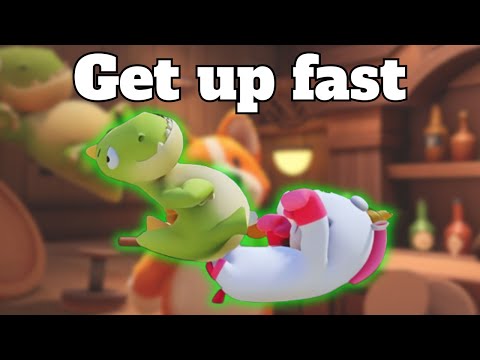
Learn How To Wake Up Faster In Party Animals with proven tips & strategies. Rise & shine to claim victory now! In the exciting world of Party Animals, staying on your feet is the key to survival. Getting knocked down is inevitable, but learning how to wake up quickly after being floored can give you a significant advantage over your opponents. In this comprehensive guide, we will walk you through the steps to wake up faster using assigned keys and the stamina bar. So, grab your controller or sit at your PC, and let's dive into the world of Party Animals!
1. PC Controls: If you're playing Party Animals on PC, the wake-up technique requires a combination of carefully timed button presses and quick movement. The default keys for the punch button and the run button are the Left Mouse Button and Shift, respectively. To initiate a speedy recovery, press and hold the punch button (Left Mouse Button) while simultaneously pressing the run button (Shift). Additionally, combine these buttons with the movement keys (WASD) to wake up faster.
For example, you can press Shift + W + A or Shift + W + D to perform a quick wake-up maneuver. This combination of button presses and movement keys will help your character regain their footing swiftly.
2. Xbox Controls: If you're playing Party Animals on Xbox, the wake-up technique is just as accessible. To wake up faster, simply press the X button and hold it down while also pressing the LT (Left Trigger) button. This combination of buttons will initiate a speedy recovery, allowing you to get back into the game in no time.
Fix your game save problems with our expert tips and solutions. Learnhow to troubleshoot and restore your gaming
How to Choose a Gaming Monitor: A Complete Guide for 2026
ultimate guide to choosing a gaming monitor. Enhance your gaming experience with expert tips on resolution, refresh rates
How to set up OBS for lag-free streaming
Learn how to set up OBS for streaming with our easy guide. Optimize your settings for the best performance
How to record gameplay without losing FPS on PC or console
Capture your gameplay seamlessly without sacrificing FPS. Enjoy smooth recording and elevate your gaming
How to Optimize Windows 10/11 for Gaming and Higher FPS
Unlock peak gaming performance by optimizing your Windows settings. Enhance speed, reduce lag, and elevate your gaming
How to activate game mode on any TV and reduce lag
how to activate game mode on your TV for an enhanced gaming experience.Optimize settings for smoother graphics
How to improve your internet connection for lag-free online gaming
Enhance your online gaming experience with tips to improve yourconnection. strategies for a smoother, lag-free gameplay
How to configure a gaming monitor for the best image quality
Discover how to configure your gaming monitor to get the best image quality and maximize your gaming experience.
How to use a Nintendo Switch controller on a PC, step by step
Learn how to connect and use your Nintendo Switch controller on a PC with our step-by-step. Enhance your gaming experience
How to connect a PS5 controller to your PC via USB or Bluetooth
Learn how to easily connect your PS5 controller to your PC using USB or Bluetooth with our step-by-step.
How To Get Watermelon Game On Nintendo Switch
Master How To Get Watermelon Game On Nintendo Switch. Our guide provides expert advice & strategies to level up your gaming experience!
How to equip the Overkill perk in Modern Warfare 3
Master the game with our easy guide on How to equip the Overkill perk in Modern Warfare 3. Rule the game & bring your A-game to every match now!
How to execute a Finisher in Modern Warfare 3
Unlock game-winning moves with our guide on How to execute a Finisher in Modern Warfare 3. Level up your combat strategy today!
How to turn off trainer in EA Sports FC 24
Master How to turn off trainer in EA Sports FC 24 Follow our step-by-step guide on shutting off the in-game trainer.
How to skip songs in EA Sports FC 24
Master How to skip songs in EA Sports FC 24 with our easy guide. Boost your game experience with the right soundtrack today!
How To Wake Up Faster In Party Animals
Understanding the Basics
Before we dive into the technique itself, let's take a moment to understand the basics of waking up faster in Party Animals. When your character gets knocked down, you have the opportunity to initiate the wake-up process. This process involves using assigned keys and closely monitoring your stamina bar. The faster you wake up, the sooner you can get back into the action-packed gameplay.Performing the Wake-Up Technique
1. PC Controls: If you're playing Party Animals on PC, the wake-up technique requires a combination of carefully timed button presses and quick movement. The default keys for the punch button and the run button are the Left Mouse Button and Shift, respectively. To initiate a speedy recovery, press and hold the punch button (Left Mouse Button) while simultaneously pressing the run button (Shift). Additionally, combine these buttons with the movement keys (WASD) to wake up faster.
For example, you can press Shift + W + A or Shift + W + D to perform a quick wake-up maneuver. This combination of button presses and movement keys will help your character regain their footing swiftly.
2. Xbox Controls: If you're playing Party Animals on Xbox, the wake-up technique is just as accessible. To wake up faster, simply press the X button and hold it down while also pressing the LT (Left Trigger) button. This combination of buttons will initiate a speedy recovery, allowing you to get back into the game in no time.
Mastering the Technique
Now that you understand the mechanics of waking up faster, it's time to master the technique. Like any skill, practice makes perfect. To become proficient at waking up quickly, it's best to start by practicing against AI opponents. Engage in matches against AI players and focus on mashing the control buttons swiftly to initiate the wake-up process.
By repeating this practice, you will develop muscle memory and improve your reaction time. Soon enough, waking up faster will become second nature, giving you a significant advantage over your opponents.
Gaining an Advantage
Once you've mastered the art of waking up faster, you'll find it challenging for your opponents to keep you down during matches. Your ability to swiftly regain control of your character can catch adversaries off guard and give you a fighting advantage.
Imagine the surprise on your opponent's face when they think they have you cornered, only for you to bounce back up in an instant, ready to counter-attack. This quick recovery can turn the tide of a match and showcase your mastery of Party Animals.
By utilizing the assigned keys and paying attention to your stamina bar, waking up faster in Party Animals becomes second nature. Remember, practicing this technique with AI opponents will enhance your skills before taking on human competitors. So, get ready to quickly rise from the ground, resume the fight, and demonstrate your mastery in Party Animals!
Mode:
Other Articles Related
Unable to save game: how to fix it in any gameFix your game save problems with our expert tips and solutions. Learnhow to troubleshoot and restore your gaming
How to Choose a Gaming Monitor: A Complete Guide for 2026
ultimate guide to choosing a gaming monitor. Enhance your gaming experience with expert tips on resolution, refresh rates
How to set up OBS for lag-free streaming
Learn how to set up OBS for streaming with our easy guide. Optimize your settings for the best performance
How to record gameplay without losing FPS on PC or console
Capture your gameplay seamlessly without sacrificing FPS. Enjoy smooth recording and elevate your gaming
How to Optimize Windows 10/11 for Gaming and Higher FPS
Unlock peak gaming performance by optimizing your Windows settings. Enhance speed, reduce lag, and elevate your gaming
How to activate game mode on any TV and reduce lag
how to activate game mode on your TV for an enhanced gaming experience.Optimize settings for smoother graphics
How to improve your internet connection for lag-free online gaming
Enhance your online gaming experience with tips to improve yourconnection. strategies for a smoother, lag-free gameplay
How to configure a gaming monitor for the best image quality
Discover how to configure your gaming monitor to get the best image quality and maximize your gaming experience.
How to use a Nintendo Switch controller on a PC, step by step
Learn how to connect and use your Nintendo Switch controller on a PC with our step-by-step. Enhance your gaming experience
How to connect a PS5 controller to your PC via USB or Bluetooth
Learn how to easily connect your PS5 controller to your PC using USB or Bluetooth with our step-by-step.
How To Get Watermelon Game On Nintendo Switch
Master How To Get Watermelon Game On Nintendo Switch. Our guide provides expert advice & strategies to level up your gaming experience!
How to equip the Overkill perk in Modern Warfare 3
Master the game with our easy guide on How to equip the Overkill perk in Modern Warfare 3. Rule the game & bring your A-game to every match now!
How to execute a Finisher in Modern Warfare 3
Unlock game-winning moves with our guide on How to execute a Finisher in Modern Warfare 3. Level up your combat strategy today!
How to turn off trainer in EA Sports FC 24
Master How to turn off trainer in EA Sports FC 24 Follow our step-by-step guide on shutting off the in-game trainer.
How to skip songs in EA Sports FC 24
Master How to skip songs in EA Sports FC 24 with our easy guide. Boost your game experience with the right soundtrack today!