
How to upgrade Bridges/Walls in Foundation
The Foundation of Upgrades: Understanding the Current System
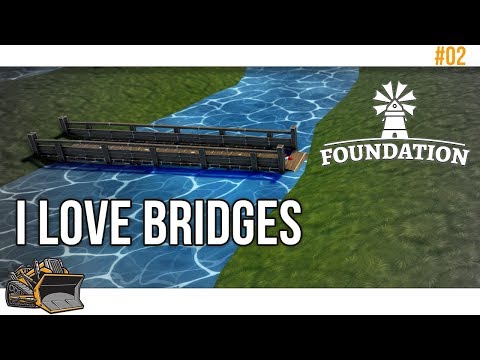
Foundation's gameplay revolves around a dynamic progression system, where initial limitations gradually give way to advanced building options. Starting with rudimentary wooden structures, players unlock access to more robust stone alternatives as they accumulate resources and expand their technological capabilities. However, the game currently lacks a direct "upgrade" or "replace" function for existing bridges and walls. This necessitates a more manual approach, requiring players to dismantle existing structures before constructing upgraded replacements.
Step-by-Step: Upgrading Bridges and Walls in Foundation
- To initiate an upgrade, select the bridge or wall you wish to replace.
- Locate the demolition option within the selection menu and execute it.
- This process effectively removes the existing structure, freeing up the space for its upgraded counterpart.
- Navigate to the "Build Public Buildings" tab within the building menu.
- Select the "Monument" category.
- Here, you will find a range of bridge and wall options, including upgraded versions like Stone Bridges and Stone Walls.
- The availability of these upgraded structures is dependent on your progression and resource availability.
- Select the desired upgraded structure.
- Carefully position the new bridge or wall in the space previously occupied by the demolished structure.
- Ensure proper alignment and connection to existing infrastructure.
- Allocate the needed resources, and your villagers will begin construction.
Navigating the Limitations: A Manual Process
The absence of a dedicated upgrade function necessitates a manual, albeit somewhat tedious, process. Players must meticulously demolish and rebuild structures, which can be particularly time-consuming in larger settlements. This limitation underscores the importance of strategic planning and resource management, as players must carefully consider the long-term implications of their infrastructure decisions.
The Promise of Replace Mode: A Future Enhancement
Recognizing the need for a more streamlined upgrade system, the developers ofFoundation have announced the forthcoming implementation of "ReplaceMode." This highly anticipated feature will allow players to directlyupgrade existing structures without the need for demolition.
- Developer Roadmap:
- Replace Mode is included in the Post-Release Short-Term Roadmap, indicating its priority in future updates.
- This feature will significantly enhance the player experience, simplifying the process of upgrading infrastructure.
- Anticipated Benefits:
- Reduced construction time and resource expenditure.
- Improved efficiency in managing large-scale settlements.
- A more seamless and intuitive upgrade process.
- Timeline and Updates:
- At this time, there is no official release date for the Replace Mode update.
- The developers have committed to providing updates as development progresses.
- This article will be updated with new information as soon as it becomes available.
Strategic Considerations for Bridge and Wall Placement
While awaiting the implementation of Replace Mode, players can optimize their settlement planning by considering the following:
- Future Expansion:
- Anticipate future growth and expansion when placing initial structures.
- Leave adequate space for potential upgrades and expansions.
- Resource Management:
- Prioritize the construction of essential structures and upgrades.
- Carefully manage resource allocation to avoid unnecessary demolition and reconstruction.
- Aesthetic and Functional Design:
- Consider the aesthetic impact of bridge and wall placements.
- Ensure that structures effectively serve their intended purpose within the settlement.
Conclusion: Building a Lasting Legacy
Foundation's medieval world demands strategic planning and adaptability. While thecurrent upgrade system requires a manual approach, the forthcomingReplace Mode promises to streamline the process, allowing players tofocus on crafting thriving and resilient settlements. By understandingthe intricacies of infrastructure management and anticipating futureenhancements, players can build a lasting legacy in the captivatingworld of Foundation.
Other Articles Related
How to activate game mode on any TV and reduce laghow to activate game mode on your TV for an enhanced gaming experience.Optimize settings for smoother graphics
How to improve your internet connection for lag-free online gaming
Enhance your online gaming experience with tips to improve yourconnection. strategies for a smoother, lag-free gameplay
How to configure a gaming monitor for the best image quality
Discover how to configure your gaming monitor to get the best image quality and maximize your gaming experience.
How to use a Nintendo Switch controller on a PC, step by step
Learn how to connect and use your Nintendo Switch controller on a PC with our step-by-step. Enhance your gaming experience
How to connect a PS5 controller to your PC via USB or Bluetooth
Learn how to easily connect your PS5 controller to your PC using USB or Bluetooth with our step-by-step.
How to Connect an Xbox controller to your PC
Easily connect your Xbox controller to your PC running Windows 10/11 with our step-by-step guide. Enjoy seamless gaming
How to reduce input lag on consoles
Discover effective solutions to reduce input lag on Xbox, PS5, and Switch for a smoother gaming experience. Optimize your gameplay
How to improve FPS on PC
Boost your PC's performance with our comprehensive guide on improving FPS. Unlock smoother gameplay and enhance your gaming
How To Get Dual Hammers in Vermintide 2
Learn how to unlock the powerful Dual Hammers for the Bardin Goreksson inVermintide 2. This guide covers the simple steps to get this top-tiermelee weapon for the Ironbreaker, Ranger Veteran, and Slayer careers.
All Heroes and Careers in Vermintide 2
Explore the diverse heroes and careers in Vermintide 2. Discover unique abilities, playstyles, and strategies to enhance your gameplay
Why Console Games Need Special Testing (It’s Not Like PC!)
Video games have evolved into a massive industry, with console gaming standing as one of its most dominant sectors.
How to Get Rainy Day Mercy Skin for Free in Overwatch 2
Unlock the Rainy Day Mercy Skin for free in Overwatch 2! Enhance your gameplay
How to get every ending in Armored Core 6 Fires of Rubicon
Discover how to unlock every ending in Armored Core 6: Fires of Rubicon with our comprehensive guide. Master the game today!
How to Fix FragPunk Server Connection Errors
Learn how to fix FragPunk server connection errors with our step-by-step guide.
How to Get Kalandra's Touch Ring in Path of Exile 2
Discover how to obtain Kalandra's Touch Ring in Path of Exile 2 with our guide.