How to defeat the Mecha Garlamash in FANTASIAN Neo Dimension
Our guide today aims to explain to you How to defeat the Mecha Garlamash in FANTASIAN Neo Dimension.
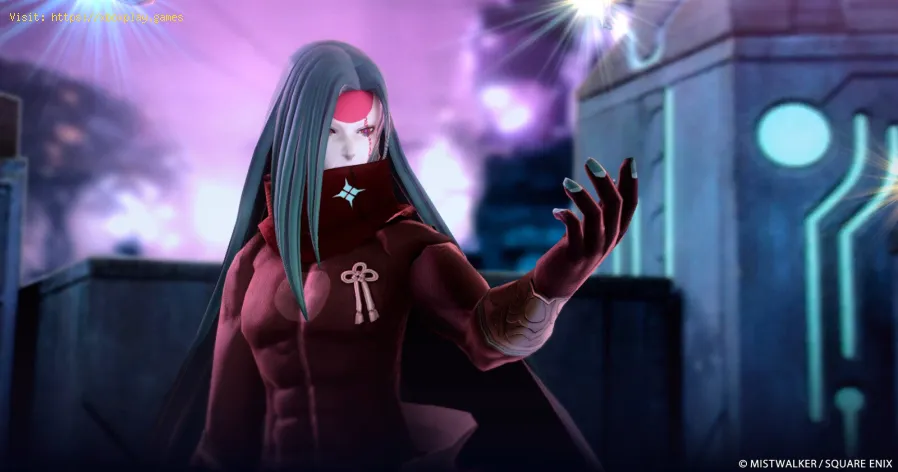
There are no easy ways to defeat the Mecha Garlamash boss in FANTASIAN Neo Dimension. The fight is complicated. Although battling the beast isn't difficult, dealing with the smaller opponents in his vicinity is. In the middle of the game, you'll meet him. Conquering this boss will grant an opportunity to enhance a side character's passive skill and divine artifact. If you're playing FANTASIAN Neo Dimension, this is a guide to beating the Mecha Garlamash boss.
"Troubleshoot and fix game progress not saving with our step-by-step guide. Learn how to check settings, clear cache, fix corrupt files, and solve storageissues to prevent lost saves."
How to fix PC Fans Too Loud While Gaming
Meta description: "PC fans too loud while gaming? Learn 8 simple fixes toreduce noise & cool your PC effectively. Easy, step-by-step guidefor a quieter gaming rig."
How to Fix PC Won’t Boot After Update
Struggling with a black screen or errors after an update? Learn step-by-step fixes to get your PC booting again. From safe mode to recovery tools, we'llguide you through the solutions.
How to Fix PC Stuttering in Games
Troubled by PC stuttering in games? Our guide shows you how to fix gamestuttering & lag with step-by-step solutions for settings, hardware, & drivers.
How to Fix PC Freezing While Gaming
Expert troubleshooting guide to stop PC freezing during games. Learn quickfixes for overheating, driver issues, and hardware bottlenecks torestore smooth gameplay.
How to Fix Game Crashes on Startup
Learn effective solutions to fix game crashes on startup and enjoy seamless gaming. Troubleshoot issues
How to Fix GPU Not Detected
Learn effective solutions to fix GPU not detected issues. Troubleshoot and restore your graphics card functionality
The best recommended survival games
Looking for your next survival challenge? Explore our expert picks of the bestsurvival games on PC and console, from wilderness crafting to intensehorror. Find your next adventure.
Guide to Understanding Latency in Video Games
"Learn what gaming latency is and how it impacts your play. Discover types,causes, and proven tips to reduce lag for a smoother, more responsivegaming experience."
Guide to enabling Cross-Save in your games
Enabling Cross-Save? This guide shows you how to link your accounts and syncgame progress seamlessly between consoles, PC, and mobile platforms.Unlock true gaming freedom.
How to Fix Marvel Rivals "The anti-cheat is currently inactive" error
Our guide today aims to explain to you How to Fix Marvel Rivals "The anti-cheat is currently inactive" error.
How to Fix Marvel Rivals DX12 not supported error
On this occasion we return with a guide with the objective of explaining to you How to Fix Marvel Rivals DX12 not supported error.
How to defeat the Robo Organizer Complete in FANTASIAN Neo Dimension
In this guide entry we explain How to defeat the Robo Organizer Complete in FANTASIAN Neo Dimension.
How to Fix Marvel Rivals crashing on PC error
Find out How to Fix Marvel Rivals crashing on PC error with this excellent and detailed explanatory guide.
How to Fix Indiana Jones and the Great Circle Xbox Game Pass download error
In this guide post we explain How to Fix Indiana Jones and the Great Circle Xbox Game Pass download error.
There are no easy ways to defeat the Mecha Garlamash boss in FANTASIAN Neo Dimension. The fight is complicated. Although battling the beast isn't difficult, dealing with the smaller opponents in his vicinity is. In the middle of the game, you'll meet him. Conquering this boss will grant an opportunity to enhance a side character's passive skill and divine artifact. If you're playing FANTASIAN Neo Dimension, this is a guide to beating the Mecha Garlamash boss.
How to defeat the Mecha Garlamash in FANTASIAN Neo Dimension?
The mission
Obtaining the Ez and the Guild mission is a prerequisite to fighting the Mecha Garlamash boss in FANTASIAN Neo Dimension. Once you've rescued him and finished the treasure mountain route with him as part of your group, it will unlock. To find out if the mission has been unlocked, return to Ez in Valrika's Laboratory.
After that, Ez will propose going to the workshop to see his family. But the Guild will soon be there with an updated version of Ez's plans—one that, unfortunately, spawns monsters as a side effect.
Forget about it
The next obstacle that Leo and his companions must overcome in FANTASIAN Neo Dimension is the Mecha Garlamash boss. Although he is visually similar to the one you encountered while rescuing Tan, there is an additional catch: the game will not provide you with obvious clues as to how to avoid this combat. Miniature foes will encircle him. A henchman, though, will self-destruct after taking even a single blow, leaving your party vulnerable to devastating damage.
Hard mode isn't the place for brute force tactics like constantly healing up to get through this fight. Instead, in order for Ez to win this battle, you must learn a specific ability. This ability, however, cannot be learnt through in-game progression; rather, it must be obtained from Ez's talent tree, also known as his Growth Map.
Skill in vacuuming
After you get Ez's Vacuum ability, the fight will be a breeze. To summon all of the cronies to one side of the arena, drop a vacuum on the other.
Now that you have the boss to yourself, go for the kill. Be wary of attacks like Ez's grenades, Valrika's Arrow Rain, and Cheryl's Knight Impact, which have a broad hitbox. Strengthen your team's attacks by buffing them in between turns.
Bear in mind that the boss can use the Delay Smash to eliminate your party if they are low on health; this attack affects the entire party and delays their next turn.
Rewards
In FANTASIAN Neo Dimension, you can earn experience and gold by beating the Mecha Garlamash boss. In addition, you will be able to completely enhance Ez's holy artifact, which will increase his passive skill Item Saver and grant him access to an upgrade for his Tension Skill, Infinite Loop.
Now that you know How to defeat the Mecha Garlamash in FANTASIAN Neo Dimension, follow these steps to get rid of this adversary.
Mode:
Other Articles Related
How to Fix Game Won’t Save Progress"Troubleshoot and fix game progress not saving with our step-by-step guide. Learn how to check settings, clear cache, fix corrupt files, and solve storageissues to prevent lost saves."
How to fix PC Fans Too Loud While Gaming
Meta description: "PC fans too loud while gaming? Learn 8 simple fixes toreduce noise & cool your PC effectively. Easy, step-by-step guidefor a quieter gaming rig."
How to Fix PC Won’t Boot After Update
Struggling with a black screen or errors after an update? Learn step-by-step fixes to get your PC booting again. From safe mode to recovery tools, we'llguide you through the solutions.
How to Fix PC Stuttering in Games
Troubled by PC stuttering in games? Our guide shows you how to fix gamestuttering & lag with step-by-step solutions for settings, hardware, & drivers.
How to Fix PC Freezing While Gaming
Expert troubleshooting guide to stop PC freezing during games. Learn quickfixes for overheating, driver issues, and hardware bottlenecks torestore smooth gameplay.
How to Fix Game Crashes on Startup
Learn effective solutions to fix game crashes on startup and enjoy seamless gaming. Troubleshoot issues
How to Fix GPU Not Detected
Learn effective solutions to fix GPU not detected issues. Troubleshoot and restore your graphics card functionality
The best recommended survival games
Looking for your next survival challenge? Explore our expert picks of the bestsurvival games on PC and console, from wilderness crafting to intensehorror. Find your next adventure.
Guide to Understanding Latency in Video Games
"Learn what gaming latency is and how it impacts your play. Discover types,causes, and proven tips to reduce lag for a smoother, more responsivegaming experience."
Guide to enabling Cross-Save in your games
Enabling Cross-Save? This guide shows you how to link your accounts and syncgame progress seamlessly between consoles, PC, and mobile platforms.Unlock true gaming freedom.
How to Fix Marvel Rivals "The anti-cheat is currently inactive" error
Our guide today aims to explain to you How to Fix Marvel Rivals "The anti-cheat is currently inactive" error.
How to Fix Marvel Rivals DX12 not supported error
On this occasion we return with a guide with the objective of explaining to you How to Fix Marvel Rivals DX12 not supported error.
How to defeat the Robo Organizer Complete in FANTASIAN Neo Dimension
In this guide entry we explain How to defeat the Robo Organizer Complete in FANTASIAN Neo Dimension.
How to Fix Marvel Rivals crashing on PC error
Find out How to Fix Marvel Rivals crashing on PC error with this excellent and detailed explanatory guide.
How to Fix Indiana Jones and the Great Circle Xbox Game Pass download error
In this guide post we explain How to Fix Indiana Jones and the Great Circle Xbox Game Pass download error.