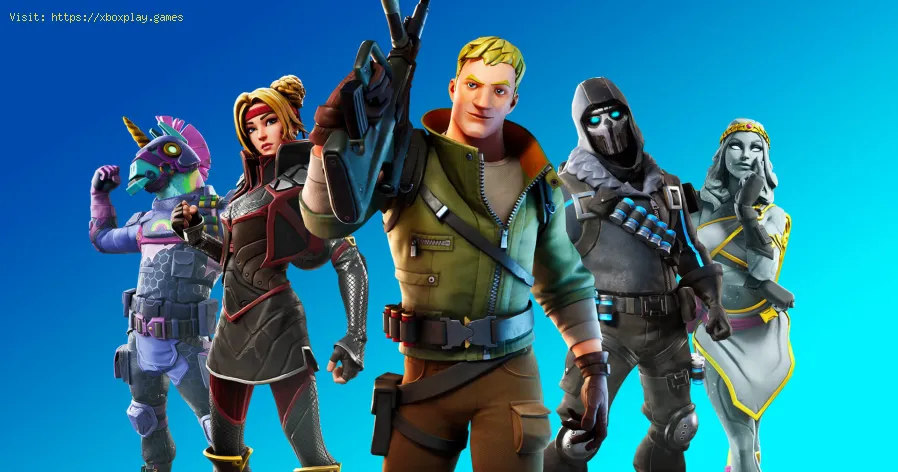
Fortnite: How to fix Stuck on Loading Screen Glitch - Ultimate Guide
Problems with Fortnite starting the year ?, we will solve one because we will tell you how to fix it stuck in the loading screen error in Fortnite.
The problem is occurring in users of PC, PS4, Xbox One and Nintendo Switch platforms, we are going to see that in the vast majority of platforms and what happens is that the game is stuck on the loading screen for 2020 at the time of starting it .
The cause of the problem is probably a conflict with the NVIDIA software running in the background. So we recommend that you first press ctrl shift esc to open the "Task Manager" and look for the More details tab.Where it says NVIDIA and right click on all the relevant programs and then select "End Task".
You do not have an NVIDIA graphics card in your PC ?, in that case the cause of the problem is something else, so you will have to contact Epic Launcher.
Although we recommend you also check Fortnite in the Epic Game Launcher. And for this the first thing you have to do is run Epic Games Launcher on your PC, select the game and press "view", open the settings and press where it says "verify". In case it does not work, it is necessary to reinstall the game or wait for the developers to have a solution.
Users of PlayStation 4, Xbox One and Nintendo Switch, we recommend restarting their consoles and re-opening the game, in case of not obtaining any result, it is only necessary to reinstall the game or wait for the developers to have a solution.
We hope that our guide on how to fix it stuck in the loading screen error in Fortnite allows you to end this problem once in your game device and that the developers take care to work on the errors that are afflicting the players by starting the New 2020 (which by the way are several).
Remember that we have more content about this and other games that we recommend you review to keep up to date.
Struggling with Fortnite connection errors? Discover effective solutions to fix your issues and get back to gaming
How to Get the Free Hogwarts Legacy Back Bling in Fortnite
Unlock the magic in Fortnite! This guide shows you the quick steps to claimthe free Hogwarts Legacy Back Bling in the Epic Games Store. Fly intobattle with style.
How to Get Kim Kardashian in Fortnite
Discover how to unlock Kim Kardashian in Fortnite with our step-by-step guide. Get tips and tricks
How to Find Morphite Weapons in Fortnite
Discover how to find Morphite Weapons in Fortnite with our comprehensive guide. Unlock powerful gear
How to Become a Ghost Sprite in Fortnite
Unlock the secrets of the Ghost Sprite in Fortnite! Discover tips and tricks on how to become a master
How to Unlock Entire CouRage Set in Fortnite
Unlock the entire CouRage set in Fortnite with our step-by-step. Discover tips and tricks to enhance your gaming
How to Get OG Headshot Sound Back in Fortnite
how to restore the classic OG headshot sound in Fortnite with our step-by-step guide. Level up your gaming experience
How to Get Free NINJAGO LEGO Sets in Fortnite
Unlock free NINJAGO LEGO sets in Fortnite! Join the adventure and collect exclusive rewards. Don't miss out!
How to Farm Gold Fast in Fortnite
effective strategies to farm gold fast in Fortnite. Boost your gameplay and unlock rewards quickly with our expert tips!
Where to Find Kingston in Fortnite
Discover the exact location of Kingston in Fortnite. This guide reveals the newlandmark's spot on the Chapter 5 Season 2 map, key loot points, and tips for landing.
Fortnite: How to fix Unable to Move or Access Inventory Glitch
Do not complicate yourself starting the year, because we are fortunate to have a guide on how to solve the Glitch of Unable to move or access the inventory in Fortnite.
Fortnite: When are lightsabers leaving
Among so many activities that we see in Fortnite, we carry out a guide to explain when the lightsabers are gone
Raft: How to kill Warthog
Raft presents a series of specimens that we must eliminate, so we bring you a guide to teach you how to kill Warthog.
Raft: How to Kill Screecher
You have wondered how to kill Screecher, well, this is a fairly simple matter that we will explain in this Raft guide.
Destiny 2: How to fix Earth Obelisk glitch
In this guide you will find the details for the answers to How to fix the Earth Obelisk fault in Destiny 2.
What is the loading screen error in Fortnite.
The problem is occurring in users of PC, PS4, Xbox One and Nintendo Switch platforms, we are going to see that in the vast majority of platforms and what happens is that the game is stuck on the loading screen for 2020 at the time of starting it .
How to fix it stuck in the loading screen error in Fortnite.
The cause of the problem is probably a conflict with the NVIDIA software running in the background. So we recommend that you first press ctrl shift esc to open the "Task Manager" and look for the More details tab.Where it says NVIDIA and right click on all the relevant programs and then select "End Task".
You do not have an NVIDIA graphics card in your PC ?, in that case the cause of the problem is something else, so you will have to contact Epic Launcher.
Although we recommend you also check Fortnite in the Epic Game Launcher. And for this the first thing you have to do is run Epic Games Launcher on your PC, select the game and press "view", open the settings and press where it says "verify". In case it does not work, it is necessary to reinstall the game or wait for the developers to have a solution.
Users of PlayStation 4, Xbox One and Nintendo Switch, we recommend restarting their consoles and re-opening the game, in case of not obtaining any result, it is only necessary to reinstall the game or wait for the developers to have a solution.
We hope that our guide on how to fix it stuck in the loading screen error in Fortnite allows you to end this problem once in your game device and that the developers take care to work on the errors that are afflicting the players by starting the New 2020 (which by the way are several).
Remember that we have more content about this and other games that we recommend you review to keep up to date.
Tags: Battle Royale, Fortnite Skins, V-Bucks, Fortnite Challenges, Fortnite Events, Fortnite Map, Fortnite Weapons, Fortnite S
Platform(s): Microsoft Windows PC, macOS, PlayStation 4 PS4, Xbox One, Nintendo Switch, PlayStation 5 PS5, Xbox Series X|S Android, iOS
Genre(s): Survival, battle royale, sandbox
Developer(s): Epic Games
Publisher(s): Epic Games
Engine: Unreal Engine 5
Release date: July 25, 2017
Mode: Co-op, multiplayer
Age rating (PEGI): 12+
Other Articles Related
How to Fix Fortnite Unable to connect to serverStruggling with Fortnite connection errors? Discover effective solutions to fix your issues and get back to gaming
How to Get the Free Hogwarts Legacy Back Bling in Fortnite
Unlock the magic in Fortnite! This guide shows you the quick steps to claimthe free Hogwarts Legacy Back Bling in the Epic Games Store. Fly intobattle with style.
How to Get Kim Kardashian in Fortnite
Discover how to unlock Kim Kardashian in Fortnite with our step-by-step guide. Get tips and tricks
How to Find Morphite Weapons in Fortnite
Discover how to find Morphite Weapons in Fortnite with our comprehensive guide. Unlock powerful gear
How to Become a Ghost Sprite in Fortnite
Unlock the secrets of the Ghost Sprite in Fortnite! Discover tips and tricks on how to become a master
How to Unlock Entire CouRage Set in Fortnite
Unlock the entire CouRage set in Fortnite with our step-by-step. Discover tips and tricks to enhance your gaming
How to Get OG Headshot Sound Back in Fortnite
how to restore the classic OG headshot sound in Fortnite with our step-by-step guide. Level up your gaming experience
How to Get Free NINJAGO LEGO Sets in Fortnite
Unlock free NINJAGO LEGO sets in Fortnite! Join the adventure and collect exclusive rewards. Don't miss out!
How to Farm Gold Fast in Fortnite
effective strategies to farm gold fast in Fortnite. Boost your gameplay and unlock rewards quickly with our expert tips!
Where to Find Kingston in Fortnite
Discover the exact location of Kingston in Fortnite. This guide reveals the newlandmark's spot on the Chapter 5 Season 2 map, key loot points, and tips for landing.
Fortnite: How to fix Unable to Move or Access Inventory Glitch
Do not complicate yourself starting the year, because we are fortunate to have a guide on how to solve the Glitch of Unable to move or access the inventory in Fortnite.
Fortnite: When are lightsabers leaving
Among so many activities that we see in Fortnite, we carry out a guide to explain when the lightsabers are gone
Raft: How to kill Warthog
Raft presents a series of specimens that we must eliminate, so we bring you a guide to teach you how to kill Warthog.
Raft: How to Kill Screecher
You have wondered how to kill Screecher, well, this is a fairly simple matter that we will explain in this Raft guide.
Destiny 2: How to fix Earth Obelisk glitch
In this guide you will find the details for the answers to How to fix the Earth Obelisk fault in Destiny 2.