Craftopia: How to repair items - tips and tricks - Ultimate Guide
For today we are going to tell you everything you need to know about how to repair items in Craftopia, so pay attention.
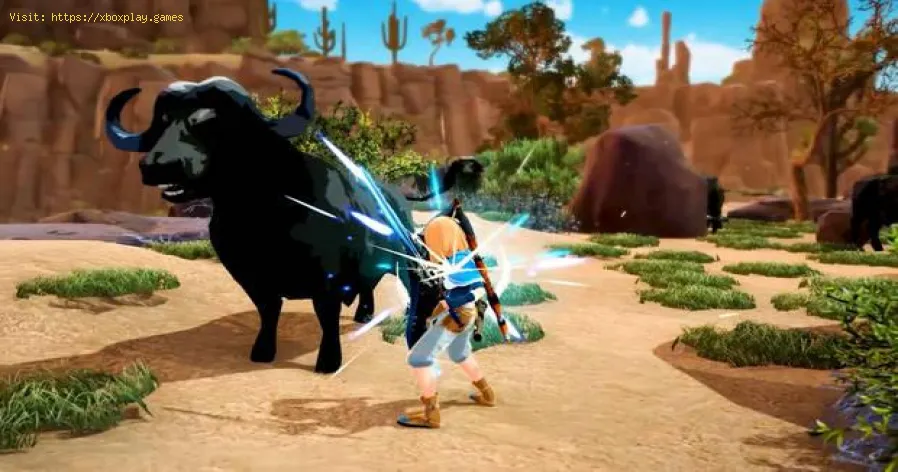
This is a newly released title in which your main mission will be to hit trees, rocks and animals with various tools. This will cause your tools to wear out after a while, so you will not want to be manufacturing new ones, in this sense the best thing you can do is repair them to have them in the best possible state to save resources.
To repair items you will have to first get a workbench that you can build using 10 logs and 10 stones, the logs can be harvested while the stones you will find all over the world.
With the workbench built, you will have to place it in the hotkey bar and press the corresponding number of the slot to place it, if the place is enabled it will appear in blue, if so you will have to press the left mouse button to confirm the location.
Once placed, you will have to position yourself in front of the bench and have the item to be repaired in the hotkey bar. Press the button for the key you have the item on twice to start the process. Keep in mind that you can only repair items that are about to break, to make good use of the item.
You can repair your items without having the workbench, but doing it on a bench will reduce durability less.
That's all you need to know about how to repair items in Craftopia and now that you know there will be no excuses to let your weapons break for lack of repair, so go ahead.
Discover the concept of matchmaking in video games, its importance in enhancing player experience, and how it connects gamers
The Next Big Names: Europe’s Rising LoL Stars for 2026
2026’s LEC season isn’t just another year - it’s the moment European talent finally stops getting overlooked.
4 Ways Payments Are Revolutionizing the Gaming Industry
The gaming world's changing fast, and payment tech is driving most of it. We've gone from fumbling with credit cards to buying stuff in-game without even thinking about it.
CS2 Gaming Accessories: Boost Your Counter-Strike Experience
Counter-Strike 2 (CS2) is a fast-paced, competitive shooter where precision, reaction time, and comfort play a huge role in success. While skill is paramount
How To Get Tyranitar in Pokemon Legends: Z-A
Discover how to obtain Tyranitar in Pokemon Legends: Z-A. Unlock this powerful Pokémon with our step-by-step guide!
The Role of Emotion AI in Creating More Engaging Reading Experiences
Emotion AI—technology designed to recognize and respond to human emotions—is stepping quietly into the reading world.
NBA 2K21: How to Get MyTeam Tokens
NBA 2K21 has come to make us live an interesting season, and this leads us to tell you How to get MyTeam tokens, let's see.
Tony Hawk Pro Skater 1+2: How to Heelflip - Tips and tricks
In a skating game like Tony Hawk Pro Skater 1 + 2 it is important to know how to Heelflip and for that we come here today with this guide.
Craftopia: How to use your inventory
Find out how to use your inventory in this excellent and explanatory Craftopia guide.
Kingdoms of Amalur: How to Find Storage
Kingdoms of Amalur has arrived to occupy us some time and therefore it is necessary that you know how to find storage, let's see.
Borderlands 3: How to Start Fantastic Fustercluck
We return here to tell you about Borderlands 3 and explain how to start Fantastic Fustercluck
What is Craftopia about.
This is a newly released title in which your main mission will be to hit trees, rocks and animals with various tools. This will cause your tools to wear out after a while, so you will not want to be manufacturing new ones, in this sense the best thing you can do is repair them to have them in the best possible state to save resources.
How to repair items in Craftopia.
To repair items you will have to first get a workbench that you can build using 10 logs and 10 stones, the logs can be harvested while the stones you will find all over the world.
With the workbench built, you will have to place it in the hotkey bar and press the corresponding number of the slot to place it, if the place is enabled it will appear in blue, if so you will have to press the left mouse button to confirm the location.
Once placed, you will have to position yourself in front of the bench and have the item to be repaired in the hotkey bar. Press the button for the key you have the item on twice to start the process. Keep in mind that you can only repair items that are about to break, to make good use of the item.
You can repair your items without having the workbench, but doing it on a bench will reduce durability less.
That's all you need to know about how to repair items in Craftopia and now that you know there will be no excuses to let your weapons break for lack of repair, so go ahead.
Mode:
Other Articles Related
What is matchmaking in video games?Discover the concept of matchmaking in video games, its importance in enhancing player experience, and how it connects gamers
The Next Big Names: Europe’s Rising LoL Stars for 2026
2026’s LEC season isn’t just another year - it’s the moment European talent finally stops getting overlooked.
4 Ways Payments Are Revolutionizing the Gaming Industry
The gaming world's changing fast, and payment tech is driving most of it. We've gone from fumbling with credit cards to buying stuff in-game without even thinking about it.
CS2 Gaming Accessories: Boost Your Counter-Strike Experience
Counter-Strike 2 (CS2) is a fast-paced, competitive shooter where precision, reaction time, and comfort play a huge role in success. While skill is paramount
How To Get Tyranitar in Pokemon Legends: Z-A
Discover how to obtain Tyranitar in Pokemon Legends: Z-A. Unlock this powerful Pokémon with our step-by-step guide!
The Role of Emotion AI in Creating More Engaging Reading Experiences
Emotion AI—technology designed to recognize and respond to human emotions—is stepping quietly into the reading world.
NBA 2K21: How to Get MyTeam Tokens
NBA 2K21 has come to make us live an interesting season, and this leads us to tell you How to get MyTeam tokens, let's see.
Tony Hawk Pro Skater 1+2: How to Heelflip - Tips and tricks
In a skating game like Tony Hawk Pro Skater 1 + 2 it is important to know how to Heelflip and for that we come here today with this guide.
Craftopia: How to use your inventory
Find out how to use your inventory in this excellent and explanatory Craftopia guide.
Kingdoms of Amalur: How to Find Storage
Kingdoms of Amalur has arrived to occupy us some time and therefore it is necessary that you know how to find storage, let's see.
Borderlands 3: How to Start Fantastic Fustercluck
We return here to tell you about Borderlands 3 and explain how to start Fantastic Fustercluck