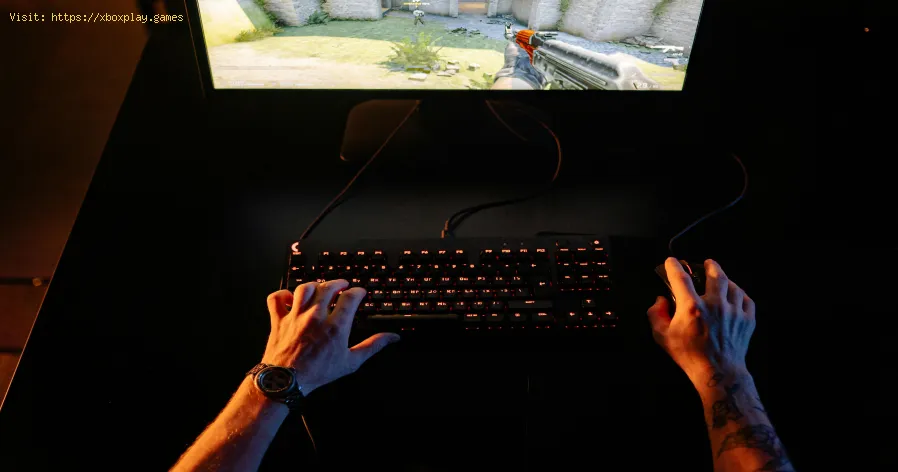
What Is Frame Rate and Why It Matters
What Exactly Is Frame Rate & Why Does My Game Stutter?
In simplest terms, frame rate is the number of individual images (frames) your game displays on your screen every second. It’s measured in FPS (Frames Per Second). Think of it like a flipbook: the faster you flip the pages, the smoother the animation appears.- High FPS (e.g., 60, 120, 144+): Delivers incredibly smooth, fluid motion. Fast-paced action in shooters like Call of Duty or racing games like Forza Horizon becomes more responsive and visually clear.
- Low FPS (e.g., below 30): Results in choppiness, stuttering, and lag. Movements feel jagged, making precise control difficult, especially in competitive games.
Quick Solution (For the Impatient Gamer)
If you’re mid-game and need a fast fix, try this universal first step: Lower your in-game graphics settings preset. Go from "Ultra" or "High" down to "Medium." This instantly reduces the workload on your hardware and is the single most effective way to boost FPS immediately. On console, check for a Performance Mode in the game's settings menu, which prioritizes frame rate over visual fidelity.Detailed Step-by-Step Solutions for a Smooth Frame Rate
Fixing frame rate issues is a systematic process. Follow these steps to identify and solve the problem.Step 1: Establish Your Baseline & TargetFirst, know what you’re dealing with. Enable the FPS counter in your game (many have this in settings) or use a tool like Steam’s overlay, NVIDIA GeForce Experience, or AMD Adrenalin software. Is your FPS at 25? 45? 60? Your ideal target is a stable 60 FPS for smooth play, though 30 FPS is standard for some cinematic games. PC and next-gen console players often target 120 FPS for competitive edges.Step 2: Update Your Graphics Drivers (PC Crucial Step)
Outdated drivers are a top cause of poor performance. Visit NVIDIA, AMD, or Intel’s website and download the latest Game Ready or Adrenalin drivers for your GPU. Use a clean installation option for the best results.Step 3: Tweak Your In-Game Settings (The Most Effective Control)
Not all settings impact performance equally. Adjust these for big FPS gains with minimal visual loss:
- Lower Shadow Quality: Shadows are very demanding. Drop them from Ultra to High or Medium.
- Reduce Anti-Aliasing: AA smooths edges but is costly. Try FXAA or SMAA instead of MSAA or SSAA.
- Turn Down/Off Ambient Occlusion & Motion Blur: These are often GPU-intensive "extras."
- Adjust Resolution Scale: If playing at 4K (2160p) is killing your FPS, try 90% or 95% resolution scaling. The visual difference is slight, but the performance boost is huge.
Step 4: Optimize Your Platform’s System Settings
- On PC: Close background applications (especially web browsers with many tabs). Ensure your power plan is set to "High Performance" in WindowsSettings.
- On PlayStation/Xbox: Make sure your console has plenty of ventilation to prevent thermal throttling. On PS5/Xbox Series X|S, explicitly choose Performance Mode over Fidelity/Graphics Mode in the game or system settings.
- On All Platforms: If playing on a TV, enable Game Mode on the TV itself. This disables post-processing that can add input lag and affect perceived smoothness.
Step 5: Check for Hardware Limitations
If you’ve done all the above and FPS is still low, your hardware may behitting its limit. On PC, older GPUs or CPUs may struggle with newergames. On consoles, some older Xbox One or PS4 models may havedifficulty with latest-gen titles designed for newer hardware.
Alternative Solutions
- Cap Your Frame Rate: If your FPS is wildly fluctuating (e.g., jumping between 70 and 110),it can cause stuttering. Use in-game or driver software to cap your FPSjust below your monitor’s refresh rate (e.g., cap at 117 FPS for a 120Hz monitor). This can create a remarkably smoother, more consistent feel.
- Upgrade Key Components (PC): Consider adding more RAM (16GB is the modern sweet spot) or moving your game to a Solid-State Drive (SSD). An SSD won’t increase FPS but caneliminate texture pop-in and loading stutters.
- Reinstall the Game: Corrupted game files can cause persistent issues. A fresh install can sometimes work wonders.
How to Prevent Frame Rate Issues in the Future
- Keep Your System Clean: Regularly dust your PC or console to prevent overheating, which leads to performance throttling.
- Stay Updated: Consistently update your game (patches often include optimizations) and your PC’s graphics drivers.
- Manage Expectations: Research a game’s recommended PC specs before buying. Know what yourconsole (like the Nintendo Switch) is capable of—it may not run ademanding port at 60 FPS.
- Use Optimization Guides: Sites like Digital Foundry often provide excellent, in-depth graphics setting guides for demanding games.
Frequently Asked Questions (FAQ)
Q1: Is higher FPS always better?
A: For gameplay smoothness and responsiveness, yes. However, the benefit caps at your monitor’s refresh rate (Hz). A 60Hz monitor can’t display more than 60 FPS. For competitivegaming, a 144Hz or 240Hz monitor paired with high FPS provides atangible advantage.
Q2: What’s more important for gaming: resolution (4K) or frame rate?
A: This is a personal preference. Frame rate improves the feel and playability of a game. Resolution improves static image clarity. Most competitive gamers prioritize highFPS (1080p/1440p at 120+ FPS), while others may prefer 4K at 60 FPS forvisual immersion.
Q3: Why is my FPS high but the game still feels stuttery?
A: This is often due to frame time inconsistency. Even with a high average FPS, if one frame takes 5ms and the next takes 20ms to render, it will feel hitched. Capping your FPS (as mentionedabove) or ensuring VSync is properly configured can help.
Q4: Does VSync help or hurt FPS?
A: VSync (Vertical Sync) caps your FPS to your monitor’s refresh rate toprevent screen tearing. It can help smoothness but often adds input lag. On modern systems, better alternatives are NVIDIA G-SYNC or AMD FreeSync if your monitor supports them.
Q5: Can a slow internet connection cause low FPS?
A: No. FPS is purely a hardware/software performance metric. A slow internet connection causes network lag (high ping, rubber-banding), which is a different type of "lag" entirely. Don’t confuse the two!
Smooth gameplay isn’t just a luxury; it’s fundamental to enjoying the worldswe love to get lost in. By taking control of your frame rate, you’re not just fixing a problem—you’re upgrading your entire gaming experience.
Did this guide help you squash those frame rate hitches? Share your success (or your remaining questions) in the comments below! And if you’rebattling other gaming gremlins like network lag or audio bugs, exploreour full library of troubleshooting guides to become your own techsupport hero.
Other Articles Related
What Is Procedural Generation in GamesExplore how procedural generation creates unique, replayable game worlds withalgorithms. Learn its uses, benefits, and examples in modern gamedesign.
What Is a Game Engine and How It Works
Discover what game engines are and how they power modern video game development. Learn how these software frameworks streamline game creation, fromgraphics to physics.
What Is Game Optimization - how to works
Boost gaming performance with game optimization. Learn how it works toenhance FPS, reduce lag, and improve overall gameplay on PC andconsoles.
What Is Dynamic Resolution and How It Works
Dive into the world of dynamic resolution: Learn what it is, how it works,and how this smart technology balances game performance and visualquality in real-time.
What Is Resolution Scaling in Games
"Discover what resolution scaling is in gaming: Learn how this graphicstechnology dynamically adjusts game resolution to boost performance orenhance visual fidelity. Improve your gameplay experience with optimized frame rates and stunning visuals."
What Is Frame Rate and Why It Matters
Discover the significance of frame rate in video and gaming. Learn how FPSimpacts smoothness, realism, and your viewing experience. Essentialguide for creators & enthusiasts.
How to Win More Gunfights in FPS Games
Master FPS gunfight strategies! Learn positioning, crosshair placement, recoil control & game sense to win more duels and dominate your matches.
How to Learn Game Mechanics Faster
Master game mechanics faster with effective learning strategies, key practicetechniques, and tools to analyze and internalize core gameplay loopsefficiently.
How to Improve Stealth Gameplay
Master stealth gameplay with essential tips on movement, sound management,visibility, and AI manipulation. Learn to use the environment andupgrade your character effectively.
How to Build Strong Characters in RPGs
Craft unforgettable RPG characters! Learn step-by-step techniques forbuilding rich backstories, motivations, and personalities for your TTRPG or video game heroes.
How to Win More Gunfights in FPS Games
Master FPS gunfight strategies! Learn positioning, crosshair placement, recoil control & game sense to win more duels and dominate your matches.
Where to Find the Unique Vendor in Path of Exile 2
guide to find unique vendors in Path of Exile 2. Learn their locations and maximize your character's potential with rare items.