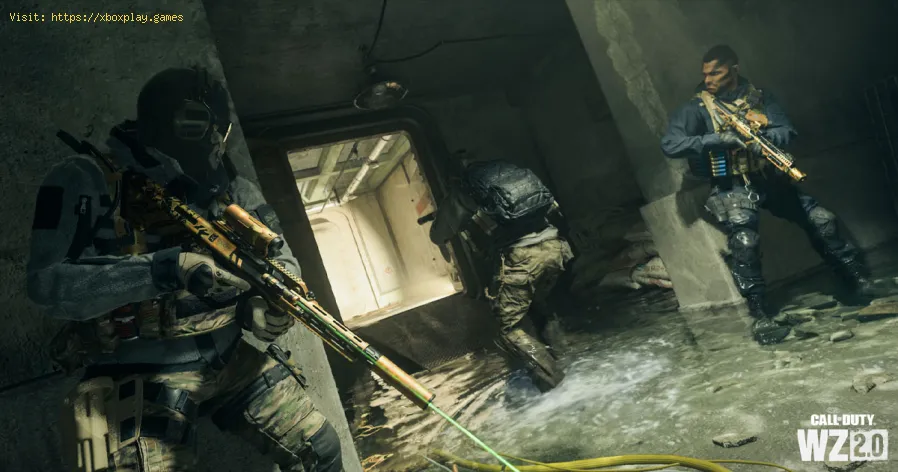
How to get a Stealth Vest in Call of Duty DMZ
Learn How to get a Stealth Vest in Call of Duty DMZ and dominate the competition in this intense and thrilling game.
Call of Duty DMZ is a thrilling game with high stakes and intense battles. One of the keys to success in this game is having the right gear, and the Stealth Vest is a valuable asset to have in your arsenal. In this guide, we'll show you how to obtain the Stealth Vest and make the most of its benefits.
To get the Stealth Vest, you'll need three items: 2 Electrical Components, 1 Comic Book, and 1 Game Console. These items are scattered throughout the game, with Electrical Components found in office buildings and toolboxes, Comic Books in lockers and on tables and shelves, and Game Consoles in apartments and houses. To find these items, you'll need to explore the game world thoroughly and be on the lookout for anything that could be useful.
To increase your chances of finding these items, try to focus on areas where they're more likely to spawn. For example, if you're looking for Electrical Components, search office buildings, warehouses, and construction sites. Comic Books can be found in schools, libraries, and other locations where books are kept. As for Game Consoles, they're often found in apartments and houses, so look for residential areas with multiple buildings.
effective solutions to fix Warzone voice and text chat issues caused byplatform restrictions. Enhance your gaming
How to Unlock the 'Now You See Me' Camo in Warzone
Unlock the elusive 'Now You See Me' camo in Warzone! Enhance your gameplay and stand out on the battlefield with this skin.
How To Complete Security Room Easter Egg in Warzone
Unlock the secrets of Warzone with our guide on completing the Security Room Easter Egg. Discover tips and strategies
How To Complete the Haven’s Hollow Jackpot Easter Egg in Warzone
Uncover the secrets of Warzone's Haven’s Hollow Jackpot Easter Egg! Dive into thrilling gameplay and unlock hidden treasures
How to Find Haven’s Hollow Pied Piper Easter Egg in Warzone
Hunt Haven's Hollow for the secret Pied Piper Easter egg in Warzone! Ourguide reveals the exact location & steps to unlock this creepyhidden quest.
How to Complete the Haven's Hollow Jackalope Easter Egg in Warzone
Uncover the secrets of Warzone's Haven's Hollow Jackalope Easter Egg! Dive into thrilling gameplay and hidden surprises.
Haven's Hollow Waterfall Cave Treasure Map Easter Egg in Warzone
Discover the secret Haven's Hollow Waterfall Cave Easter Egg in Warzone. Uncover the hidden treasure map location, solve the puzzle, and claim yourexclusive rewards with this complete guide.
Best Model L Loadout for Warzone
Unlock the true potential of the Best Model L loadout for Warzone. Dominatemid-range engagements with our optimized attachments for max damage,accuracy, and mobility. Get the class setup now.
Best PU-21 Loadout for Warzone
Level up your Warzone game with the best PU-21 Loadout. This guide detailsthe optimal attachments, perks, and equipment to maximize the PU-21'saccuracy, range, and damage for dominating in Urzikstan.
Best PP-919 Loadout for Warzone
Discover the meta attachments, perks, and equipment to maximizeTTK, mobility, and control. Get the class setup that pros are using towin.
How To Build An Outpost in Age of Wonders 4
Check out our guide on How To Build An Outpost in Age of Wonders 4 and start dominating your opponents today!
How to get all free items in Roblox Pancake Empire Tower Tycoon
Find out How to get all free items in Roblox Pancake Empire Tower Tycoon and enjoy the delicious breakfast dishes you serve up!
How to Fix Star Wars Jedi Survivor Low Level Fatal and UE4 Crash Error
Check out our guide on How to Fix Star Wars Jedi Survivor Low Level Fatal and UE4 Crash Error and get back to playing.
How to play Roblox on a School Chromebook
This guide will show you How to play Roblox on a School Chromebook so you can join in on the fun.
How to Fix Discord ‘No Text Channels’ Error
In this article, we will guide you with simple steps on how to fix the Discord 'No Text Channels' error and get back to communicating with your friends
Call of Duty DMZ is a thrilling game with high stakes and intense battles. One of the keys to success in this game is having the right gear, and the Stealth Vest is a valuable asset to have in your arsenal. In this guide, we'll show you how to obtain the Stealth Vest and make the most of its benefits.
The required items
To get the Stealth Vest, you'll need three items: 2 Electrical Components, 1 Comic Book, and 1 Game Console. These items are scattered throughout the game, with Electrical Components found in office buildings and toolboxes, Comic Books in lockers and on tables and shelves, and Game Consoles in apartments and houses. To find these items, you'll need to explore the game world thoroughly and be on the lookout for anything that could be useful.
To increase your chances of finding these items, try to focus on areas where they're more likely to spawn. For example, if you're looking for Electrical Components, search office buildings, warehouses, and construction sites. Comic Books can be found in schools, libraries, and other locations where books are kept. As for Game Consoles, they're often found in apartments and houses, so look for residential areas with multiple buildings.
The Barter menu
Once you've collected the required items, head to a Buy Station on Al Mazrah and access the Barter menu. Here, you'll be able to exchange the three items for the coveted Stealth Vest. Be aware that the cost of the exchange may vary depending on the game mode and difficulty level you're playing, so make sure you have enough resources before attempting the exchange.
Using a Buy Station also comes with some potential risks, as it can attract other players who may be looking to ambush you. Make sure the area is secure before accessing the Barter menu, and be prepared to defend yourself if necessary.
Using the Stealth Vest
Once you have the Stealth Vest, you'll be able to enjoy its many benefits. The vest comes with the Ghost perk, which keeps you off enemy radars and makes it harder for them to detect your presence. This can be especially useful in team games where the element of surprise can be a game-changer.
However, it's important to note that the Stealth Vest does have its limitations. It doesn't protect against Advanced UAVs, which can reveal your position even with the Ghost perk. Additionally, firing an unsuppressed weapon briefly reveals your position, so make sure to use a suppressor if you want to stay hidden.
In conclusion, obtaining the Stealth Vest in Call of Duty DMZ requires some effort and strategy, but it's worth it for the benefits it provides. By following the tips in this guide, you'll be able to collect the required items, exchange them at a Buy Station, and use the Stealth Vest to gain an advantage over your enemies. Good luck out there!
Tags: Call of Duty, Battle royale, Warzone tips, Warzone updates, Warzone weapons, Warzone maps, Warzone strategies, Warzone l
Platform(s): Microsoft Windows PC, Xbox One, Playstation 4
Genre(s): Battle royale, first-person shooter
Developer(s): Infinity Ward
Publisher(s): Activision
Release date: March 10, 2020
Mode: Multiplayer
Age rating (PEGI): 18+
Other Articles Related
How to fix Warzone voice and text chat disabled due to platform restrictionseffective solutions to fix Warzone voice and text chat issues caused byplatform restrictions. Enhance your gaming
How to Unlock the 'Now You See Me' Camo in Warzone
Unlock the elusive 'Now You See Me' camo in Warzone! Enhance your gameplay and stand out on the battlefield with this skin.
How To Complete Security Room Easter Egg in Warzone
Unlock the secrets of Warzone with our guide on completing the Security Room Easter Egg. Discover tips and strategies
How To Complete the Haven’s Hollow Jackpot Easter Egg in Warzone
Uncover the secrets of Warzone's Haven’s Hollow Jackpot Easter Egg! Dive into thrilling gameplay and unlock hidden treasures
How to Find Haven’s Hollow Pied Piper Easter Egg in Warzone
Hunt Haven's Hollow for the secret Pied Piper Easter egg in Warzone! Ourguide reveals the exact location & steps to unlock this creepyhidden quest.
How to Complete the Haven's Hollow Jackalope Easter Egg in Warzone
Uncover the secrets of Warzone's Haven's Hollow Jackalope Easter Egg! Dive into thrilling gameplay and hidden surprises.
Haven's Hollow Waterfall Cave Treasure Map Easter Egg in Warzone
Discover the secret Haven's Hollow Waterfall Cave Easter Egg in Warzone. Uncover the hidden treasure map location, solve the puzzle, and claim yourexclusive rewards with this complete guide.
Best Model L Loadout for Warzone
Unlock the true potential of the Best Model L loadout for Warzone. Dominatemid-range engagements with our optimized attachments for max damage,accuracy, and mobility. Get the class setup now.
Best PU-21 Loadout for Warzone
Level up your Warzone game with the best PU-21 Loadout. This guide detailsthe optimal attachments, perks, and equipment to maximize the PU-21'saccuracy, range, and damage for dominating in Urzikstan.
Best PP-919 Loadout for Warzone
Discover the meta attachments, perks, and equipment to maximizeTTK, mobility, and control. Get the class setup that pros are using towin.
How To Build An Outpost in Age of Wonders 4
Check out our guide on How To Build An Outpost in Age of Wonders 4 and start dominating your opponents today!
How to get all free items in Roblox Pancake Empire Tower Tycoon
Find out How to get all free items in Roblox Pancake Empire Tower Tycoon and enjoy the delicious breakfast dishes you serve up!
How to Fix Star Wars Jedi Survivor Low Level Fatal and UE4 Crash Error
Check out our guide on How to Fix Star Wars Jedi Survivor Low Level Fatal and UE4 Crash Error and get back to playing.
How to play Roblox on a School Chromebook
This guide will show you How to play Roblox on a School Chromebook so you can join in on the fun.
How to Fix Discord ‘No Text Channels’ Error
In this article, we will guide you with simple steps on how to fix the Discord 'No Text Channels' error and get back to communicating with your friends