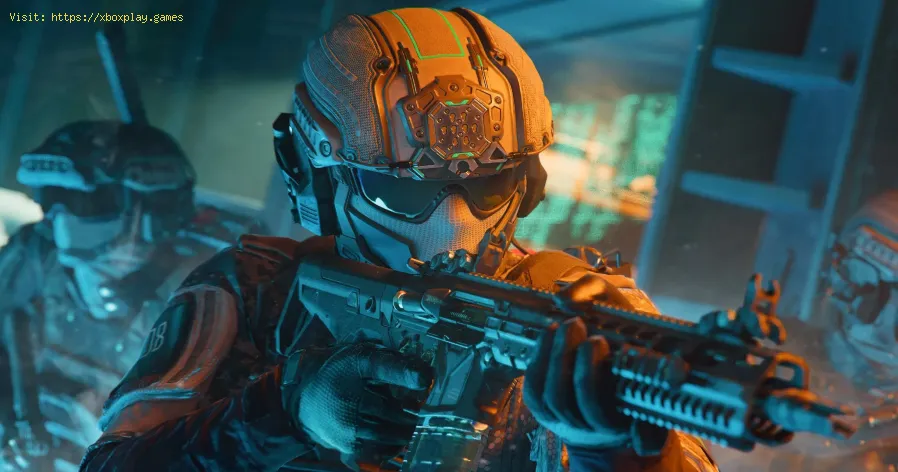
How to Fix Black Ops 7 Stuck on Loading Screen
It can be frustrating to get stuck on the loading screen in Call of Duty: Black Ops 7, whether it's on PC, PlayStation, or Xbox. This issue can prevent you from jumping into the game's campaign, multiplayer, or Zombies modes. Fortunately, this is a common problem with several potential causes and proven fixes.This guide will help you diagnose the issue and provide a range of solutions, from quick fixes to more advanced troubleshooting steps, to get you back into the action.Check the Server Status: The very first thing you should do is check if the servers are down.Visit Activision's official server status page or the official Call of Duty social media channels. If there's a widespread outage, you'll have to wait for the developers to resolve the issue. Restart the Game and Your System: A simple restart can often clear temporary glitches. Completely close the Black Ops 7 application, reboot your PC or console, and then try launching the game again. Verify and Repair Game Files: Most game launchers have a built-in feature to fix corrupted files. Update Your Graphics Drivers: Ensure your graphics card drivers are up to date. You can do this through the software for your GPU (NVIDIA GeForceExperience, AMD Radeon Software, or Intel Arc Control) or manually fromthe manufacturer's website. Clear the System Cache: Clearing the cache can remove corrupted data that might be causing the game to freeze.
all Dark Ops challenges in BO7 with our comprehensive guide. Unlock secrets, tips, and strategies to enhance your gameplay!
All List Keeper’s Challenges in Black Ops 7 Zombies
Complete every in-game task with our full list of All List Keeper's Challengesfor Black Ops 7 Zombies. Master strategies, track progress, and earnrewards.
All Rally Point Event Rewards in Black Ops 7 & Warzone
all Rally Point event rewards in BO7 and Warzone. Unlock exclusive items and enhance your gaming experience
How to Get All Relics in Astra Malorum's Cursed Mode for Black Ops 7 Zombies
all relics in Astra Malorum's Cursed Mode in Black Ops 7 Zombies. Uncover secrets and enhance your gameplay
How to Get 4 Free Perks in Astra Malorum for Black Ops 7 Zombies
Unlock four powerful free perks in Astra Malorum! Get step-by-stepinstructions to easily upgrade your arsenal and survive longer in BlackOps 7 Zombies. Find all Easter egg locations now.
All Astra Malorum Free Power-Up Locations in Black Ops 7 Zombies
all Astra Malorum free power-up locations in BO7 Zombies. Boost your gameplay with our comprehensive guide!
Best Exit 115 Loadout in Black Ops 7 Zombies
Best loadout for Exit 115 in Black Ops 7 Zombies. Get our top weapon, perk,and equipment recommendations to survive the round-based chaos andmaster the map's strategies.
How To Defeat Origins Robot in Black Ops 7 Endgame
Master the ultimate strategy in Black Ops 7 Endgame to defeat the Origins Robot. Uncover tips and tricks for victory!
How To Find Jailbreak Workbenches in Black Ops 7 Endgame
Discover the secrets of Black Ops 7 Endgame! Learn how to find Jailbreak Workbenches and enhance your gameplay.
All New Exotic Skills in Black Ops 7 Endgame
the latest in Black Ops 7 Endgame with all-new exotic skills. Elevate your gameplay and dominate the battlefield!
How to Fix Black Ops 7 Error Code 0x0
effective solutions to fix Black Ops 7 Error Code 0x0. Get back to gaming with our step-by-step guide and troubleshooting tips.
How to Fix Black Ops 7 Crashing & Freezing
effective solutions to fix Black Ops 7 crashing and freezing issues. Get back to gaming with our expert tips and troubleshooting guides.
How to Fix Black Ops 7 Login Issues
Resolve your Black Ops 7 login issues quickly with our step-by-step guide. Get back to gaming in no time!
How to Get a Horse in Ghost of Yotei
Discover the secrets of the Ghost of Yotei and learn how to get a horse in this thrilling guide. Unleash your adventure
How to Find the Secret Dev Room in Stellar Blade
Unlock the secrets of Stellar Blade! Discover how to find the hidden Dev Room and enhance your gaming experience.
Fix Black Ops 7 Stuck on Loading Screen
Why Black Ops 7 Gets Stuck on the Loading Screen
The loading screen issue can stem from various factors, both on the server side and on your own system. Identifying the cause is the first step toward a solution.- Server-Side Issues: During a game's launch or major updates, the servers can be overloaded by the high volume of players. This can cause long queues, connection failures, and an inability to get past the loading screen.
- Corrupted or Missing Files: Game files can become corrupted during the download, installation, or updating process. If a key file is missing or damaged, the game may not be able to load properly.
- Outdated Drivers and System Software: Your graphics card drivers, network drivers, or even your operating system might be outdated. Modern games require the latest drivers to function correctly, and a conflict can lead to crashes, freezes, and loading problems.
- Network Instability: An unstable internet connection with high ping, packet loss, or slow speeds can cause the game to freeze or get stuck while trying to connect to the server or load a match.
- Cache and Background Apps: Over time, your system and game can accumulate temporary files in the cache, which can become corrupted and cause issues. Similarly, other applications running in the background can conflict with the game and interfere with its performance.
Quick Fixes for the Loading Screen Problem
Before diving into more complex solutions, start with these quick and easy steps.
- On PC: Use the "Scan and Repair" function on Battle.net or the "Verify integrity of game files" option on Steam.
- On Console: A clean reinstall of the game is often the most effective way to repair corrupted files.
- On PC: You can do this by clearing your temporary system files. Some players have also reported success by deleting the entire Call of Duty folder in "My Documents," which will force the game to regenerate its configuration files.
- On Console: For PlayStation, you can clear the cache through Safe Mode. For Xbox, a full power cycle (unplugging the console for 30 seconds) can clear the cache.
Advanced and Preventing Solutions
If the quick fixes don't work, here are some additional steps you can take:
- Ensure Your PC Meets the Requirements: For PC players, make sure your system meets the game's minimum system requirements. It is a new requirement that your PC have TPM 2.0 and Secure Boot enabled to run Black Ops 7.
- Use a Wired Connection: If you are on a wireless connection, switch to a wired Ethernet cable. A wired connection is more stable and less prone to the lag spikes andpacket loss that can cause loading freezes.
- Close Background Applications: Disable any unnecessary background programs, especially those that have overlays (like Discord) or consume significant resources.
- Reinstall the Game: As a last resort, if all other fixes fail, a clean reinstall can solve a variety of issues. This will ensure you have a fresh, uncorrupted version of the game.
By following these steps, you can significantly reduce the chances ofgetting stuck on the loading screen and ensure a smoother gameplayexperience in Call of Duty: Black Ops 7.
Tags: CoD,BO7, call of Duty,
Platform(s): Xbox One, PlayStation 4 PS4, PlayStation 5 PS5, Microsoft Windows PC, Xbox Series X/S
Genre(s): first-person shooter
Developer(s): Treyarch, Raven Software
Publisher(s): Activision
Engine: IW engine
Mode: Single-player, multiplayer
Age rating (PEGI): +18
Other Articles Related
All Dark Ops challenges in Black Ops 7all Dark Ops challenges in BO7 with our comprehensive guide. Unlock secrets, tips, and strategies to enhance your gameplay!
All List Keeper’s Challenges in Black Ops 7 Zombies
Complete every in-game task with our full list of All List Keeper's Challengesfor Black Ops 7 Zombies. Master strategies, track progress, and earnrewards.
All Rally Point Event Rewards in Black Ops 7 & Warzone
all Rally Point event rewards in BO7 and Warzone. Unlock exclusive items and enhance your gaming experience
How to Get All Relics in Astra Malorum's Cursed Mode for Black Ops 7 Zombies
all relics in Astra Malorum's Cursed Mode in Black Ops 7 Zombies. Uncover secrets and enhance your gameplay
How to Get 4 Free Perks in Astra Malorum for Black Ops 7 Zombies
Unlock four powerful free perks in Astra Malorum! Get step-by-stepinstructions to easily upgrade your arsenal and survive longer in BlackOps 7 Zombies. Find all Easter egg locations now.
All Astra Malorum Free Power-Up Locations in Black Ops 7 Zombies
all Astra Malorum free power-up locations in BO7 Zombies. Boost your gameplay with our comprehensive guide!
Best Exit 115 Loadout in Black Ops 7 Zombies
Best loadout for Exit 115 in Black Ops 7 Zombies. Get our top weapon, perk,and equipment recommendations to survive the round-based chaos andmaster the map's strategies.
How To Defeat Origins Robot in Black Ops 7 Endgame
Master the ultimate strategy in Black Ops 7 Endgame to defeat the Origins Robot. Uncover tips and tricks for victory!
How To Find Jailbreak Workbenches in Black Ops 7 Endgame
Discover the secrets of Black Ops 7 Endgame! Learn how to find Jailbreak Workbenches and enhance your gameplay.
All New Exotic Skills in Black Ops 7 Endgame
the latest in Black Ops 7 Endgame with all-new exotic skills. Elevate your gameplay and dominate the battlefield!
How to Fix Black Ops 7 Error Code 0x0
effective solutions to fix Black Ops 7 Error Code 0x0. Get back to gaming with our step-by-step guide and troubleshooting tips.
How to Fix Black Ops 7 Crashing & Freezing
effective solutions to fix Black Ops 7 crashing and freezing issues. Get back to gaming with our expert tips and troubleshooting guides.
How to Fix Black Ops 7 Login Issues
Resolve your Black Ops 7 login issues quickly with our step-by-step guide. Get back to gaming in no time!
How to Get a Horse in Ghost of Yotei
Discover the secrets of the Ghost of Yotei and learn how to get a horse in this thrilling guide. Unleash your adventure
How to Find the Secret Dev Room in Stellar Blade
Unlock the secrets of Stellar Blade! Discover how to find the hidden Dev Room and enhance your gaming experience.