
How to Fix ARC Raiders ARAU0297 error
Understanding the ARC Raiders ARAU0297 Error
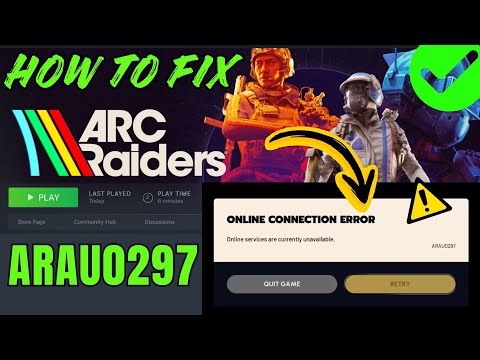
The ARAU0297 error is primarily a network-related connectivity issue. It typically occurs when your game client fails to establish a stable connection to the ARC Raiders online servers, preventing you from matchmaking or entering multiplayer games. The cause can range from simple local network glitches to more complex routing problems.Proven Fixes for the ARC Raiders ARAU0297 Error
Try the following solutions in order to systematically diagnose and solve the problem.1. Perform a DNS Flush (Most Effective Solution)A corrupted or outdated DNS cache on your PC can often cause connection failures with online games. Flushing it forces your system to fetch fresh domain information, which can resolve the ARAU0297 error.- Press your Windows Key, type "Command Prompt", and run it as an administrator.
- In the black window, type the following command and press Enter:
ipconfig /flushdns - You should see a message confirming the DNS Resolver Cache has been successfully flushed. Restart your computer and launch ARC Raiders to see if the error is resolved.
Before delving deeper, rule out a general internet outage or instability.
- Run a speed test to check your ping (latency), download/upload speeds, and most importantly, packet loss. High packet loss is a common culprit for disconnections in online games.
- If your connection is unstable, power cycle your router by unplugging it for 60 seconds before plugging it back in.
- For persistent issues, contact your Internet Service Provider (ISP) to investigate potential line faults or network congestion.
3. Switch from Wi-Fi to a Wired Ethernet Connection
While convenient, Wi-Fi is inherently less stable for online gaming than awired connection. It is susceptible to signal interference, packet loss, and sudden latency spikes, all of which can trigger the ARAU0297 error.
- For the most reliable gaming experience, always use an Ethernet cable to connect your PC or console directly to your router. This provides adirect, stable data pathway and significantly reduces the risk ofnetwork-related errors.
4. Verify Game File Integrity (Steam)
Corrupted or missing game files can also lead to unexpected errors. Both Steamand Epic Games have built-in tools to check for this.
- On Steam: Right-click ARC Raiders in your library > Properties > Installed Files > Click "Verify integrity of game files."
- The client will check for issues and re-download any problematic files.
5. Update Your Network Drivers
Outdated network adapter drivers can cause compatibility issues with new games and their updates.
- Visit your motherboard manufacturer's website or the website of your networkadapter's brand (e.g., Intel) to download and install the latest network drivers for your specific model. Do not rely solely on Windows Updatefor the most recent drivers.
By following these steps, you stand an excellent chance of eliminating the ARC Raiders ARAU0297 error and restoring your connection to the game'sonline world. If the problem persists, keep an eye on official developer channels for any server-side maintenance or patches.
Other Articles Related
Where to Find the Spaceport Warehouse Key in Arc RaidersUncover the Spaceport Warehouse Key location in Arc Raiders. Ourcomprehensive guide provides tips to help you navigate
How to Get Music Albums in ARC Raiders
Unlock the full soundscape of ARC Raiders! Learn how to get official musicalbums, in-game tracks, and immersive OSTs to enhance your extractionshooter experience.
How to Get Fossilized Lightning in ARC Raiders
Unearth the secrets of fossilized lightning in ARC Raiders. Learn where tofind, how to harvest, and best uses for this rare conductive resource to upgrade your gear.
How to Get Candle Holders in ARC Raiders
Learn how to find & farm Candle Holders in ARC Raiders for progression and crafting. Essential loot guide for all players.
How to Get the Acoustic Guitar in ARC Raiders
Learn how to get the acoustic guitar in ARC Raiders, a special instrumentwith unique emotes. Find its location and collect it fast!
How to Get the Shaker in ARC Raiders
Learn step-by-step how to get the Shaker in ARC Raiders, including missiontriggers and key strategies to unlock this powerful energy weapon.
Where to Find Light Bulbs in Arc Raiders
Discover the best locations to find light bulbs in Arc Raiders. Illuminate your gameplay with essential items
How to Reset Skill Tree in Arc Raiders
Learn how to reset your skill tree in Arc Raiders with this step-by-stepguide. Unlock new builds, correct mistakes, and optimize your characterfor battle.
How to Claim the Free Nvidia Backpack in ARC Raiders
Discover how to claim the Nvidia Backpack in ARC Raiders with our step-by-step guide. Unlock exclusive rewards today!
How to Get the Bobcat SMG & Blueprint in ARC Raiders
how to obtain the Bobcat SMG and its blueprint in ARC Raiders. Unlock powerful gear and enhance your gameplay
How to Level Up Fast in Where Winds Meet
Level up quickly in Where Winds Meet! Discover the best XP farming methods,optimal skill builds, efficient questing routes, and combat tips topower up your character and master Wushu fast. Your guide to rapidprogression awaits.
How to Play Rust Hardcore in Rust
Master Rust Hardcore mode with expert tips & strategies. Learn survival,base building & PVP tactics to thrive in Rust's most challenginggameplay experience.
Where to Find Little Lu in Where Winds Meet
Journey to find Little Lu in Where Winds Meet. Discover his exact location,unlock his questline, and learn the rewards he offers in this Wushuepic. Your guide to this mysterious character awaits.
How To Get Dual Hammers in Vermintide 2
Learn how to unlock the powerful Dual Hammers for the Bardin Goreksson inVermintide 2. This guide covers the simple steps to get this top-tiermelee weapon for the Ironbreaker, Ranger Veteran, and Slayer careers.
How to Get a Cowplant in The Sims 4
Learn how to get the mysterious Cowplant in The Sims 4. Our guide coversfishing for the seed, grafting to grow it, and the rewards and risks ofowning this unique lifeform.