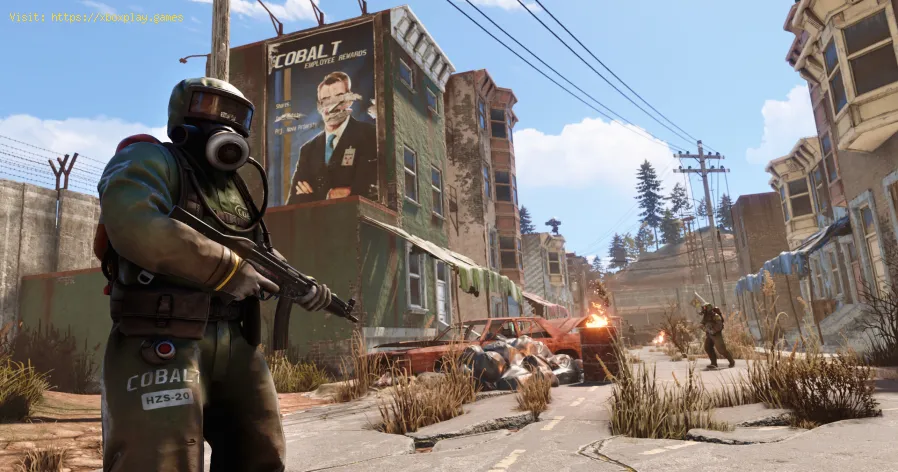
Rust offers us the possibility of making modifications which leads us to tell you How to change Skins on PS4 and Xbox One.What does it mean to change the Skin of PS4 and Xbox One in Rust?
Simply have the opportunity to adapt to the modifications, this is usually an interesting feature, and it is quite easy to execute it, only that we must have some amount of Rust coins to be able to do it.
How to change Skins on PS4 and Xbox One in Rust?
Before entering fully, it is necessary to make it clear that it is not possible to transfer Skins between the PC and console versions, this because they are usually different games, however, this change process can be quite simple, just press the D-pad and then proceed to select Crafting, which allows you to examine the plans to make use of the right stick and thus select the appearance of a certain selected object, once this has been done, we will see that it will have a new skin.
In this way, the possibility of obtaining some more complex skins arises, such is the case of the Elite Combat skin pack ”, one of the most expensive editions of the game on the console, other appearances are still in process.
It should be noted that it is necessary to consider two important aspects:
- There is no possibility of changing any Skin that has already been created previously in Rust Console Edition.
- It is necessary to buy Rustcoins to access the purchase of new skins in Rust Console Edition.
We can conclude this guide on How to change Skins on PS4 and Xbox One, so this is an easy and interesting action to apply in Rust, try it. Platform(s): Microsoft Windows PC, Linux, Mac OS X
Developer(s): Facepunch Studios
Publisher(s): Steam, Humble Store
Other Articles Related

How to Play Rust Hardcore in Rust Master Rust Hardcore mode with expert tips & strategies. Learn survival,base building & PVP tactics to thrive in Rust's most challenginggameplay experience.

How To Get High Quality Metal in Rust effective strategies to obtain high-quality metal in Rust. Enhance your gameplay and crafting skills with our expert tips!

How To Craft All Ammo Types in Rust Master Rust with our guide on crafting all ammo types. Boost your survival skills and enhance your gameplay

How To Get Blueprint Fragments in Rust Learn the most effective methods to farm Blueprint Fragments in Rust. Thisguide covers finding and using the Research Table, key monumentlocations, and strategies to get the BPs you need for crafting.

How To Get Metal Detector in Rust Learn How To Get Metal Detector in Rust. Find out the best strategies and locations to acquire this valuable tool.

How To Fix Rust Crashing When Joining Server Learn how to troubleshoot and fix Rust crashing issues when joining a server. Expert tips and solutions for a smooth gaming experience.

How To Fix Rust Disconnected Steam Auth Timeout Error Learn how to resolve the Rust Disconnected Steam Auth Timeout error with our comprehensive guide. Get back to playing without interruptions!

How To Fix Rust Fix Mic Not Working Discover expert tips and solutions for fixing rust and troubleshooting microphone problems on our informative website.

Where to Find Santa Hats in Rust Explore a comprehensive guide on Where to Find Santa Hats in Rust, ensuring you're ready for a jolly and festive gameplay.

How to Craft Advent Calendar in Rust Discover the art of How to Craft Advent Calendar in Rust with our step-by-step guide.

Fortnite: The best Deathrun Codes Fortnite is not without challenges for us and this makes it convenient to tell you about the best Deathrun codes.

Genshin Impact : How to fix Error Code 9910 The failures are still giving what to do in Genshin Impact which allows us to tell you How to fix error code 9910.

PUBG Mobile: How to fix Error Code 1 We continue talking about bugs in PUBG Mobile which allows us to tell you how to correct error code 1 in iOS and Android.