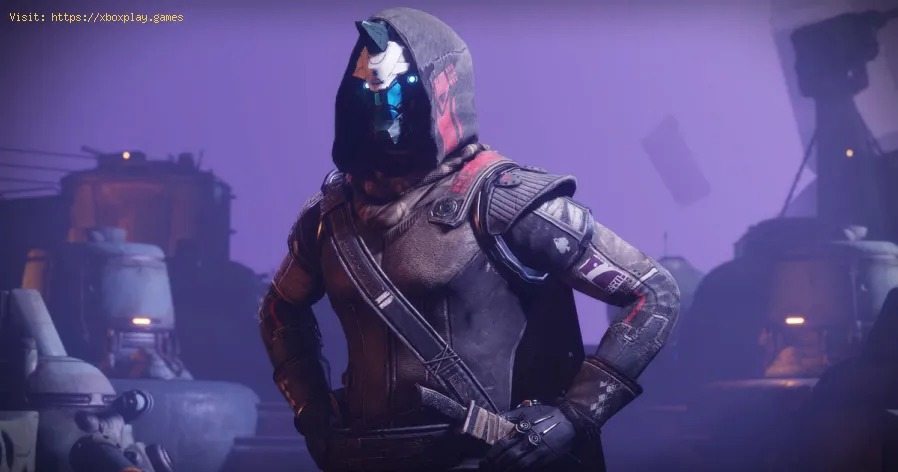
Destiny 2: How to Fix Error Code Broccoli - Ultimate Guide
Destiny 2 has other bugs that we need to work on and so we allow ourselves to explain how to fix the Broccoli error code.
This is an inconvenience that is related to the GPU and it is necessary to know how to correct the Broccoli error code, especially taking into account that there are fixes for it and that they are not very complicated to execute, since it is an error related to the GPU we must take into account the graphics card, in this sense, we invite you to continue reading and in this way you will get simple and effective solutions.
Update the operating system: we continue talking about fixes to know how to correct the Broccoli error code and this is another one that applies perfectly well for this problem in Destiny 2, for this we must:
Avoid overclocking the components: this is another method to know How to correct the Broccoli error code and there is a good number of users who have the possibility of overclocking the GPU or CPU in order to achieve maximum performance, but as all too, this has its disadvantages to the point of blocking the system, we will see that the game can crash, in this sense, it is necessary to try to return to the default clock speeds and once we do, we can start Destiny 2.
Opt to enable Vsync in game settings: Here's another fix you can apply to find out how this Vsync technology allows you to resolve this Destiny 2 error crash and to enable it you need to:
Now that you know how to fix the Broccoli error code, it's time to apply one of these fixes and thus continue enjoying Destiny 2.
Master the hidden path. Our Destiny 2 guide details every step to complete The Way Between quest, claim your reward, and conquer this challengingpuzzle.
How to Transport Cargo via Site-To-Site Transmat in Destiny 2 Renegades
Learn how to transport cargo via Site-To-Site Transmat in Destiny 2'sRenegades mission. A quick guide to complete this objective and progress through the quest step.
How to complete Imperium Campaign Mission in Destiny 2 Renegades
Master Destiny 2's Renegades with our guide on how to complete the ImperiumCampaign Mission. Find key strategies, objective walkthroughs, andessential combat tips to conquer this challenging fight.
How To Get Exotic Orders in Destiny 2 Renegades
Destiny 2 Renegades: Learn how to unlock and farm Exotic Orders with ourcomplete guide. Get the best tips for acquiring these powerful newweapons.
How To Get the Upper Hand Catalyst for the Praxic Blade in Destiny 2 Renegades
Destiny 2 gameplay with the Upper Hand Catalyst for the Praxic Blade.Learn how to obtain it and gain the upper hand in your battles!
How To Get the Refraction Core in Destiny 2 Renegades
how to obtain the Refraction Core in Destiny 2 Renegades. Unlock secrets and enhance your gameplay with our guide!
How to Get Deathmarks in Destiny 2
how to obtain Deathmarks in Destiny 2 with our comprehensive guide. Unlock powerful rewards and enhance your gameplay
How To Get the Praxic Blade Exotic in Destiny 2 Renegades
Unlock the unique Vex-themed sword, the Praxic Blade Exotic, in Destiny 2: The Renegades. This guide covers all steps, from starting the "PraxicFirewall" quest to completing its challenging missions and secrets.
How to Get the Renegades Exotic Armor in Destiny 2
Learn how to get the exclusive Renegades Exotic armor set in Destiny 2. Thisguide covers the questline, required activities, and tips to completeyour Hunter, Titan, or Warlock's ultimate endgame look.
How To Get Service of Luzaku Machine Gun in Destiny 2 Renegades
Unlock the powerful Luzaku Machine Gun in Destiny 2. Our Renegades guidecovers the complete quest steps, location, and tips to secure this heavy weapon.
PS5: How to Fix Slow Download Speed
PS5 is not without its bugs and that is why we are going to explain how to fix slow download speed.
Genshin Impact: How to Fix Error 0x7e - “Plugins: Failed to Load”
Genshin Impact has some bugs and that is why we will explain how to fix error 0x7e - Plugins: could not be loaded.
Elden Ring: How to get the Carian Piercer sorcery
In the next Elden Ring article, we'll cover everything you need to know about how to get the Carian Piercer sorcery, so stay tuned.
Fortnite: Where to Find Mancake, Bao Bros, and Lil Whip
The action in Fortnite doesn't stop, which brings us to where to find Mancake, Bao bros and Lil Whip.
iPhone: How To Free Up Space
Today we bring a guide where we will explain how to free up space on iPhone.
What is the Broccoli bug in Destiny 2?
This is an inconvenience that is related to the GPU and it is necessary to know how to correct the Broccoli error code, especially taking into account that there are fixes for it and that they are not very complicated to execute, since it is an error related to the GPU we must take into account the graphics card, in this sense, we invite you to continue reading and in this way you will get simple and effective solutions.
How to fix error code Broccoli in Destiny 2?
Update graphics driver: this is a first solution that we must apply to know how to correct the error code Broccoli because it is possible that it is outdated and therefore it throws us the error, to solve it we must:- Right-click on My Computer and proceed to select Properties.
- Next, we will click Device Manager to locate System and Security.
- Next, we click on System and then Device Manager.
- We must go to the Display Adapter where we select the graphics card and proceed to click the right mouse button.
- Then, we will click on Update driver, we will follow the instructions that are shown to us and once this is finished, we restart the PC.
Update the operating system: we continue talking about fixes to know how to correct the Broccoli error code and this is another one that applies perfectly well for this problem in Destiny 2, for this we must:
- Go to Windows Settings, which involves pressing the Windows key I to proceed to select Update and security.
- Then, we will click Check for updates, Windows will download and install them.
- Next, we navigate to find Download and Install Now under Available Optional Updates and click Download Now.
- We must wait while the process is completed and that's it.
Avoid overclocking the components: this is another method to know How to correct the Broccoli error code and there is a good number of users who have the possibility of overclocking the GPU or CPU in order to achieve maximum performance, but as all too, this has its disadvantages to the point of blocking the system, we will see that the game can crash, in this sense, it is necessary to try to return to the default clock speeds and once we do, we can start Destiny 2.
Opt to enable Vsync in game settings: Here's another fix you can apply to find out how this Vsync technology allows you to resolve this Destiny 2 error crash and to enable it you need to:
- Launch Steam on PC and run Destiny 2.
- Then, we will open the settings to see on the left side of the window the Video tab where we will click.
- Next, we select ON for the frame rate option and proceed to set the maximum frame rate value to 72.
- Next, we click Apply to save these settings and launch the game.
Now that you know how to fix the Broccoli error code, it's time to apply one of these fixes and thus continue enjoying Destiny 2.
Tags: Bungie, Guardians, Raids, Exotics, PvP, PvE, Strikes, Crucible, Gambit, Lightfall expansion, Seasonal events, Weapons a
Platform(s): PlayStation 4, PlayStation 5, Xbox One, Xbox Series X/S, Windows PC Google Stadia
Genre(s): First-person shooter, MMOG
Developer(s): Bungie, Vicarious Visions, High Moon Studios
Publisher(s): Bungie
Engine: Tiger Engine
Mode: Multiplayer
Age rating (PEGI): +16
Other Articles Related
How to Complete The Way Between Quest in Destiny 2Master the hidden path. Our Destiny 2 guide details every step to complete The Way Between quest, claim your reward, and conquer this challengingpuzzle.
How to Transport Cargo via Site-To-Site Transmat in Destiny 2 Renegades
Learn how to transport cargo via Site-To-Site Transmat in Destiny 2'sRenegades mission. A quick guide to complete this objective and progress through the quest step.
How to complete Imperium Campaign Mission in Destiny 2 Renegades
Master Destiny 2's Renegades with our guide on how to complete the ImperiumCampaign Mission. Find key strategies, objective walkthroughs, andessential combat tips to conquer this challenging fight.
How To Get Exotic Orders in Destiny 2 Renegades
Destiny 2 Renegades: Learn how to unlock and farm Exotic Orders with ourcomplete guide. Get the best tips for acquiring these powerful newweapons.
How To Get the Upper Hand Catalyst for the Praxic Blade in Destiny 2 Renegades
Destiny 2 gameplay with the Upper Hand Catalyst for the Praxic Blade.Learn how to obtain it and gain the upper hand in your battles!
How To Get the Refraction Core in Destiny 2 Renegades
how to obtain the Refraction Core in Destiny 2 Renegades. Unlock secrets and enhance your gameplay with our guide!
How to Get Deathmarks in Destiny 2
how to obtain Deathmarks in Destiny 2 with our comprehensive guide. Unlock powerful rewards and enhance your gameplay
How To Get the Praxic Blade Exotic in Destiny 2 Renegades
Unlock the unique Vex-themed sword, the Praxic Blade Exotic, in Destiny 2: The Renegades. This guide covers all steps, from starting the "PraxicFirewall" quest to completing its challenging missions and secrets.
How to Get the Renegades Exotic Armor in Destiny 2
Learn how to get the exclusive Renegades Exotic armor set in Destiny 2. Thisguide covers the questline, required activities, and tips to completeyour Hunter, Titan, or Warlock's ultimate endgame look.
How To Get Service of Luzaku Machine Gun in Destiny 2 Renegades
Unlock the powerful Luzaku Machine Gun in Destiny 2. Our Renegades guidecovers the complete quest steps, location, and tips to secure this heavy weapon.
PS5: How to Fix Slow Download Speed
PS5 is not without its bugs and that is why we are going to explain how to fix slow download speed.
Genshin Impact: How to Fix Error 0x7e - “Plugins: Failed to Load”
Genshin Impact has some bugs and that is why we will explain how to fix error 0x7e - Plugins: could not be loaded.
Elden Ring: How to get the Carian Piercer sorcery
In the next Elden Ring article, we'll cover everything you need to know about how to get the Carian Piercer sorcery, so stay tuned.
Fortnite: Where to Find Mancake, Bao Bros, and Lil Whip
The action in Fortnite doesn't stop, which brings us to where to find Mancake, Bao bros and Lil Whip.
iPhone: How To Free Up Space
Today we bring a guide where we will explain how to free up space on iPhone.