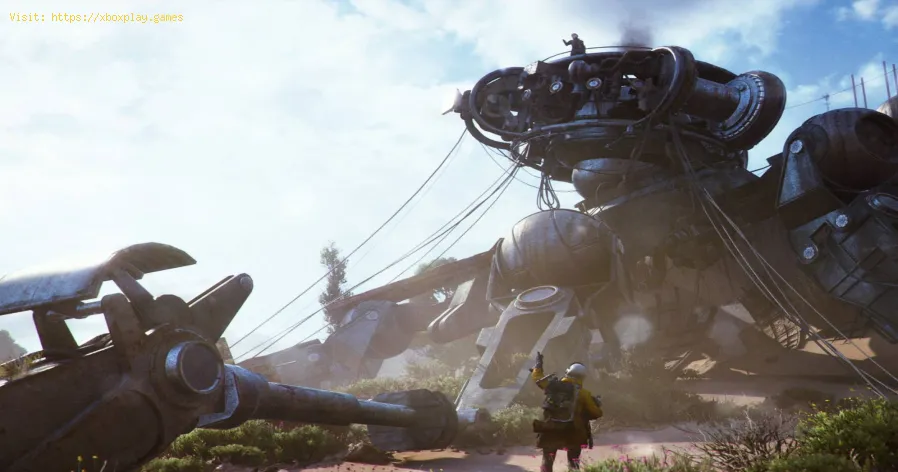
How to get Speaker Components in Arc Raiders
What Are Speaker Components?
- Item rarity: Considered a rare‑tier resource.
- Function: Used in crafting gadgets such as Lure Grenades and Photoelectric Cloaks.
- Availability: Limited to ground loot and merchant purchases; cannot be crafted directly.
- Unlock requirement: Available from Trader Celeste once you reach Level 12.
Where to Find Speaker Components
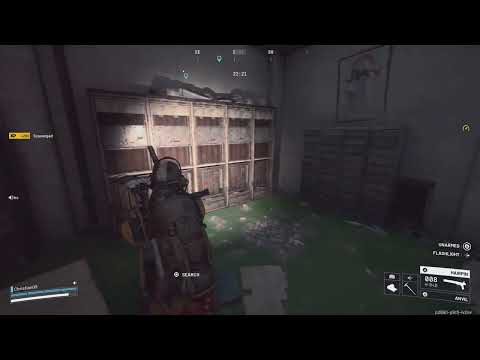
Loot in Arc Raiders is randomized, but Speaker Components are more likely to spawn in areas tagged as Commercial Points of Interest (POIs). These locations often contain lockers, cabinets, and containers that can be breached for valuable resources.Key Locations by Map
| Map | Potential POIs for Speaker Components |
|---|---|
| Dam Battlegrounds | Testing Annex, Research & Administration |
| Buried City | Plaza Rosa, Space Travel, Library, Galleria, Piazza Arbusto |
| Spaceport | Control Tower A6, Departure Building, Arrival Building |
| Blue Gate | Village |
Looting Strategy
- Plan your route: Before starting a raid, list high‑priority loot targets and map out an efficient path.
- Search thoroughly: Explore containers, lockers, and cabinets in Commercial zones.
- Expect randomness: Loot spawns are not fixed, so persistence is key.
- Diversify raids: Visit different maps to increase your chances of finding components.
Buying Speaker Components
If raiding doesn’t yield enough resources, you can purchase Speaker Components from Trader Celeste.
- Requirement: Reach Level 12 to unlock this option.
- Advantage: Guaranteed access without relying on random loot drops.
- Best use: Stock up for crafting gadgets that give you a tactical edge in combat.
Why Speaker Components Matter
Although they may seem like minor loot compared to rare weapons, SpeakerComponents are indispensable for crafting. Gadgets like Lure Grenadesallow you to manipulate enemy movement, while Photoelectric Cloaksprovide stealth advantages. Securing these items consistently ensuresyou remain competitive in raids and prepared for tougher encounters.
Final Thoughts
Speaker Components in Arc Raiders are not just filler loot—they are a foundation for gadget crafting andtactical gameplay. Whether you choose to farm them in Commercial POIs or purchase them from Trader Celeste after reaching Level 12, theseresources are worth prioritizing. With careful planning and persistence, you’ll always have the materials needed to upgrade your gear andoutsmart opponents.
Other Articles Related
How To Craft Items During a Match in Arc RaidersMaster crafting on the fly in Arc Raiders! Learn how to craft items mid-matchwith our step-by-step guide. Boost your survival & tacticaladvantage.
All Security Breach Locker Locations in Arc Raiders
Find all Security Breach Locker codes & locations in Arc Raiders withthis complete interactive map and step-by-step guide. Unlock exclusiverewards fast.
Arc Raiders: How To Get Kinetic Converter
Learn how to unlock the Kinetic Converter in Arc Raiders, a powerful gearthat significantly enhances your mobility and combat effectiveness inthis co-op extraction shooter.
How To Use Skill Tree in Arc Raiders
Master the Skill Tree in Arc Raiders with our detailed guide. Learn optimalprogression, key abilities, and strategic builds to dominate the game.
How to Destroy a Bastion in ARC Raiders
Meta Description: Learn effective strategies & essential tips to takedown a Bastion in ARC Raiders. Master combat techniques, weaponloadouts, and team tactics to conquer these formidable enemy fortresses.
How to Farm All Trinkets in ARC Raiders
Unlock every advantage! Learn the best strategies and fastest methods to farmall trinkets in ARC Raiders, complete with location guides andefficiency tips. Master your loot game.
All Weapon Case locations in ARC Raiders
Find all Weapon Case locations in ARC Raiders with this complete guide. Getstep-by-step locations, maps, and the best strategies to unlock everyweapon and gear up for the fight.
All ARC Machines Weak Points in ARC Raiders
the weak points of all ARC Machines in ARC Raiders. Enhance your gameplay strategy and take down enemies with precision.
How to Solve All Blue Gate Puzzles in ARC Raiders
Stuck on the Blue Gates in ARC Raiders? Learn step-by-step strategies tosolve every Blue Gate puzzle, unlock hidden loot, and progress throughthe game with ease.
How To Beat a Shredder in ARC Raiders
Master the fight against the deadly Shredder in ARC Raiders. Learn provenstrategies for dodging attacks, targeting weak points, and securingvictory with our expert combat guide.
How to get Cooling Fans in Arc Raiders
Learn how to get Cooling Fans in Arc Raiders for your Expedition Project. Discover the best farming spots, loot sources, and strategies to collect this rare Technological material efficiently.
How to get Jupiter Sniper Rifle in Arc Raiders
Learn how to unlock the legendary Jupiter Sniper Rifle in Arc Raiders. Discover its location in the Dam Battlegrounds Harvester event, solve the puzzle to obtain the blueprint, and craft it with rare materials for unmatched firepower.
How to solve the Ancient Fort Cellar Puzzle in ARC Raiders
Learn how to solve the Ancient Fort Cellar Puzzle in ARC Raiders by locating and inserting three hidden batteries (fuzes) around the Ancient Fort on the Blue Gate map.
How to Fix Steam Deck device not supported
Learn how to fix the 'Steam Deck device not supported' error with simple troubleshooting steps. Discover solutions to compatibility issues, updates, and settings adjustments to get your Steam Deck running smoothly.
How to Fix EA FC 26 Companion app not working
Learn how to fix the EA FC 26 Companion app not working with quick troubleshooting tips. Solve login issues, crashes, and connectivity problems to get back to managing your Ultimate Team smoothly.