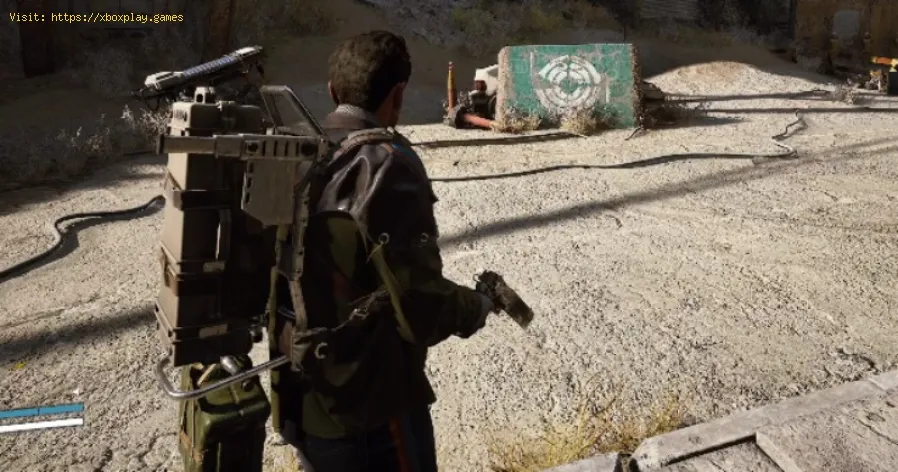
How to craft and upgrade weapons in Arc Raiders
Why Bother with Crafting and Upgrades?
Think of your starting gear as a basic key—it might open a door, but it won't unlock the game's true potential. By investing time in your arsenal, you turn unreliable weapons into trusted companions. A stronger gun means faster takedowns, more successful extractions, and the ability to take on greater challenges for better rewards. While gathering resources might seem daunting at first, mastering this loop is the key to dominating the battlefield.How to Craft Your First Weapon
You can't craft from your backpack; you need to visit a proper workstation. Here’s how to get started:Pro Tip: Always check a weapon's required materials before a raid. This lets you go in with a specific goal, making your resource runs much more efficient.
Taking Your Gear to the Next Level: The Upgrade System
Once you have a favorite weapon, you'll want to improve it. Luckily, upgrading is straightforward. You have two main paths:
- Through the Workshop: Return to the Gunsmith station and select the Upgrade tab, located right next to Crafting.
- Direct from Inventory: For a faster method, simply open your inventory, select the weapon you want to improve, right-click on it, and choose the "Upgrade" option.
Upgrades follow the same logic as crafting: each tier requires specific components. For instance, boosting your Ferro I to the next level might cost 7 Metal Parts. You can find these materials by dismantling the mechanical foes you defeat or salvaging components scattered across the map.
Understanding Weapon Tiers
How do you know how powerful a weapon is? Look at the Roman numerals. A weapon named "Ferro I" is its base version. After an upgrade, it will become "Ferro II," and so on. This clear tier system lets you instantly gauge your firepower and track your progression.
By mastering the craft-upgrade loop, you ensure you're never outgunned.Now get out there, scavenge those parts, and build the ultimate weaponto reclaim the world.
Other Articles Related
How to get Emerald Wave Electrician Backpack for free in ARC RaidersDiscover how to obtain the Emerald Wave Electrician Backpack in ARC Raiders. Unlock this unique item and enhance your gameplay
How To Defeat Matriarch in Arc Raiders
Conquer the Matriarch in Arc Raiders with our step-by-step guide. Learn keystrategies, optimal loadouts, and crucial weak points to defeat thisepic boss.
Where To Find Magnetron in Arc Raiders
the best locations to find Magnetron in Arc Raiders. Unlock powerful upgrades and enhance your gameplay with our guide!
How to Craft Energy Clips in ARC Raiders
Learn how to craft Energy Clips in ARC Raiders with our comprehensive guide. Boost your gameplay and enhance your strategies
How To Customise Your Raider Den in Arc Raiders
how to customize your Raider Den in Arc Raiders. Explore unique designs and features to enhance your gaming experience
How To Claim Free Emerald Wave Electrician Backpack in Arc Raiders
Arc Raiders Free Emerald Wave Electrician Backpack, designed fordurability and style. Perfect for professionals and enthusiasts alike.
How To Craft Items During a Match in Arc Raiders
Master crafting on the fly in Arc Raiders! Learn how to craft items mid-matchwith our step-by-step guide. Boost your survival & tacticaladvantage.
All Security Breach Locker Locations in Arc Raiders
Find all Security Breach Locker codes & locations in Arc Raiders withthis complete interactive map and step-by-step guide. Unlock exclusiverewards fast.
Arc Raiders: How To Get Kinetic Converter
Learn how to unlock the Kinetic Converter in Arc Raiders, a powerful gearthat significantly enhances your mobility and combat effectiveness inthis co-op extraction shooter.
How To Use Skill Tree in Arc Raiders
Master the Skill Tree in Arc Raiders with our detailed guide. Learn optimalprogression, key abilities, and strategic builds to dominate the game.
How to get all gadgets in Arc Raiders
Master every tool in ARC Raiders! Our guide reveals how to unlock all gadgets, upgrade their abilities, and dominate the battlefield against themachine threat. Get the ultimate tactical edge.
How to Fix ARC Raiders not working on Xbox
Struggling to launch ARC Raiders on your Xbox? Get quick fixes for crashes, longloading screens, connection errors, and installation issues. Our guidehelps you get back into the game.
How to Fix ARC Raiders Online connection error
Struggling to connect in ARC Raiders? Learn how to fix the "ARC Raiders Onlineconnection error" with our step-by-step troubleshooting guide for PC and console. Get solutions for server issues, network problems, and quickfixes to get you back in the game.
All Grounding Station Towers Location in Outer Worlds 2
Find every Grounding Station tower in Outer Worlds 2. Get the complete listof locations, maps, and guides to conquer this key game mechanic.
How to Complete A Final Death For Gravity Quest in Outer Worlds 2
Struggling with the "Final Death" objective in Outer Worlds 2's Gravity Quest? Our guide provides a clear, step-by-step walkthrough to help you completethis challenging mission and claim your rewards.