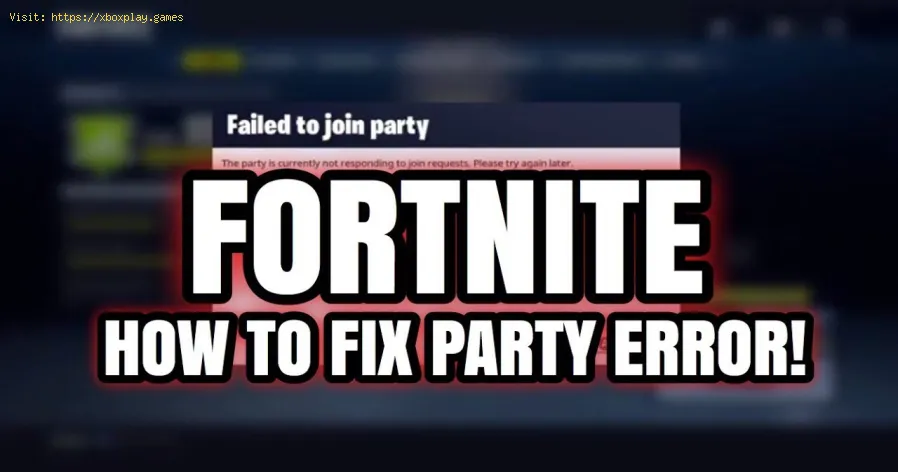
How to fix error code 93 - Fortnite
For today, we bring you a very useful article on how to fix error code 93 in Fortnite.
This is another mistake you may encounter when trying to join a friend's party. Fortunately there are a few things you can do to correct it.
The first thing you can do is close the game completely and then reopen it. Pick a different mask from your Fortnite locker, then you will have to join a random solo game to ask your friend to invite you back to the party and hopefully access the party with no problem. Another thing you can try if the above didn't work is asking the party host to change the Lobby from private to public in their Settings Menu, this should also fix the problem.
Also make sure that the game servers are up and running properly.
Another thing you can do is add the party host to your Epic Friends List, via the Friends tab on the PC version of Fortnite and try to access their party again.
In case nothing works you can reinstall the game from scratch or just be patient and wait for the problem to be solved.
This is all you need to know if you were wondering how to fix error code 93 in Fortnite, we hope that with our article you have been able to correct this error and that the developers take care of it so that it does not burden other players again.
Discover every Reboot Van location in Fortnite Chapter 7 Season 1. Get the fullmap guide to revive your squad and secure that Victory Royale.
Where to Find Drivable Reboot Vans in Fortnite Chapter 7
Find drivable Reboot Vans across the Fortnite Chapter 7 map with ourlocations guide. Learn where to get your squad back in the fight andsecure victory.
All New Mechanics in Fortnite Chapter 7
the exciting new mechanics in Fortnite Chapter 7! Unleash your skills and strategies with the latest updates. Join the battle now!
How to Find Battle Bus Parts in Fortnite
essential tips on locating Battle Bus parts in Fortnite. Enhance your gameplay and master the art of scavenging with our guide!
What to Do With the Unstable Element in Fortnite
strategies for handling the Unstable Element in Fortnite. Unlock secrets and enhance your gameplay with our expert tips!
How to Self-Revive in Fortnite
Learn how to self-revive in Fortnite with our step-by-step guide. Master this essential skill to enhance your gameplay
How to Get the Forsaken Vow Blade in Fortnite
how to obtain the Forsaken Vow Blade in Fortnite. Unlock its powerfulabilities and enhance your gameplay with this exclusive weapon.
How to Lift the 515 KG Weight in Fortnite
expert tips and strategies to successfully lift the 515 KG weight inFortnite. Boost your gameplay and impress your friends with this guide!
How to Get all Mythics in Fortnite Chapter 7 Season 1
Master Fortnite Chapter 7 Season 1 with our complete list of Mythics.Equip yourself with the best items and elevate your gaming skills
All Fortnite Chapter 7 Season 1 Boss Locations
all Chapter 7 Season 1 boss locations in Fortnite. Master the game with our detailed guide and enhance your gameplay experience
Sword Art Online Alicization Lycoris: How to complete Deusoldort Desert Side Quests
We invite you to discover How to complete deusoldort desert Side Quests, a new task in Sword Art Online Alicization Lycoris.
How to fix error code 91 - Fortnite
Lately Fortnite has had many active errors, so today we are going to tell you everything you need to know about how to correct error code 91.
Fallout 76: How to Fix NoRegionPing Error
We have made a Fallout 76 guide and our goal is to explain how to fix the NoRegionPing error, let's see.
Call of Duty Modern Warfare - Warzone: How to fix Error Code CE-34878-0
Today we are going to talk to you about how to correct the error code CE-34878-0 as this is a bug present in Call of Duty Modern Warfare - Warzone
F1 2020: How to Get Podium Pass
The world of speed does not stop and this allows us to enjoy F1 2020, which gives us the opportunity to learn how to get podium pass
What is Fortnite error 93?
This is another mistake you may encounter when trying to join a friend's party. Fortunately there are a few things you can do to correct it.
How to fix error code 93 in Fortnite?
The first thing you can do is close the game completely and then reopen it. Pick a different mask from your Fortnite locker, then you will have to join a random solo game to ask your friend to invite you back to the party and hopefully access the party with no problem.
Also make sure that the game servers are up and running properly.
Another thing you can do is add the party host to your Epic Friends List, via the Friends tab on the PC version of Fortnite and try to access their party again.
In case nothing works you can reinstall the game from scratch or just be patient and wait for the problem to be solved.
This is all you need to know if you were wondering how to fix error code 93 in Fortnite, we hope that with our article you have been able to correct this error and that the developers take care of it so that it does not burden other players again.
Tags: Battle Royale, Fortnite Skins, V-Bucks, Fortnite Challenges, Fortnite Events, Fortnite Map, Fortnite Weapons, Fortnite S
Platform(s): Microsoft Windows PC, macOS, PlayStation 4 PS4, Xbox One, Nintendo Switch, PlayStation 5 PS5, Xbox Series X|S Android, iOS
Genre(s): Survival, battle royale, sandbox
Developer(s): Epic Games
Publisher(s): Epic Games
Engine: Unreal Engine 5
Release date: July 25, 2017
Mode: Co-op, multiplayer
Age rating (PEGI): 12+
Other Articles Related
All Reboot Van Locations in Fortnite Chapter 7 Season 1Discover every Reboot Van location in Fortnite Chapter 7 Season 1. Get the fullmap guide to revive your squad and secure that Victory Royale.
Where to Find Drivable Reboot Vans in Fortnite Chapter 7
Find drivable Reboot Vans across the Fortnite Chapter 7 map with ourlocations guide. Learn where to get your squad back in the fight andsecure victory.
All New Mechanics in Fortnite Chapter 7
the exciting new mechanics in Fortnite Chapter 7! Unleash your skills and strategies with the latest updates. Join the battle now!
How to Find Battle Bus Parts in Fortnite
essential tips on locating Battle Bus parts in Fortnite. Enhance your gameplay and master the art of scavenging with our guide!
What to Do With the Unstable Element in Fortnite
strategies for handling the Unstable Element in Fortnite. Unlock secrets and enhance your gameplay with our expert tips!
How to Self-Revive in Fortnite
Learn how to self-revive in Fortnite with our step-by-step guide. Master this essential skill to enhance your gameplay
How to Get the Forsaken Vow Blade in Fortnite
how to obtain the Forsaken Vow Blade in Fortnite. Unlock its powerfulabilities and enhance your gameplay with this exclusive weapon.
How to Lift the 515 KG Weight in Fortnite
expert tips and strategies to successfully lift the 515 KG weight inFortnite. Boost your gameplay and impress your friends with this guide!
How to Get all Mythics in Fortnite Chapter 7 Season 1
Master Fortnite Chapter 7 Season 1 with our complete list of Mythics.Equip yourself with the best items and elevate your gaming skills
All Fortnite Chapter 7 Season 1 Boss Locations
all Chapter 7 Season 1 boss locations in Fortnite. Master the game with our detailed guide and enhance your gameplay experience
Sword Art Online Alicization Lycoris: How to complete Deusoldort Desert Side Quests
We invite you to discover How to complete deusoldort desert Side Quests, a new task in Sword Art Online Alicization Lycoris.
How to fix error code 91 - Fortnite
Lately Fortnite has had many active errors, so today we are going to tell you everything you need to know about how to correct error code 91.
Fallout 76: How to Fix NoRegionPing Error
We have made a Fallout 76 guide and our goal is to explain how to fix the NoRegionPing error, let's see.
Call of Duty Modern Warfare - Warzone: How to fix Error Code CE-34878-0
Today we are going to talk to you about how to correct the error code CE-34878-0 as this is a bug present in Call of Duty Modern Warfare - Warzone
F1 2020: How to Get Podium Pass
The world of speed does not stop and this allows us to enjoy F1 2020, which gives us the opportunity to learn how to get podium pass