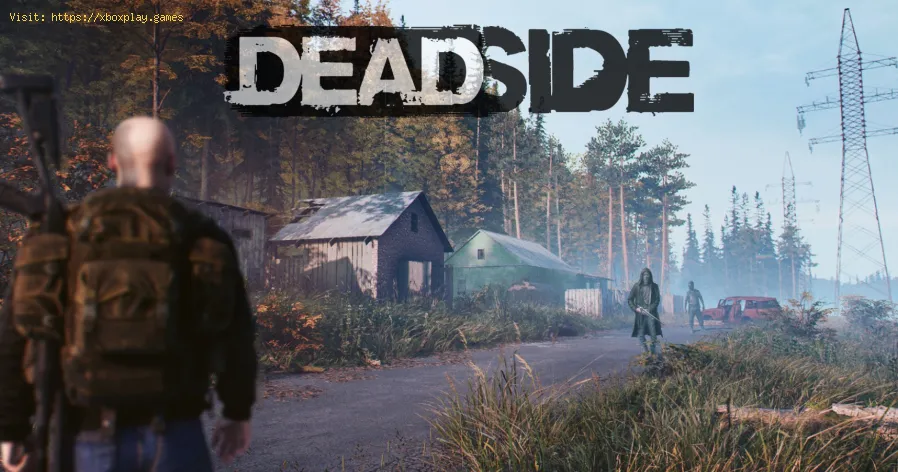
Deadside: How to get more Friends - Tips and tricks - Ultimate Guide
Quickly we are going to tell you how to make friends in Deadside with this article.
The title belongs to the hardcore multiplayer shooting game with elements of post-apocalyptic survival that has been developed by Bad Pixel and that premiered on April 14, 2020.
What we love most about multiplayer is precisely that, being able to interact with other players from anywhere in the world and make friends, and this is precisely what we will talk about, friends in this game.
Considering that not everyone is your enemy, to make friends in the game you will have to press the F key first, this will add it to your team as long as the other person accepts it, to accept it you will have to press the F5 key. This will allow you to see his Gamertag on the character model, however you can still kill him and he you. In case you leave the server you will have to rejoin your team again when you return, your team can activate the doors of your base when in a team when they are eliminated they lose the ability to activate the doors.
To leave a team you will have to open the map and look for the tab of the squad that says exit.
We recommend not adding any player to your group, keep in mind that they will also be able to open doors and may even kill you.
This is all you need to know about making friends in Deadside, so now that you know how to do it we hope that you take into account the aforementioned before adding anyone to your team and that you can meet new friends.
The gaming world's changing fast, and payment tech is driving most of it. We've gone from fumbling with credit cards to buying stuff in-game without even thinking about it.
CS2 Gaming Accessories: Boost Your Counter-Strike Experience
Counter-Strike 2 (CS2) is a fast-paced, competitive shooter where precision, reaction time, and comfort play a huge role in success. While skill is paramount
How To Get Tyranitar in Pokemon Legends: Z-A
Discover how to obtain Tyranitar in Pokemon Legends: Z-A. Unlock this powerful Pokémon with our step-by-step guide!
The Role of Emotion AI in Creating More Engaging Reading Experiences
Emotion AI—technology designed to recognize and respond to human emotions—is stepping quietly into the reading world.
How Sim Racing Is Becoming the Next Big Esport for Console and PC Gamers
In the fast-evolving world of gaming, few genres have experienced as much transformation and momentum as sim racing.
Counter Strike Live Score: Real-Time Action and the Pulse of Competitive CS
In the fast-paced world of Counter-Strike esports, every round matters, every clutch can shift momentum, and every match tells a story that unfolds in real-time.
Steam: How to fix FATAL ERROR: failed to connect with local steam client
Some platforms have errors and Steam is no exception. Let's see how to fix FATAL ERROR: failed to connect with local steam client in Steam
Stranded Deep: How to Kill Tiger Shark - Tips and tricks
In today's article we are going to tell you all about how to kill tiger shark on Stranded Deep.
Trials of Mana: How to Heal - Tips and tricks
You want to know how to heal in Trials of Mana because you have come to the right place, here we will explain it to you with precise details.
VALORANT: How To Get Skins
The new challenges in VALORANT lead us to explain how to obtain Skins with specific details.
Netflix: How to Fix Error Code U7361-1253-C00D6D79
There are many users wondering how to fix error Code U7361-1253-C00D6D79 of Netflix and we found the solution and today we will tell you what to do.
What is Deadside about.
The title belongs to the hardcore multiplayer shooting game with elements of post-apocalyptic survival that has been developed by Bad Pixel and that premiered on April 14, 2020.
What we love most about multiplayer is precisely that, being able to interact with other players from anywhere in the world and make friends, and this is precisely what we will talk about, friends in this game.
How to make friends in Deadside.
Considering that not everyone is your enemy, to make friends in the game you will have to press the F key first, this will add it to your team as long as the other person accepts it, to accept it you will have to press the F5 key. This will allow you to see his Gamertag on the character model, however you can still kill him and he you.
To leave a team you will have to open the map and look for the tab of the squad that says exit.
We recommend not adding any player to your group, keep in mind that they will also be able to open doors and may even kill you.
This is all you need to know about making friends in Deadside, so now that you know how to do it we hope that you take into account the aforementioned before adding anyone to your team and that you can meet new friends.
Mode:

Other Articles Related
4 Ways Payments Are Revolutionizing the Gaming IndustryThe gaming world's changing fast, and payment tech is driving most of it. We've gone from fumbling with credit cards to buying stuff in-game without even thinking about it.
CS2 Gaming Accessories: Boost Your Counter-Strike Experience
Counter-Strike 2 (CS2) is a fast-paced, competitive shooter where precision, reaction time, and comfort play a huge role in success. While skill is paramount
How To Get Tyranitar in Pokemon Legends: Z-A
Discover how to obtain Tyranitar in Pokemon Legends: Z-A. Unlock this powerful Pokémon with our step-by-step guide!
The Role of Emotion AI in Creating More Engaging Reading Experiences
Emotion AI—technology designed to recognize and respond to human emotions—is stepping quietly into the reading world.
How Sim Racing Is Becoming the Next Big Esport for Console and PC Gamers
In the fast-evolving world of gaming, few genres have experienced as much transformation and momentum as sim racing.
Counter Strike Live Score: Real-Time Action and the Pulse of Competitive CS
In the fast-paced world of Counter-Strike esports, every round matters, every clutch can shift momentum, and every match tells a story that unfolds in real-time.
Steam: How to fix FATAL ERROR: failed to connect with local steam client
Some platforms have errors and Steam is no exception. Let's see how to fix FATAL ERROR: failed to connect with local steam client in Steam
Stranded Deep: How to Kill Tiger Shark - Tips and tricks
In today's article we are going to tell you all about how to kill tiger shark on Stranded Deep.
Trials of Mana: How to Heal - Tips and tricks
You want to know how to heal in Trials of Mana because you have come to the right place, here we will explain it to you with precise details.
VALORANT: How To Get Skins
The new challenges in VALORANT lead us to explain how to obtain Skins with specific details.
Netflix: How to Fix Error Code U7361-1253-C00D6D79
There are many users wondering how to fix error Code U7361-1253-C00D6D79 of Netflix and we found the solution and today we will tell you what to do.