How To Fast Travel in Call Of The Wild: The Angler
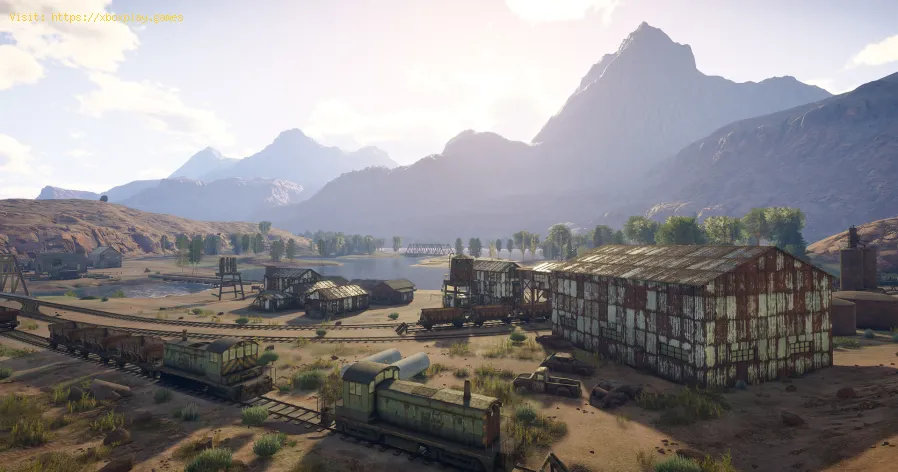
If you don't know how to fast travel in Call Of The Wild The Angler, pay attention, because here we will cover everything you need.
The entire map might be unlocked after about five or six hours of gameplay, but you should make sure you travel to all the points for the first time, so that you can access these locations using fast travel. To use this feature you will need to access the map > select the location marked on it > enter "Fast Travel" to travel to the location automatically.
This is all you need to know about how to fast travel in Call Of The Wild The Angler, we have noticed that generally the unlocking of fast travel in many games is similar and there are few things that change, so we hope you will be able to access all locations on the map for the first time as soon as possible.
Unlock the toughest game achievements and trophies with our expert guides. Get step-by-step strategies, hidden tips, and proven methods to conquer any gaming challenge.
How to complete side quests faster
Boost your gameplay efficiency! Learn expert tips and strategies to completeside quests faster without sacrificing rewards or story enjoyment. Level up efficiently!
How to play better in co-op mode: tips and strategies
Enhance your team's success in co-op mode with expert tips, strategies, andcommunication tactics. Master coordination, role selection, and resource sharing for victory.
How to choose the best class in shooters (beginners)
Unsure which class to pick in shooters? Learn key beginner tips for choosingthe right class (Assault, Support, Sniper, etc.) to match your playstyle and dominate the game.
How to Farm Resources Fast in Any Game
Maximize your in-game progress with these universal resource farming strategies. Learn efficient methods, time-saving tricks, and optimization tips toaccelerate your grind in any video game.
Microphone not working in games: how to fix it
Is your microphone not working in games? Fix audio settings, permissions& hardware issues with this quick, step-by-step troubleshootingguide. Get back to team chat fast.
How to fix extreme lag in online games
Reduce lag spikes & high ping in online games. Get playable ping withinternet fixes, in-game settings tweaks, PC optimizations & routerfixes. Start winning again.
How to manage inventory in RPGs without mistakes
Master inventory management in RPGs with our expert tips to avoid common mistakes and enhance your gaming
How to choose the best weapons according to your play style
Discover how to select the best weapons tailored to your unique play style for optimal performance and enjoyment
How to improve in any battle royale
Master the art of survival with our tips on how to improve in any battle royale game. Elevate your skills and dominate the competition!
Where to find Head Mushroom location in Genshin Impact 3.0
Pay attention so you can learn where to find head mushroom in Genshin Impact, because we've got that covered here.
How To Use Power Bar in Call Of The Wild The Angler
In case you don't know how to use power bar in Call Of The Wild The Angler all you have to do is read on.
Where to find Nagadus Emeralds location in Genshin Impact 3.0
Get comfortable if you want to learn where to find Nagadus emeralds in Genshin Impact, because we have this for you here.
Where to find the Sandworm location in Tower of Fantasy
We hope you're ready to learn where to find the sandworm in Tower of Fantasy, because we'll be tackling it all for you here.
How To Fix GTA Online Error Code 17
Failures are usually noticed in all games, let's see How to fix GTA Online error code 17.
What is Call Of The Wild The Angler about?
This is a new video game developed by Expansive Worlds, specifically a fishing simulator that was released a few hours ago. Among the many features you can find in the game, you will find fast travel. This feature will allow you to move automatically to various points in the game, so knowing how to fast travel in Call Of The Wild The Angler is very valuable.How to fast travel in Call Of The Wild The Angler?
To unlock the fishing spots you can use the rental vehicles, which you can access in the Car Hire and Boat Hire stores. In order to access all the locations on the map you will have to travel for quite a while, so we recommend you to get some vehicles.The entire map might be unlocked after about five or six hours of gameplay, but you should make sure you travel to all the points for the first time, so that you can access these locations using fast travel. To use this feature you will need to access the map > select the location marked on it > enter "Fast Travel" to travel to the location automatically.
This is all you need to know about how to fast travel in Call Of The Wild The Angler, we have noticed that generally the unlocking of fast travel in many games is similar and there are few things that change, so we hope you will be able to access all locations on the map for the first time as soon as possible.
Mode:

Other Articles Related
How to unlock difficult achievements and trophiesUnlock the toughest game achievements and trophies with our expert guides. Get step-by-step strategies, hidden tips, and proven methods to conquer any gaming challenge.
How to complete side quests faster
Boost your gameplay efficiency! Learn expert tips and strategies to completeside quests faster without sacrificing rewards or story enjoyment. Level up efficiently!
How to play better in co-op mode: tips and strategies
Enhance your team's success in co-op mode with expert tips, strategies, andcommunication tactics. Master coordination, role selection, and resource sharing for victory.
How to choose the best class in shooters (beginners)
Unsure which class to pick in shooters? Learn key beginner tips for choosingthe right class (Assault, Support, Sniper, etc.) to match your playstyle and dominate the game.
How to Farm Resources Fast in Any Game
Maximize your in-game progress with these universal resource farming strategies. Learn efficient methods, time-saving tricks, and optimization tips toaccelerate your grind in any video game.
Microphone not working in games: how to fix it
Is your microphone not working in games? Fix audio settings, permissions& hardware issues with this quick, step-by-step troubleshootingguide. Get back to team chat fast.
How to fix extreme lag in online games
Reduce lag spikes & high ping in online games. Get playable ping withinternet fixes, in-game settings tweaks, PC optimizations & routerfixes. Start winning again.
How to manage inventory in RPGs without mistakes
Master inventory management in RPGs with our expert tips to avoid common mistakes and enhance your gaming
How to choose the best weapons according to your play style
Discover how to select the best weapons tailored to your unique play style for optimal performance and enjoyment
How to improve in any battle royale
Master the art of survival with our tips on how to improve in any battle royale game. Elevate your skills and dominate the competition!
Where to find Head Mushroom location in Genshin Impact 3.0
Pay attention so you can learn where to find head mushroom in Genshin Impact, because we've got that covered here.
How To Use Power Bar in Call Of The Wild The Angler
In case you don't know how to use power bar in Call Of The Wild The Angler all you have to do is read on.
Where to find Nagadus Emeralds location in Genshin Impact 3.0
Get comfortable if you want to learn where to find Nagadus emeralds in Genshin Impact, because we have this for you here.
Where to find the Sandworm location in Tower of Fantasy
We hope you're ready to learn where to find the sandworm in Tower of Fantasy, because we'll be tackling it all for you here.
How To Fix GTA Online Error Code 17
Failures are usually noticed in all games, let's see How to fix GTA Online error code 17.